

Can't access mouse settings; Razer Synapse | Razer Insider
Skip to main content

Can't access mouse settings; Razer Synapse

  • April 1, 2021
  • 3 replies
  • 195 views

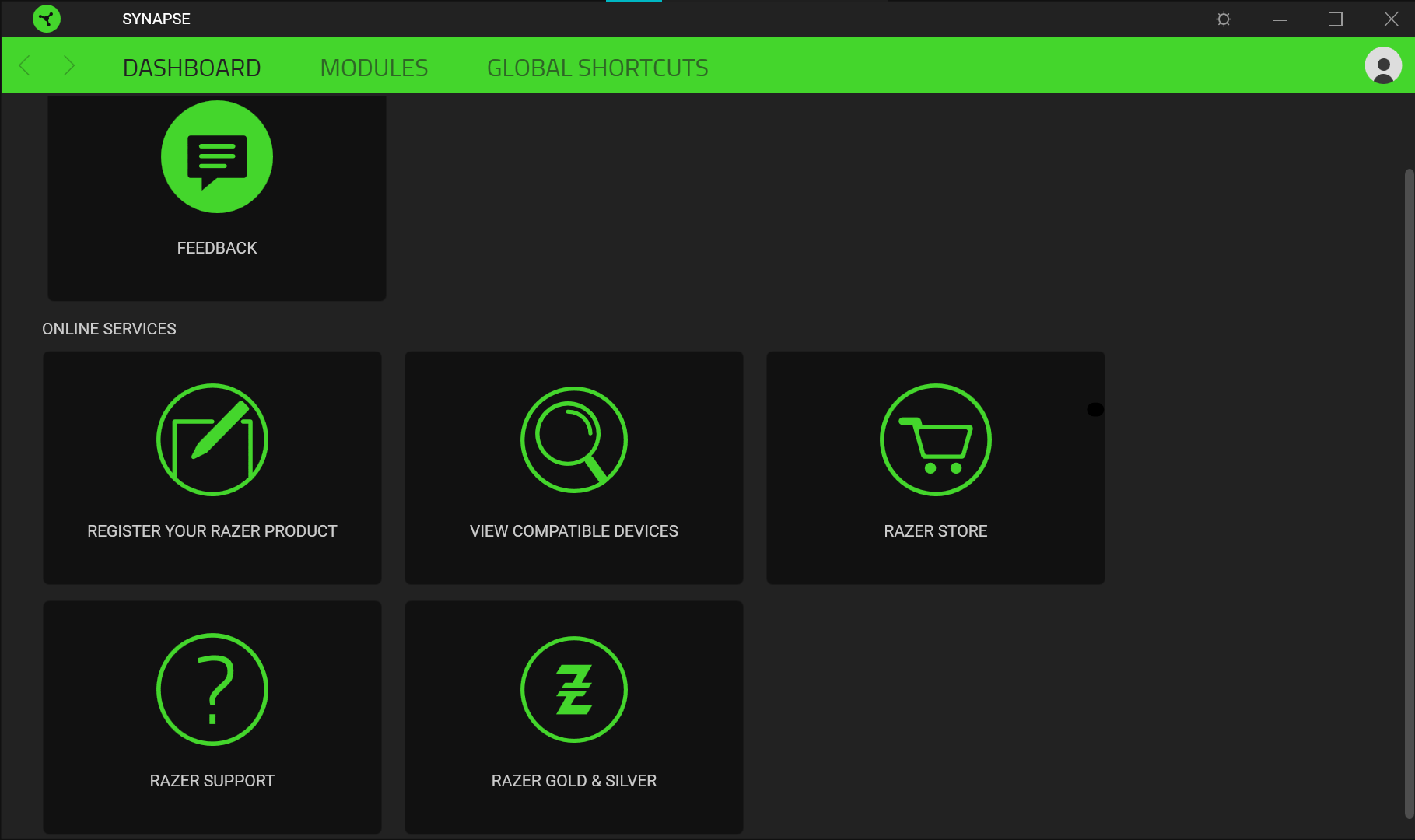
Recently purchased a Razer Basilisk X Hyperspeed. Synapse presented DPI settings on first-time launch, will no longer show. Only options available when opening Synapse are Dashboard, Modules and Global Shortcuts (other settings such as macros are not available). Have registered the device. Have uninstalled and reinstalled, has fixed nothing. Also tried to download an older version of Synapse, didn't fix it Help? This is all I can see right now.
This topic has been closed for replies.

3 Replies

Razer.Speedcr0ss
BortyTheBort
Recently purchased a Razer Basilisk X Hyperspeed. Synapse presented DPI settings on first-time launch, will no longer show. Only options available when opening Synapse are Dashboard, Modules and Global Shortcuts (other settings such as macros are not available). Have registered the device. Have uninstalled and reinstalled, has fixed nothing. Also tried to download an older version of Synapse, didn't fix it Help? This is all I can see right now.
Hi there! Thanks for putting up this thread. Have you performed the steps from this link?

Attempted the repair of Synapse, restarted my PC, no change. Tried pairing with Bluetooth, tried an older kind of USB port, again no change. Starting to get frustrated with this especially since it was working the first time I plugged the mouse in

Razer.Speedcr0ss
BortyTheBort
Attempted the repair of Synapse, restarted my PC, no change. Tried pairing with Bluetooth, tried an older kind of USB port, again no change. Starting to get frustrated with this especially since it was working the first time I plugged the mouse in
Thanks for the follow-up. Please gather your computer's Synapse 3.0 logs by following the steps from this link, the perform a clean reinstallation. Should the issue persist, please save the logs via Google Drive or any online drive account, then paste the link in your PM. Let's continue our conversation there.
