Hi everyone,
I am experiencing a persistent issue with the USB dongle for my Razer BlackShark V2 HyperSpeed. The headset itself seems fine, but the USB transceiver is constantly malfunctioning on my Windows desktop.
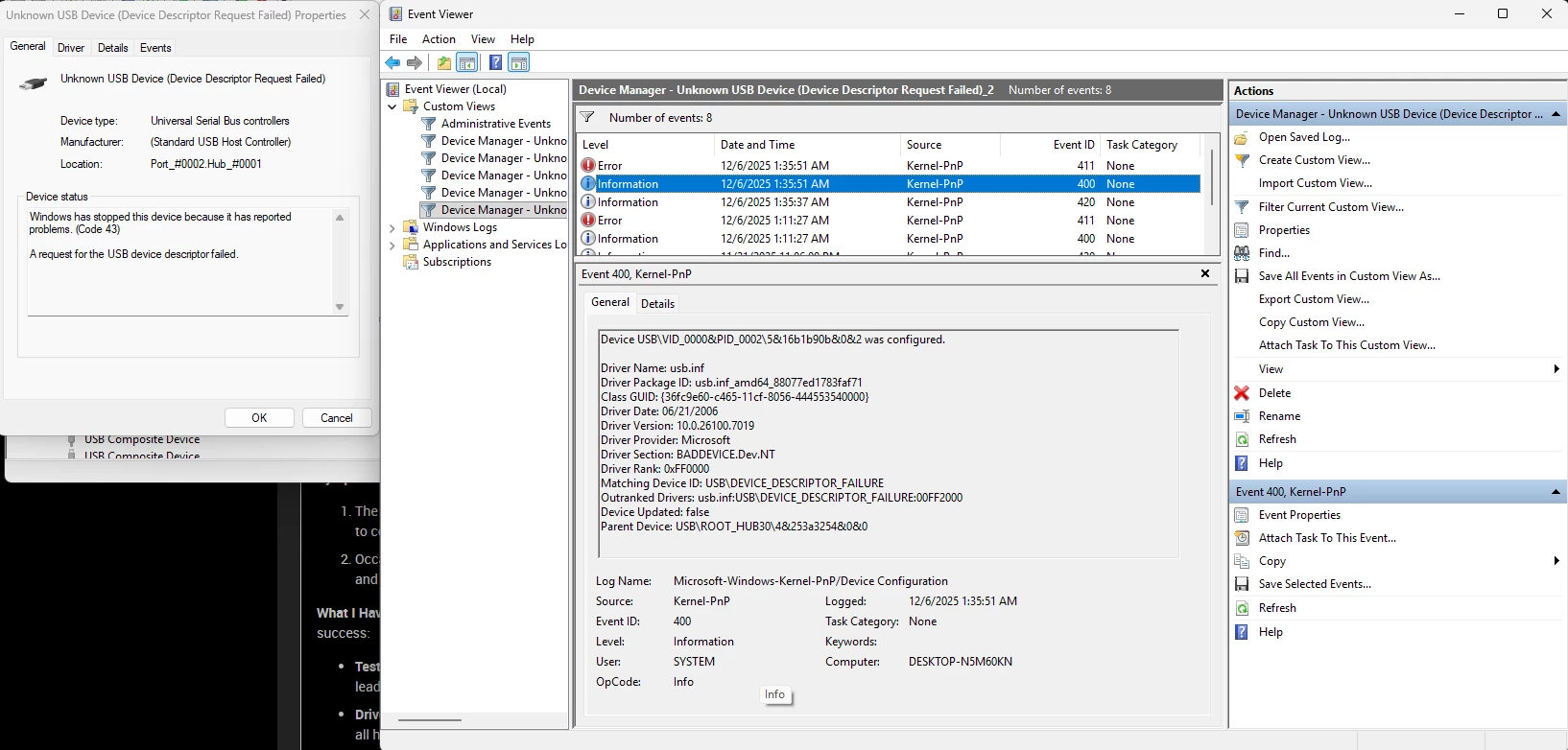
The Issue: When I plug in the dongle, Windows Device Manager does not recognize it properly. It shows up under Universal Serial Bus controllers as:
-
"Unknown USB Device (Device Descriptor Request Failed)"
-
"Unknown USB Device (Configuration Descriptor Request Failed)"
-
"Unknown USB Device (Set Address Failed)"
The device status shows Code 43 ("Windows has stopped this device because it has reported problems").
Symptoms:
-
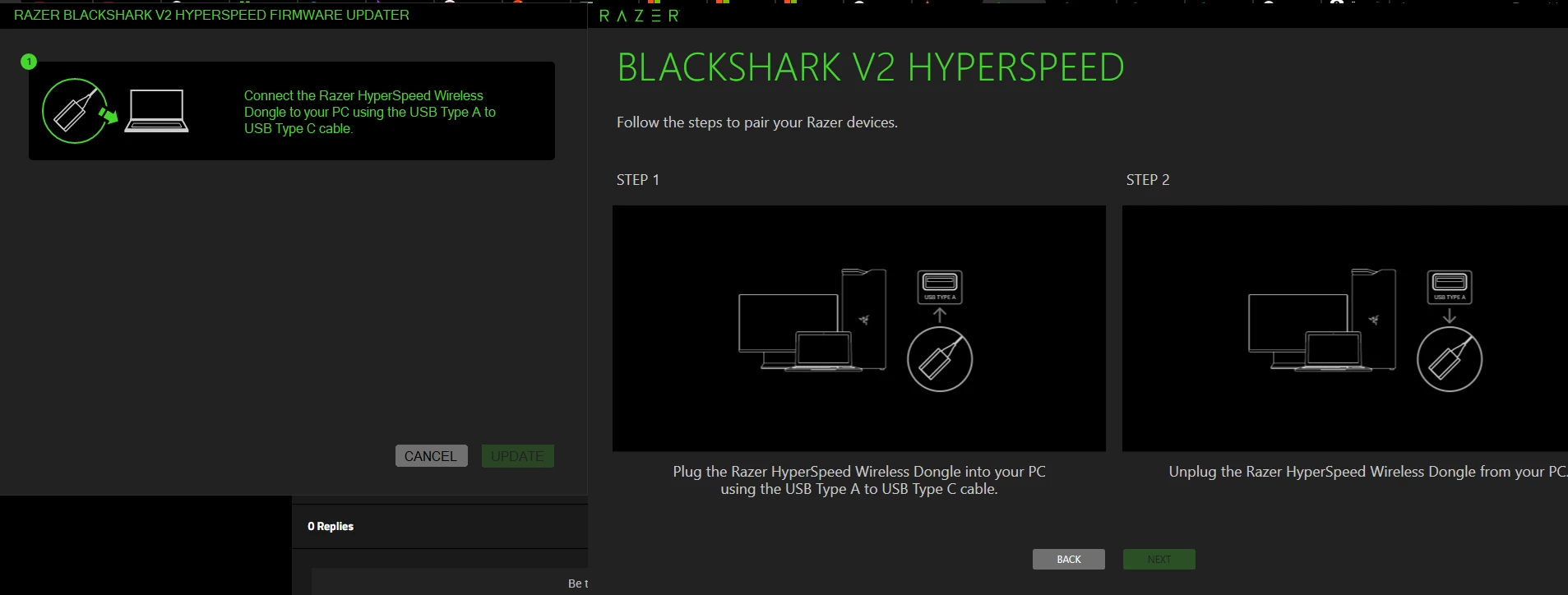
The dongle is not detected by Razer Synapse or the Razer Firmware Updater tool (the tool asks me to connect the device, even though it is plugged in).
-
Occasionally, if I unplug/replug or re-pair it, it connects for a very short time but then disconnects and reverts to the "Unknown Device" error.
What I Have Tried So Far (Troubleshooting): To rule out software issues, I have tried the following steps without success:
-
Tested on a Mac: I plugged the dongle into a MacBook. It is not recognized there either, which leads me to believe this is a hardware/firmware issue with the dongle itself.
-
Driver Cleanup: I used Device Manager to "Uninstall Device" (checking the delete driver option) for all hidden/failed USB instances and rebooted.
-
Power Settings: I disabled "USB Selective Suspend" in Power Options and unchecked "Allow the computer to turn off this device" in USB Root Hub properties.
-
Ports: Tried multiple USB 2.0 and 3.0 ports directly on the motherboard (MSI PRO H610M-B).
-
Firmware Updater: I tried to run the Razer Firmware Updater, but since Windows doesn't recognize the device ID (VID/PID are failing), the software stays on the "Connect the dongle" screen.
Screenshots: I have attached screenshots of the Device Manager errors and the Firmware Updater stuck screen.
Has anyone managed to fix a bricked dongle like this, or is the hardware completely dead? Is there a way to "force" the firmware update when the device descriptor is failing?
Any help would be appreciated. Thanks!