
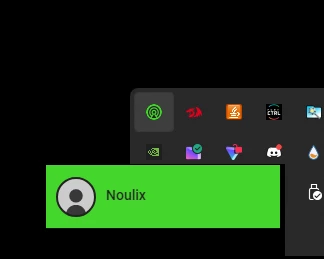
so, when i log in / log in as guest, 7.1 surround just closes to tray and when i left click on the icon:
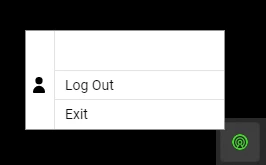
and when i right click:

so, when i log in / log in as guest, 7.1 surround just closes to tray and when i left click on the icon:
and when i right click:
Best answer by Razer.Aero
Hi Noulix,
From what you described, 7.1 Surround signs in normally, but instead of opening, it just minimizes to the system tray and won’t come back up. Just to check, was it working fine before this started happening? Also, when did you first notice the issue? When you get a chance, please send me a PM with the answers to these questions so I can check for possible workarounds:
Please also include your device serial number to verify its model. Thanks!
“Thread locked to curb conversation to PM.
Already have an account? Login
No account yet? Create an account
Enter your E-mail address. We'll send you an e-mail with instructions to reset your password.


