

Macro to zoom in/out in windows..aka. use Windows Magnifier
Cheers all, noob here on Razer Macros (using them in Blackwidow TE Chroma 2).
Is there a way to create shortcut/macro to zoom in/out using Windows Magnifier. The shortcuts, that work in normal keyboard, are Windows key + minus and plus on the numpad.
-k
This topic has been closed for replies.

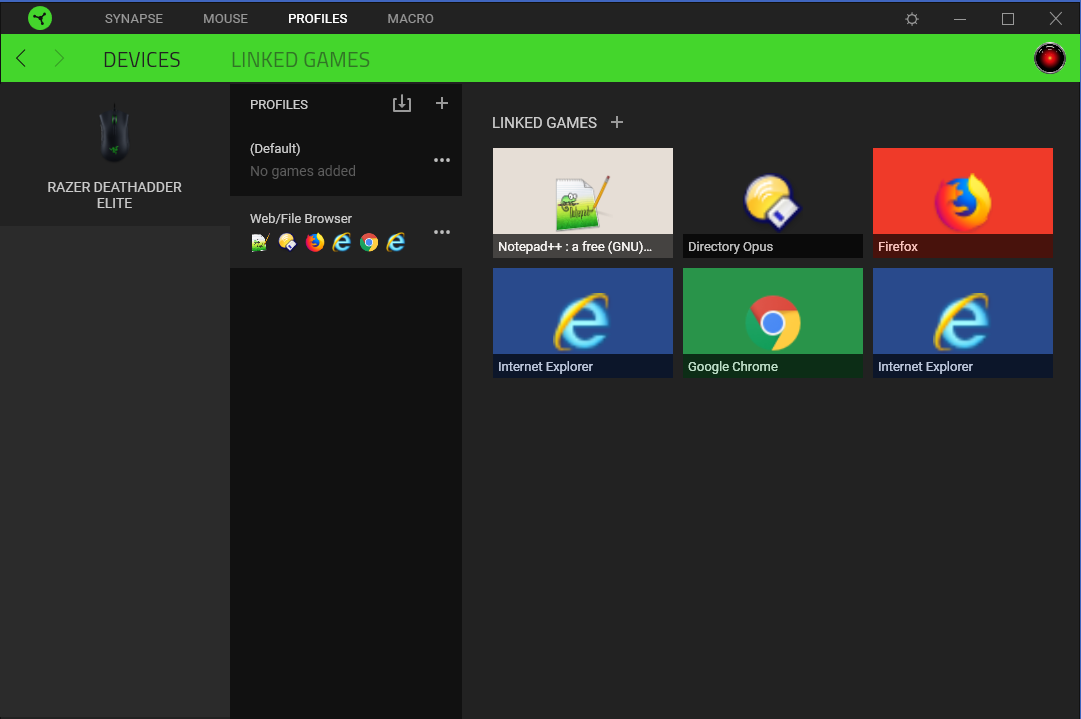
 Next, I created a profile called "Web/File Browser" and linked the apps in which I wanted the DPI buttons to work as zoom buttons. Chrome, Firefox, Notepad++, etc.
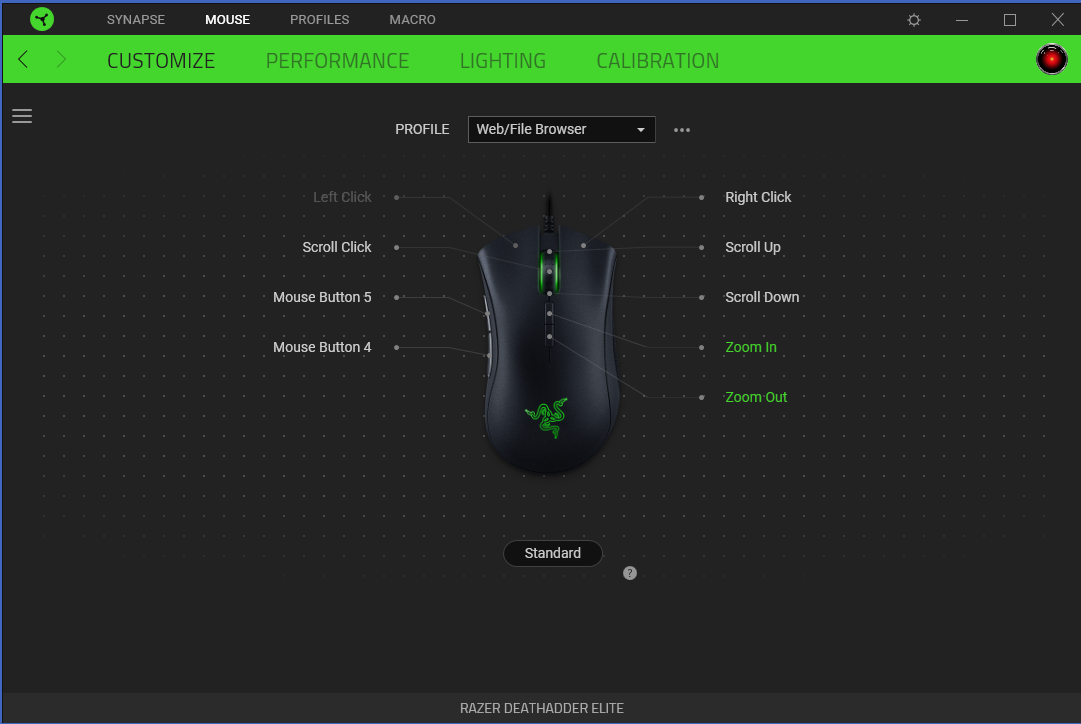
 Finally, in the mouse's control panel I changed the active profile to the one I just created, then assigned my macros to the DPI buttons (I assigned them as one per button press because I found "continuous play when held" was too fast). Then I switched back to the Default profile and closed Synapse (minimize to task bar).
 RESULT:
Now, when I click into Chrome or Notepad++, the DPI buttons work to increase or decrease zoom. When I click back on another program or the Desktop, they work to change DPI again.
YOUR USE CASE:
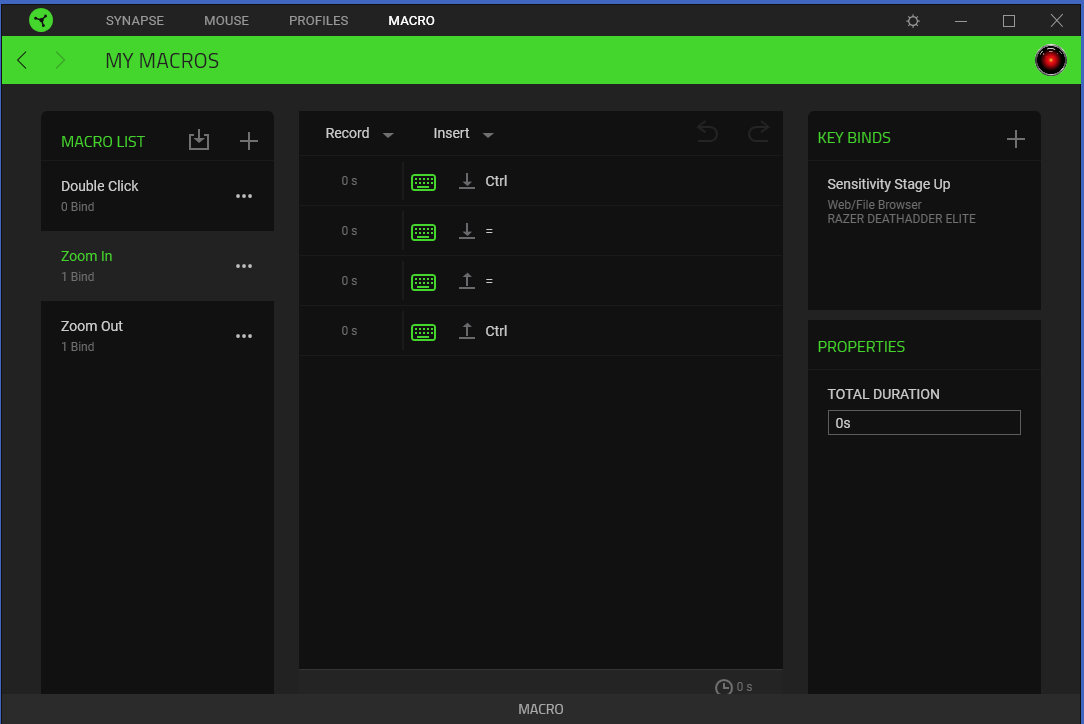
You can adapt what I did to your needs by creating macros for Windows Magnifier instead. Basically, you can just replace the Control key in my macros with the Windows logo key.
For even more functionality you could also create macros to turn magnifier off and switch view types.
The keyboard controls for Windows 10 Magnifier are listed on the Windows Settings page. I'll list them here too. All fairly simple key-combos that can be made into macros.
RESULT:
Now, when I click into Chrome or Notepad++, the DPI buttons work to increase or decrease zoom. When I click back on another program or the Desktop, they work to change DPI again.
YOUR USE CASE:
You can adapt what I did to your needs by creating macros for Windows Magnifier instead. Basically, you can just replace the Control key in my macros with the Windows logo key.
For even more functionality you could also create macros to turn magnifier off and switch view types.
The keyboard controls for Windows 10 Magnifier are listed on the Windows Settings page. I'll list them here too. All fairly simple key-combos that can be made into macros.
Sign up
Already have an account? Login
Log in with Razer ID to create new threads and earn badges.
LOG INWelcome to Razer Insider
No account yet? Create an account
Log in with Razer ID to create new threads and earn badges.
LOG INEnter your E-mail address. We'll send you an e-mail with instructions to reset your password.