BlackwidowElite's media key rgb is not working properly in Synapse4(Razer Chroma) | Razer Insider
Skip to main content
Question

BlackwidowElite's media key rgb is not working properly in Synapse4(Razer Chroma)

  • Sep 28, 2024 5:06 AM UTC
  • 5 replies
  • 142 views

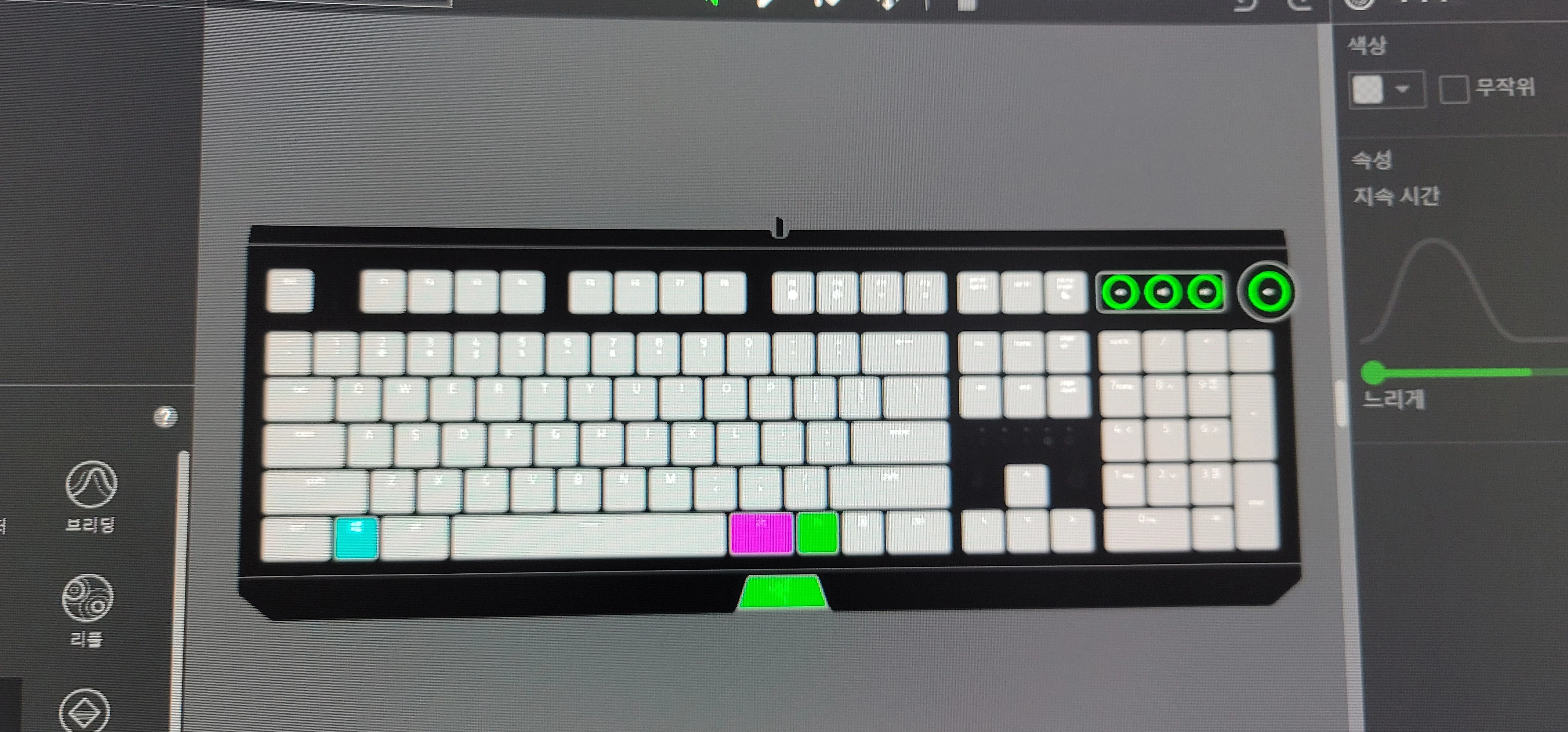
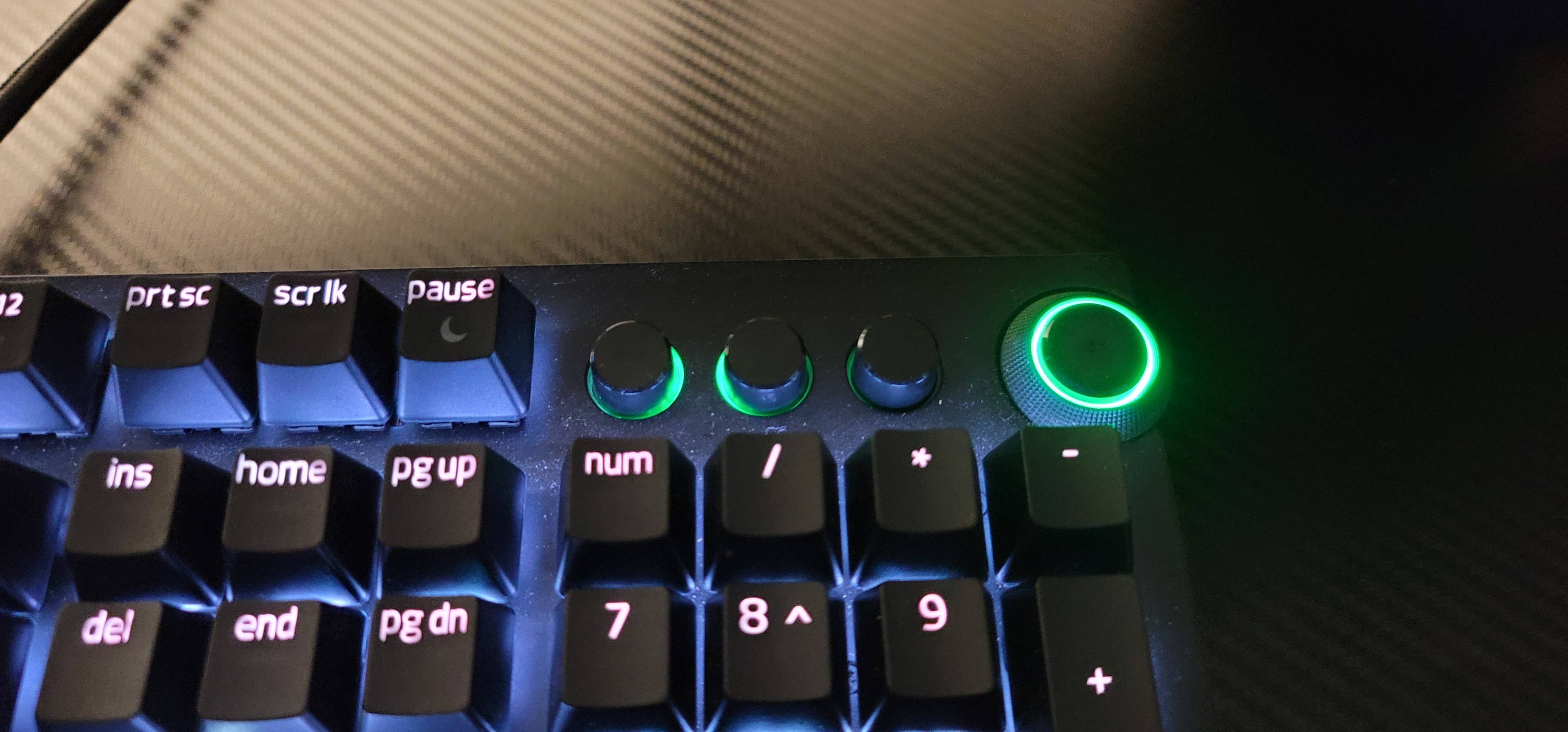
There is a slight RGB issue.

Everything seems to work fine, but some of the LEDs on the media keys of the BlackWidowElite do not work.
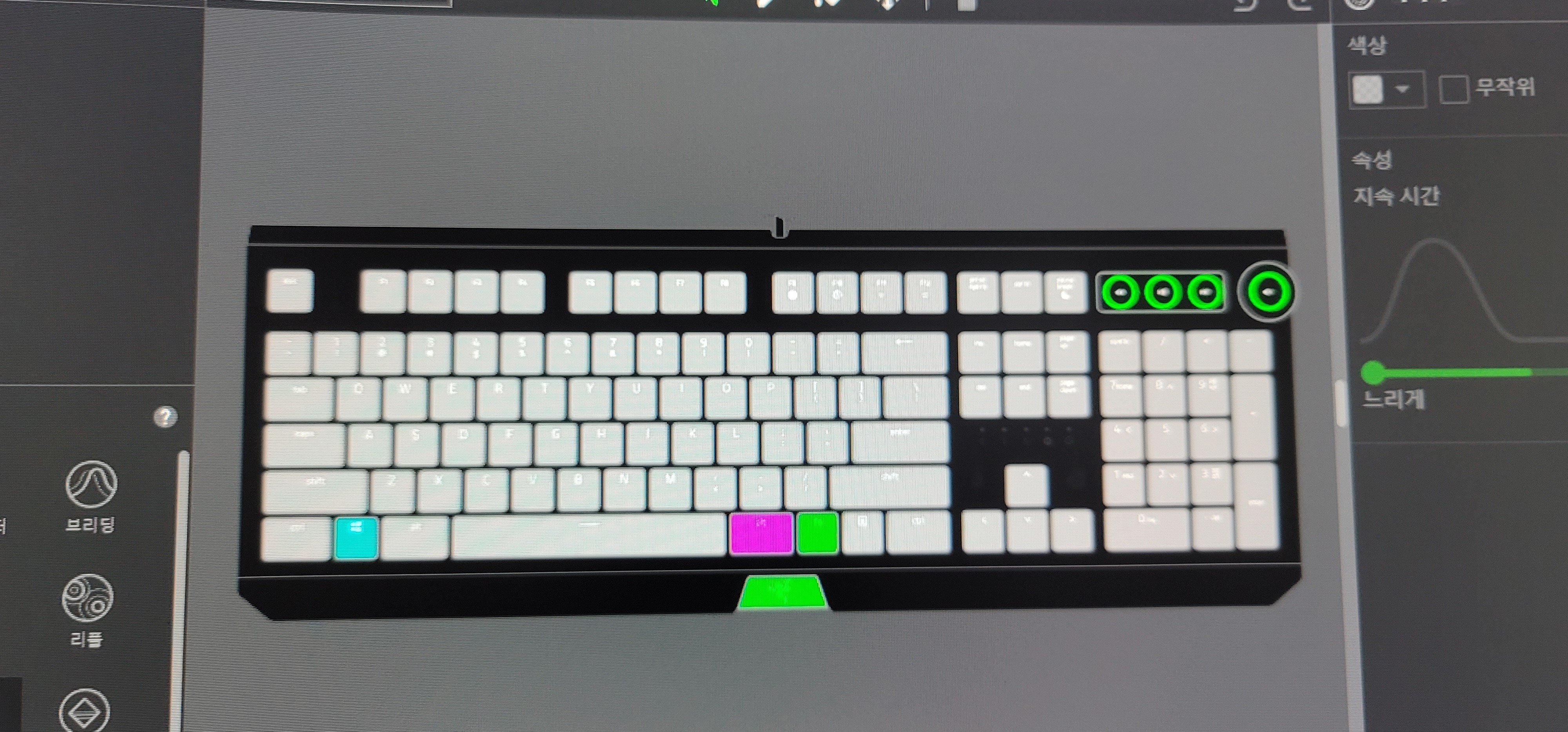
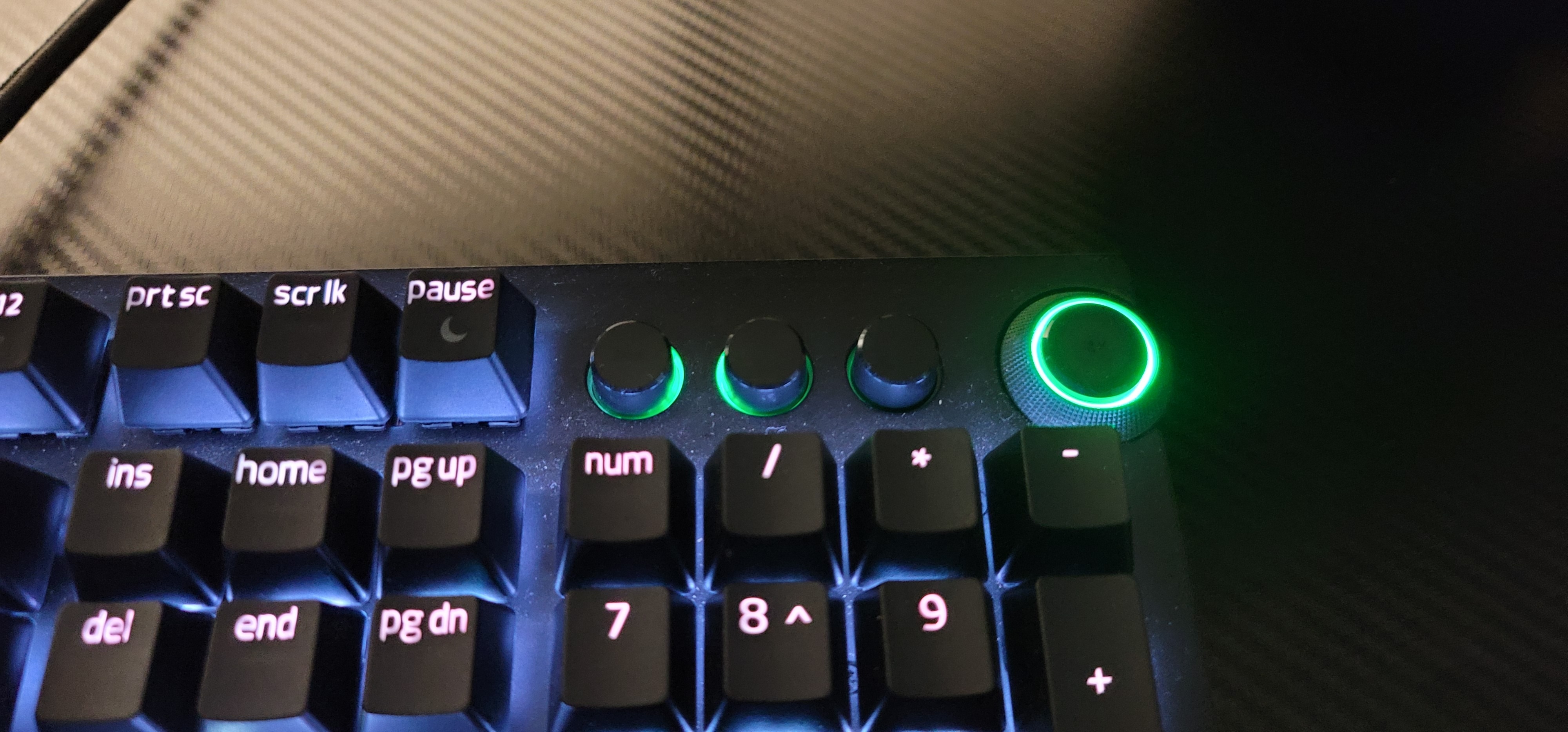


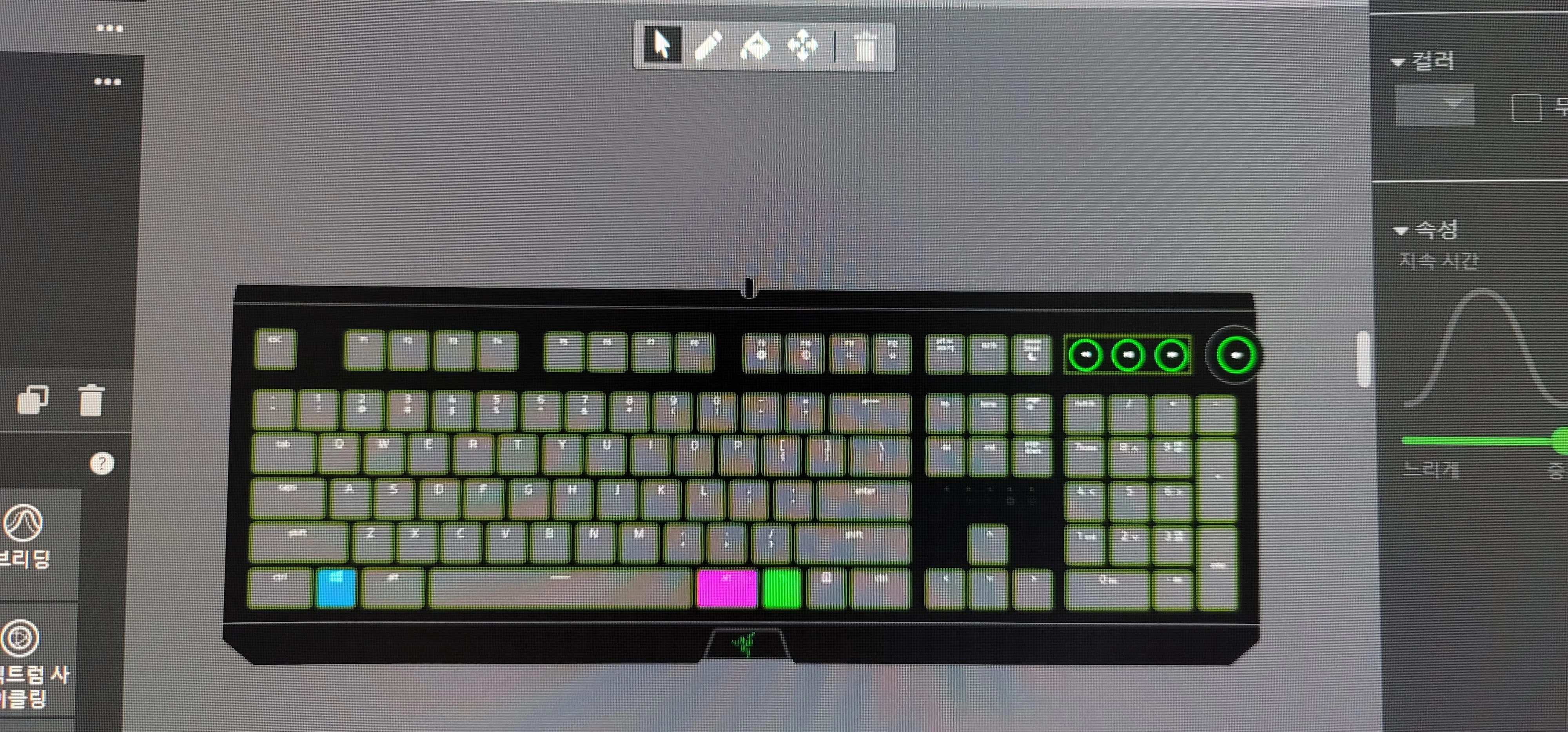
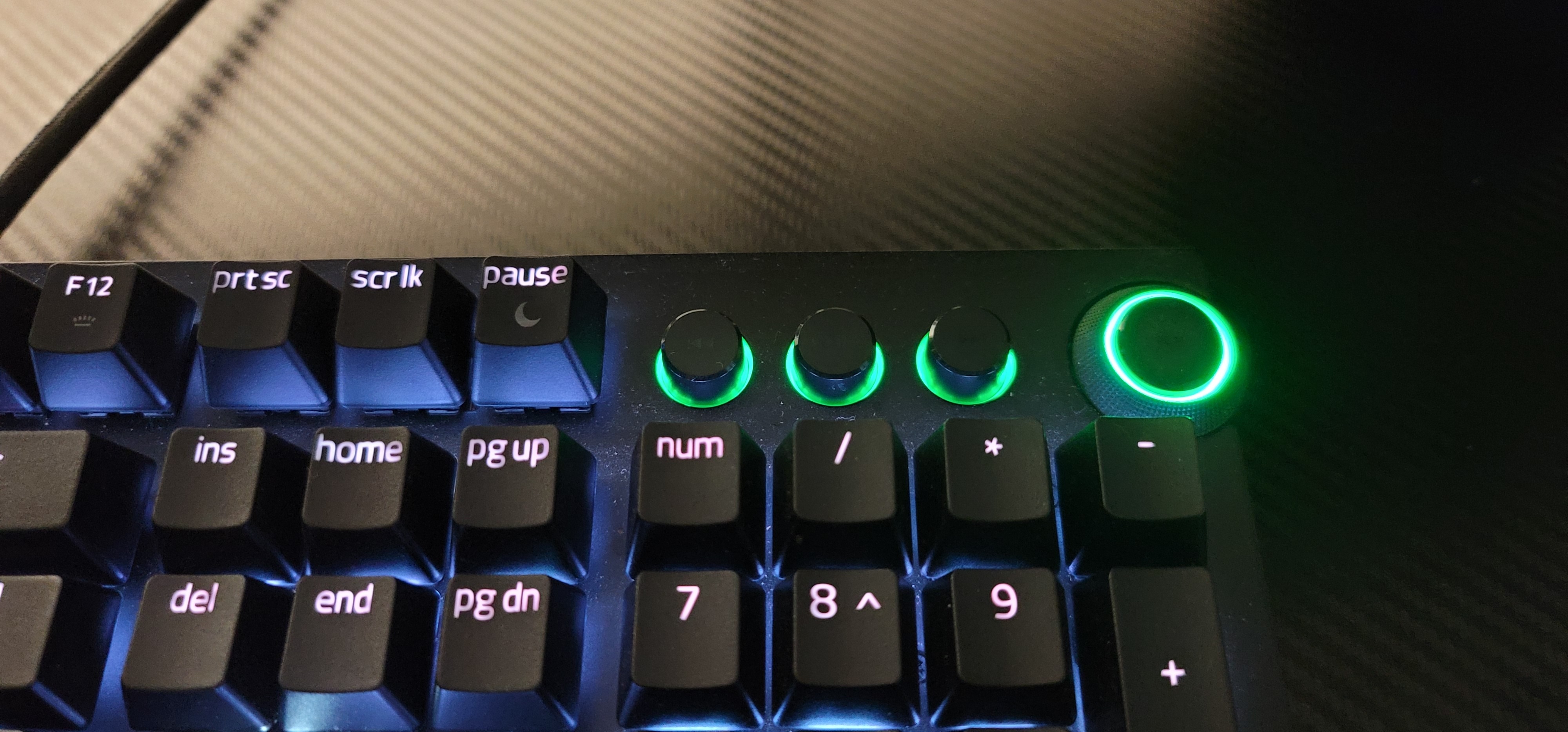
All LEDs light up normally on Synapse 3.
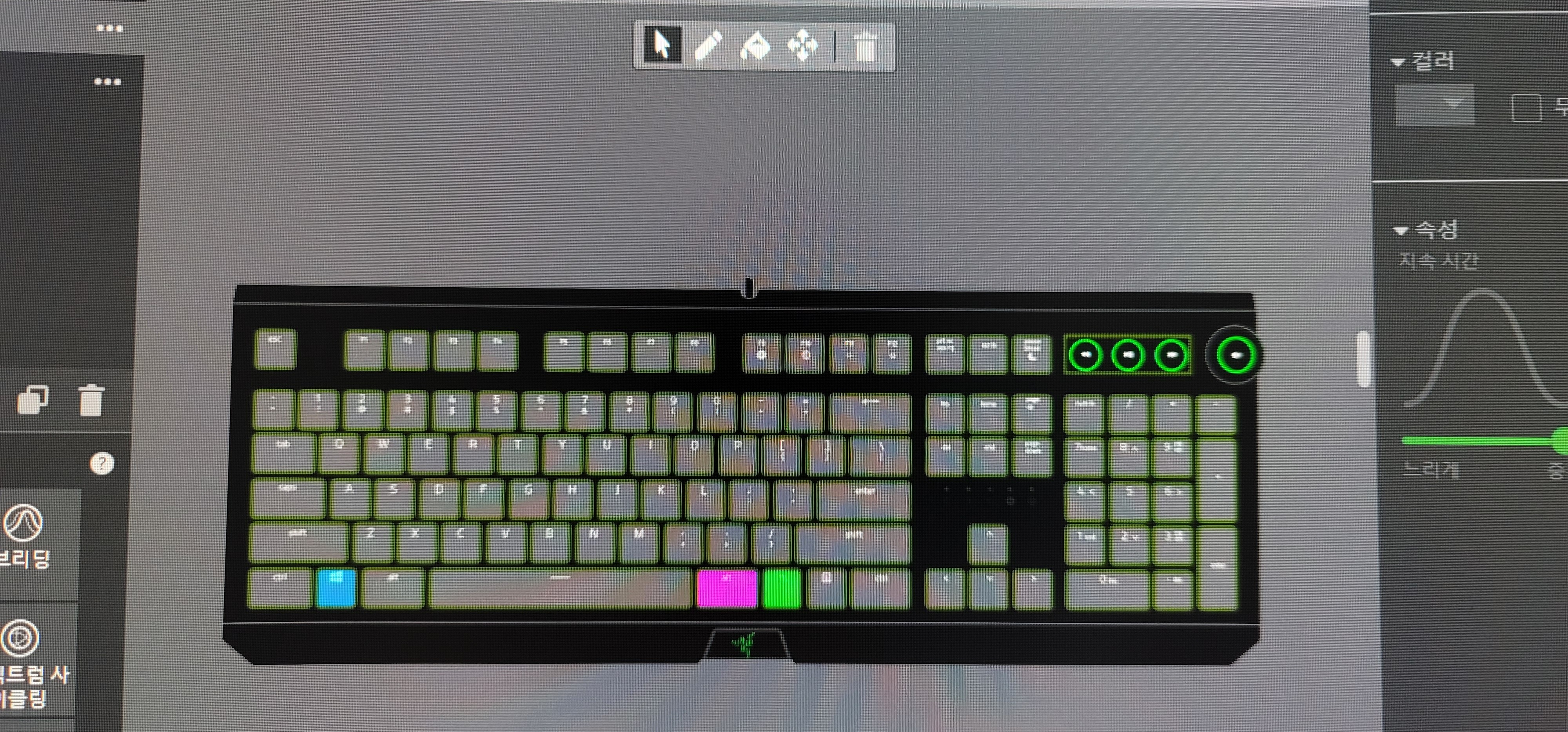


It seems that some of the LEDs on the BlackWidowElite were not allocated.

This topic has been closed for replies.

5 Replies

  • Author
  • Insider Mini
  • Sep 23, 2024 11:31 AM UTC

I recently installed Synapse Beta while looking for an alternative to the unstable Synapse 3.

It's really nice because there are no issues that I had with Synapse 3.

However, there is a slight RGB issue.
Everything seems to work fine, but some of the LEDs on the media keys of the BlackWidowElite do not work.


All LEDs light up normally on Synapse 3.
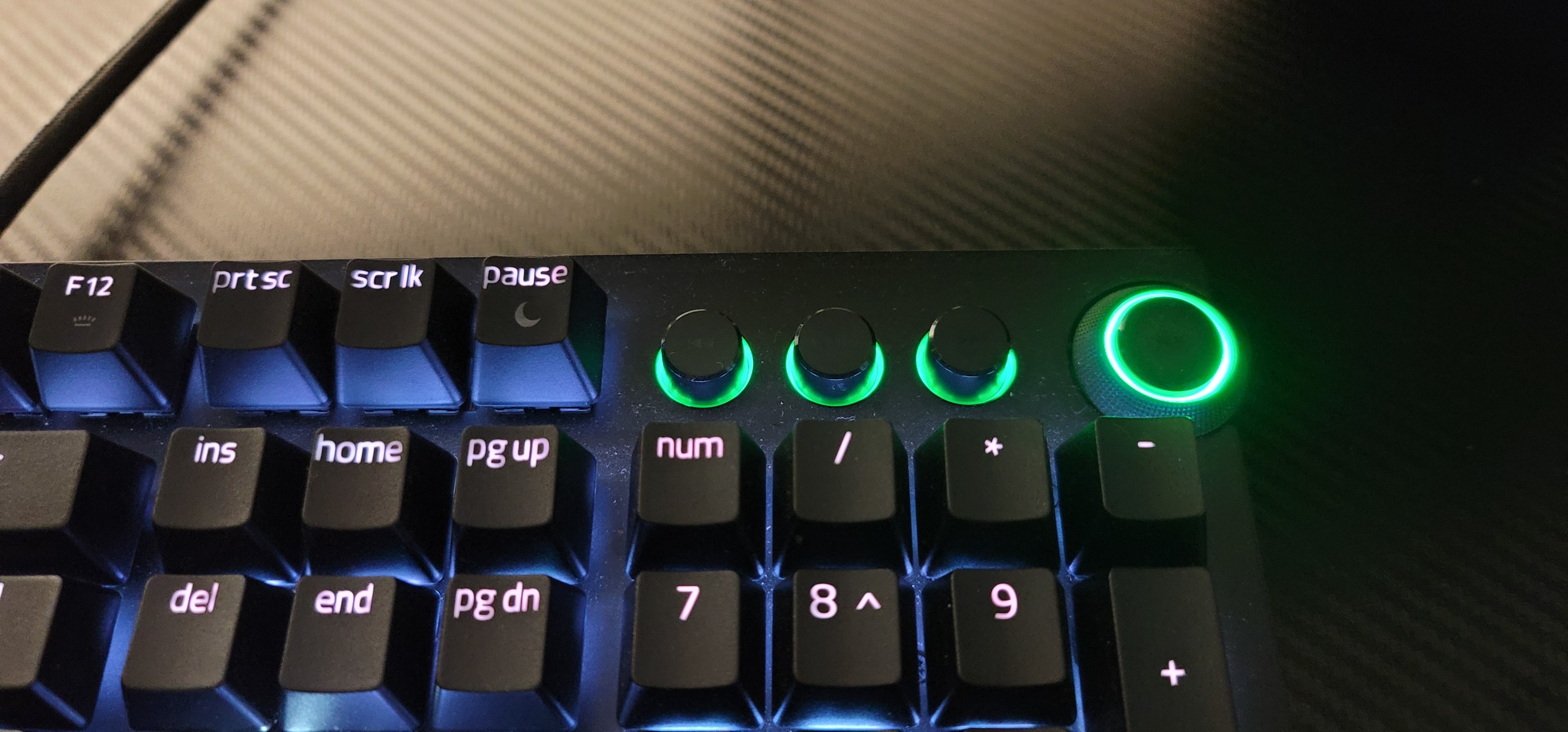
 

It seems that some of the LEDs on the BlackWidowElite were not allocated in Synapse Beta.


  • Insider Mini
  • Jul 16, 2025 10:19 PM UTC

My Razer BlackWidow Elite has the same problem whenever the Synapse 4 / Chroma apps are running.

Is there a solution?


  • Insider Mini
  • Jul 16, 2025 10:22 PM UTC

My Razer BlackWidow Elite has the same problem whenever the Synapse 4 / Chroma apps are running.

Is there a solution?


Razer.Ten
  • Razer Support
  • Jul 17, 2025 8:11 AM UTC

Hey ​@peffe1988,

Which keys are currently affected and do they light up on Synapse 3? Can you disable your Synapse 4 by following the steps from this link and check if the issue continues? Please also send me a PM with the serial number of your keyboard so I can verify it in our system and check for applicable workarounds that might address the LED issue.


*Thread locked to curb conversation to PM. 


Razer.Ten
  • Razer Support
  • Jul 17, 2025 8:21 AM UTC

Hey ​@peffe1988,

I responded to your other post.  Can you send me a PM with the serial number of your keyboard so I can verify it in our system and check troubleshooting steps that might address the LED issue you’re currently experiencing?


.*Thread locked to curb conversation to PM.