

Chroma Studio not working with Basilisk v3 since update to Synapse 4 | Razer Insider
Skip to main content
Answer

Chroma Studio not working with Basilisk v3 since update to Synapse 4

  • August 5, 2025
  • 1 reply
  • 184 views

MortalShadows91

Hello, as the title says, since I updated from Synapse 3 to Synapse 4, the Chroma Stuido dedicated app seems to not be working for my Basilisk v3 mouse.
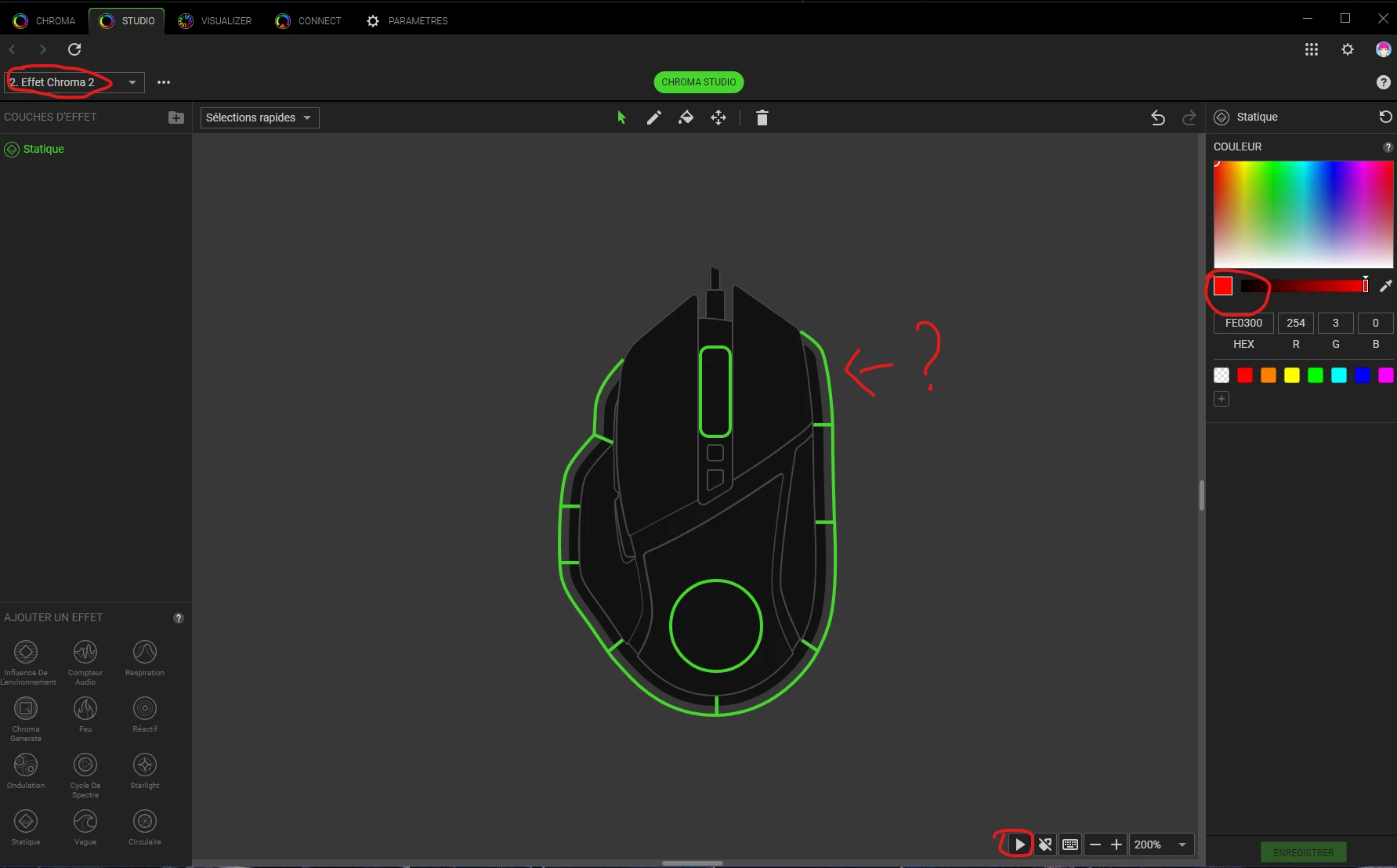
As you can see, when I set up an effect (here red static), first off, the chroma studio preview does not show any color on the device, and on the physical device, no RGB at all.
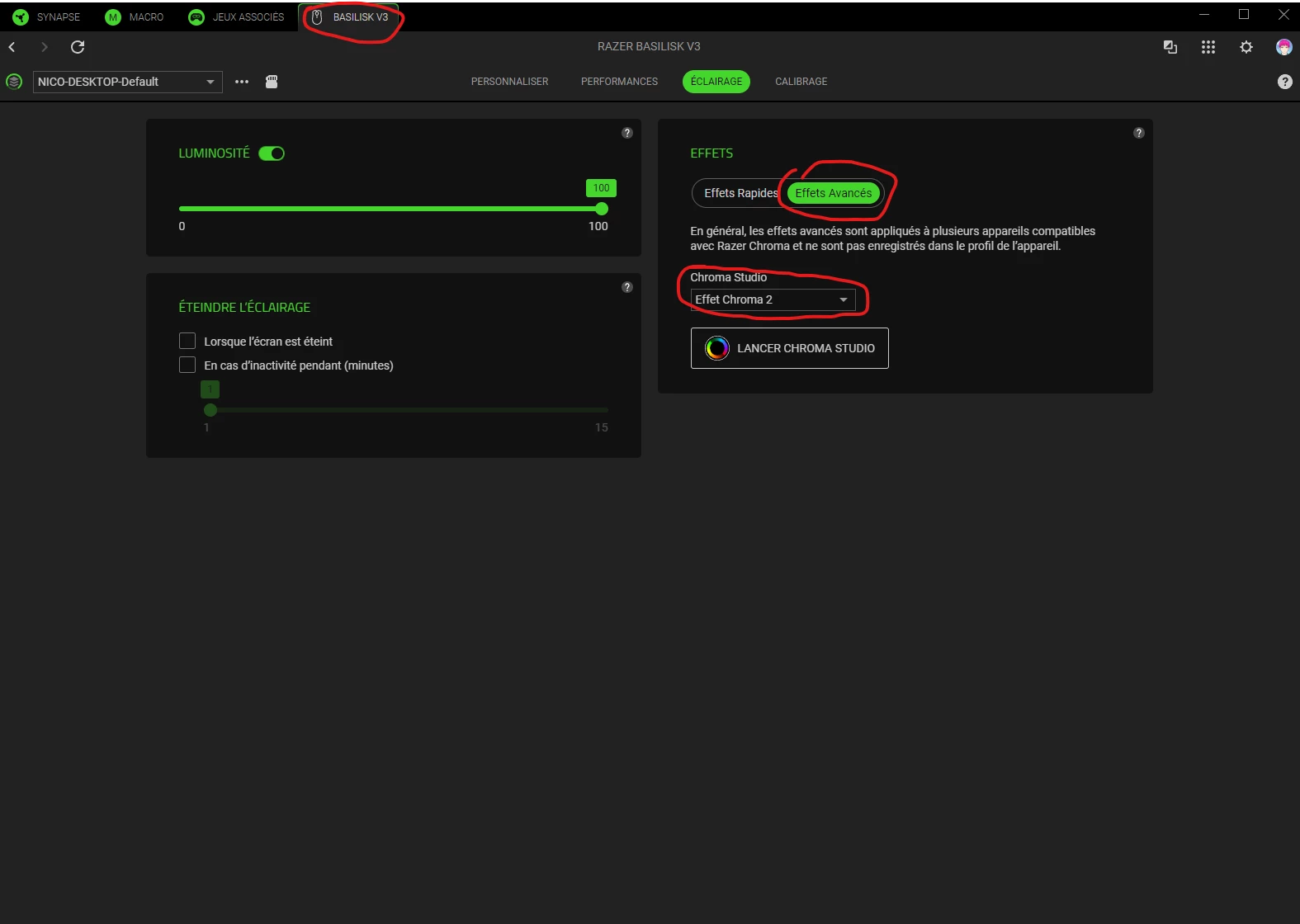
It is well set in the synapse app as well. And even with the “Fast effects” (idk if its translated well), nothing happens on my RGB mouse.

I can put any effect with any color, nothing happens, the RGB of the mouse remains turned off, same in the chroma studio preview. Maybe I’m missing an option I need to check, or I’m wrongly configuring the effect, I configured my effects a long time ago on the synapse 3.

Is there anyone who has this problem ? any solutions ?

Thanks in advance for your help !

Best answer by Razer.Ten

Hello ​@MortalShadows91,

Please bear with me for a bit. Can you perform a clean uninstall and reinstall of your Synapse 4 by following the steps from this link and check if the issue continues? Please also send me a PM with the serial number so I can verify it in our system and check for applicable workarounds that might address the Chroma issue you're currently experiencing.


*Thread locked to curb conversation to PM.

This topic has been closed for replies.

1 Reply

Razer.Ten
  • Razer Support
  • Answer
  • August 6, 2025

Hello ​@MortalShadows91,

Please bear with me for a bit. Can you perform a clean uninstall and reinstall of your Synapse 4 by following the steps from this link and check if the issue continues? Please also send me a PM with the serial number so I can verify it in our system and check for applicable workarounds that might address the Chroma issue you're currently experiencing.


*Thread locked to curb conversation to PM.
