[BUG] (Tartarus Pro) D-pad not customizable when joystick axis is assigned to analog key | Razer Insider

Skip to main content

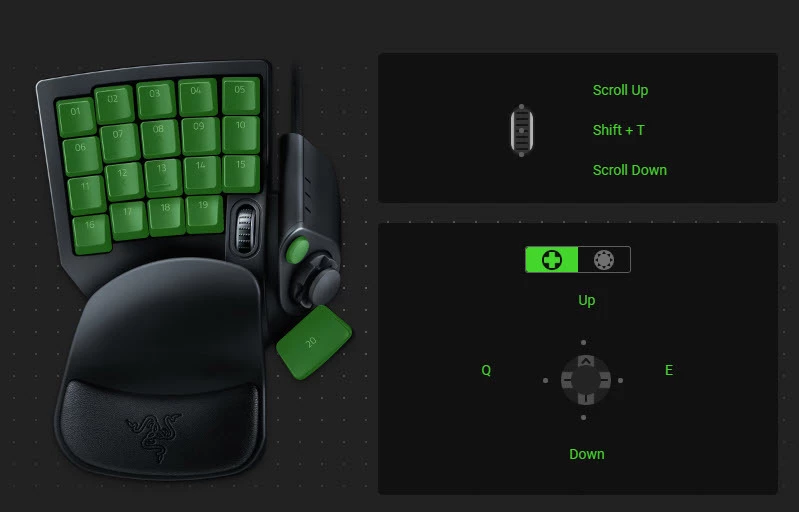
[BUG] (Tartarus Pro) D-pad not customizable when joystick axis is assigned to analog key

  • August 7, 2025
  • 134 replies
  • 5091 views

Show first post

134 Replies

GaToRsedge
  • Insider Mini
  • August 11, 2025

i closed all razer apps and restarted synapse and it fixed it for me. hope this helps.


  • Insider Mini
  • August 11, 2025

i closed all razer apps and restarted synapse and it fixed it for me. hope this helps.

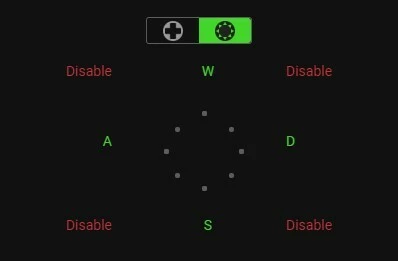
Done this many many times and didn’t help, the only thing that helped was suggested by lilhulk and that was changing the D-Pad from 4 to 8 directions and disabling the diagonal direction. Razer support are now suggesting doing the same.


I’ve had success at getting my Tartarus detected when my PC starts up and that was to go to the setting and set it to start up without going minimised, I restarted once and Synapse opened and detected the Tartarus I then toggled the setting back to make it start minimised and went to bed (had enough of messing about lol), when I started the PC this morning Synapse started minimised and actually detected the Tartarus. This may just be a fluke only time will tell.

EDIT….

Just looked at the posts HERE about Synapse not detecting devices and Razor say it’s been fixed so looks like it wasn’t anything I cured. I’ve checked the Synapse version and it was still the same so they must’ve pushed a stealth patch. Perhaps they’ll do the same for the D-Pad problem.


ra4ok1234
  • Insider Mini
  • August 11, 2025

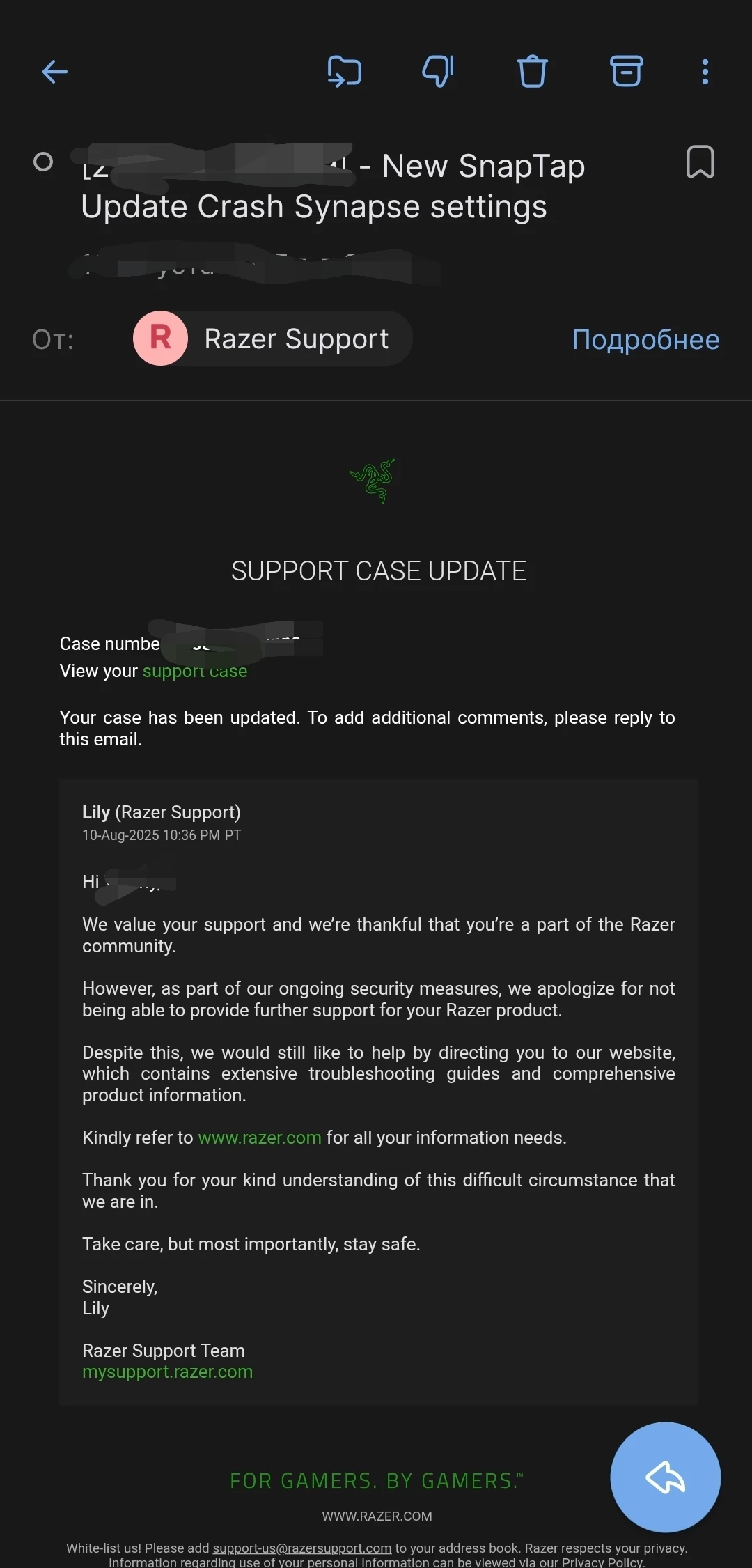
Please write here when there will be an update with a fix. Because Razer has mixed games and politics and now does not support devices purchased from the OFFICIAL store in Russia! )))


przykuty
  • Insider Mini
  • August 11, 2025

Same issue here. Synapse is garbage, but now it is useless, fix it fast Razer!


  • Insider Mini
  • August 11, 2025

same problem


  • Insider Mini
  • August 11, 2025

Having the same issue here. Initially the D-Pad did not work at all. After unplugging it and replugging it back into the PC it acts like the binds assigned to it doesn’t exist and uses the default input.  I wanted to play FFXIV however with the D pad not working for movement the game is basically unplayable to me as I’ve been using the D pad for movement while assigning my skill bars and various other commands to the numbered keys on the pad for years as I had been using the orb weaver before this.


  • Insider Mini
  • August 11, 2025

Having the same issue here. Initially the D-Pad did not work at all. After unplugging it and replugging it back into the PC it acts like the binds assigned to it doesn’t exist and uses the default input.  I wanted to play FFXIV however with the D pad not working for movement the game is basically unplayable to me as I’ve been using the D pad for movement while assigning my skill bars and various other commands to the numbered keys on the pad for years as I had been using the orb weaver before this.

Read all the posts here for tips that may help you. Razer messed it up so I hope they fix it soon. 


  • Insider Mini
  • August 11, 2025

I having this issue as well, nothing helps. It was awesome to release this update with a critical bug right on Battlefield 6 beta… Kinda annoying to remap every game to arrows...


  • Insider Mini
  • August 11, 2025

I having this issue as well, nothing helps. It was awesome to release this update with a critical bug right on Battlefield 6 beta… Kinda annoying to remap every game to arrows...

I have my d-pad mapped to 3, 4, C, Z in 8 way mode and the 4 angles disabled. It worked fine in Battlefield 6 beta last night. Also I had made new profiles if that helps. 


theJway
  • Insider Mini
  • August 12, 2025


DPAD settings

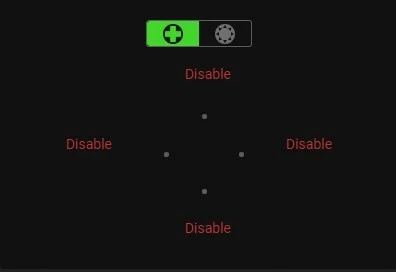
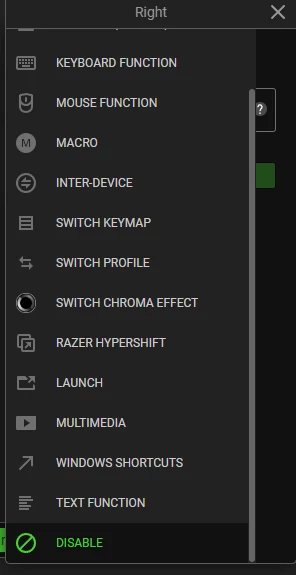
When Clicking on Dpad buttons to disable, scroll down to Disable. 4way dpad is not customisable, use 8way with diagonals disabled for WASD.

May need to delete all Keymaps and make a new one, May need to delete all profiles and start over.

Did that but now i can’t move in any diagnal direction cause when you try to go from W to WA you are hitting that deadzone (disabled key) and just stop moving. Leaving me with only the option to got forwad backward or side to side.  Kinda hard to play any Shooter,  mmo or survial games when i use the joystick to movement and im unable to dogde or move cause the dead zones stop you in place. Razer Support is SOOO helpful they keep emailing me to send the a video or to use the same remapping this forum found. 


  • August 13, 2025

they keep emailing me to send the a video


Make a 3D video or else the issue is unclear.


ra4ok1234
  • Insider Mini
  • August 13, 2025

A week has passed, and the version is still the same. Is this the best equipment for gamers? The Esports World Cup 2025 will take place from August 11 to 17 in Riyadh. I hope no one brought Tartarus with them...


  • Insider Mini
  • August 13, 2025

A week has passed, and the version is still the same. Is this the best equipment for gamers? The Esports World Cup 2025 will take place from August 11 to 17 in Riyadh. I hope no one brought Tartarus with them...


Yes the version number is the same which is bad practice on their part but they pushed out two updates that  fixed the D-Pad and the Device not detected problems for me. Don’t know if that cured it for anyone else, most people moan abut the problems but can’t be bothered to say if it’s now fixed or not.


  • Insider Mini
  • August 13, 2025

A week has passed, and the version is still the same. Is this the best equipment for gamers? The Esports World Cup 2025 will take place from August 11 to 17 in Riyadh. I hope no one brought Tartarus with them...


Yes the version number is the same which is bad practice on their part but they pushed out two updates that  fixed the D-Pad and the Device not detected problems for me. Don’t know if that cured it for anyone else, most people moan abut the problems but can’t be bothered to say if it’s now fixed or not.

I haven’t noticed any new updates but I will check later when I turn the computer on. 


Same problems as everyone else. Tried everything, nothing has fixed it.

August 5th was last update for me. Auto enabled.  


  • Insider Mini
  • August 13, 2025

Same problems as everyone else. Tried everything, nothing has fixed it.

August 5th was last update for me. Auto enabled.  

Where do you find a setting for auto update? I looked all over Synapse 4 and don’t see it. I thought it updated on it’s own. 


Same problems as everyone else. Tried everything, nothing has fixed it.

August 5th was last update for me. Auto enabled.  

Where do you find a setting for auto update? I looked all over Synapse 4 and don’t see it. I thought it updated on it’s own. 

I think it’s on by default, you have to right click the icon in system tray and go to settings there. I don’t think you can even get to this setting inside Synapse settings menu lol. 


  • Insider Mini
  • August 14, 2025

Same problems as everyone else. Tried everything, nothing has fixed it.

August 5th was last update for me. Auto enabled.  

Where do you find a setting for auto update? I looked all over Synapse 4 and don’t see it. I thought it updated on it’s own. 

I think it’s on by default, you have to right click the icon in system tray and go to settings there. I don’t think you can even get to this setting inside Synapse settings menu lol. 

Thanks. Going that route the settings page looks a little different. If you open Synapse there is a settings tab there too. 


  • Insider Mini
  • August 14, 2025

Same problems as everyone else. Tried everything, nothing has fixed it.

August 5th was last update for me. Auto enabled.  

Where do you find a setting for auto update? I looked all over Synapse 4 and don’t see it. I thought it updated on it’s own. 

I think it’s on by default, you have to right click the icon in system tray and go to settings there. I don’t think you can even get to this setting inside Synapse settings menu lol. 

Thanks. Going that route the settings page looks a little different. If you open Synapse there is a settings tab there too. 

There is no option to turn auto update but at least I found where to turn the widgets off lol


Another Synapse4  behavior related to this thread (Version 4.0.86.2508120943) - apologies, don’t have a solution here. Just another observed behavior.


Same thumbstick default issue - swapped to a new Tartarus Pro and created a new profile - thinking it was hardware - and managed to get a new 4 direction configuration to work. So, likely not an issue with the previous Tartarus - but somehow, this combination of changes worked. 


I’m pushing M+ keys in World of Warcraft right now - i use the strafe and interpolation on off-ordinals for casting while moving 

However, i find that Synapse will sometimes decide >IN THE MIDDLE OF A GAME< to revert back to the arrows mapping. I even had one scenario where it remapped and stuck the left arrow down so my character just sat their spinning in the middle of a pull even with my hand off the tartarus and no other inputs. I relogged, unplugged and replugged the tartarus, and somehow it stopped. So, there also appears to be a dynamic issue with this software flaw wherein it will  >REVERT KEYBINDING DURING GAMEPLAY<


I’m running Windows 11 and the keybinding seems somewhat stable at the moment - however, there is this intermittent mapping during gameplay i would add to the thread above.


Does Razer utilize this forum for inputs like the above? Or is there a more appropriate place to post. 


  • Insider Mini
  • August 14, 2025

I received a reply from Razer and this is part of what it said. 
“We understand that the key mapping on the Dpad for your Razer Tartarus Pro is not working after the recent update of Razer Synapse 4.

Kindly be informed that we are aware of the reported issue, and the fix has been released. You are required to update or relaunch Razer Synapse 4 to get the latest version as below.

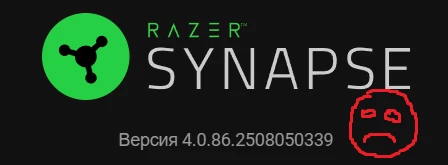
Synapse 4 version: 4.0.86.2508050339
Chroma version: 4.0.63.2508050337”

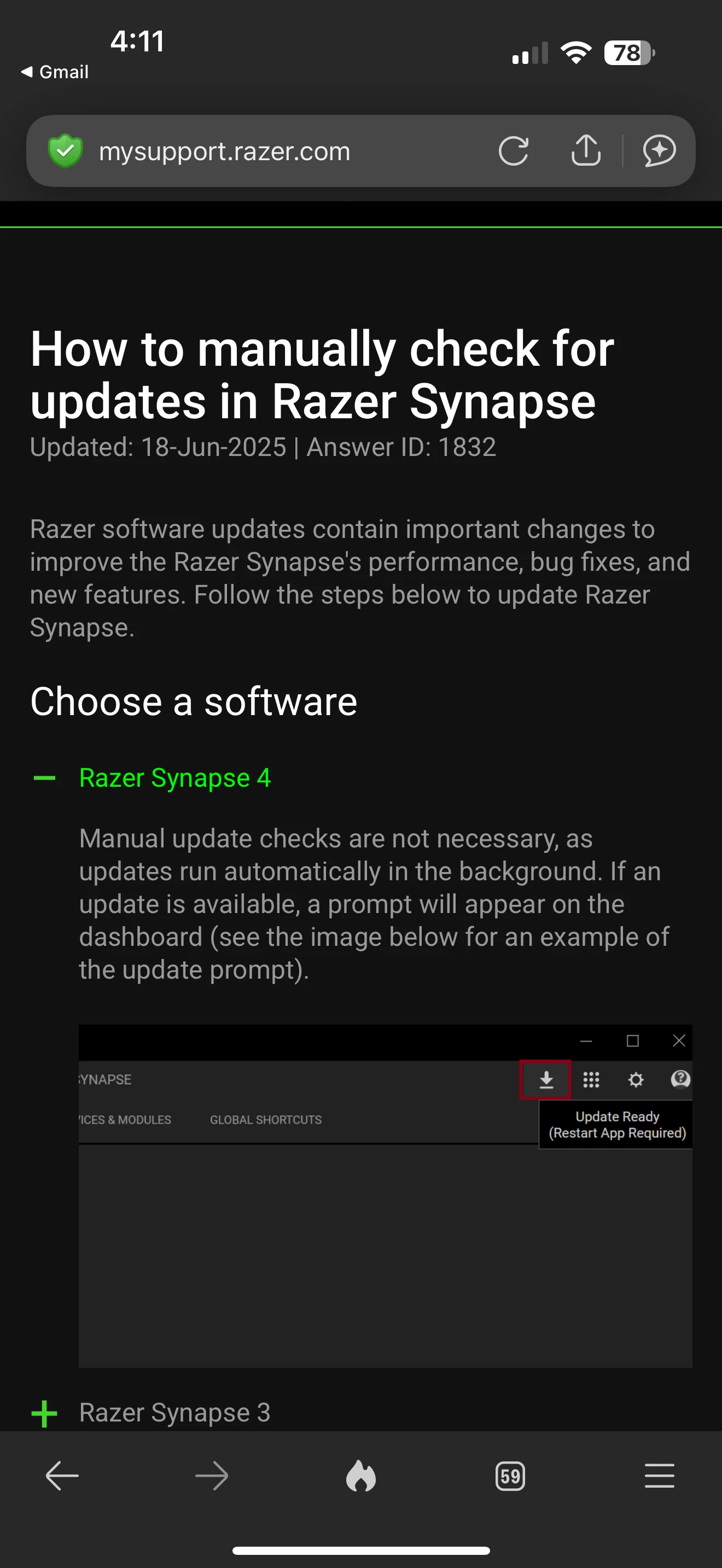
They also provided a page on how to manually check for updates although there isn’t much to it. 


  • August 14, 2025

For me it is fixed with version 4.0.86.2508120943.

An existing profile with remapped D-pad just works again after update.


  • Insider Mini
  • August 14, 2025

Have the same issue, tried rebinding, changing from the 4 direction d pad to the 8 direction for the stick… nothing. Really anoying

Try deleting your profile setup and create a new one using the d-pad as 8 way. I took pictures of my setup before doing this to make it easier on me. 

This does not work if you customize your 1-19 buttons at all or use the d-pad for keymap switching or hypershift button.

It does work but you need to disable the diagonal dpad directions in the 8 way.

mmm… nope, not working. Tried that just now and it is not working for me. It really sucks to have a device whose main purpose is rebinding keys not bein able to rebind keys. I won’t forget this while considering future purchases from Razer, I’ll tell you that


  • Insider Mini
  • August 14, 2025

Have the same issue, tried rebinding, changing from the 4 direction d pad to the 8 direction for the stick… nothing. Really anoying

Try deleting your profile setup and create a new one using the d-pad as 8 way. I took pictures of my setup before doing this to make it easier on me. 

This does not work if you customize your 1-19 buttons at all or use the d-pad for keymap switching or hypershift button.

It does work but you need to disable the diagonal dpad directions in the 8 way.

mmm… nope, not working. Tried that just now and it is not working for me. It really sucks to have a device whose main purpose is rebinding keys not bein able to rebind keys. I won’t forget this while considering future purchases from Razer, I’ll tell you that

 Please read my previous post about the update. Shut down your Razer software then restart it. If you don’t already have the update then that should make it automatically update. 


  • Insider Mini
  • August 14, 2025

Have the same issue, tried rebinding, changing from the 4 direction d pad to the 8 direction for the stick… nothing. Really anoying

Try deleting your profile setup and create a new one using the d-pad as 8 way. I took pictures of my setup before doing this to make it easier on me. 

This does not work if you customize your 1-19 buttons at all or use the d-pad for keymap switching or hypershift button.

It does work but you need to disable the diagonal dpad directions in the 8 way.

mmm… nope, not working. Tried that just now and it is not working for me. It really sucks to have a device whose main purpose is rebinding keys not bein able to rebind keys. I won’t forget this while considering future purchases from Razer, I’ll tell you that

 Please read my previous post about the update. Shut down your Razer software then restart it. If you don’t already have the update then that should make it automatically update. 

Ah, thanks a lot, I’ve been trying to force the update but it wouldn’t work. Just tried again by killing the process on the task manager and that did the trick for forcing it to update. Thanks a lot mate.