

Cant find THX Spatial Audio in output devices for Blackshark v2 pro
Hello guys, so i just bought a blackshark v2 pro and when I play warzone, i know for a fact that the sound and audio im getting is weird and bad. The synapse app tells me that i should choose THX Spatial audio as an output sound device but i cant find it as u can see in the pictures. any way on how to get it or install it ? and how do i enable THX competitive mode in warzone ? thank you.
This topic has been closed for replies.


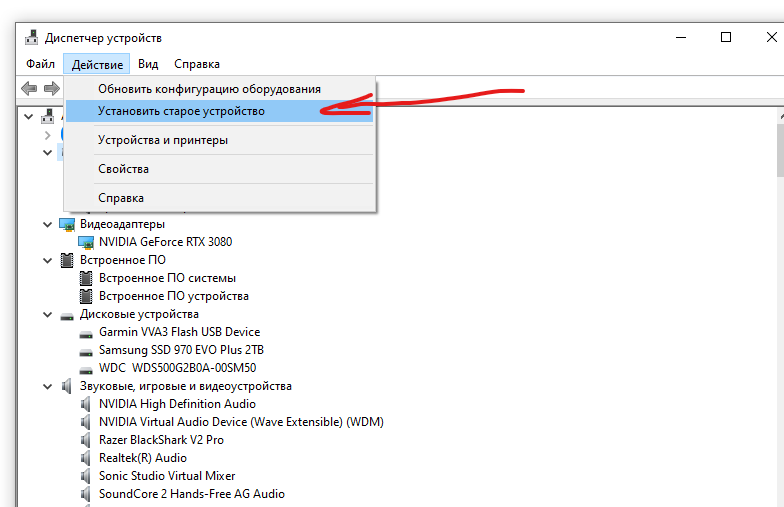 Step 4:
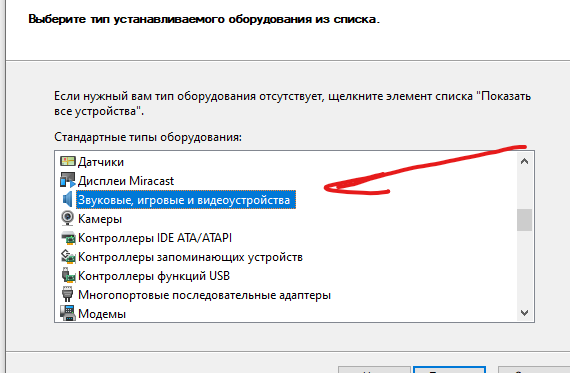 Step 5:
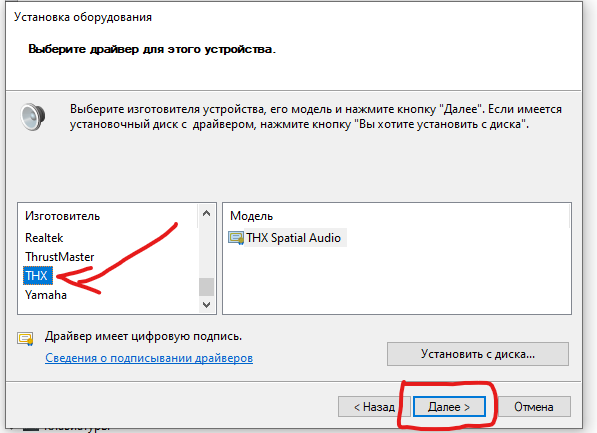 Step 6:
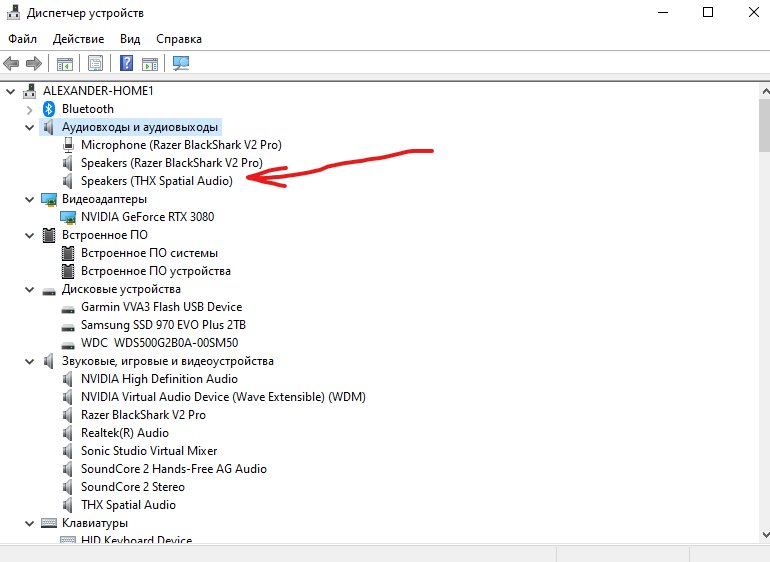
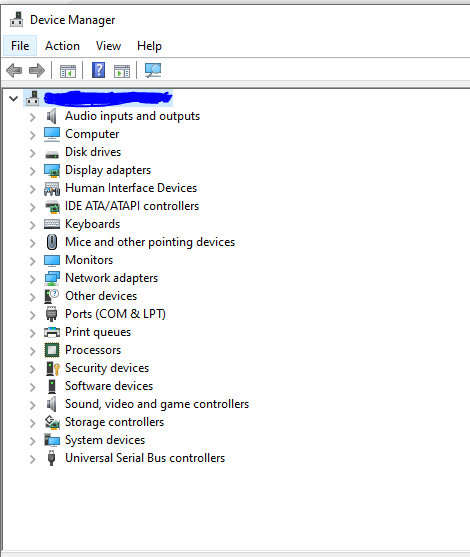
 b. Click any hardware category from the list. (I selected my computer name).
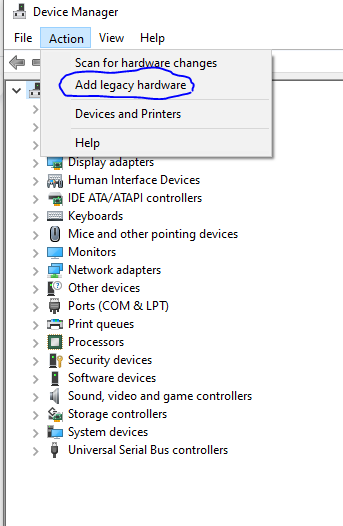
 c. Once you've selected any hardware category, click the "Action" button at the top-left and select "Add legacy hardware".
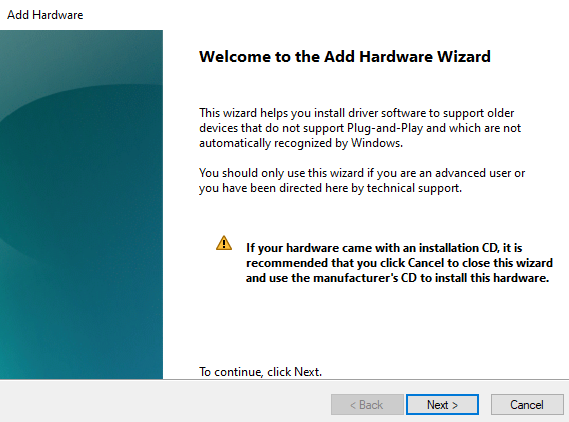
 d. A "Add Hardware Wizard" prompt will display, click "Next".
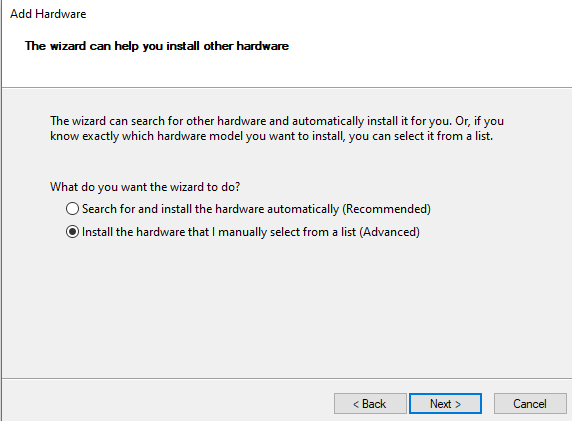
 e. The hardware wizard prompt will display options on how would you like to install the hardware driver, select "Install the hardware that I manually select from the list (Advanced)", then click "Next".
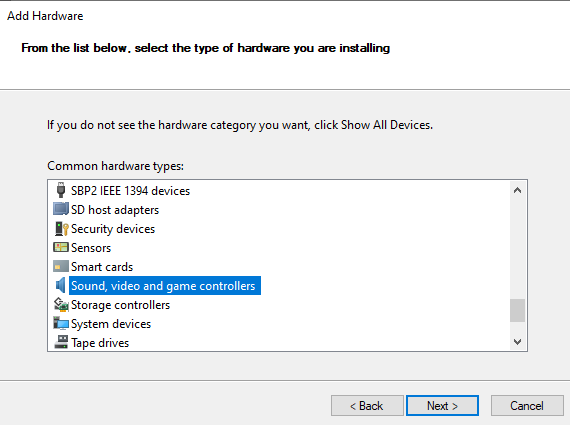
 f. Select the "Sound, video and game controllers" from the list.
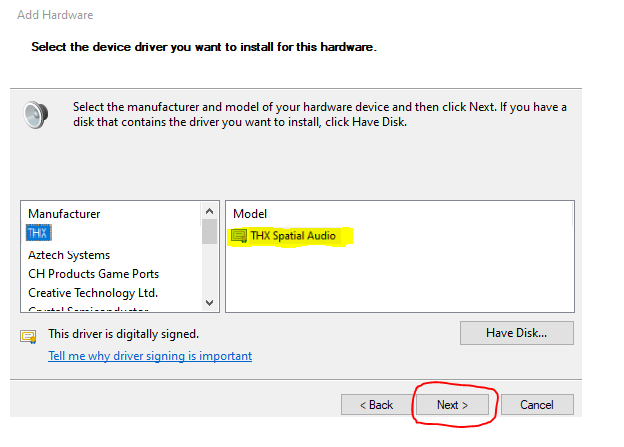
 g. Look for the THX driver from the list, then click next.
 h. The setup should be completed and the THX Spatial Audio should be back in the Device Manager list under "Audio Inputs and Outputs" and "Sound, video and game controllers".
Please let me know if the steps help. Feel free to send me a
h. The setup should be completed and the THX Spatial Audio should be back in the Device Manager list under "Audio Inputs and Outputs" and "Sound, video and game controllers".
Please let me know if the steps help. Feel free to send me a Sign up
Already have an account? Login
Log in with Razer ID to create new threads and earn badges.
LOG INEnter your E-mail address. We'll send you an e-mail with instructions to reset your password.