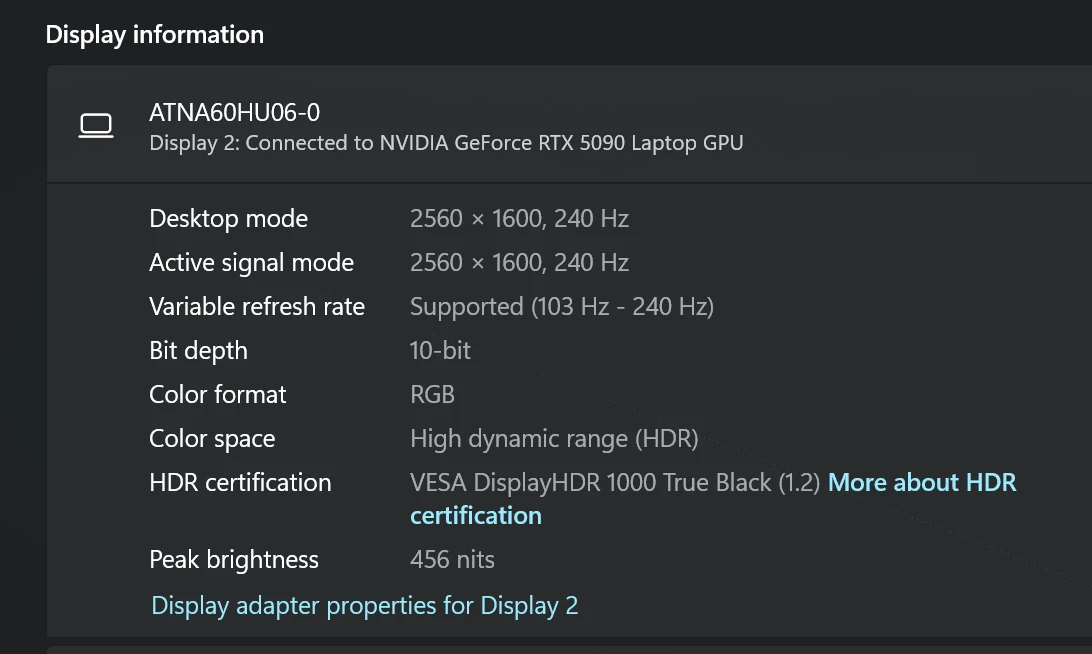
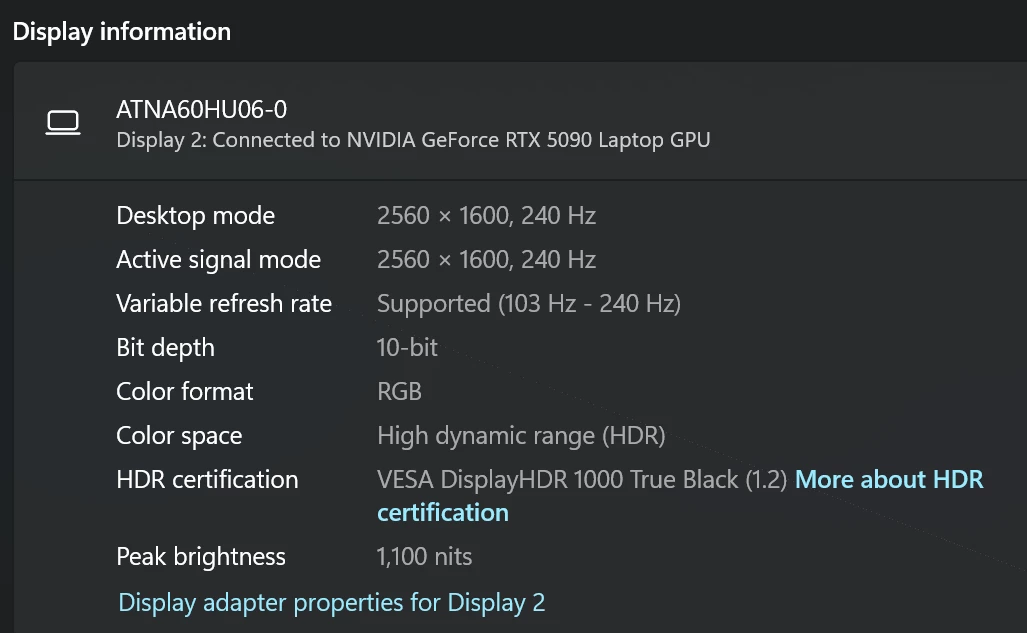
Using the 5090 as the DGPU only, sometimes my peak nits works correctly at 1100 peak nits and sometimes it only will do 456 peak nits. Turning HDR on or off doesnt fix it, adjusting perfomance profiles doesnt fix it. Someones a reboot will fix it.
Very Frustrated.
Best answer by Razer.Ten
Hey @Shreve,
Let me assist you with your laptop. Can you send me a PM with the serial number so I can verify it in our system and use it when I forward your case to our Technical Team so they can further check on the issue? Please also send a photo of your receipt/invoice so I can include it as well. You can upload it to any hosting service like Google Drive and provide a shareable link. Just check the file so that anyone with the link can view it.
Let me assist you with your laptop. Can you send me a PM with the serial number so I can verify it in our system and use it when I forward your case to our Technical Team so they can further check on the issue? Please also send a photo of your receipt/invoice so I can include it as well. You can upload it to any hosting service like Google Drive and provide a shareable link. Just check the file so that anyone with the link can view it.