My razer deathadder elite mouse sometimes doubleclicks | Razer Insider
Skip to main content

My razer deathadder elite mouse sometimes doubleclicks

  • March 26, 2020
  • 7 replies
  • 21 views

This has been an ongoing problem for a few months now. my mouse sometimes double clicks causing me to open 2 tabs. Help
This topic has been closed for replies.


7 Replies

Razer.Speedcr0ss
Hi there! Thanks for posting your concern here. Sorry for the late engagement. Please send me the device's serial number via PM. Let's continue from there.

Hi. I have the same issue with my Deathadder Chroma. Did you find a solution?

Razer.Speedcr0ss
smartCarminegarden134
Hi. I have the same issue with my Deathadder Chroma. Did you find a solution?
Hi there! Thanks for posting your Razer Deathadder Chroma's clicking issue here. Send me a PM together with the device's serial number. Let's continue from there.

Привет. 1. Моя мышь DeathAdder 3.5G делает двойные многократные щелчки, запуская по десять-двадцать копий одного и того же приложения. Выход один: либо отключать устройство в диспетчере задач, а затем заново включать или выгружать Razer Synapse и заново загружать, но второй вариант срабатывает не всегда. 2. Сейчас я пытаюсь напечатать это сообщение , а курсор постоянно перескакивает в начало строки. Это проблемы на сайте или у меня? 3. Что такое PM?

Razer.Speedcr0ss
classicPullmanGreen033
Привет. 1. Моя мышь DeathAdder 3.5G делает двойные многократные щелчки, запуская по десять-двадцать копий одного и того же приложения. Выход один: либо отключать устройство в диспетчере задач, а затем заново включать или выгружать Razer Synapse и заново загружать, но второй вариант срабатывает не всегда. 2. Сейчас я пытаюсь напечатать это сообщение , а курсор постоянно перескакивает в начало строки. Это проблемы на сайте или у меня? 3. Что такое PM?
Hey there! Thanks for posting your concern here. I appreciate that you've shared your concern on this thread. Please communicate to me in English because Google Translate can only take me further. Feel free to send me a PM together with your device's serial number. Let's continue from there.

RES3T77
  • Insider Mini
  • May 10, 2020
Double Click is a very bad, widespread problem affecting all Razer Mouse The Solution is simple Windows Settings > Devices > Mouse > "Additional Mouse Options" Look for "Double-click speed" and set it to "Fast" As simple as that.... Double Click Problem Solved If this Solution doesn't work, you probably have a bad Switch. As we all know by now... below the overpriced, over-hyped fancy design. Razer uses very low quality, cheap hardware in their products. Its also amazing how Razer Support can be so extremely bad... they will waste your time with pointless, useless troubleshooting like Reinstalling Synapse, Drivers, Firmware, Trying different USB ports... none of that works, its just a complete waste of time. Razer simply doesn't care about the frustration of thousands and thousands of users, they will never acknowledge there is a BIG Problem with a hole line of their products, and will never ever help fix it... even if its hurting their brand reputation really bad and most users are going to buy another mouse brand So I hope this post could help someone avoid all the frustration, time lost and even trashing their perfectly working very expensive mouse For sure I was just minutes away of throwing my Mamba Wireless to the garbage Thanks!

Razer.Speedcr0ss
reset77x
Double Click is a very bad, widespread problem affecting all Razer Mouse The Solution is simple Windows Settings > Devices > Mouse > "Additional Mouse Options" Look for "Double-click speed" and set it to "Fast" As simple as that.... Double Click Problem Solved If this Solution doesn't work, you probably have a bad Switch. As we all know by now... below the overpriced, over-hyped fancy design. Razer uses very low quality, cheap hardware in their products. Its also amazing how Razer Support can be so extremely bad... they will waste your time with pointless, useless troubleshooting like Reinstalling Synapse, Drivers, Firmware, Trying different USB ports... none of that works, its just a complete waste of time. Razer simply doesn't care about the frustration of thousands and thousands of users, they will never acknowledge there is a BIG Problem with a hole line of their products, and will never ever help fix it... even if its hurting their brand reputation really bad and most users are going to buy another mouse brand So I hope this post could help someone avoid all the frustration, time lost and even trashing their perfectly working very expensive mouse For sure I was just minutes away of throwing my Mamba Wireless to the garbage Thanks!
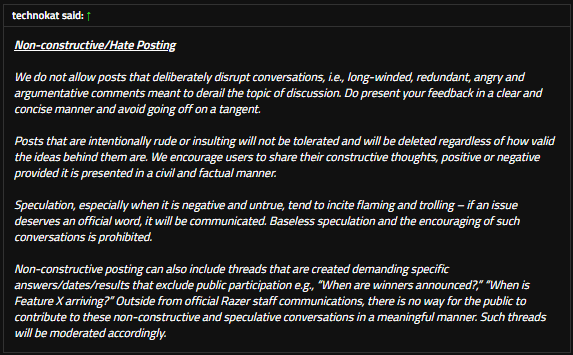
Your point is well taken. The support provided to you could have done better. I will forward this as feedback. However, being frustrated is not a leeway to let anyone bypass our House Rules. Feel free to send me or the other moderators a PM should you have a complaint/concerns. I will lock this thread as it suffices the criteria below: