When I connected my recently purchased Nommo V2 X Synapse warned me that I need update the firmware. My PC (desktop) doesn’t have an onboard BT adapter, the firmware updater didn’t allow me to proceed to the update. So I connected a BT dongle, the updater allowed me to get to the next steps. However when I get to the final screen the update button is not active. I’ve tried to connect both the dongle and Nommo to different USB ports, restarted my PC like 20 times and also downloded the firmware updater several times before each attempt. Can someone help me with this please?
Screenshots for reference:
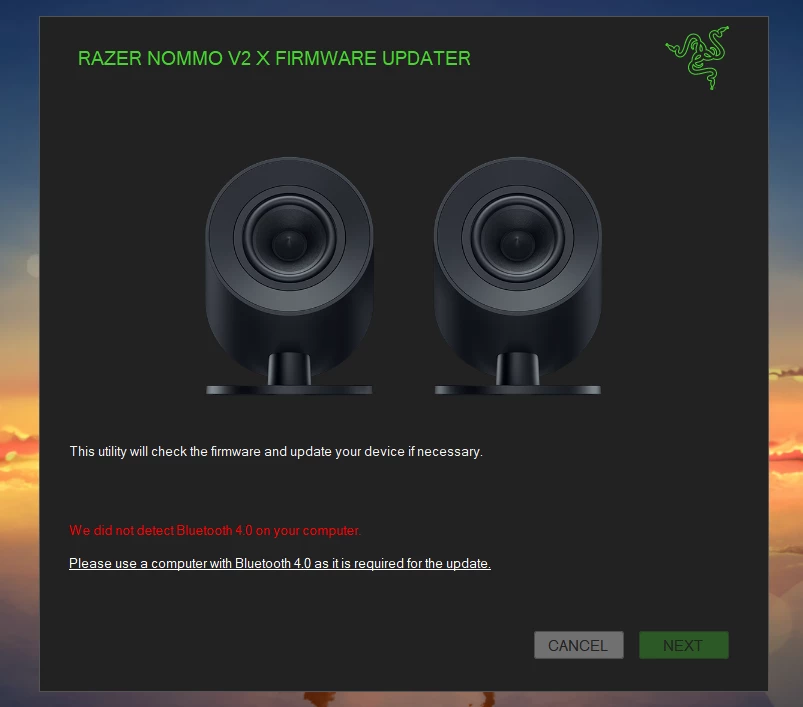
Before connectint the BT dongle: Next button is inactive
Before connectint the BT dongle:
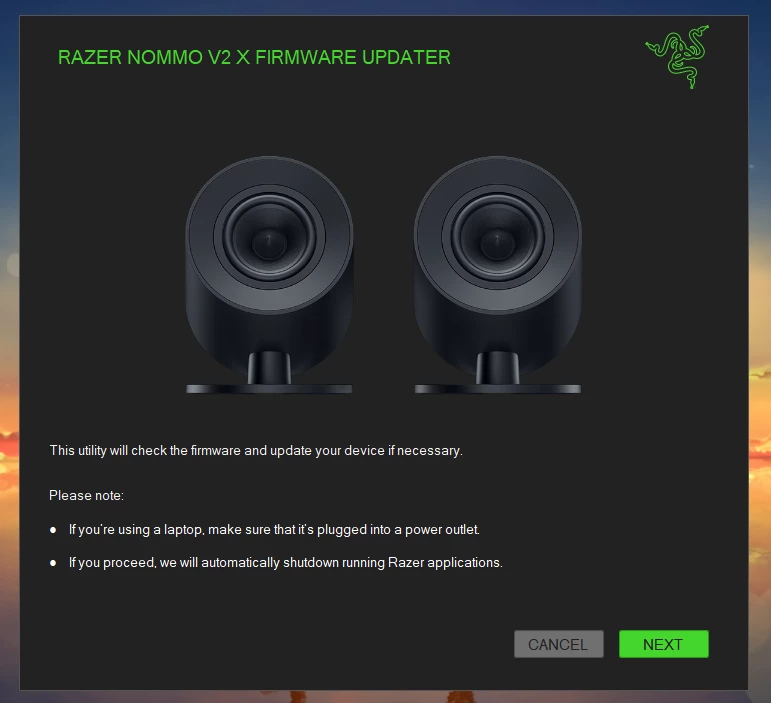
After connecting the dongle: Next button is active
After connecting the dongle: Next button is active
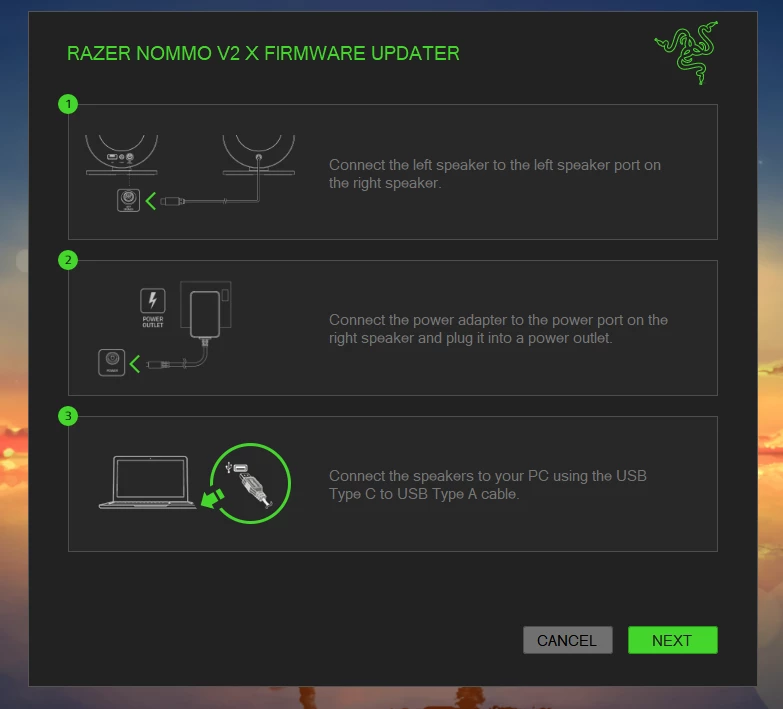
Following the instructions, no issues yet
Following the instructions, no issues yet
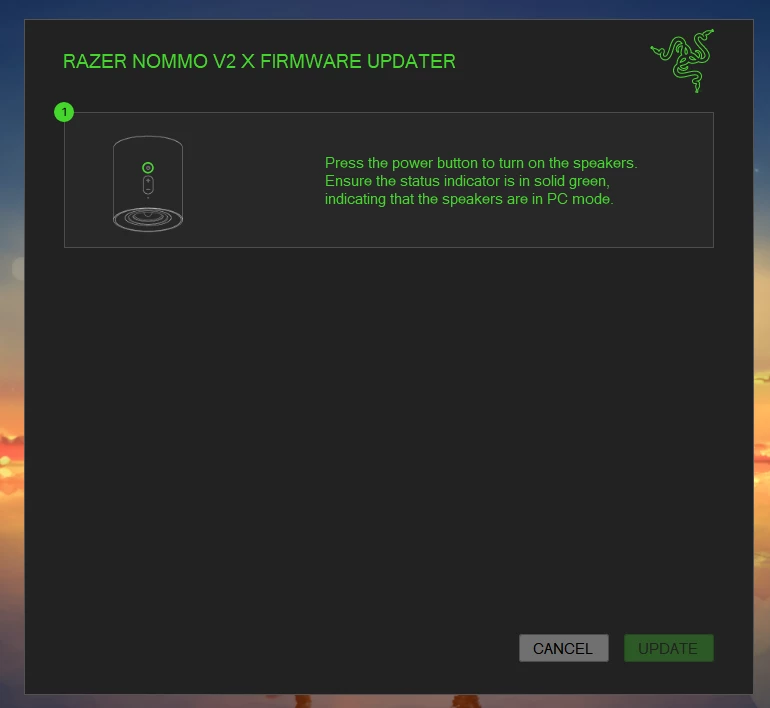
Final screen, update button is inactive even though the speakers are on and in PC mode
Final screen, update button is inactive even though the speakers are on and in PC mode
I understand you’re unable to update the firmware of your Razer Nommo V2 X. To isolate the issue, please try the troubleshooting to resolved the issue with updating the firmware of your Nommo V2 X.
1. Confirm that both the BT dongle and the Nommo speakers are securely connected to the USB ports on your PC. 2. Ensure your system supports Bluetooth 4.0 and above. 3. Ensure all USB drivers and the BT dongle drivers are up to date. Sometimes outdated drivers can cause issues during firmware updates. 4. Try running the firmware updater as an administrator. Right-click on the updater and select "Run as administrator."
5. Download and follow the Razer Nommo V2 X firmware update guide in this link.
If none of the above steps work, feel free to PM me with your device’s serial number and proof of purchase to verify its model and warranty. All the best!
I understand you’re unable to update the firmware of your Razer Nommo V2 X. To isolate the issue, please try the troubleshooting to resolved the issue with updating the firmware of your Nommo V2 X.
1. Confirm that both the BT dongle and the Nommo speakers are securely connected to the USB ports on your PC. 2. Ensure your system supports Bluetooth 4.0 and above. 3. Ensure all USB drivers and the BT dongle drivers are up to date. Sometimes outdated drivers can cause issues during firmware updates. 4. Try running the firmware updater as an administrator. Right-click on the updater and select "Run as administrator."
5. Download and follow the Razer Nommo V2 X firmware update guide in this link.
If none of the above steps work, feel free to PM me with your device’s serial number and proof of purchase to verify its model and warranty. All the best!