Razer Blade 16 rz09-0483 heatsink issue | Razer Insider
Skip to main content
Question

Razer Blade 16 rz09-0483 heatsink issue

  • December 4, 2024
  • 35 replies
  • 3260 views

Show first post

35 Replies

FeLiPe-Eduardo

My Blade 16 w/4080 (-0483) is a $4000 paperweight now, having experienced a failure that looks exactly like a vapor chamber failure. A month of searching for a replacement part has turned up nothing. 
 

Anyone know what the coolant is? I’m considering trying to repair and refill the vapor chamber, alternately, attaching a 3rd part cooling solution (e.g. a new vapor cooler / fan) that would make the machine a ‘slim’ desktop.


If you can't find your laptop's heatsink for sale, unfortunately you'll have to wait until you find one, or make an adaptation.


Some users are putting smaller heatsinks purchased on Amazon and using the laptop without the bottom cover. This apparently solves the problem, but I don't know about performance because I haven't done it.


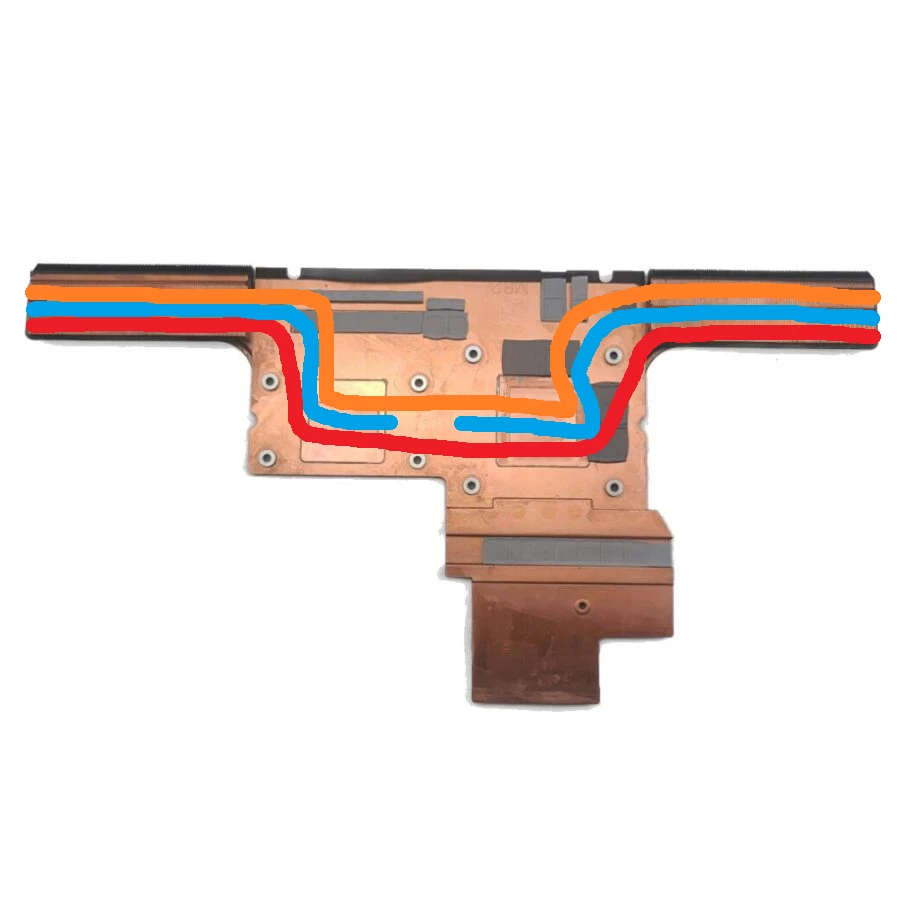
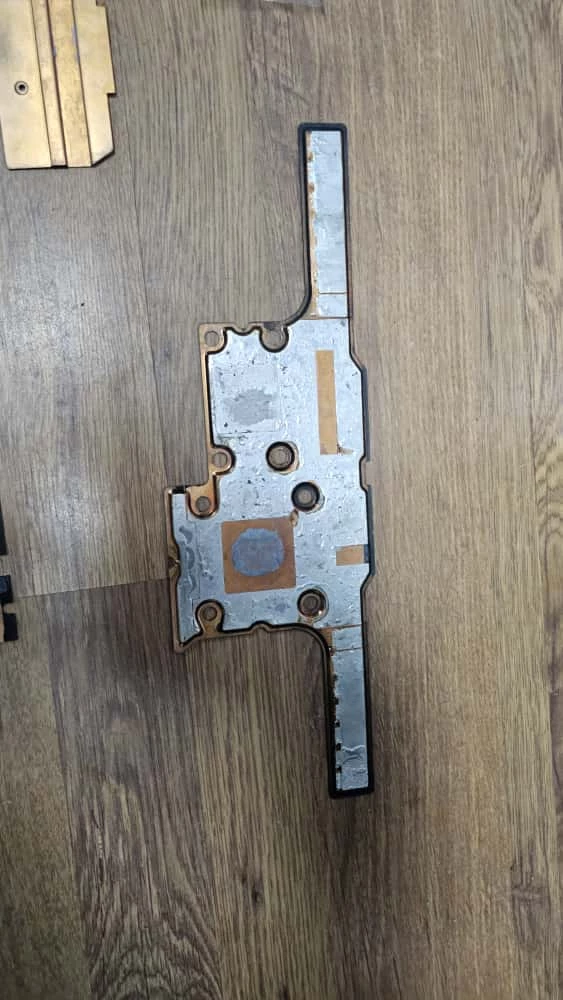
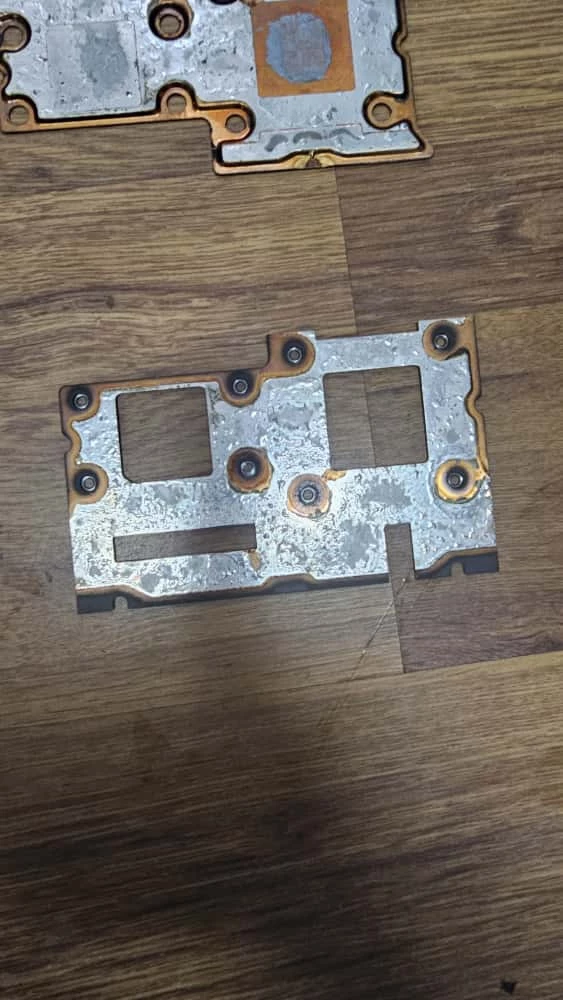
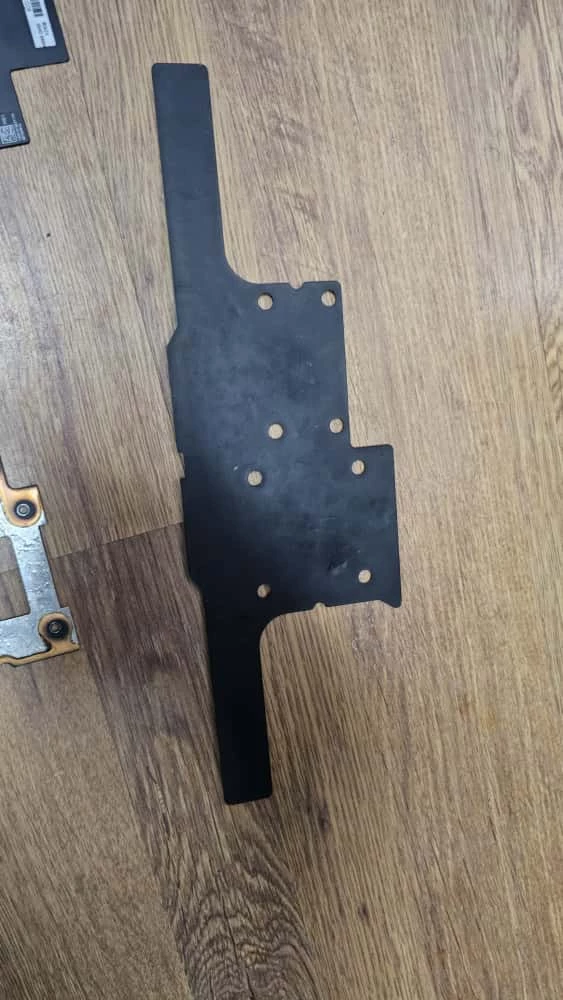
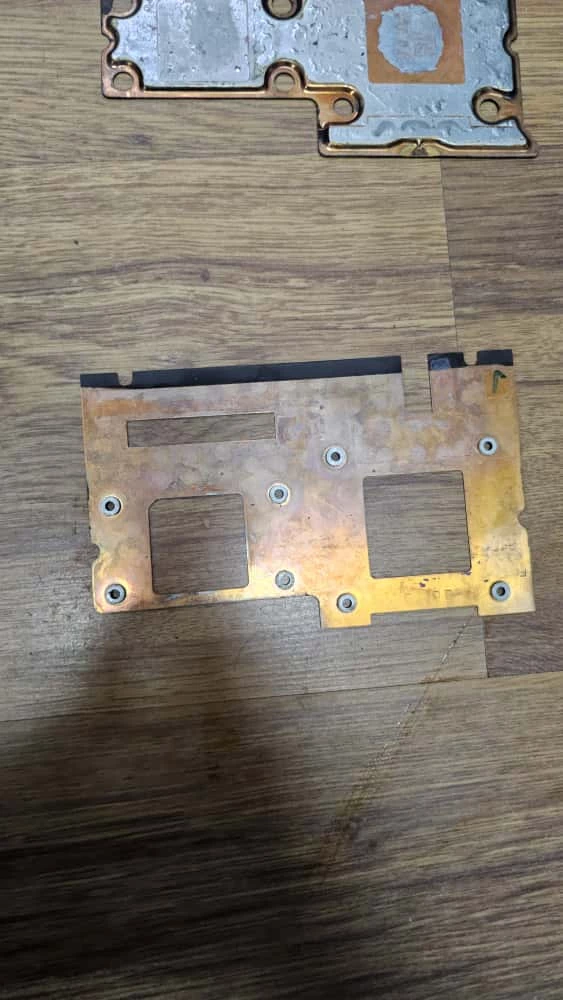
I am trying to adapt heat pipes to the old vapor chamber structure. I used a heat gun to separate the vapor chamber into parts. This way, I have a structure with the perfect holes. My idea now is to solder a thin copper plate and then solder heat pipes to the fins connecting the CPU and GPU.


See photo: 


You can buy heat pipes on AliExpress, but I'm having trouble bending them the right way.

I currently carry around my paperweight, which weighs almost 4 kg and cost me almost as much as two laptops.


Edit### Trimming the Vaporchamber is almost impossible, as it needs to be vacuum-sealed inside. But if I'm not mistaken, ionized water or something similar is used. You need a liquid that evaporates and condenses easily. If you manage to do it, please let us know.

FLP


If Razer won’t provide replacement parts, they could at least provide engineering documents. Accurate dimensions would be a great start to designing a replacement cooling solution. 
 

im pretty sure I can get a copper plate cut and drilled to the exact dimensions and screw positions; getting a replacement vapor chamber the right size might be possible. 
 

I’ve been looking at the offerings from these guys to figure out if they have one the nominal size needed; I don’t think the wings are needed if I have my own fan(s) and heatsink poking out the bottom of low-profile desktop machine that this has become. https://www.alphanovatech.com/en/c_vce.html


FeLiPe-Eduardo

If Razer won’t provide replacement parts, they could at least provide engineering documents. Accurate dimensions would be a great start to designing a replacement cooling solution. 
 

im pretty sure I can get a copper plate cut and drilled to the exact dimensions and screw positions; getting a replacement vapor chamber the right size might be possible. 
 

I’ve been looking at the offerings from these guys to figure out if they have one the nominal size needed; I don’t think the wings are needed if I have my own fan(s) and heatsink poking out the bottom of low-profile desktop machine that this has become. https://www.alphanovatech.com/en/c_vce.html


Lately, Razer's support has not been the best. And if the company does not sell the Heatsink separately and charges almost $3,000 to make this replacement, I highly doubt they will share the measurements and specifications.


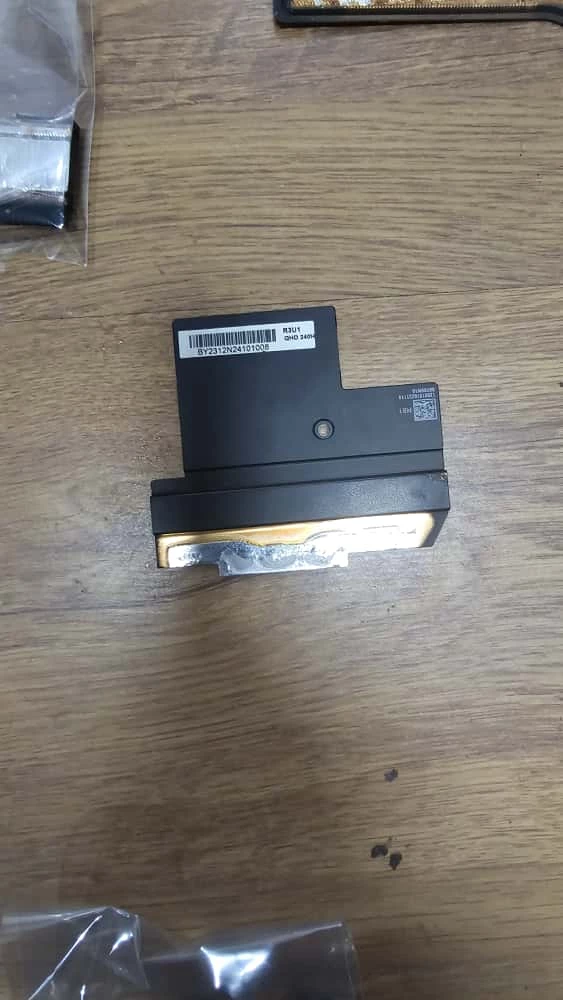
But if you are patient, you can do it. You need any thermal blower to remove the vapor chamber from the structure at the bottom. The CPU has a separate copper plate to provide the correct distance, the GPU die goes directly into the vapor chamber, and the VRAM goes into this copper structure that holds the vapor chamber on the MOBO. Unfortunately, I left my heatsink at my father's office, because that's where I have these tools. Otherwise, I would have taken a photo for you to understand better.

FLP


If you have an opportunity. Pictures would be fantastic!


FeLiPe-Eduardo

If you have an opportunity. Pictures would be fantastic!


This smaller hole is related to the CPU and has a plate that is the correct distance from the CPU DIE. Unfortunately, my father couldn't find it. But if you look at yours, you'll notice it, or the photo I sent earlier related to the heat pipes.


As I said, if you remove the old vapor chamber and solder a copper plate, then solder three heat pipes as shown in the photo I sent earlier, I believe the laptop will work very well. The problem is that you need to make 90°C bends in the heat pipe, and that's not easy, even if you heat it up a lot.


Just to remind you, mine is the Razer Blade 18 (2023) 4080 model.


If you have any ideas and want to share them... I'd be grateful.

FLP


FeLiPe-Eduardo

Sorry for the double post, but the quality of the photos in the previous message is very poor. So I re-uploaded them.
 

Link on imgur. If it's not allowed, I'll upload them to this forum again.


https://imgur.com/a/O5b8rg0


FLP


would it be possible to refill the chamber under vacuum  by installing a valve then pumping out the air using a HVAC vacuum pump. a separate valve or hole would be required to fill with  distilled water with a syringe or similar tool. What do you think?


FeLiPe-Eduardo

would it be possible to refill the chamber under vacuum  by installing a valve then pumping out the air using a HVAC vacuum pump. a separate valve or hole would be required to fill with  distilled water with a syringe or similar tool. What do you think?


Do you have an example of a valve small enough that would work in a vapor chamber? If so, please share it with us.

FLP


it looks like copper tubing is used on the original then crimped after filling. I imagine you could solder on some temporarily. I’m not sure if there would be room for the check valves above after installation but they would technically fit. I spent abut 2 min searching, maybe you could find something better?