

Razer Synapse not saving macro key binds after PC restart | Razer Insider
Skip to main content
Question

Razer Synapse not saving macro key binds after PC restart

  • August 30, 2024
  • 2 replies
  • 470 views

sleeknexusOrchidPink742


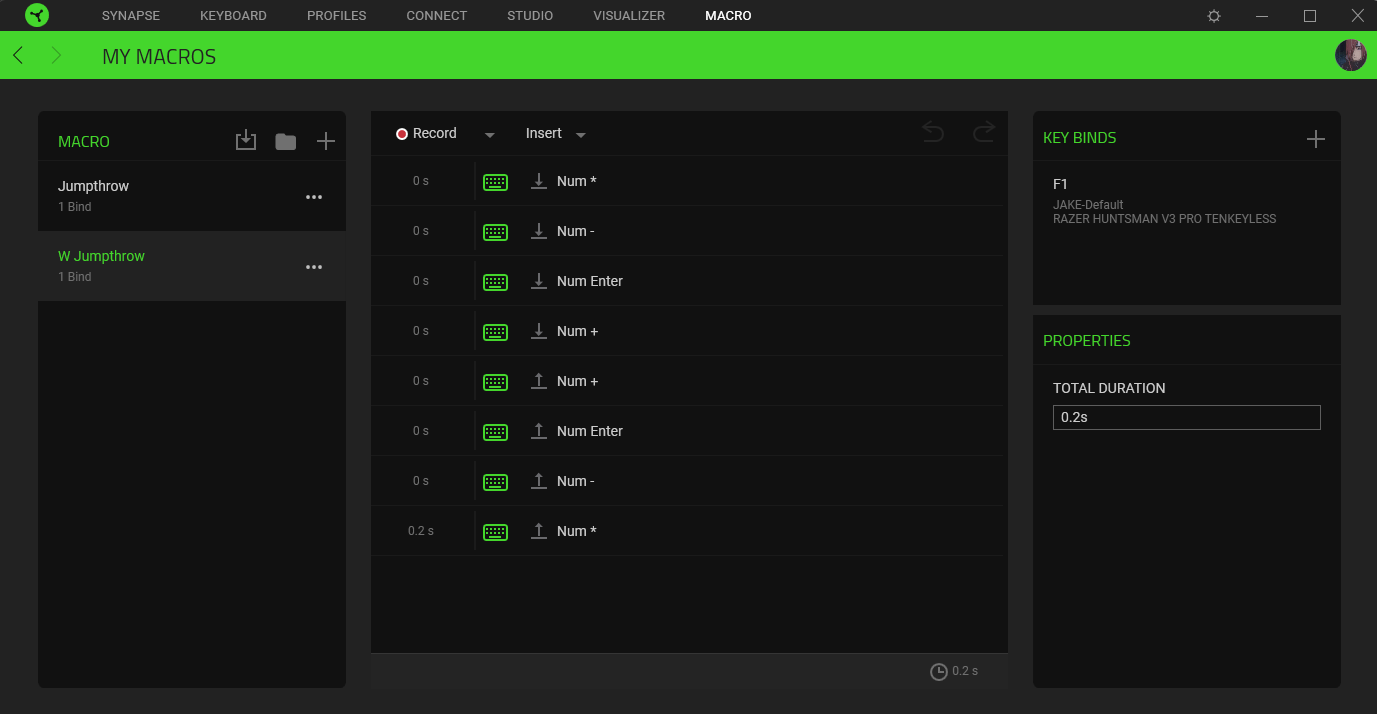
Everytime I restart my PC the macro commands stay however, the keybinds on the right do not. I have to assigne the key binds every time i turn on my PC, it is so annoying! Razer can you fix your shit and save my keybinds please? I’ve reinstalled the app multiple times and deleted my user files to do with razer. 


Any ideas on what else i can do or is it simply a bad software issue?


My keyboard is Razer Huntsman V3 Pro TKL


thanks


2 Replies

  • September 18, 2024

Lets keep this thread going so that they can fix this.

I too have had this issue with Razer Synapse 3 and Beta with my Huntsman V3 Pro. I can bing a mouse sensitivity change to a key but the macro keybind always vanishes after a pc restart or even a restart of the Razer services.

They also need to ditch the cloud sync as it is terrible.


Mintcooltoday517

Lets keep this thread going so that they can fix this.

I too have had this issue with Razer Synapse 3 and Beta with my Huntsman V3 Pro. I can bing a mouse sensitivity change to a key but the macro keybind always vanishes after a pc restart or even a restart of the Razer services.

They also need to ditch the cloud sync as it is terrible.

2025 and this is still an issue. Mine saves some of them, but not all. It actually removes the macros entirely. Linked games will also unlink. I would upgrade to v4, but there’s an issue with the key press function when set to rapid fire or whatever it’s called.