SSD "Frozen" staate | Razer Insider
Skip to main content
Question

SSD "Frozen" staate

  • June 12, 2026
  • 3 replies
  • 20 views

Hello,

I'm having a problem with my Razer Blade, as described below:

- I replaced the original SSD with a different one

- I put the original drive aside

- The new drive is running like a charm

- I need to retrieve some data from the old drive, though

- When I insert the original drive, the system won’t boot

- In the BIOS, its status is “Frozen,” as shown in the attached image
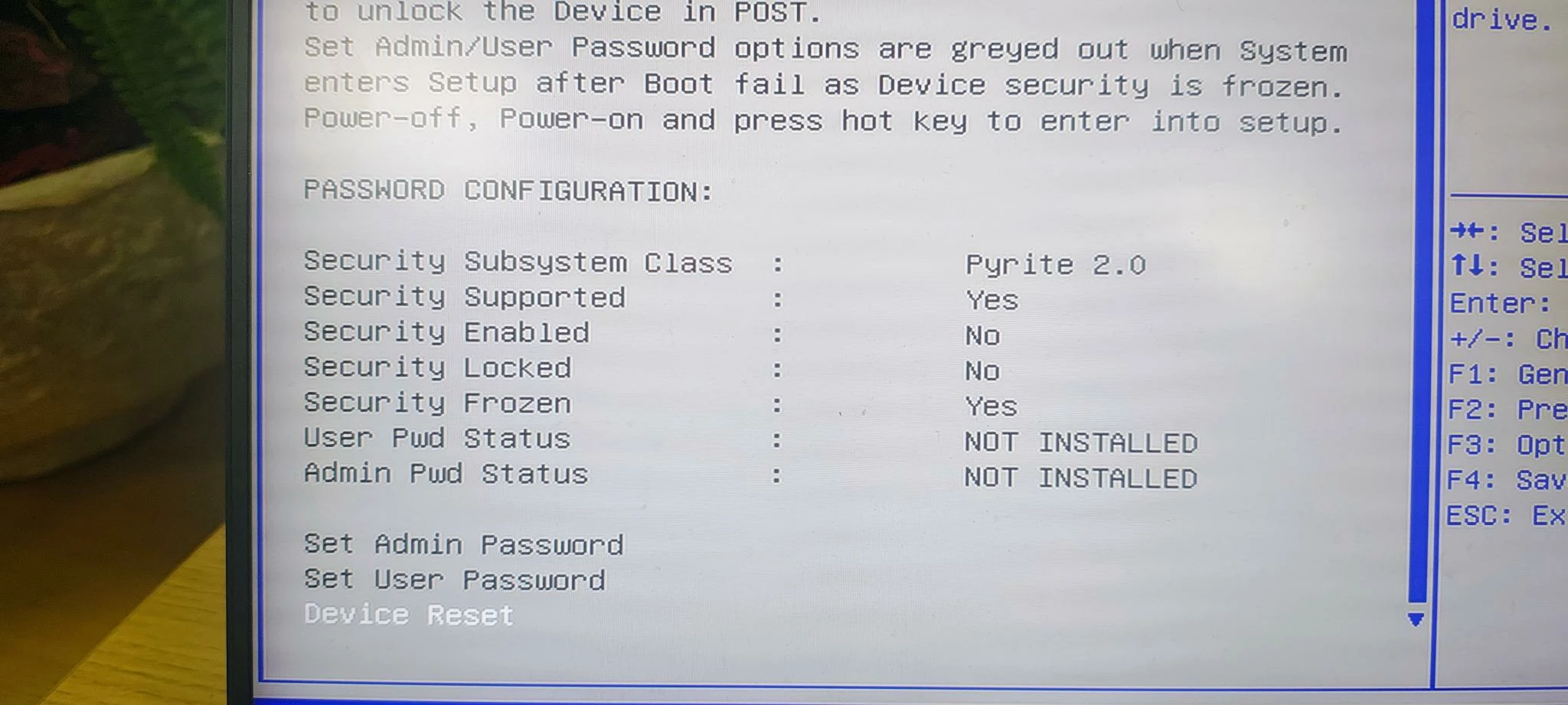
What should I do? I don’t want to format it because of the data.


 

This topic has been closed for replies.

3 Replies

FiszPL
Vanguard
Forum|alt.badge.img+1
  • VANGUARD
  • June 12, 2026

I’d try to boot this via nvme usb adapter if you have any. Also check if the bios has some ability to unlock the disk (with a password if you’ve set).


  • Author
  • Insider Mini
  • June 15, 2026

There is no options in Bios for ths feature.


Razer.ScarletRouge

Hey there, ​@Kryty 

I understand that after replacing your SSD, your Razer Blade now won’t boot when the original drive is reinserted, and the BIOS is showing the drive status as “Frozen,” which is preventing you from accessing your old data.

The safest and easiest way to bypass the BIOS boot conflict and the frozen status is to treat the old drive as secondary external storage.

Boot into Windows using your new, working internal SSD. Connect the old drive externally using an NVMe M.2 to USB enclosure or adapter.

Because the drive is connected after the system has already completed its POST, the BIOS will not issue the security freeze command to it.

Open File Explorer or Disk Management, and you should be able to browse the drive like a standard USB flash drive and copy your data over.


If you have any questions or need further assistance, please feel free to send me a PM along with your laptop’s serial number so I can assist you further. Thank you!


*Thread locked to curb conversation to PM.