I'm facing a problem where the program won't open. More specifically, it opens and appears in the tray, but it doesn't work. In the audio mixer, the 7.1 option appears, but there's no sound. On my previous headphones, everything worked fine, but now I'm facing this issue. The headphones are the Barracuda X Chroma.
Best answer by ZaWarudoWryyy
I'm facing a problem where the program won't open. More specifically, it opens and appears in the tray, but it doesn't work. In the audio mixer, the 7.1 option appears, but there's no sound. On my previous headphones, everything worked fine, but now I'm facing this issue. The headphones are the Barracuda X Chroma.
I solved this problem. Surround Sound files are saved not in the C:/Users/Username/AppData/Local folder, but in the C:/Users/
I'm facing a problem where the program won't open. More specifically, it opens and appears in the tray, but it doesn't work. In the audio mixer, the 7.1 option appears, but there's no sound. On my previous headphones, everything worked fine, but now I'm facing this issue. The headphones are the Barracuda X Chroma.
I solved this problem. Surround Sound files are saved not in the C:/Users/Username/AppData/Local folder, but in the C:/Users/
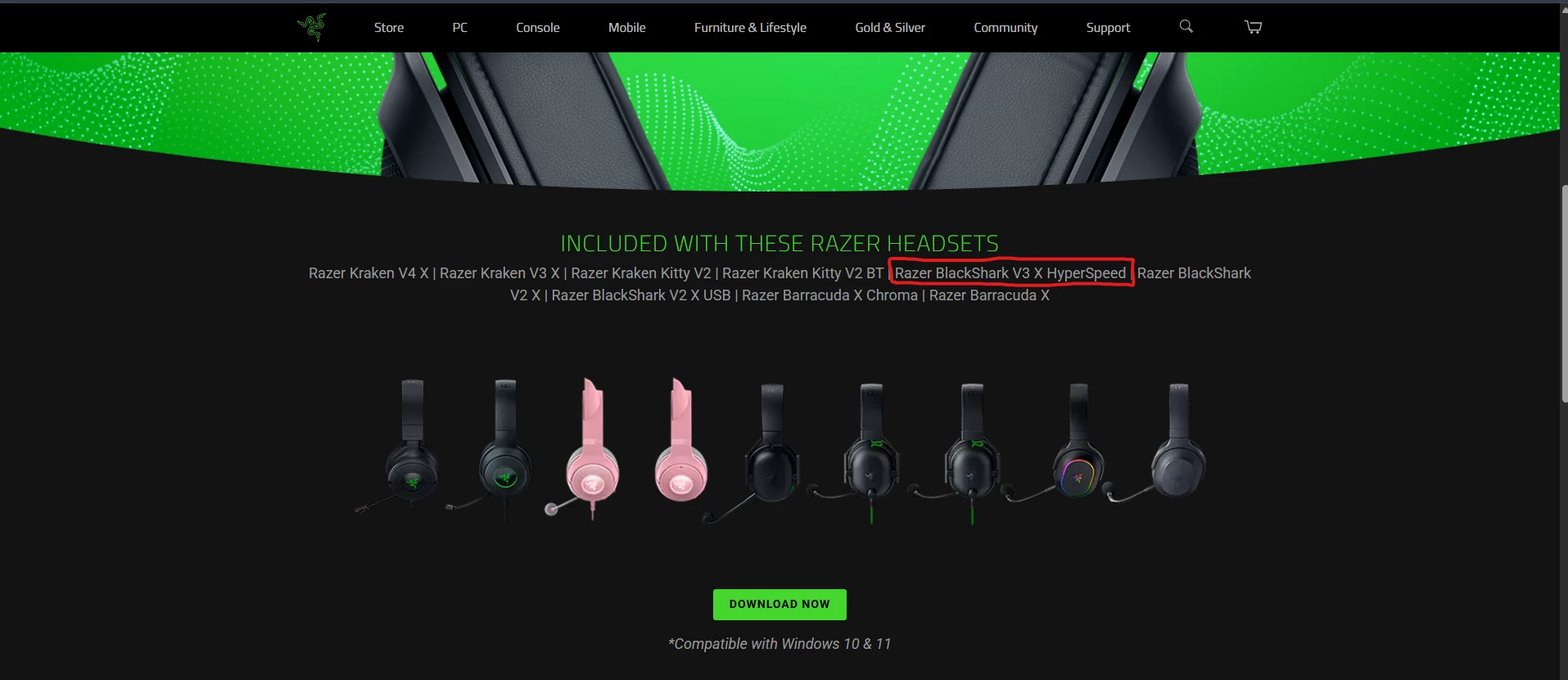
I am facing a problem where I am using a Razer Blackshark V3 X Hyperspeed, that is compatible with 7.1 Surround Sound (image 1),
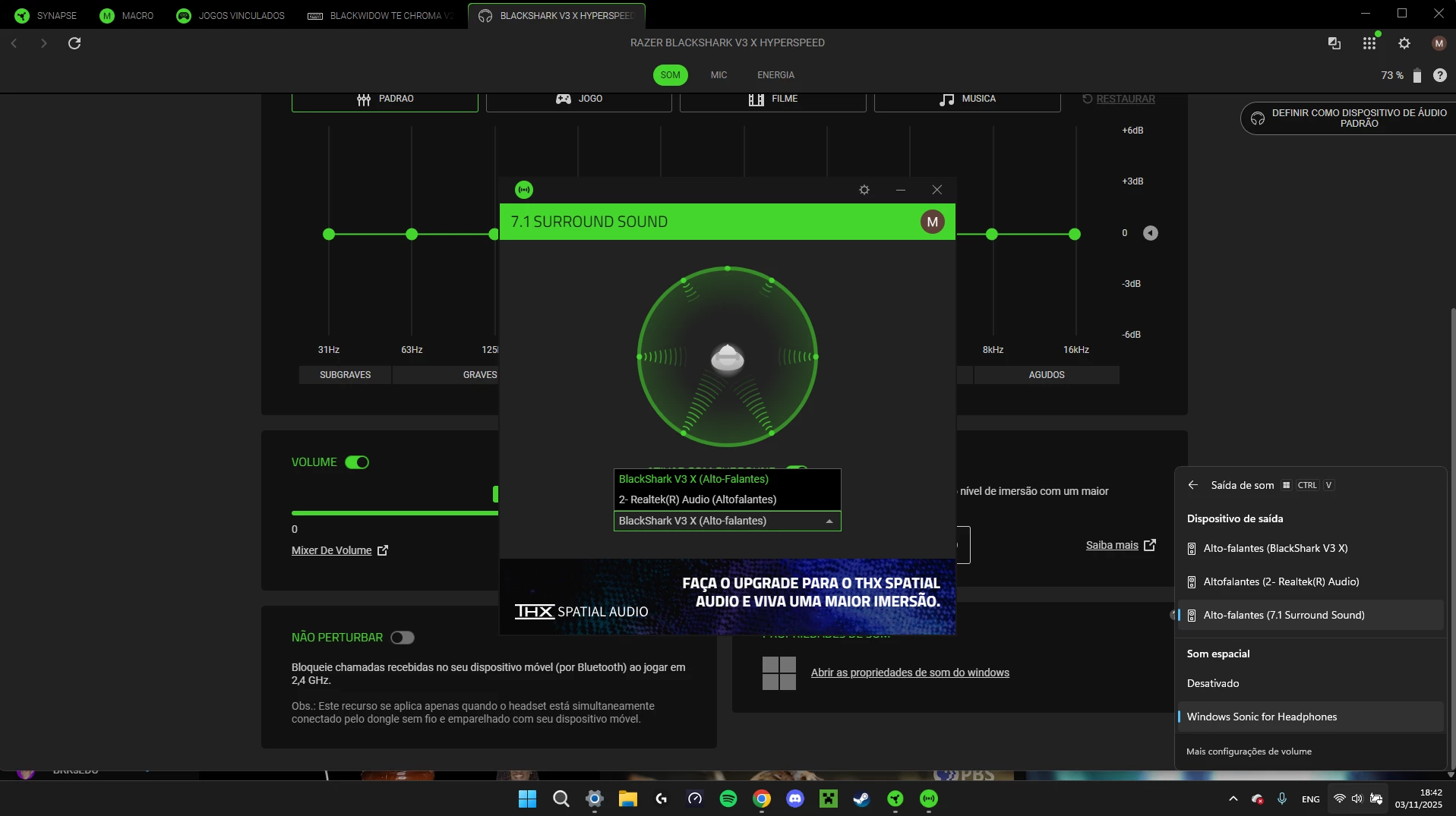
I was able to get and activation code and launch the 7.1 app. However when I try to activate the 7.1 surround sound, I do everything right, activate the 7.1 in the windows (image 2),
As you can see, not only in the app does not show the 7.1 option (i don't know if that exists) but it is activated. The problem is that the sound does not work. It is very sad that you buy a product just for the 7.1 surround sound and the company fails to deliver you with a version that works. Very unfortunate.
I'm facing a problem where the program won't open. More specifically, it opens and appears in the tray, but it doesn't work. In the audio mixer, the 7.1 option appears, but there's no sound. On my previous headphones, everything worked fine, but now I'm facing this issue. The headphones are the Barracuda X Chroma.
I solved this problem. Surround Sound files are saved not in the C:/Users/Username/AppData/Local folder, but in the C:/Users/
Now all working
So what should I do? put the surround sound files to C:/Users/Username/AppData/Local folder or only C:/Users/?