Tartus v2 and Synapse 4 issue with Sept 2026 update | Razer Insider
Skip to main content
Question

Tartus v2 and Synapse 4 issue with Sept 2026 update

  • September 8, 2026
  • 50 replies
  • 1378 views

Show first post

50 Replies

Secati4141
  • Insider Mini
  • September 10, 2026

Sick of issue


  • Insider Mini
  • September 10, 2026

Same issue everyone else is having. This is the 2nd time in the past few months the D pad has quit after an update. Test your software updates before pushing them out to us, Razer.


bitPistachioplace871

So after many tests, this is so stupid : all d‑pad is working except d‑pad left bound to left, if it is bound to any other key it works, but not the navigation to left… Why ? I don't know, maybe vibe cioding, I guess.


All of my bindings are doing the same. It worked flawlessly until it auto-updated and now I can't use my Tartarus Pro for anything other than a barely functional keyboard. 


This WAS the best device for my design profession but I'm considering picking up a different brand of macro controller because razer just keep screwing everything up, time after time. 


Can anyone else confirm that if you map the direction pad to anything else (Page Up/Page Down for exmaple) do those functions work for you? I am able to use Macros, WASD, shortcuts, etc. Just not directional arrows or the joystick directions which is the profile default I believe.

I noticed that for the DPad, if you change the hot key to anything other than the default direction, it would work for me. I ended up changing the directions to the inverse direction and remapping camera movement in game to match. (Down=up, left=right, etc.) that way I don’t have to use up any other random keys. As long as I don’t try to set it to any variation of the default directional inputs, it’s seems to work for now. What a crazy issue.


boardAmaranthcool561

I’m experiencing the same issue as well. Tartarus d-pad was working fine earlier, updated Windows and now it’s unrecognized by Synapse 4. The only solution I’ve found was to uninstall Synapse entirely and remap all the keybinds in my games to match the default Tartarus output. Really hope they fix this soon as the default output is awful.


For the d pad, a workaround that I found in a thread last from last year is to change the d pad to the 8 directional layout, then manually map the up, down. left, and right directions to the arrows on your keyboard.  I had to make macros (up arrow + left arrow, etc.) for the diagonals.  This actually works, but the movement is still kind of janky compared to the default movement.  If you don’t need diagonals you can disable them. For some reason this only works on the 8 directional and not the 4.


The 8 directional workaround was not fluid enough for me. Thanks to another user’s comment on my “joystick not working” thread, I have found a workaround for me. To quote the user classicVioletRYB340 “It just cannot be the default directional inputs”. 

So I’ve bound the d-pad/joystick 4-directional to some free keys on my keyboard (IJKL) and have fluid movement again. In total, I rebound razer’s 6,11,16 (tab, capslock, shift) and 17 (to match german keyboard), and now d-pad to get movement again.

Similarly to fastMantis, I have adapted my game inputs in-game to match Razer defaults as far as possible in case the software stops working (again or in another way). Hwoever, that also means I’ve put some of my abilities on WASD for easy access and had to move my movement somewhere else.


  • Insider Mini
  • September 11, 2026

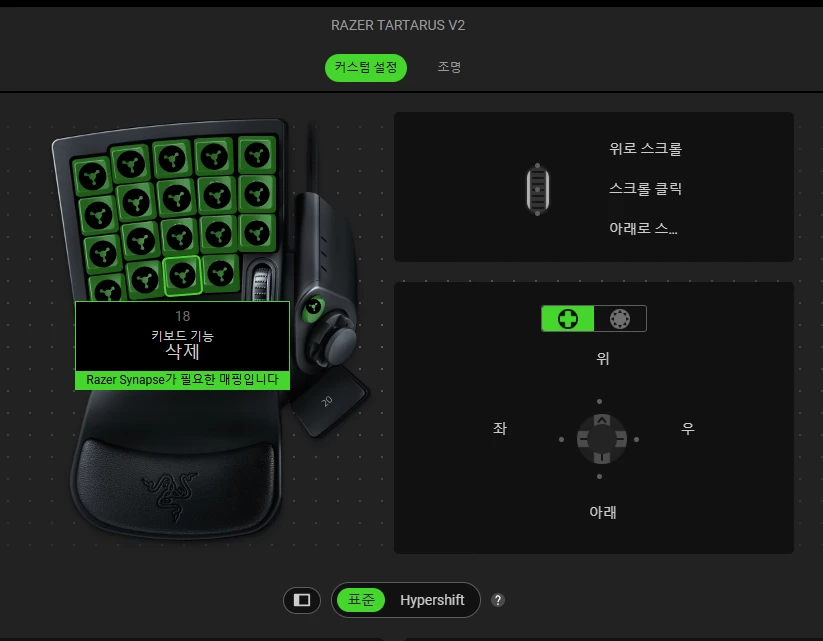
All of my mapped profiles look like this since the update as well.


select20
  • Insider Mini
  • September 11, 2026

My Tartus v2 wont let me use my custom key maps after the latest update. It says I need Synapse 4 running, which it is. I tried the repair options, I also tried a clean re-install. But nothing. I use this for both work and gamming, so this really has me in a bind as it was apart of my workflow. Any help would be appreciated. Im on windows 10 but with the most updated security features.

 

Ok, I was playing a game this morning. I went to run some errands and also noticed an update. Now I can’t get Synapse to see my Tartarus v2. Wth? I uninstalled and reinstalled Synapse, retarted my pc, etc. Nothing is working. Going into the weekend with my main gaming peripheral not working isn’t acceptable. Fix this plz. 

**UPDATE**

Ok, story of my life. I can spend hours trouble shooting something and never figure it out. When I finally run out of patients and ask/complain to official channels, it starts working. Well same story here. Been messing with Synapse and my Tartarus v2 for probably 30mins and nothing. As soon as I make this post, I try one more time disconnect and reconnect and it worked. I don’t know what happened, but I’m good now. Hope you all get it working. 


gimpnelly
  • Insider Mini
  • September 11, 2026

I’m having this exact same issue. It makes my favorite game unplayable because I’m so used to using my tartarus for gaming, and now none of my keymaps are working. 


  • Insider Mini
  • September 12, 2026

I remapped by dpad to f1-f4 and rebound my movement in world of warcraft to the same f1-f4. Works perfect now. 


boardAmaranthcool561

I remapped by dpad to f1-f4 and rebound my movement in world of warcraft to the same f1-f4. Works perfect now. 

Careful - I also bound f1-f4 once. Make sure that the Razer Alt-Key is rebound to something else. Otherwise “random crashes” may occur from experience ;)


  • Insider Mini
  • September 12, 2026

My movement pad on  my Tartarus v2 stopped working with the latest update.  I was actively playing a game with it earlier and it was fine.  I came back to the computer later and noticed that Synapse had updated, and now it no longer works.  This isn’t the first time a Synapse update has broken keybinds, sadly.

I’m just over an hour long chat with an AI bot about exactly this. I asked for instructions on how to roll back the software since I updated my secondary comjputer too as part of the troubleshooting process and now I have no computer with properly working Tartarus…


dailyLightCyanvision282

Its height completely unraveled, making it unusable. Fix this quickly. Only the default key is used.


Did Razer ever acknowledge the issue and say when they are going to patch it?


Snyck521
  • Insider Mini
  • September 13, 2026

I am having the same issue just today. I got the dpad working and buttons where all wrong get buttons correct and dpad stopped working.  Uninstalled and installed,  restarted computer and restarting game still nothing another's have had this issue for 3 days.


Lrbrownii
  • Insider
  • September 13, 2026

Mine works. Simple Solution. Don't use Synapse 4.


  • Insider Mini
  • September 13, 2026

Mine works. Simple Solution. Don't use Synapse 4.

How do you program and use macros without synapse?


Contribe
  • Insider Mini
  • September 13, 2026

Same issues here none of my key bindings are working on my tartarus v2 or my naga x…. ive been a customer of razer for a very long time, everyone in my house uses, My wife, My 2 kids, and myself,  but for 3-4 straight days now we cant even game cause the 100$ Plus products arent working cause a software issue. ABout to lose 4 customers or more. This is Embarrassing… Razer... 


Lrbrownii
  • Insider
  • September 13, 2026

Mine works. Simple Solution. Don't use Synapse 4.

How do you program and use macros without synapse?

I've been using the same key binds since 2017. Every game is set up the same. There are other programs that detect an input and play macro.


After years of asking Razer to fix Synapse 4 I gave up. Razer Chroma Addressable RGB controller works. Razer Light strip set works now that I have fixed it and I can do things with the Razer mice that Razer will not do.


It's not worth the headache to deal will all of this. Razer dropped the most important pieces to their ecosystem there is no point anymore.


Ephiria
  • Insider Mini
  • September 13, 2026

So sad, there’s still no reaction from Razer.
I’ve been using Razer stuff for many years and I’m about the update my equipment. If there’s no patch to this issue, I’ll probably have to seek for another reliable solution. 

Please, patch this issue that makes our equipment useless (all my games profiles are bugged).


Lrbrownii
  • Insider
  • September 13, 2026

Does it at least show up in joy.cpl like it DOES in Synapse 3? This at least let you select what controller you were using in a game and did not cause conflicts like Synapse 4.


madman751
  • Insider Mini
  • September 13, 2026

Also having issue with the D pad when synapse is running to echo what others have said. Razer, fix your shit. 


  • Insider Mini
  • September 14, 2026

I’m experiencing the same issue as well. Tartarus d-pad was working fine earlier, updated Windows and now it’s unrecognized by Synapse 4. The only solution I’ve found was to uninstall Synapse entirely and remap all the keybinds in my games to match the default Tartarus output. Really hope they fix this soon as the default output is awful.


For the d pad, a workaround that I found in a thread last from last year is to change the d pad to the 8 directional layout, then manually map the up, down. left, and right directions to the arrows on your keyboard.  I had to make macros (up arrow + left arrow, etc.) for the diagonals.  This actually works, but the movement is still kind of janky compared to the default movement.  If you don’t need diagonals you can disable them. For some reason this only works on the 8 directional and not the 4.

i’m having the same issue. i tried this fix. “janky” is an understatement. macros aren’t the solution for competitive movement in top fps titles. hope they fix this bug real quick cause i’m dead in the water for all games and stream. already lasting about a week is an epic fail for the lone product that attaches me to this bloated software nobody wants. does this ever happen to azeron cyborg II users? i just need something dependable that doesn’t cost me income when they have a bug in an update :(


Snyck521
  • Insider Mini
  • September 14, 2026

Mine works. Simple Solution. Don't use Synapse 4.

How do you program and use macros without synapse?

If a fix or someone that knows another program that works I'm all ears. Well eyes anyway. 


  • Insider Mini
  • September 14, 2026

Having the same issue. Was playing Skyrim the other day, and all of a sudden my bindings wouldnt work. I have done the clean install, repairs, admin permissions, formats, resets, duck I even bought a new/used Tartarus v2!!! (To be fair my other one was 5 years old) Still refuses to let me change binds. I even created a new RazerID just in case!  I really hope they fix this soon