
YOUR DEVICE RAN INTO A PROBLEM AND NEEDS TO RESTART | Razer Insider
Skip to main content
Question

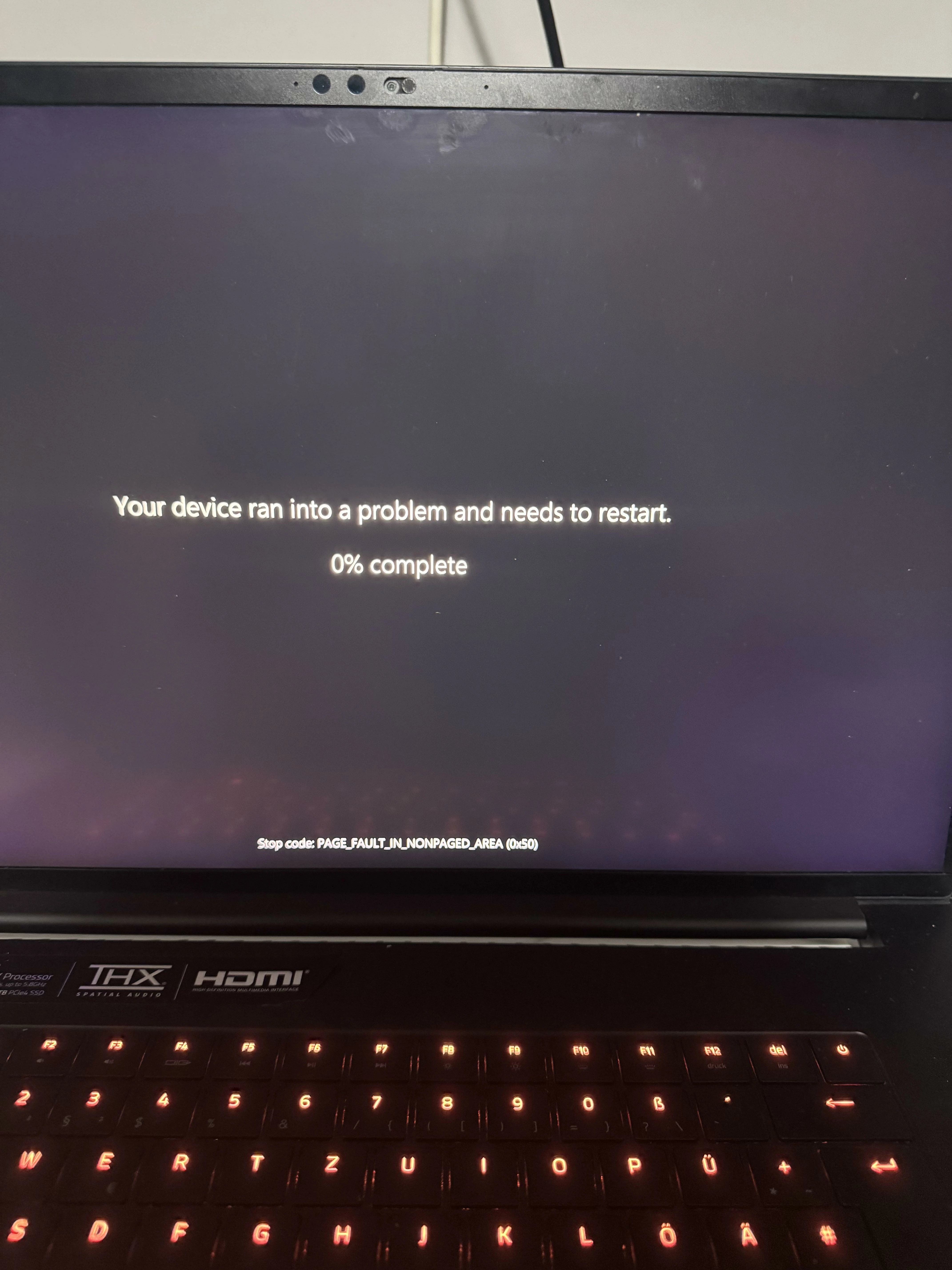
YOUR DEVICE RAN INTO A PROBLEM AND NEEDS TO RESTART

  • May 13, 2026
  • 2 replies
  • 13 views

Zompgeoworld274

Hi please help me whats wrong with my razer blade laptop? This started to happen after I gave it to repair shop for motherboard cleaning and thermal paste replacement

 

2 Replies

Razer.Zionzedd

Hi Zompgeoworld274


Your Razer Blade likely encountered a hardware displacement or driver conflict during reassembly. The most common culprits after a repaste are dislodged RAM, an overtightened heatsink, or accidental thermal paste spillage causing a short-circuit. Please know that Razer voids warranty coverage if the device is physically modified, disassembled improperly, or damaged during upgrades. It is best to return it back to the repair shop.


If they can’t fix it, PM me your Razer laptop’s SN: (Follow steps here: https://mysupport.razer.com/app/answers/detail/a_id/548/~/how-to-find-the-serial%2C-product%2C-or-part-number-on-a-razer-device) and link of your receipt in a PDF format: (Save the shareable files via any online drive account listed here: https://mysupport.razer.com/app/answers/detail/a_id/4011?_ga=2.197232171.544708261.1744067200-1885068520.1744067200&_gl=1*vo487o*_ga_3TRK53PM75*MTc0NDA2NzE5OS4xLjEuMTc0NDA2NzM0My4yNC4wLjA). Kindly change the privacy settings to "anyone has link", so I can view the file/s without asking for permission. I can create a case and forward it to Razer’s Repair Team - you can pay them to restore your Razer Blade. 


*Thread locked to PM.


bizVioletRedcity274

If this only started happening after the repair shop cleaned the motherboard and changed thermal paste, there’s a decent chance something wasn’t seated properly during reassembly. The stop code can sometimes point to memory, storage, or BIOS-related instability too.

I’d probably start by checking the following:

  • RAM seating

  • SSD connection

  • BIOS reset/default settings

  • Temperatures under load

A lot of random crash diagnosis tools and error calculators online give very generic answers, but real troubleshooting usually comes from checking the actual hardware changes made before the issue started. Since it was stable before repair, that’s the biggest clue here.

