Audio delay after latest Synapse update | Razer Insider
Skip to main content
Question

Audio delay after latest Synapse update
  • November 17, 2023
  • 42 replies
  • 6583 views

Show first post

42 Replies

dataEggshellcool597

The current solution does the following, (if you rarely use Razer Synapse, uninstall it for now or leave it installed, it doesn't matter).

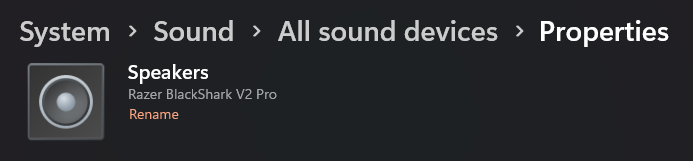
Next, search for "system sounds" in Windows and go to the "Playback" window, click on the properties of the Razer device you are using, go to "Enhancements" and disable all enhancements. It may not sound the same anymore, but you will notice a super incredible change and without delays when browsing.


  • Insider Mini
  • June 1, 2024

HI! I don’t usually reply to anything because I’m incredibly socially awkward but anyway besides the point. 
For me this started happening after I did a full reset of my computer and all the audio device settings reset, I looked at this thread a couple of days ago and decided to give up but after being so annoyed by it today I went through everything I could. 

By changing audio enhancements from device default effects (even with THX disabled in the app) to Off the delay from the start of audio was removed (for me). Now of course if you are someone who does use THX spatial audio then it’s something to weigh up but hopefully this solution works for everyone else!


  • Insider Mini
  • June 1, 2024

The current solution does the following, (if you rarely use Razer Synapse, uninstall it for now or leave it installed, it doesn't matter).

Next, search for "system sounds" in Windows and go to the "Playback" window, click on the properties of the Razer device you are using, go to "Enhancements" and disable all enhancements. It may not sound the same anymore, but you will notice a super incredible change and without delays when browsing.

Also just realised this was here but on the second page so I didn’t check it but whatever I can confirm it works I guess 😭😅


  • Insider Mini
  • June 5, 2024

Just popping in to add my voice to the choir. I’m having the same issue with my Blackshark V2 Pro. It’s made playing Hi Fi Rush impossible, as the audio was always way behind the action. It’s also very noticeable when grinding away at the SF6 training room, as I’m always listening in to audio cues. 


I’ll take some of the advice above by disabling enhancements and see how that does. But I’m just gonna say it straight, if Razer does not fix this issue really soon I will not buy any more products from them. 


  • Insider Mini
  • June 9, 2024

I have the same issue with my Razer Kraken V3. For some reason, the change in volume is delayed when coming out of the headset’s speakers. I have only noticed it in certain games like Roblox, and Minecraft, but Lethal Company’s audio is fine. Is this something Razer is aware of? (if you think you have this issue you can test it out by changing your pcs volume and the volume of the sound played. the change in volume of the sound effect played should be delayed if you have this issue)


  • Insider Mini
  • June 24, 2024

its crazy that this thread is 7 months old and there still isnt even an automated “we will look into this” feedback from this company, i was a big razer fan until this issue hit me a few months ago, after resetting my pc and not installing synapse it magically went away… now i installed it again to change my mkb colours and there we go, its there again, obvsly somehting that still isnt fixed. 

Get your priorities straight razer.
And to everyone that reads this do what i do and from now on, if you upgrade peripherals, dont choose razer, even if it looks good. The looks are there, everything else isnt


  • Insider Mini
  • July 20, 2024

still problem


MintGreensecretgreat151

I have the same issue and I cannot unhear it 😫


SigmaRizzlerOfOhio25

Just go to audio and don’t use the stereo version


RazerKoala101
  • Insider Mini
  • December 1, 2024

Same issue here! :(


DeepTuscanRedRUBYbest391

Still same issue - Blackshark V2 Hyperspeed


  • Insider Mini
  • May 8, 2025

I FINALLY found a fix you simply have to remove everything related to razer on ur pc then go on the page of synapse 4 and download it from that you will get the razer app and you will be able to install every program you had before and after that ur sound will be normal with no delay and you will have every app and all here


  • Insider Mini
  • May 8, 2025

Nvm


Cadbberry
  • Insider Mini
  • September 18, 2025

Same issue Razer Blackshark V2 Pro. This is my first bluetooth headset but with my old wired ones I never had this issue. Makes me want to get a refund and not buy razer again with how many problems this headset has had


  • Insider Mini
  • September 26, 2025

I have just installed windows 11 and Iam now having the same issue. I have tried synapse 3 and 4 and it’s both the same. With audio enhancements on, there is a delay. If I am playing a game and I use discord push to talk, it does not make the noise unless I spam it. Like any new audio from each app doesn’t play the first 2 or 3 seonds every time. If I disable audio enhancements, I cannot use the equalizer. This is a new issue for me but sounds like it’s been a thing for others for months. Up to this point I was a razer headset fan but I think I’ll buy from someone else next time.


  • Insider Mini
  • November 13, 2025

Update from 1 month ago. It’s now working but I do not know why. I uninstalled,  unplugged usb, deleted drivers in device manager, installed razer, plugged the usb back in, all sorts of weird things like this and nothing worked so I gave up. If I was ever playing WoW and needed to be on discord, I just went into control panel and disabled enhancements, then turned them back on again when I was done. A few weeks later I am not sure what happened but I realised I don’t need to do that anymore and it just all works as expected. Maybe razer did an update or maybe uninstalling with the USB dongle out, clearing the drivers, reinstalling with the dongle out, then putting the dongle fixed it? I am not sure.


sidefirstCrimsonGlory885

same here w razer nari ultimate

from wha it seems they're not even going to fix it

this thread has been here for over 2 years and no one from razer has said one word