

Hardware: Razer DeathAdder V3 (Wired)
Software: Razer Synapse 4 (Version 4.0.86)
OS: Windows 11
Game: Sniper Elite 5 (Steam)
The Issue:
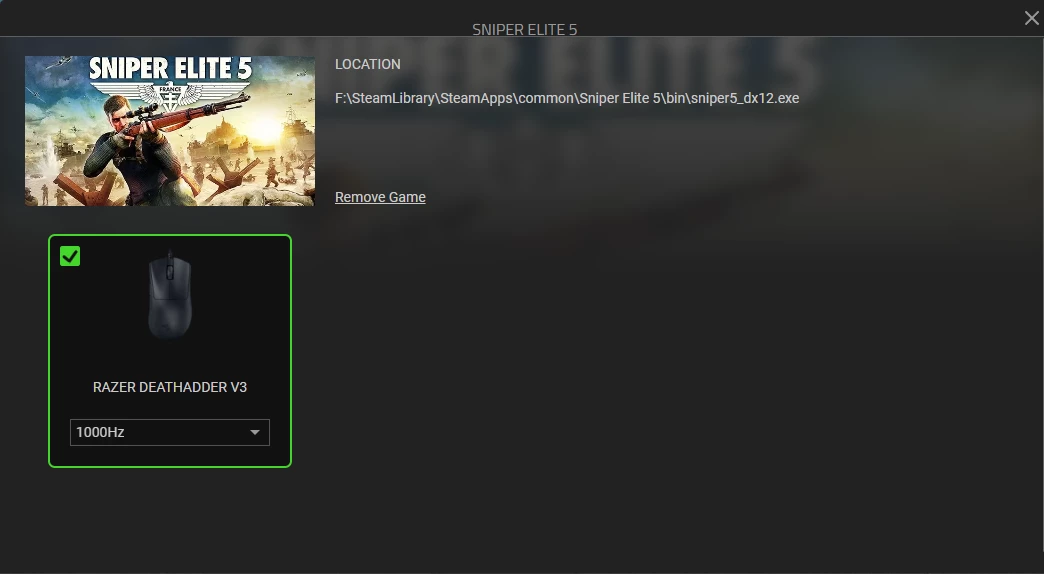
I use an 8000Hz polling rate for my desktop, but I need to switch to 1000Hz for Sniper Elite 5 to prevent severe engine stuttering and FPS drops. I set up an auto-profile switch, but it never triggers.
The Cause:
Synapse 4 forces the game profile to link strictly to the main executable (sniper5_dx12.exe). However, the game launches through Easy Anti-Cheat, making start_protected_game.exe the actual active window. Synapse 4 overrides any manual attempt to link the profile to the EAC executable, forcing it back to the direct game file. Because Synapse cannot track the game's active state through the EAC wrapper, the profile never switches.
Proof / Troubleshooting done:
I completely disabled Easy Anti-Cheat and launched the game directly. Once EAC was disabled, the Synapse 4 auto-profile switching worked perfectly and instantly. This confirms 100% that the bug is related to Synapse 4 failing to track games running under EAC wrappers.
Request:
Please patch Synapse 4 to fix it.
(Note: I have already submitted this via the in-app feedback tool with logs attached, but posting here for visibility).