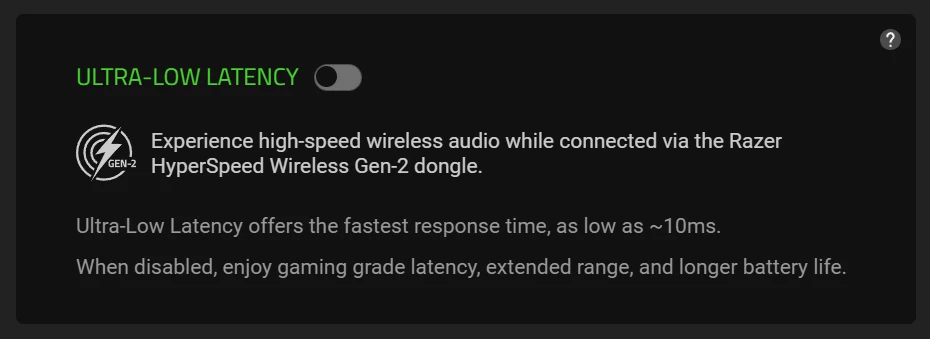
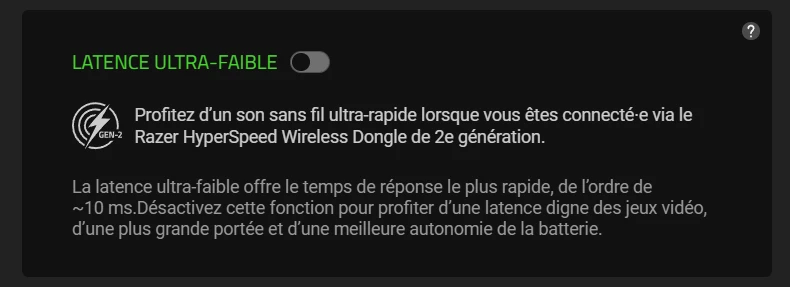
In Synapse 4, Ultra-Low Latency mode is currently not usable. In the text description for it it says
“… as low as ~10ms.When disabled, enjoy gaming grade latency ...”
when in fact it should be
“… as low as ~10ms. When disabled, enjoy gaming grade latency ...”
See screenshot attached.
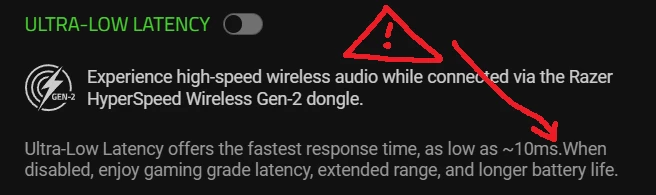
The forgotten space here makes my BlackShark V3 headset unusable because the absence of the space prevents me from enjoying gaming grade latency. In fact, I haven’t been able to enjoy anything at all after identifying this.
Product
Synapse 4
Software Version
4.0.86.2512101100
REPRODUCTION STEPS
- Connect any Razer headset product that is compatible with Ultra-low Latency Mode.
- Open Synapse 4.
- Under “Devices” (top left corner), click on the image of the headset.
- Along the top bar, click on “Enhancement”
- Under “ULTRA-LOW LATENCY” read the description.
EXPECTED RESULT
“… as low as ~10ms.When disabled, enjoy gaming grade latency ...”
ACTUAL RESULT
“… as low as ~10ms. When disabled, enjoy gaming grade latency ...”
SYSTEM SPECS
- OS: Windows 11 Build 22631
- Motherboard/Laptop Model: ASUS ROG Strix Z790
- Headset: BlackShark V3 Wireless
TROUBLESHOOTING PERFORMED
- Re-insalled Razer Synapse
- Changing to a different language
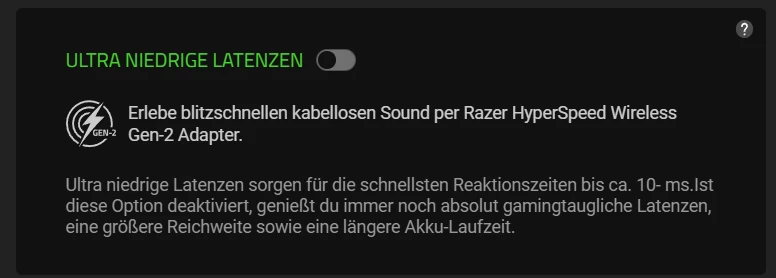
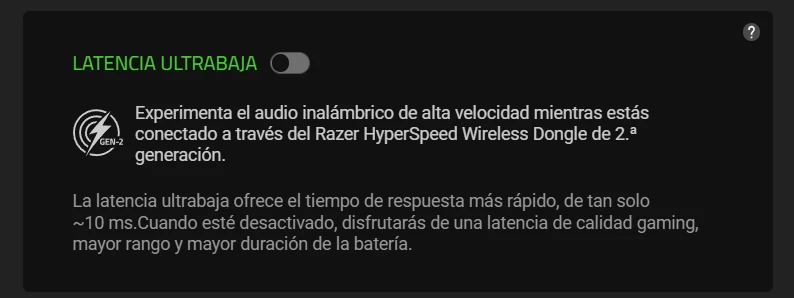
I can confirm that this bug is also present in the following languages.
German
Spanish
French
Portuguese

Russian