Razer Nommo V2 Pro Not Detected | Razer Insider
Skip to main content

Razer Nommo V2 Pro Not Detected

  • Dec 8, 2024 1:44 AM UTC
  • 28 replies
  • 3564 views

I’ve recently had issues with my Razer Nommo V2 Pro speakers not being detected by Razer Synapse 4.


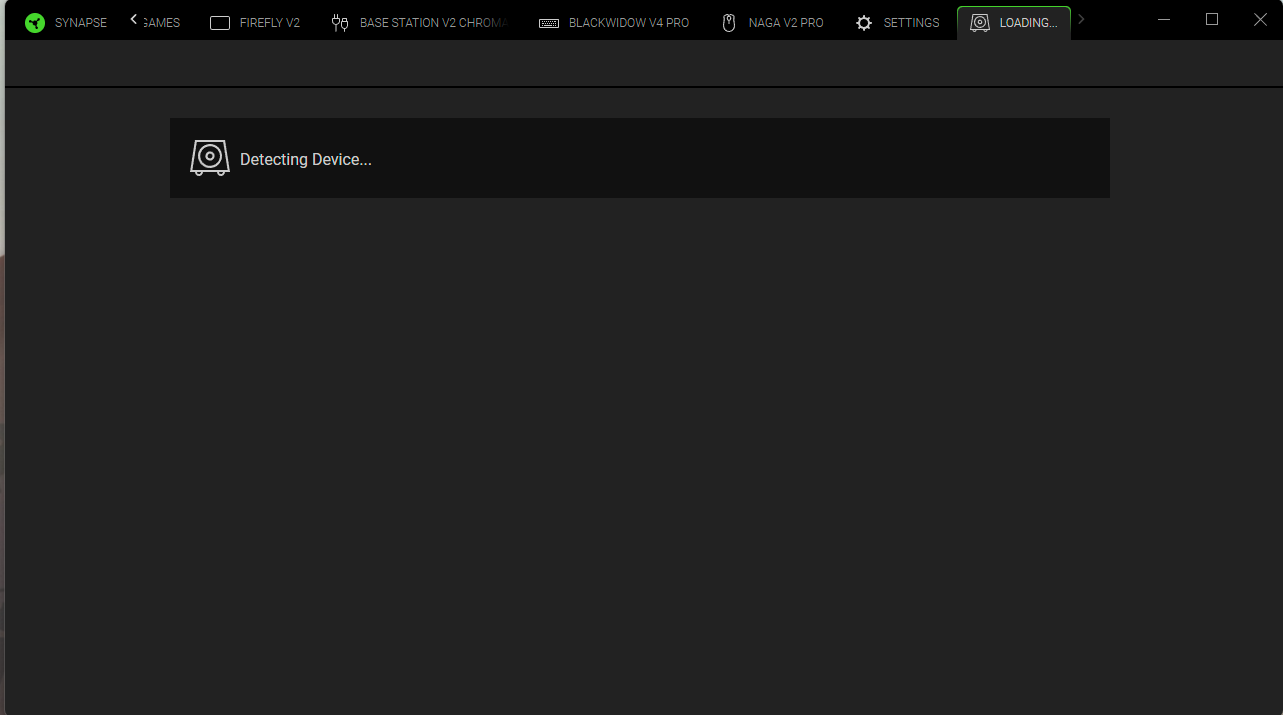
I get a USB device not detected error in Windows, after hitting the control pod button a couple of times to switch to BT and back to PC, it connects and sound works but the Razer Synapse 4 tab remains blank with ‘detecting device’ and I cannot change any settings.


FIrmware and Synapse are updated to the latest versions.


I’ve had constant issues with these speakers not connecting properly with my PC and do regret my purchase somewhat. Please assist.


28 Replies

Same issue. Please help!


  • Insider Mini
  • Dec 10, 2024 2:46 AM UTC

Exact same issue here. I created a support ticket and they said Synapse 4 version 4.0.86 was supposed to resolve this, but I updated my version and it did not. Still waiting for an update from support.


0x4d6178
  • Insider Mini
  • Dec 14, 2024 1:43 PM UTC

Same issue for me. I reinstalled Synapse 4 but the issue persists. The speakers are brand new, they used to connect before but not anymore.


Yuanceace
  • Insider Mini
  • Dec 14, 2024 10:38 PM UTC

same bug .pleasse help!


Yuanceace
  • Insider Mini
  • Dec 14, 2024 10:44 PM UTC

I use synapse 3 is ok,only synapse 4 have this issue. but i have to use synapse 4 because i have blackwidow v4 pro 75%. synapse 3 can not use blackwidow v4 pro 75%.


Yuanceace
  • Insider Mini
  • Dec 14, 2024 10:45 PM UTC

exact same issue here


Still no resolution. Problem still persists.


coolalleyBubbles743

Same think this program is Bullshit for V2 PRO Nommo


Yluxion
  • Insider Mini
  • Dec 31, 2024 1:55 PM UTC

Has been experiencing the same for the past few weeks. 


Ratskull
  • Insider Mini
  • Jan 11, 2025 5:33 PM UTC

Are you going to do anything about this issue razer? its been going on for a while now with zero effort from your side!! 


deshwk
  • Insider Mini
  • Jan 16, 2025 3:33 AM UTC

Having the same issue here for a month still no update….


cityeasyPeachOrange616

Had to reinstall synapse. Worked for me.


  • Insider Mini
  • Jan 21, 2025 11:35 AM UTC

I have the same problem, I have Synapse 4 with 5 peripherals connected, including Nommo V2 Pro. All of them are fully functional except the Nommo's which are always on “Detecting Device”. Unfortunately I found that if I connect them to another PC (in my case a laptop) these work just fine. So the problem is in my PC but I don't understand how to fix it or why it does it.


  • Insider Mini
  • Jan 25, 2025 5:34 PM UTC


I have the same problem, I have Synapse 4 with 5 peripherals connected, including Nommo V2 Pro. All of them are fully functional except the Nommo's which are always on “Detecting Device”. Unfortunately I found that if I connect them to another PC (in my case a laptop) these work just fine. So the problem is in my PC but I don't understand how to fix it or why it does it.

I have the exact same issue, have contacted Razer tech support to no avail. I really like these speakers, but for some reason I can’t get them to use WASAPI (only DirectSound) and Synapse 4 won’t recognize them on my computer. It does, however, work on another computer. HELP!


help..same issue..


tigerrockuk
  • Insider Mini
  • Jan 27, 2025 3:41 PM UTC

i have the same issue , does Razer not monitor this site seeing as they own it?


tigerrockuk
  • Insider Mini
  • Jan 30, 2025 8:07 PM UTC

My problem has been solved, I uninstalled synapse 4 and installed synapse 3 and it now works, hope this helps.


Warmuro
  • Insider Mini
  • Feb 4, 2025 12:48 PM UTC

I have Nommo V2 Pro too, THX doesn't work when you click in Synapse 4. Custom Equalizer also doesn't work, only presets (movie, gaming etc.) work. I even reinstalled W11 Pro, latest firmware for speakers-subwoofer but no luck. Help please.


tigerrockuk
  • Insider Mini
  • Feb 4, 2025 1:30 PM UTC

uninstall synapse 4 and use synapse 3 , I don’t have any problems now.


  • Insider Mini
  • Feb 20, 2025 8:32 PM UTC

Im about to return these speakers, still no word on getting synapse 4 to work with them.

I want to use synapse 4 because f the mouse settings in it.


Razer any update?


tigerrockuk
  • Insider Mini
  • Feb 20, 2025 10:08 PM UTC

i have updated to synspse 4 and i dont have any problems now, try reinstalling.

Also do you have the THX spatial audio as that might be the issue as i didnt before .


  • Insider Mini
  • Mar 2, 2025 12:11 AM UTC

The same issue occurs here, and in Synapse 3, when you try to use THX Spatial Audio in games that utilize 5.1 or 7.1 surround sound, a channel goes missing, and there doesn't seem to be a solution for that either.


tigerrockuk
  • Insider Mini
  • Mar 2, 2025 10:30 AM UTC

Have you bought the THX Spatial as you need a code to activate it, and the update on Synapse 4 works with my  Nommo V2


Doesn't the Nommo V2 Pro have built-in THX? Do I have to buy it separately?


tigerrockuk
  • Insider Mini
  • Mar 2, 2025 9:23 PM UTC

it has it built in but you have to buy the code to get the true sound its on a trial for a week in synapse