

Razer Wolverine V3 Pro not applying settings / Synapse stuck on "Syncing Profiles" | Razer Insider
Skip to main content
Question

Razer Wolverine V3 Pro not applying settings / Synapse stuck on "Syncing Profiles"

  • March 25, 2026
  • 4 replies
  • 280 views

hitBabyBluewire478

Hello,

I recently purchased a Razer Wolverine V3 Pro, and I am currently unable to use it properly due to a critical issue with Razer Synapse.

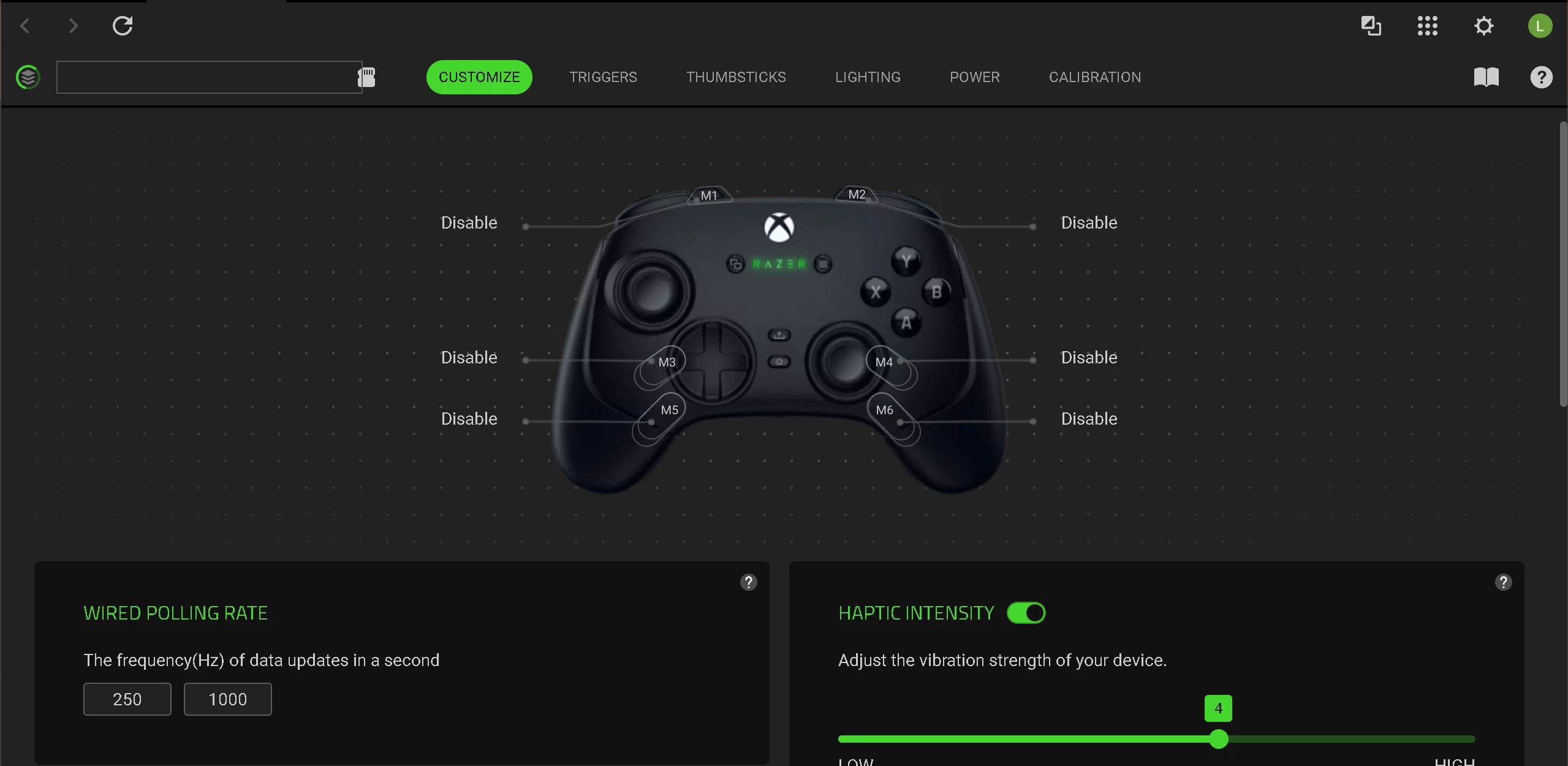
The controller is detected, but Synapse is stuck on "Loading" / "Syncing Profiles", and no changes are applied to the device at all. This makes core features like remapping, RGB, and stick calibration completely unusable.

Key Issues:

  • No settings are saved or applied to the controller
  • RGB lighting does not change
  • Button remapping does not work
  • Stick calibration and deadzone adjustments do nothing
  • Synapse remains stuck syncing indefinitely

Major Concern:

The required Synapse services are missing entirely from the system:

  • Razer Synapse Service (missing)
  • Razer Central Service (missing)

Only the following services exist:

  • Razer Elevation Service
  • Razer Game Manager Service 3

This indicates that Synapse is not installing or registering its core services correctly.

Troubleshooting already completed:

I have already performed extensive troubleshooting, including:

  • Multiple clean reinstalls (removing all Razer folders from Program Files, ProgramData, and AppData)
  • Installing as Administrator
  • Disabling Windows Defender during installation


  • Testing different USB ports (direct connection)
  • Closing all potential conflicting software

None of these steps resolved the issue.

System:

  • Windows 11 Pro (fully updated)
  • Wired connection (USB)
  • No third-party antivirus

At this point, this appears to be a software failure on Synapse installation or service registration. I need a definitive solution, not general troubleshooting steps that have already been attempted.

Please provide:

  • A working method to properly install/register the missing services, OR
  • A standalone installer/firmware tool that resolves this issue

This is preventing normal use of the controller.

I expect a concrete resolution.

Thank you.


4 Replies

autoRosewoodbook864

Problem solved after a firmware upgrade. Synapse 4 doesn't seem to support automatic firmware updates, so I had to do a manual search and installation..


  • Insider Mini
  • May 29, 2026

Problem solved after a firmware upgrade. Synapse 4 doesn't seem to support automatic firmware updates, so I had to do a manual search and installation..

I just purchase same - I found the Firmware updater - I ran it - on the last step - I switched to XBox mode and the “UPDATE:” button remains dimmed and does not give me the opportunity to click on it.


How did you get it to work?


Thanks...


autoRosewoodbook864

Problem solved after a firmware upgrade. Synapse 4 doesn't seem to support automatic firmware updates, so I had to do a manual search and installation..

I just purchase same - I found the Firmware updater - I ran it - on the last step - I switched to XBox mode and the “UPDATE:” button remains dimmed and does not give me the opportunity to click on it.


How did you get it to work?


Thanks...

There is a key combination to switch between Xbox and PC modes. I don't remember it off the top of my head, but you should be able to find it in Synapse 4.

Also, even after firmware updates, profile features in Synapse 4 sometimes fail to work. In those cases, installing the "Razer Controller Setup for Xbox" app from the Microsoft Store and configuring it there fixes everything.

Razer definitely needs to improve Synapse 4.


  • Insider Mini
  • May 30, 2026

Hi - thanks so much for the response - greatly appreciated..


Yep - I hit the keys for the “Switch to Xbox” mode - that worked - as I would have to switch back to see it in Synapse.


Even after the mode switch the “Update” button never came active. 


I made the rounds with Razer Tier I support - and I have had a case open for 48 hours for some Razer Tier II assistance - and nothing. Buy a premium product at a premium price - doesn’t work - and - you’re left to your own devices. I’ve spent many hours trying to get this to work - not a good first impression of Razer. I’ve found numerous posts about issues - so even if I get over one hurdle - there seems to be more awaiting me.


I think this is going to be returned to Amazon...