


Turbo function on the Mouse Button 9 of Razer Naga V2 Pro cannot be modified on latest version of Synapse | Razer Insider
Skip to main content
Question

Turbo function on the Mouse Button 9 of Razer Naga V2 Pro cannot be modified on latest version of Synapse

  • May 25, 2026
  • 1 reply
  • 24 views

TrueXiarno

Since the update V4.0.86.2605190956 of Razer Synapse on Windows, the button 9 of the Razer Naga V2 Pro mouse cannot be modified at all.


Here’s what button 8 looks like, what is expected:
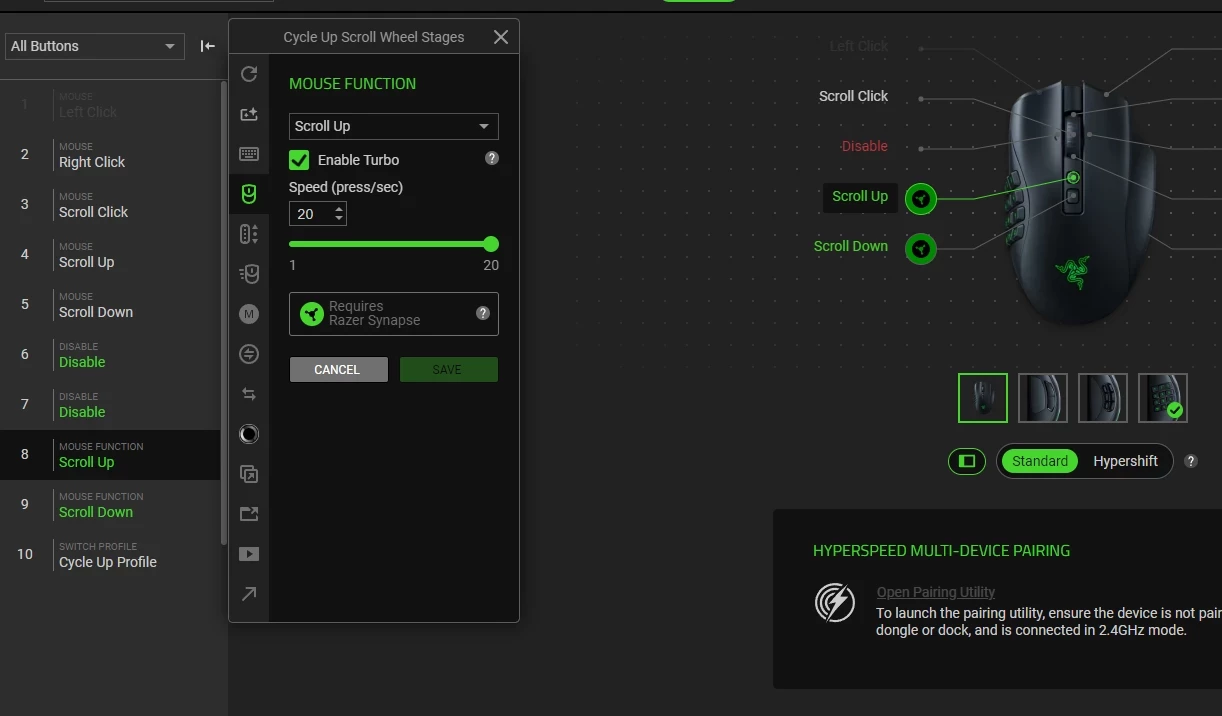
 

And here is button 9. Notice that the turbo function simply isn’t present:


Since turbo was activated prior to this update, it still works. However, this update changed something in the behavior which make the function behave extremely herratically. To fix it I had to tone down the turbo on the button 8 for scrolling up. However, due to this bug I cannot do the same for button 9.


A partial fix comes in the way of closing Razer Synapse completely. Even though both of these function uses Razer Synapse, closing it seems to make it behave non-herratically as it did before. However, I change between two profile often so having to re-open Razer Synapse, change profile and close it again is not convenient at all.

1 Reply

TrueXiarno
  • Author
  • Insider Mini
  • May 25, 2026

Since update V4.0. [removed by moderator] of Razer Synapse on Windows, the button 9 of the Razer Naga V2 Pro mouse cannot be modified at all.

Here’s what button 8 looks like, what is expected:

And here is button 9. Notice that the turbo function simply isn’t present:
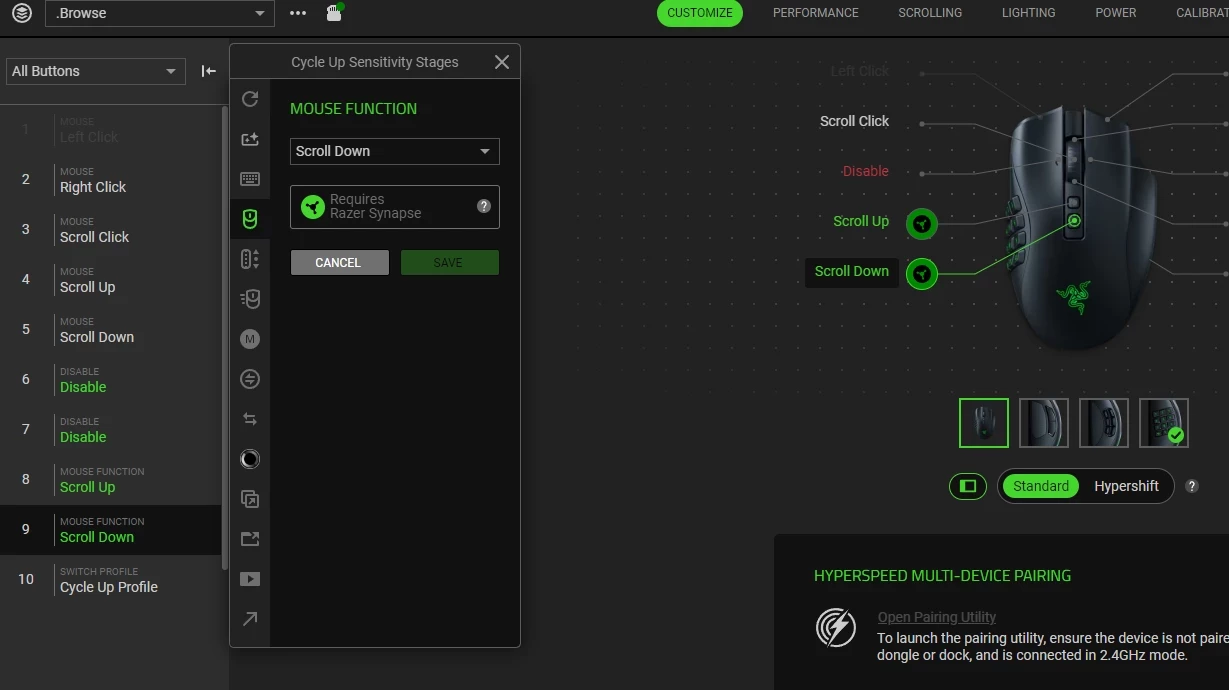
Since turbo was activated prior to this update, it still works. However, this update changed something in the behavior which make the function behave extremely herratically. To fix it I had to tone down the turbo on the button 8 for scrolling up. However, due to this bug I cannot do the same for button 9.

A partial fix comes in the way of closing Razer Synapse completely. Even though both of these function uses Razer Synapse, closing it seems to make it behave non-herratically as it did before. However, I change between two profile often so having to re-open Razer Synapse, change profile and close it again is not convenient at all.