

Huntmans V3 Pro Mini Not Working on macOS | Razer Insider
Skip to main content
Question

Huntmans V3 Pro Mini Not Working on macOS

  • March 14, 2026
  • 2 replies
  • 59 views

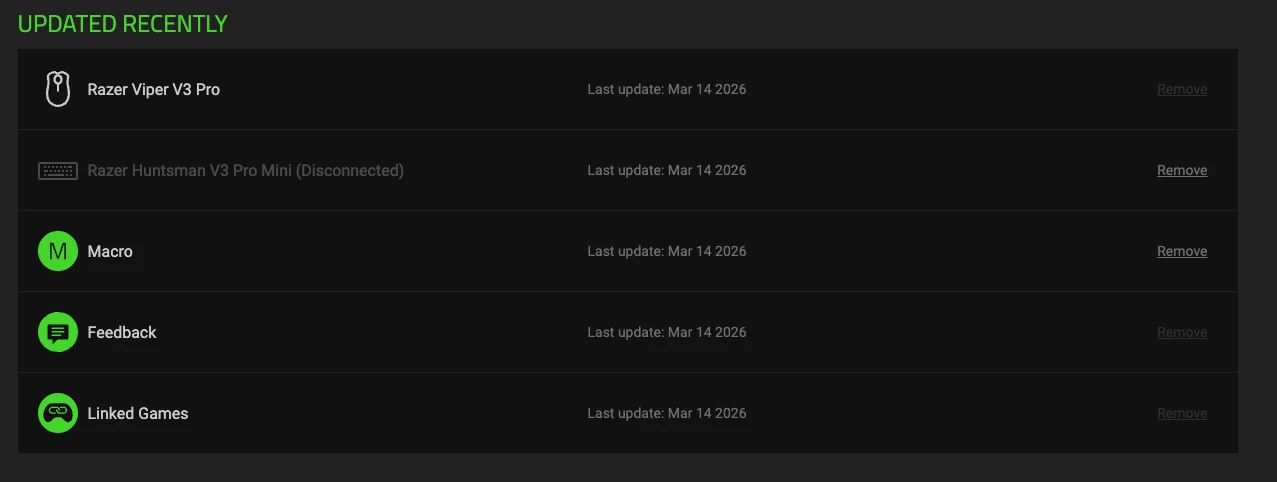
I’m recently bought a Huntmans V3 Pro Mini to connect to my mac mini along side a viper v3 pro for when I decide to do some cloud gaming.  The Viper is identified and connected in Synapse (V4) but the huntsman does not seem to want to show as connected, even though I am typing with it right.  I just am unable to use any of the additional functionality ie. set the arrow keys to the right side shift keys or change the color in Chroma.

I’m not sure I can do.  I’ve uninstalled and reinstalled Synapse.  Disconnected my keyboard multiple times.  Delete the devices from Synapse and let it get identified and reinstalled but it still wants to show as disconnected.



2 Replies

vetuu
  • Insider Mini
  • June 13, 2026

Has anyone found a solution to this? Very frustrating that it shows up in the compatibility page and yet it’s unusable on Mac.

It connects initially then tries to download something and then the connection drops and device is listed as disconnected.


vetuu
  • Insider Mini
  • June 13, 2026

Figured it out. You need the latest firmware installed to bypass the Mac handshake problem. Simple way to do that is by downloading the firmware update on a Windows machine (or virtual machine) and installing it there. After the firmware update is installed plug it back into the Mac and it should work fine.