

Razer Synapse for Mac | Razer Insider
Skip to main content

Razer Synapse for Mac

  • May 8, 2025
  • 137 replies
  • 19741 views
Show first post

137 Replies

  • Insider Mini
  • July 31, 2025

Is there a timeline/roadmap of when we will see the support of different devices? I owned a viper ultimate, I absolutely love this product, but most of my time, I need to work on my Mac. I have tried Cobra Pro, but it is too small for my hand. If Viper Ultimate is not going to be supported, I will have to switch to Logitech….


Got excited and bought Razer Basilisk V3 | RZ01-04000. Synapse on mac doesn’t support this mouse but all other Basilisk mice. Should I send the mouse or you will be adding support for this model later on? 


  • Insider Mini
  • August 4, 2025

It would be highly appreciated if we can have regular updates both on the replying articles and the Synapse 4. I have bought the latest Basilisk Pro 35K Phantom Green Edition but still not supported in Synapse 4 for Mac, surprisingly. Please, we need more responsive support!


Thanks!


FiszPL
Vanguard
Forum|alt.badge.img+1
  • VANGUARD
  • August 4, 2025

It would be highly appreciated if we can have regular updates both on the replying articles and the Synapse 4. I have bought the latest Basilisk Pro 35K Phantom Green Edition but still not supported in Synapse 4 for Mac, surprisingly. Please, we need more responsive support!


Thanks!

You need to be patient. Not everything is available at the start, also it’ll require some time to add new devices to macos Synapse 4 version.

When? No one knows, just keep Synapse up to date.


  • Insider Mini
  • August 4, 2025

Please add support for the Ultimate series of Mice. Paid alot of money for stuff I cant use on mac anymore...


FiszPL
Vanguard
Forum|alt.badge.img+1
  • VANGUARD
  • August 5, 2025

Please add support for the Ultimate series of Mice. Paid alot of money for stuff I cant use on mac anymore...

Patience… everything will be added.

//EDIT: Not everything look ​@Razer_TheFiend post below.


Razer_TheFiend

Please add support for the Ultimate series of Mice. Paid alot of money for stuff I cant use on mac anymore...

Patience… everything will be added.

Just going to step in here and clarify that this is NOT correct, and Synapse on Mac will not support the full catalog of devices that Synapse on Windows does.

The focus for the “preview” phase is for us to build out the full software feature-set and polish/ready up the platform for the selection of future devices that get added to Synapse for Mac.


Devices which support Synapse for Mac will be listed on the support page, as well as device packaging (for future devices).

I encourage users to please verify Mac software support on either of those before making an investment for usage on Mac.


FiszPL
Vanguard
Forum|alt.badge.img+1
  • VANGUARD
  • August 11, 2025

Please add support for the Ultimate series of Mice. Paid alot of money for stuff I cant use on mac anymore...

Patience… everything will be added.

Just going to step in here and clarify that this is NOT correct, and Synapse on Mac will not support the full catalog of devices that Synapse on Windows does.

The focus for the “preview” phase is for us to build out the full software feature-set and polish/ready up the platform for the selection of future devices that get added to Synapse for Mac.


Devices which support Synapse for Mac will be listed on the support page, as well as device packaging (for future devices).

I encourage users to please verify Mac software support on either of those before making an investment for usage on Mac.

So only new devices released in 2025 or 2024?

Is there any possibility to release FULL compatibility list with info which devices are currently supported in current Synapse for macOS release? That would prevent any confusion and questions about older peripherals support on macOS.


Razer_TheFiend

Please add support for the Ultimate series of Mice. Paid alot of money for stuff I cant use on mac anymore...

Patience… everything will be added.

Just going to step in here and clarify that this is NOT correct, and Synapse on Mac will not support the full catalog of devices that Synapse on Windows does.

The focus for the “preview” phase is for us to build out the full software feature-set and polish/ready up the platform for the selection of future devices that get added to Synapse for Mac.


Devices which support Synapse for Mac will be listed on the support page, as well as device packaging (for future devices).

I encourage users to please verify Mac software support on either of those before making an investment for usage on Mac.

So only new devices released in 2025 or 2024?

Is there any possibility to release FULL compatibility list with info which devices are currently supported in current Synapse for macOS release? That would prevent any confusion and questions about older peripherals support on macOS.


Some devices which are being used as a development vehicle for the software feature set might be devices that are already released, but outside of that, it would only be a selection of future releases.


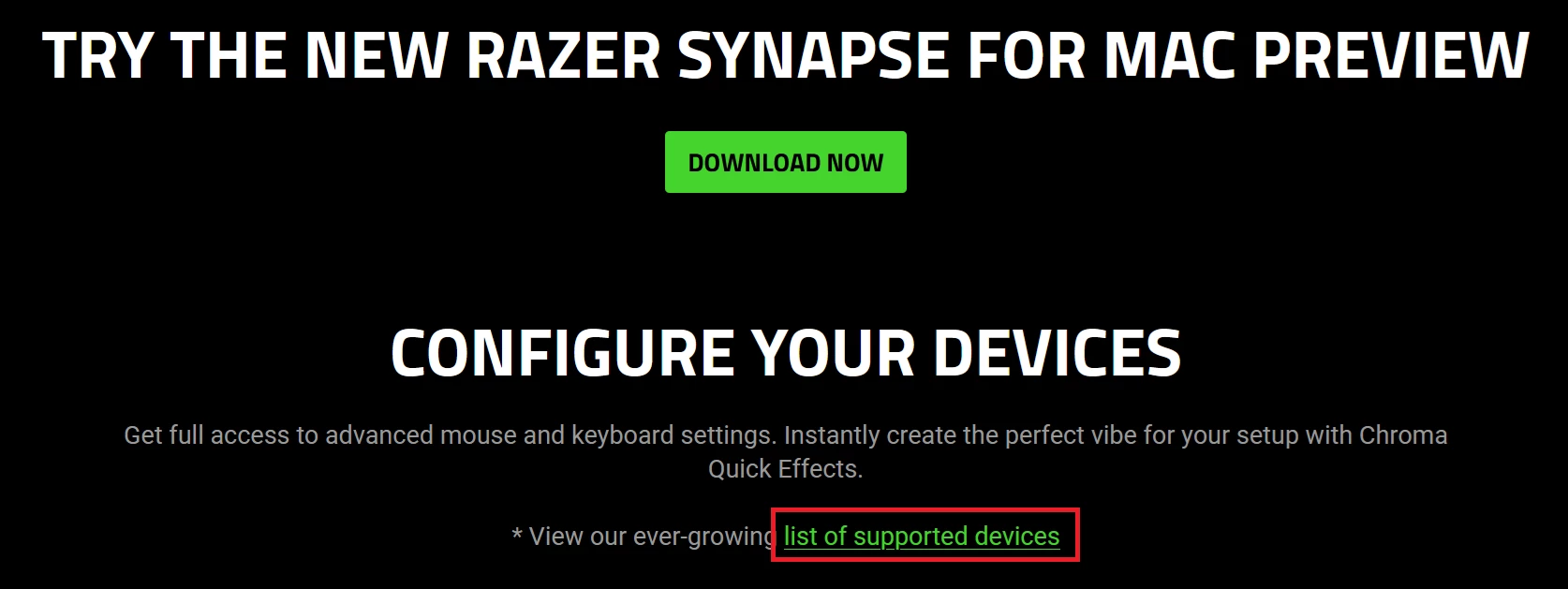
The full list of supported devices can always be seen on the link on this page : https://www.razer.com/synapse-4-mac


  • Insider Mini
  • August 12, 2025

please, i neet to support for tartarus pro. 

how long i need to wait?


It’s useful you confirmed there will very limited support. I had time to return the mouse. Thx


  • Insider Mini
  • August 18, 2025

It would be great if this acts like other menu bar apps where the app can be running in the background in the menu bar even after closing its’ window and seeing the app disappear from the Dock. As an example of others apps: Docker Desktop, Tailscale, BetterDisplay.


These apps allow basic control from the menu bar, but have windows that can be opened and shown in the Dock, but when you’re done with the main window, they disappear from the Dock but remain running in the menu bar (with the option to quit the app entirely from the menu bar).


When we can see the release of full version.   A lot of my friends like the ergonomic of the mouse but cannot get it because they use mac. 


FiszPL
Vanguard
Forum|alt.badge.img+1
  • VANGUARD
  • August 28, 2025

When we can see the release of full version.   A lot of my friends like the ergonomic of the mouse but cannot get it because they use mac. 

I’d not rush for stable version.

Because it’ll become like Synapse 4 “stable” for PCs. Beta was more stable and had less bugs than “final ver”.


Just wanted to give some feedback on Synapse for Mac (Preview) — overall, it’s a lifesaver. I originally bought my high-end Razer mouse + keyboard when I was on a gaming PC, and when I switched to a Mac mini I almost replaced them with something else. Synapse for Mac kept me from having to spend hundreds of dollars on “lesser” gear. Big thanks to the Razer team for finally bringing this over. 🙌


That said, there’s one big bug that will make a lot of Mac mini owners think the app doesn’t work at all:


  • Many of us keep our home folders on external Thunderbolt SSDs (because Apple’s internal SSD prices are insane).

  • If the external drive name has a space in it (like Mac Ext), Synapse’s launcher doesn’t quote the path properly.

  • Result: you click the app in Launchpad… nothing happens. Most people will just assume “not compatible” and uninstall.


I was able to hack around it (symlinks + Automator launcher), but 99% of users won’t. It really just needs one fix: quote the paths in your launch commands so external volumes with spaces don’t break the app.


Synapse for Mac is awesome — please patch this soon so more Mac users can enjoy it without frustration. 🙏


BTW, the app is recognizing my Viper V3 Pro and my Blackwidow V4 Pro. It is not recognizing my Kiyo Pro (expected).


🛠️ Workaround Guide — Synapse for Mac Not Launching on External SSD (Spaces in Volume Name)


If you installed Synapse for Mac and clicking the icon does nothing, you’re not alone.

This happens when your Mac home folder is on an external SSD with a space in its name (like Mac Ext). Synapse’s launcher doesn’t quote the path correctly, so it breaks.


Here’s how to fix it:


1. Create a no-space alias for your drive


Open Terminal and run:

sudo ln -s "/Volumes/Mac Ext" /Volumes/MacExt


This creates a shortcut /Volumes/MacExt that Synapse can use without choking on the space.


2. Re-point your user folder to the alias


Still in Terminal, run:

sudo rm /Users/$(whoami)
sudo ln -s /Volumes/MacExt/Users/$(whoami) /Users/$(whoami)


✅ This keeps everything working for your apps and gives Synapse a clean path.


3. Make a simple launcher app with Automator


This step gives you a clickable Synapse icon that actually works.


  1. Open Automator → New Document → choose Application.

  2. Add Run Shell Script.

  3. Paste this command:

open -n "$HOME/Library/Razer/RazerAppEngine/Razer.app" --args --url-params=apps=synapse --application-host=apps-mac.razer.com


  1. Save it as Razer Synapse (Launcher Fix).app in your Applications folder.


    • Path should be /Applications/Razer Synapse (Launcher Fix).app.


  2. Optional: copy the original Synapse icon onto your new app (Get Info → copy/paste icon).


Now it shows up in Launchpad and works like normal.


4. Add it to auto-start (optional)

System Settings → General → Login Items → click + → add your new launcher app.


🎉 Done!


You now have a working Synapse launcher that bypasses the broken path handling.

If Razer updates Synapse and fixes the quoting bug, you can just delete your Automator app and go back to the official one.


  • Insider Mini
  • August 30, 2025

Would be great if the Tartarus was supported on the final version. I have a V2, but I would buy a PRO if needed. Anything. Just a Razer keypad for Mac PCs.


lavos635
  • Insider Mini
  • September 1, 2025

I’m not trying to nitpick, but I think the snake logo is so much cooler than the Synapse one.

I know Windows defaults to the black snakes, I would love to see that here as well.


bestVividSkyBluetruck716

Fireefire863@gmail.com


Hi is Razer Basilisk v3 x hyperspeed going on support soon?? I rlly like this mouse please I wanna play roblox with it thank you


  • Insider Mini
  • September 21, 2025

Would like support for Tartarus V2 and for the Ornate v3 keyboards, please.


  • Insider Mini
  • September 24, 2025

I hope that they will add support for the Naga Trinity as well… why not all mice :D


  • Insider Mini
  • September 29, 2025

On my MacBook Pro M4 Pro, I have installed the Razer Synapse software to connect my keyboard. I have granted all necessary system permissions instead of encountering a notification permission error. Despite multiple attempts to verify, my notification settings for Razer have been enabled, yet the issue persists. This is a significant bug that requires immediate attention. When will Razer release an update for the next version?


PastelRedeasyONYX785

Razer Synapse does not detect Notification permission on macOS Tahoe. I have enabled notifications but Synapse keeps nudging me to turn them on.