
Synapse for Windows - V4.0.86.2610200951 / Chroma for Windows - V4.0.63.2610020954
IMMERSIVE UPDATE - SEE. HEAR. FEEL
Chroma has always been about making your setup yours. This update makes it even more immersive. Three new features are rolling out, each one taking something happening on your machine and translating it into your Chroma devices in real time. No configuring scenes for every game. It just responds.
SEE - Screen Sync
Extends what's on your screen out into your setup. Colors and motion from the game get mapped to your Chroma devices as they happen, so a muzzle flash, a health warning, or a sunset over the map plays out across your room instead of stopping at the bezel.
HEAR - Mood Analyzer
Reads the emotional tone of what you're listening to and translates it into lighting. Not a volume meter that pulses on the bass, but something that picks up on whether a track is calm, tense, or euphoric and lights your setup to match.
FEEL - Impact Engine
Turns in-game audio into haptics. Explosions, gunfire, engine rumble, and impacts come through as physical feedback, so you feel hits instead of only hearing them.
PHASED MACROS
Do more with a single key by having different actions based on its state: on press, while held, and on release.
NOTICE: END OF WINDOWS 10 SUPPORT FOR RAZER SYNAPSE 4
Following Microsoft's end of standard support for Windows 10 back on October 14, 2025, full support for Razer Synapse 4 on Windows 10 ends on October 14, 2026. As with Microsoft, this is a firm change: bug fixes and technical support for Synapse 4 on Windows 10 will not continue beyond this date.
From October 14, 2026 until October 12, 2027, any bug fixes released for Synapse 4 on Windows 10 will be limited to security updates only, mirroring Microsoft's own extended security updates for the platform. After October 12, 2027, Windows 10 support and compatibility will no longer be maintained for Synapse 4. Synapse 4 can still be used on Windows 10 and will still receive feature updates, but we cannot guarantee full functionality as we will no longer fix or address any bugs seen exclusively on Windows 10.
Moving forward, we recommend upgrading to Windows 11 to ensure the best possible experience. For more information on Microsoft's Windows 10 end of support and extended security updates, please visit Microsoft's official support page.
RELEASE NOTES
21 OCTOBER 2026

- Razer Mako X - Chroma Studio issues
- Razer Tartarus Pro / V2 - Keymap switching not working properly
- Razer Huntsman V3 HE Magnetic Series - Device not responding, missing key or double input
PREVIOUS RELEASE NOTES
14 OCTOBER 2026

- Multi-device Pairing UI update for supported Razer keyboards and mice
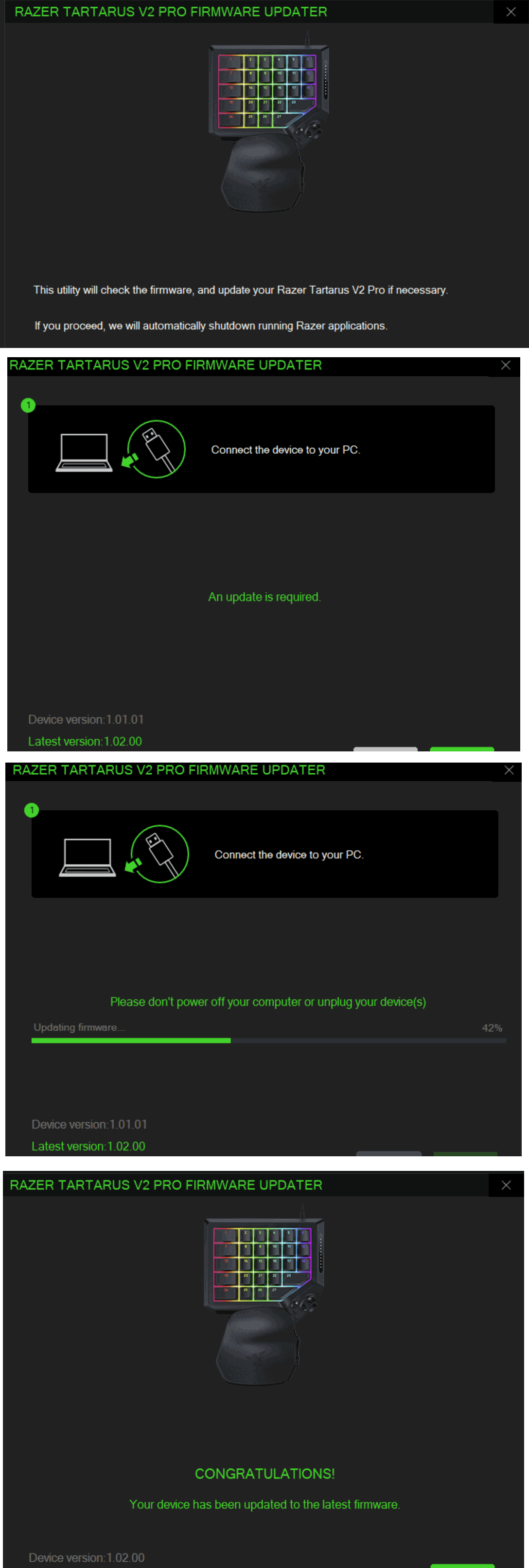
- Tartarus V2 Pro - Enabled thumb stick selection and orientation customization
- Razer Basilisk V4 Pro / HyperSpeed - Added Smart Polling Rate Switcher
- Razer Base Station V3 Chroma - Global shortcut menu not functional
- Razer Monitor Stand Chroma - Lighting issues
- Razer Blade 16 (2023-2026) + Razer Laptop Cooling Pad - HyperBoost not working correctly
07 OCTOBER 2026
- AI A2H UI, slider behavior, and functional issues
- Various UI and localization issues
- Razer Blade 14/16/18 2025
- Razer Blade 14/16/18 2026
02 OCTOBER 2026
- Razer Naga V3 Pro + Razer Mouse Dock Pro / Razer HyperFlux V2 - Key assignment issues on side panels
01 OCTOBER 2026
- Device detection problems
30 SEPTEMBER 2026

- Phased Macros - One Key, 3 Ways
- Enable separate actions for pressing, holding, and releasing a key
- Razer BlackWidow V4 Pro 75% - Unable to set polling rate above 1000Hz
- Stability, localization, and audio problems
- Razer Seiren V3 Pro
- Razer Seiren V3 Chroma 32-Bit DSP
22 SEPTEMBER 2026
- Razer Naga V3 Pro + Razer Hyperpolling Dongle - Key assignment issues on side panels
- Razer Pro Type Ergo - Primary Key and Lighting settings not retained
- "Allow system to fully charge once" checkbox remained checked after the battery reaches full charge
- Razer Blade 14/16/18 2024
- Razer Blade 14/16/18 2025
- Razer Blade 14/16/18 2026
18 SEPTEMBER 2026
- App instability when using certain devices
- Razer Kiyo V2 X
- Razer Kiyo V2
- Razer Kiyo Pro Ultra
- Razer Kiyo Pro
- Razer Kiyo X
- Razer Seiren V3 Pro
- Razer Seiren V3 Chroma 32-Bit DSP
14 SEPTEMBER 2026
- Razer Tartarus V2 - 4-way D-pad mapping not working correctly
- Razer Tartarus Pro - 4-way Joystick mapping not working correctly
8 SEPTEMBER 2026
- Stability & Reliability
- Synapse could get stuck on a processing or loading screen when adjusting settings on certain cameras
- Opening the Feedback page during application launch could prevent Synapse from minimizing or auto-starting properly
- Background services and notification components failed to initialize properly during silent startup
- Dashboard could become unresponsive or fail to load correctly in certain scenarios
- Philips Hue integration did not automatically launch in the background when Synapse started
- Installation could fail silently on certain system configurations
- Firmware update notification prompts did not dismiss when clicking outside the dialog window
- Synapse introduction tour did not complete properly for new users
- Device Detection & Connectivity
- Keyboards could appear offline with no Chroma effects after unlocking the PC if the keyboard had been powered off before locking (affects BlackWidow V4 Pro 75% and other wireless keyboards)
- Peripherals connected via multi-device HyperSpeed dongles were not detected correctly after reconnecting or waking from sleep
- Certain wireless mice were not recognized by Synapse when connected via dongle
- Chroma RGB
- Lighting Effects
- Quick Effects and custom lighting failed to re-apply on devices that were powered on during system suspend or screen lock
- Gaming Mode LED did not light up on the F10 key after certain keyboards woke from sleep
- Lighting effects could flicker or fail to persist correctly when switching device states
- Chroma RGB lighting on mice connected via dual-link failed to synchronize correctly
- Tidal wave center point alignment setting did not apply correctly in Chroma Studio
- Refreshing the device page could incorrectly reset the dim lighting option on certain mice
- Chroma Studio
- Chroma Studio could freeze when saving custom lighting effects or adjusting selected areas
- Chroma Visualizer
- Chroma Visualizer displayed visual flickering and wave effect glitches on launch
- Accessing settings within Chroma Visualizer caused active device tabs to close unexpectedly
- Chroma App could get stuck in a downloading or updating state
- Lighting Effects
- Key Mapping & Customization
- Button Remapping
- "Save Remapped Button" popup still appeared after closing the key mapping panel without making any changes on certain keyboards and keypads
- F1–F3 keys could not be used as standard function keys on certain portable keyboards
- Holding FN + F2/F3 for volume adjustment did not work on certain keyboards
- Multimedia, function, and volume controls stopped working after closing Synapse on certain devices
- Remapped keys were missing the "Requires Razer Synapse" warning indicator on certain devices
- Snap Tap & Rapid Trigger
- Snap Tap settings failed to report errors or apply correctly on certain analog keyboards (including Huntsman V3 Pro)
- Secondary function assignments could not be changed or saved on certain keyboards
- Snap Tap toggle remained greyed out for supported analog keyboards even when eligible
- Macros
- Macro assignments on scroll wheels or certain secondary devices triggered incorrect key outputs
- Sequence macros reverted key assignments to raw scan codes on app relaunch
- Macro recording dropped inputs if the first recorded keypress was the Numpad Period key
- Global Shortcut "Play while assigned key is pressed" option did not trigger the assigned macro
- AI Launcher
- AI Launcher option was missing from the key assignment panel on certain keyboards and mice
- Gaming Mode
- Gaming Mode toggle settings were not retained after waking from sleep on certain keyboards
- Button Remapping
- Audio & Sound
- Sensa HD (Haptics)
- Sensa HD haptics profile incorrectly displayed as "disabled" on the dashboard while actively running
- Audio-to-Haptic (A2H) feedback experienced noticeable latency in supported games
- Microphone
- Microphone sidetone settings reset to default after restarting the computer
- Headset microphones unexpectedly switched the default Windows audio input device
- Peak level indicator lights were unresponsive on certain streaming microphones
- Audio Visualizer
- Audio Visualizer displayed visual flickering and wave effect glitches on launch
- Sensa HD (Haptics)
- Performance & Hardware Controls
- DPI & Polling Rate
- Custom DPI values and polling rate settings did not save or apply correctly on certain mice and keyboards
- Volume & Media Controls
- Holding dedicated volume buttons did not continuously adjust volume while Synapse was running
- Cameras & Streaming Devices
- Device page could get stuck in a processing state when adjusting sampling rate on certain Razer cameras
- DPI & Polling Rate
- Profiles & Settings
- Synapse 3 profile imports could result in corrupted profile states or missing macro bindings
- Auto-switch game profiles failed to launch automatically for certain titles
- Cloud sync profile prompts appeared repeatedly for certain wireless devices
- Auto-launch checkbox setting did not save correctly after refreshing
- UI/UX
- Updated device illustrations and product images across a wide range of keyboards, mice, headsets, cameras, and peripherals
- Fixed various layout, alignment, and display issues across device pages, settings panels, the dashboard, and Chroma Studio
- Resolved missing or incorrectly displayed UI elements across key mapping, lighting effects, and device setup screens
- Fixed display scaling and text clipping issues at high Windows display scaling settings (175%+)
- Restored missing "More Information" firmware update links on the Devices & Modules page
- Controller setup tutorial updated to reflect the correct intended design
- Localization
- Fixed unlocalized text strings, truncated labels, and missing translations across non-English languages including French, German, Korean, Japanese, Russian, Spanish, and Simplified/Traditional Chinese
- Corrected localization issues in the Sensa HD haptics tab, AI Launcher menu, and various tooltip strings
- Improved multi-device HyperSpeed pairing stability and device compatibility across mice and keyboards
- Enhanced Sensa HD haptics engine with improved Audio-to-Haptic (A2H) feedback responsiveness
- Updated Audio Capture component for improved Chroma Visualizer performance
31 AUGUST 2026
- Razer BlackShark V3/V3 Pro Series - Added Competitive Mode, ULL Smart Switcher and 2nd Roller Disable
- New THX Game Profiles
- Dead as Disco
- Deep Rock Galactic: Rogue Core
- Dispatch
- Echoes of Aincrad
- Forza Horizon 6
- Gothic 1 Remake
- Hades II
- Meccha Chameleon
- Mina the Hollower
- Mouse: P.I for Hire
- Pragmata
- REPLACED
- Slay the Spire II
- Subnautica 2
- Warhammer 40,000: Darktide
- Witchspire
- Rename Razer Resonance to Impact Engine
- Razer Naga V3 Pro - Key assignment, scroll mode, and DPI adjustment issues
- Razer Blade 18 (2026) - EQ settings not being applied
- Mecha BREAK crashing with Synapse
25 AUGUST 2026
- Mice not working when paired with a wireless keyboard dongle and Snap Tap is enabled
18 AUGUST 2026
- Increased CPU utilization when using system monitoring
11 AUGUST 2026
- New Chroma App Features
- Screen Sync
- Mood Analyzer
- Razer Resonance