FN key + other key customization | Razer Insider
Skip to main content

FN key + other key customization

  • August 20, 2020
  • 5 replies
  • 521 views

I am guessing this isn't possible. I have razer pro 17 inch. I want to custom macros for the FN + z or any other key. Is this possible? not many keys I can customize since the keyboard is pretty small as is. Alternatively I was thinking of using auto hot key but that's a different subject.
This topic has been closed for replies.
5 Replies

  • Author
  • Insider
  • August 23, 2020
I'm guessing this isn't possible, that's why no one responded, Am i right?

  • Author
  • Insider
  • August 23, 2020
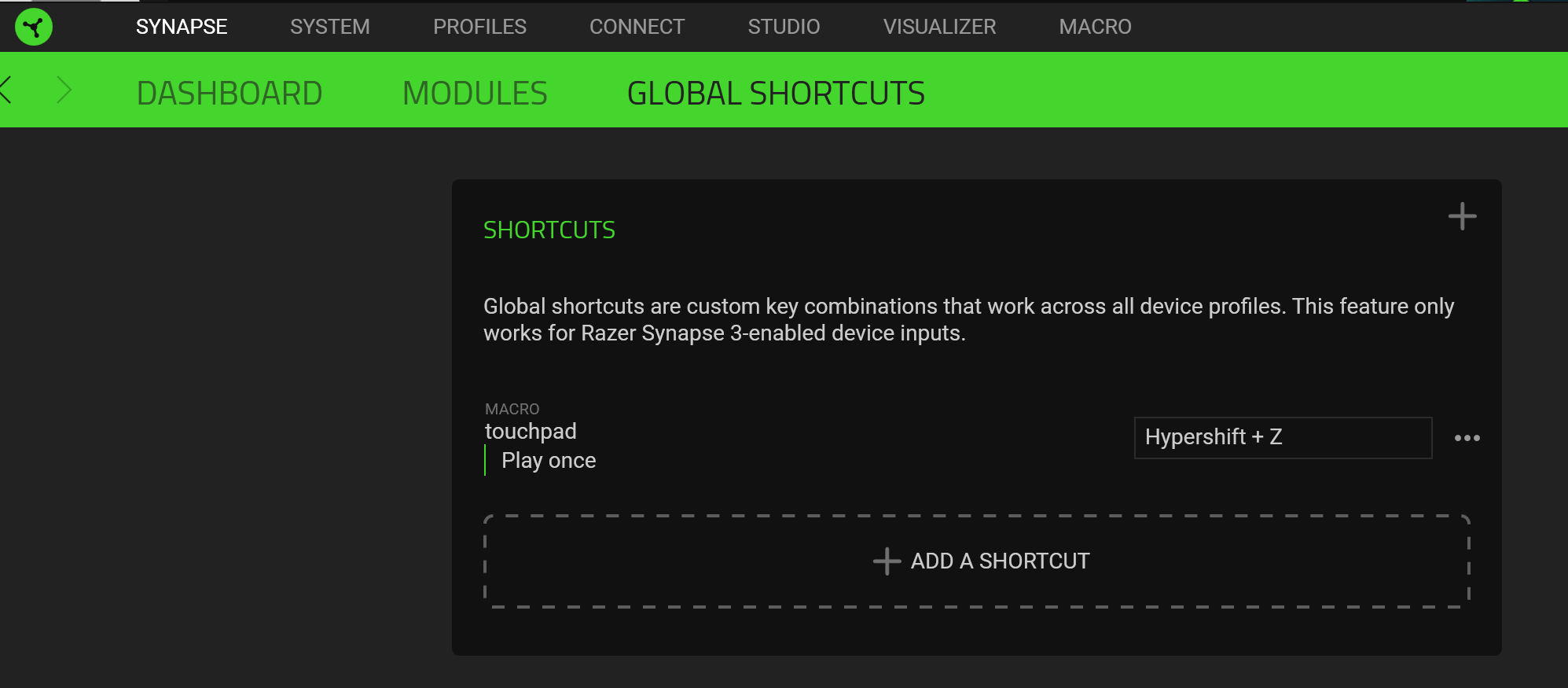
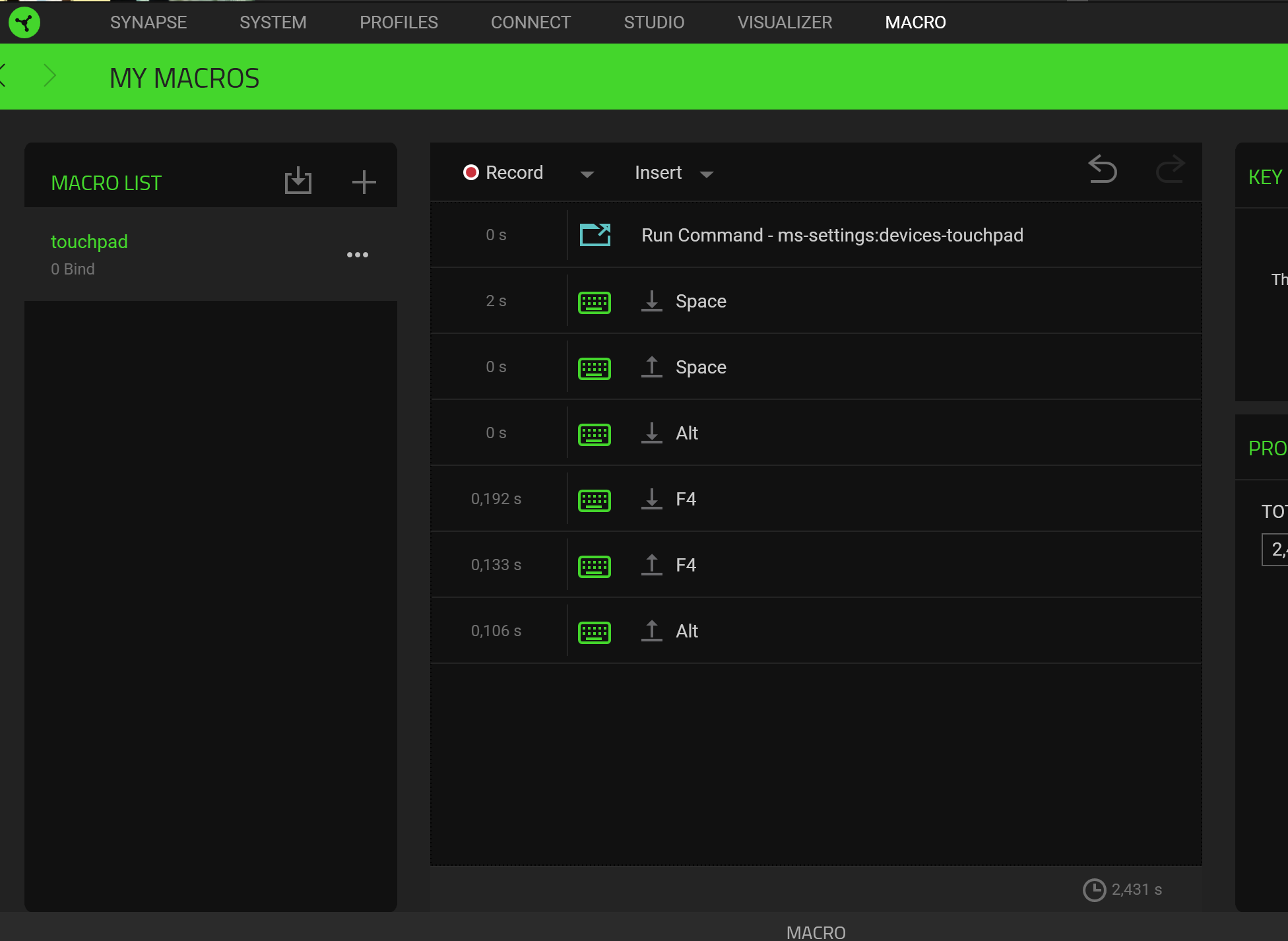
Well well well I figured it out thread can be closed. Global shortcuts does the trick. Not from dashboard. only problem with this tactic is that run command doesn't have a wait for screen to load. So using autohotkey to disable would be faster cleaner.

  • Insider Mini
  • September 5, 2020
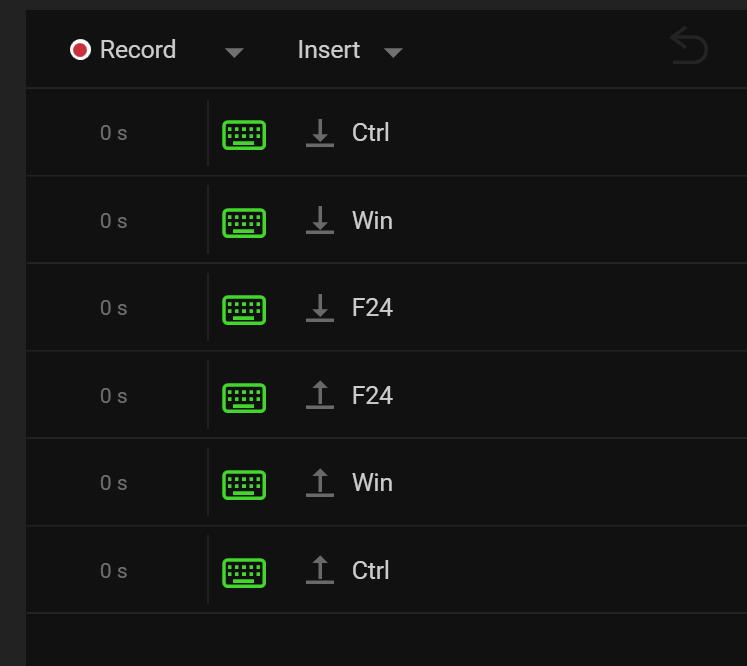
Try this one instead for touchpad toggle: I had to use AHK to get the F24 key code inserted, but it does work. I would upload the exported XML macro file, but the forums here won't let me. Source of the keyboard shortcut: https://docs.microsoft.com/en-us/windows-hardware/design/component-guidelines/windows-precision-touchpad-enable-or-disable-toggle-button

  • Insider Mini
  • September 5, 2020
Lets try this :) <?xml version="1.0" encoding="utf-8"?> <Macro xmlns:xsi="http://www.w3.org/2001/XMLSchema-instance" xmlns:xsd="http://www.w3.org/2001/XMLSchema"> <Name>Touchpad</Name> <Guid>66526a22-cb4e-4512-ab0a-59ec03579617</Guid> <MacroEvents> <MacroEvent> <Type>1</Type> <KeyEvent> <Makecode>29</Makecode> </KeyEvent> </MacroEvent> <MacroEvent> <Type>1</Type> <KeyEvent> <Makecode>91</Makecode> <IsExtended>true</IsExtended> </KeyEvent> </MacroEvent> <MacroEvent> <Type>1</Type> <KeyEvent> <Makecode>118</Makecode> </KeyEvent> </MacroEvent> <MacroEvent> <Type>1</Type> <KeyEvent> <Makecode>118</Makecode> <State>1</State> </KeyEvent> </MacroEvent> <MacroEvent> <Type>1</Type> <KeyEvent> <Makecode>91</Makecode> <State>1</State> <IsExtended>true</IsExtended> </KeyEvent> </MacroEvent> <MacroEvent> <Type>1</Type> <KeyEvent> <Makecode>29</Makecode> <State>1</State> </KeyEvent> </MacroEvent> </MacroEvents> </Macro>

  • Author
  • Insider
  • September 6, 2020
Works well thanks.