

- Home
- Community Overview
- The Razer Armory
- Systems
- I present to you Firebat's Blade 15! (144hz/i7-8750H)
I present to you Firebat's Blade 15! (144hz/i7-8750H)
- May 24, 2018
- 447 replies
- 1341 views



- The One
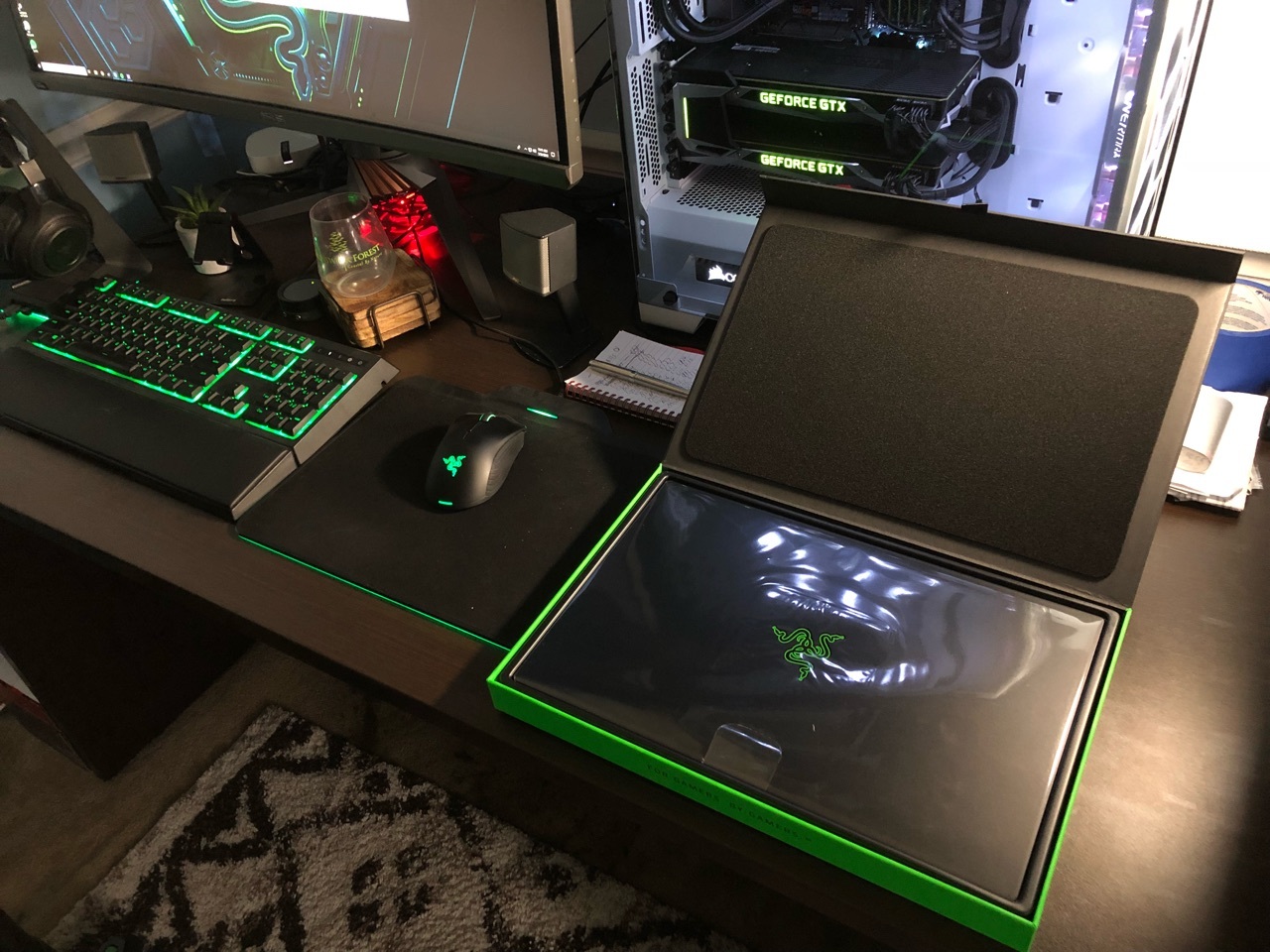
Hey everyone i'm happy to announce I received my Blade today! I will do my best to answer questions about it. Hopefully this thread gets some traction so we can use is as an information thread/comparison thread. Post pictures when you get your Blade etc. Let the games begin!
This topic has been closed for replies.
447 Replies

- June 26, 2018
Has anyone done re-pasting with quality thermal grease, NOT liquid metal? Any significant temperature drops? This week I will do something about the thermal situation on my blade. I have both thermal paste and Condoctonaut ready. My Firestrike scores are 14,000+ but HWInfo is reporting temps reaching 100c and thermal throttling during long gaming sessions, and even though the games run great with no visible slowdowns, I'm not comfortable with those temperatures.

- Community Ranger
- June 26, 2018
MannymalYes hitting 100 on firestrike isn’t normal. On OC 200/600 with afterburner and enable turbo boost my max temperature was 91, but instead I got decent over 15K score. If i use balance mode around 14k, I hit only 84 max, for gaming I use balance for quiter Fans and better temperature.
My Firestrike scores are 14,000+ but HWInfo is reporting temps reaching 100c and thermal throttling during long gaming sessions, and even though the games run great with no visible slowdowns, I'm not comfortable with those temperatures.
Razer Blade 14 2021 QHD 165Hz | Ryzen 9 5900HX| RTX 3070 100W | 16GB DDR4 3200MHz | 1TB l Razer Blade 15 Advanced 2018 FHD 144Hz | i7-8750H | GTX 1070MQ | 16GB DDR4 2666MHz | 256 GB Corev2 | RTX 3070 Zotac Twin Edge OC | Razer Book 13 2020 FHD | i7-1165g7 | Intel Xe 96EU | 16GB LPDDR4X 4266MHz | 1Tb GB Razer Core V2 | RTX3070 | Zotac TwinOC Razer | Blade Stealth 13 2019 FHD | i7-1065g7 | GTX 1650MQ | 16GB LPDDR4 3744MHz | 512 GB | | Blade 14 2017 FHD | i7-7700HQ | GTX 1060 | 16GB DDR4 2400MHz | 512 GB | Razer Blade Stealth V2 2016 12,5 QHD | i7-7500U | HD620 | 8GB DDR3 1866MHz | 128 GB | | Blade 14 2015 IGZO QHD+ | i7–4720HQ | GT970M 3GB VRAM| 16GB DDR4 2400MHz | 256 GB | Razer Edge 2013 | i5-3317U | GT 640LE | 16GB DDR3 | 128 GB | Razer Phone 2| Razer Phone L33T Edition
- June 26, 2018
JoikansaiDid you repaste with thermal grease or liquid metal? Or 15k scores out of the box with an undervolt? And I don't get 100c on Firestrike, I get it on long continuous gaming sessions. On Firestrike I peak around 90
Yes hitting 100 on firestrike isn’t normal. On OC 200/600 with afterburner and enable turbo boost my max temperature was 91, but instead I got decent over 15K score. If i use balance mode around 14k, I hit only 84 max, for gaming I use balance for quiter Fans and better temperature.
- Author
- The One
- June 27, 2018
MannymalI repasted with Thermal Grizzly Kyronaut. Dropped temps around 5c on the CPU. Makes a difference but not a huge one... believe it or not Razer actually uses a graphite based paste that's pretty good. These CPU's just get very hot across the board.
And I don't get 100c on Firestrike, I get it on long continuous gaming sessions. On Firestrike I peak around 90
- Community Ranger
- June 27, 2018
MannymalNo I never open my new laptops, I did only on Razer Edge after out of guarantee. Yes out of box with undervolting -160mV only CPU (no cache, no igpu) through throttlestop, and overclocking 200 on core and 600 on memory clock through afterburner (gaming mode only 100/200 overclocking values, it could higher).
Did you repaste with thermal grease or liquid metal? Or 15k scores out of the box with an undervolt?
MannymalYes on that “super“ OC i hit also 91, but no thermal throttling and it just for testing and knowing my machine. On daily usage I use balance and auto mode, undervolting stay to keep lower temperature for better lifespan.
And I don't get 100c on Firestrike, I get it on long continuous gaming sessions. On Firestrike I peak around 90
Razer Blade 14 2021 QHD 165Hz | Ryzen 9 5900HX| RTX 3070 100W | 16GB DDR4 3200MHz | 1TB l Razer Blade 15 Advanced 2018 FHD 144Hz | i7-8750H | GTX 1070MQ | 16GB DDR4 2666MHz | 256 GB Corev2 | RTX 3070 Zotac Twin Edge OC | Razer Book 13 2020 FHD | i7-1165g7 | Intel Xe 96EU | 16GB LPDDR4X 4266MHz | 1Tb GB Razer Core V2 | RTX3070 | Zotac TwinOC Razer | Blade Stealth 13 2019 FHD | i7-1065g7 | GTX 1650MQ | 16GB LPDDR4 3744MHz | 512 GB | | Blade 14 2017 FHD | i7-7700HQ | GTX 1060 | 16GB DDR4 2400MHz | 512 GB | Razer Blade Stealth V2 2016 12,5 QHD | i7-7500U | HD620 | 8GB DDR3 1866MHz | 128 GB | | Blade 14 2015 IGZO QHD+ | i7–4720HQ | GT970M 3GB VRAM| 16GB DDR4 2400MHz | 256 GB | Razer Edge 2013 | i5-3317U | GT 640LE | 16GB DDR3 | 128 GB | Razer Phone 2| Razer Phone L33T Edition
- Author
- The One
- July 1, 2018
6 back to back cinebench scores with CPU undervolt of -0.135:
1223
1217
1228
1221
1214
1228
A
- Anonymous
- July 1, 2018
Firebat246Good scores - suggests it was stable at a high clock speed (no power limit throttling..?). Was this at stock settings (other than undervolt), or did you have throttlestops speed shift-epp set to zero?
6 back to back cinebench scores with CPU undervolt of -0.135: 1223 1217 1228 1221 1214 1228
- Author
- The One
- July 1, 2018
mrvortepYes totally stock settings just XTU up with the undervolt. Normally any power limit throttling will happen when both the GPU and CPU are stressed. However I have seen reviews and some Blades can't hold Cinebench scores and drop under 1000 after 1 or 2 runs.
Good scores - suggests it was stable at a high clock speed (no power limit throttling..?). Was this at stock settings (other than undervolt), or did you have throttlestops speed shift-epp set to zero?
A
- Anonymous
- July 1, 2018
Firebat246Yeah my first RB15 would definitely drop under 1000 unless I forced it to maintain high clock speeds by setting the multiplier range in throttlestop to a specific (high) multiplier. Haven’t tested my new one at stock settings yet.
Yes totally stock settings just XTU up with the undervolt. Normally any power limit throttling will happen when both the GPU and CPU are stressed. However I have seen reviews and some Blades can't hold Cinebench scores and drop under 1000 after 1 or 2 runs.
- Community Ranger
- July 1, 2018
Firebat246It’s nice score 12xx, I always have 11xx cpu score in 6 times or more running cinebench, yes it always shows power limit throttling, I can shortage it by maxing turbo boost time to 96 second though, why there’s no longer option on intel XTU? I think when it has unlimited not max at 96, we can get rid from power limit throttling, only my theory though;) What Razer supports said btw about it, any progress? Is it for thermals reasons? I don’t see any performance drops on real world usage though, but maybe for video editors who are super busy and need to get their rendering works finished 1 or 2 minutes?...quicker it’s important. Or maybe for physical score on firestrike could reach 17K, I’m good actually with 16,xxK, but it’ll be nice to reach 17K:)
Yes totally stock settings just XTU up with the undervolt. Normally any power limit throttling will happen when both the GPU and CPU are stressed. However I have seen reviews and some Blades can't hold Cinebench scores and drop under 1000 after 1 or 2 runs.
Razer Blade 14 2021 QHD 165Hz | Ryzen 9 5900HX| RTX 3070 100W | 16GB DDR4 3200MHz | 1TB l Razer Blade 15 Advanced 2018 FHD 144Hz | i7-8750H | GTX 1070MQ | 16GB DDR4 2666MHz | 256 GB Corev2 | RTX 3070 Zotac Twin Edge OC | Razer Book 13 2020 FHD | i7-1165g7 | Intel Xe 96EU | 16GB LPDDR4X 4266MHz | 1Tb GB Razer Core V2 | RTX3070 | Zotac TwinOC Razer | Blade Stealth 13 2019 FHD | i7-1065g7 | GTX 1650MQ | 16GB LPDDR4 3744MHz | 512 GB | | Blade 14 2017 FHD | i7-7700HQ | GTX 1060 | 16GB DDR4 2400MHz | 512 GB | Razer Blade Stealth V2 2016 12,5 QHD | i7-7500U | HD620 | 8GB DDR3 1866MHz | 128 GB | | Blade 14 2015 IGZO QHD+ | i7–4720HQ | GT970M 3GB VRAM| 16GB DDR4 2400MHz | 256 GB | Razer Edge 2013 | i5-3317U | GT 640LE | 16GB DDR3 | 128 GB | Razer Phone 2| Razer Phone L33T Edition
- Author
- The One
- July 2, 2018
JoikansaiI believe it is a premature power limit throttle put in place to keep thermals in check. There needs to be an EC update in order to fix it, as simply unlocking the Bios will not give you access to power limits.
It’s nice score 12xx, I always have 11xx cpu score in 6 times or more running cinebench, yes it always shows power limit throttling, I can shortage it by maxing turbo boost time to 96 second though, why there’s no longer option on intel XTU? I think when it has unlimited not max at 96, we can get rid from power limit throttling, only my theory though;) What Razer supports said btw about it, any progress? Is it for thermals reasons? I don’t see any performance drops on real world usage though, but maybe for video editors who are super busy and need to get their rendering works finished 1 or 2 minutes?...quicker it’s important. Or maybe for physical score on firestrike could reach 17K, I’m good actually with 16,xxK, but it’ll be nice to reach 17K:)

- July 7, 2018
Firebat246how did you get these scores on the just default setting? I have undervolted mine by -0.11 volts and its only getting 900 to 1000.
6 back to back cinebench scores with CPU undervolt of -0.135: 1223 1217 1228 1221 1214 1228
Firebat246So would you recommend applying a new thermal paste? I have some liquid metal left over from my previous project. My temps reading seems align with @Firebat246 and @Joikansai where doing some daily task would get 50-60 and heavier games would reach 80s to low 90s, and occasionally high 90s.
I repasted with Thermal Grizzly Kyronaut. Dropped temps around 5c on the CPU. Makes a difference but not a huge one... believe it or not Razer actually uses a graphite based paste that's pretty good. These CPU's just get very hot across the board.
A
- Anonymous
- July 7, 2018
Com34Your scores look like classic RB15 power limit (not thermal) throttling. The only way around this is to force the multiplier range using throttlestop to whatever you want (eg 35-41). I would only do this for stress testing and not for regular use.
how did you get these scores on the just default setting? I have undervolted mine by -0.11 volts and its only getting 900 to 1000. So would you recommend applying a new thermal paste? I have some liquid metal left over from my previous project. My temps reading seems align with @Firebat246 and @Joikansai where doing some daily task would get 50-60 and heavier games would reach 80s to low 90s, and occasionally high 90s.
- Community Ranger
- July 7, 2018
Com34Did you change anything on setting like changing max processors state to 99% for better battery life? No LM doesn't worth it, reduce only a few degrees as I saw on enthusiastic forum, and you may loose the guarantee. This CPU is known hot but as long you're not in thermals throttling that reduce performance you're okay imo, though get extended guarantee at least 2 years, defect by thermal usually appears within 2 years gaming usage.
how did you get these scores on the just default setting? I have undervolted mine by -0.11 volts and its only getting 900 to 1000. So would you recommend applying a new thermal paste? I have some liquid metal left over from my previous project. My temps reading seems align with @Firebat246 and @Joikansai where doing some daily task would get 50-60 and heavier games would reach 80s to low 90s, and occasionally high 90s.
Razer Blade 14 2021 QHD 165Hz | Ryzen 9 5900HX| RTX 3070 100W | 16GB DDR4 3200MHz | 1TB l Razer Blade 15 Advanced 2018 FHD 144Hz | i7-8750H | GTX 1070MQ | 16GB DDR4 2666MHz | 256 GB Corev2 | RTX 3070 Zotac Twin Edge OC | Razer Book 13 2020 FHD | i7-1165g7 | Intel Xe 96EU | 16GB LPDDR4X 4266MHz | 1Tb GB Razer Core V2 | RTX3070 | Zotac TwinOC Razer | Blade Stealth 13 2019 FHD | i7-1065g7 | GTX 1650MQ | 16GB LPDDR4 3744MHz | 512 GB | | Blade 14 2017 FHD | i7-7700HQ | GTX 1060 | 16GB DDR4 2400MHz | 512 GB | Razer Blade Stealth V2 2016 12,5 QHD | i7-7500U | HD620 | 8GB DDR3 1866MHz | 128 GB | | Blade 14 2015 IGZO QHD+ | i7–4720HQ | GT970M 3GB VRAM| 16GB DDR4 2400MHz | 256 GB | Razer Edge 2013 | i5-3317U | GT 640LE | 16GB DDR3 | 128 GB | Razer Phone 2| Razer Phone L33T Edition
- July 7, 2018
JoikansaiDid not change anything with the max processor states. It has always been at 100%. I'm just curious because my results are lower than the posted. Like my Firestrike is at 14076 tops. From my personal experience, using LM has gotten my temps (on another laptop) to go down by 15C at the very least while under load. Do you happen to have the link for that post? I would love to take that for a read. I'm more concern about the temps reach that high at high 90s. I read many laptop with the same CPU is reaching these temps, so Im guessing it's normal. But still, its scary to see it that high.
Did you change anything on setting like changing max processors state to 99% for better battery life? No LM doesn't worth it, reduce only a few degrees as I saw on enthusiastic forum, and you may loose the guarantee. This CPU is known hot but as long you're not in thermals throttling that reduce performance you're okay imo, though get extended guarantee at least 2 years, defect by thermal usually appears within 2 years gaming usage.
mrvortepDid used throttlestop. Nothing changed. I changed the multiplier to like 41 but no difference in performance. I will not be using boosted speed for the daily tasks or for a long time. Just for benchmark purposes.
Your scores look like classic RB15 power limit (not thermal) throttling. The only way around this is to force the multiplier range using throttlestop to whatever you want (eg 35-41). I would only do this for stress testing and not for regular use.
- Author
- The One
- July 7, 2018
Com34What is your windows power setting at? Did you leave it on balanced? Aside from my repaste and undervolt I have not messed with anything else. My undervolt was done via XTU so it's a core/cache UV of -0.135. IF you are using TS make sure you UV the cache as well... as they are separate settings (XTU has them tied together).
how did you get these scores on the just default setting? I have undervolted mine by -0.11 volts and its only getting 900 to 1000. So would you recommend applying a new thermal paste? I have some liquid metal left over from my previous project. My temps reading seems align with @Firebat246 and @Joikansai where doing some daily task would get 50-60 and heavier games would reach 80s to low 90s, and occasionally high 90s.
- July 7, 2018
Firebat246The windows power setting is at High Performance and the Razer Synapse is at performance mode and have the fan spinning at 5K. I also tried changing the XTU to have core/cache UV at -0.135 volt; still showing that similar result at 14006 for firestrike. However, I see a small increase for cinebench R15, an increase of 30-100 on several tests (1074 points). But still, the power limit throttling keeps the CPU at 3.2GHz. I turned off TS completely btw.
What is your windows power setting at? Did you leave it on balanced? Aside from my repaste and undervolt I have not messed with anything else. My undervolt was done via XTU so it's a core/cache UV of -0.135. IF you are using TS make sure you UV the cache as well... as they are separate settings (XTU has them tied together).
- Community Ranger
- July 7, 2018
Com34http://forum.notebookreview.com/threads/razer-blade-15-6-gtx-1060-1070-2018-edition-owners-lounge.817185/page-129
From my personal experience, using LM has gotten my temps (on another laptop) to go down by 15C at the very least while under load. Do you happen to have the link for that post? I would love to take that for a read.
Razer Blade 14 2021 QHD 165Hz | Ryzen 9 5900HX| RTX 3070 100W | 16GB DDR4 3200MHz | 1TB l Razer Blade 15 Advanced 2018 FHD 144Hz | i7-8750H | GTX 1070MQ | 16GB DDR4 2666MHz | 256 GB Corev2 | RTX 3070 Zotac Twin Edge OC | Razer Book 13 2020 FHD | i7-1165g7 | Intel Xe 96EU | 16GB LPDDR4X 4266MHz | 1Tb GB Razer Core V2 | RTX3070 | Zotac TwinOC Razer | Blade Stealth 13 2019 FHD | i7-1065g7 | GTX 1650MQ | 16GB LPDDR4 3744MHz | 512 GB | | Blade 14 2017 FHD | i7-7700HQ | GTX 1060 | 16GB DDR4 2400MHz | 512 GB | Razer Blade Stealth V2 2016 12,5 QHD | i7-7500U | HD620 | 8GB DDR3 1866MHz | 128 GB | | Blade 14 2015 IGZO QHD+ | i7–4720HQ | GT970M 3GB VRAM| 16GB DDR4 2400MHz | 256 GB | Razer Edge 2013 | i5-3317U | GT 640LE | 16GB DDR3 | 128 GB | Razer Phone 2| Razer Phone L33T Edition
A
- Anonymous
- July 8, 2018
Com34How did you try and set the multiplier in TS? To set it properly you need to set speedshift EPP to zero and, in addition, set the multiple RANGE in the TPL Page, on the right hand side.
Did not change anything with the max processor states. It has always been at 100%. I'm just curious because my results are lower than the posted. Like my Firestrike is at 14076 tops. Did used throttlestop. Nothing changed. I changed the multiplier to like 41 but no difference in performance. I will not be using boosted speed for the daily tasks or for a long time. Just for benchmark purposes.

- Insider
- July 19, 2018
So, bringing this one back up again, since I've been playing around with my new Blade 15 for the past couple of weeks.
One thing I've noticed, I swapped out the factory Samsung PM981 512GB SSD for a new Samsung 970 EVO 2TB, and when running some tests, I've noticed that my CPU package temps have gone up somewhat whenever I'm pushing the system. Previously I'd peak (with a Core/Cache voltage offset of -0.135v using XTU) in the low-mid 90s at worst (I believe the worst I've seen was 96C). With the new 970 EVO in place, I'm now hitting 100C for brief periods (CPU package temp), though it's not thermal throttling, power limit throttling or current limit throttling.
Running on balanced Windows power plan, and Gaming mode on Synapse 3. Decent enough FS scores....running mid 14,000s on a regular basis with that config. But somehow, FS is causing the CPU package to hit 100C (reported by XTU and HWInfo).
Now, I did just drop it by another 0.005v to -0.140v, and my peak was 96C running FS. Still thinking that's high when all I'm running is Firestrike.
Anyhow, any thoughts on whether the 970 EVO 2TB might be generating just that little bit extra heat in the system?
Patrick
- Community Ranger
- July 19, 2018
GR8-RideYes mine, sometimes Firestrike hits 90ish. No thermal throttling or performance drops noticed though. Maybe higher capacity made cpu works more intensive on yours, idk exactly though, but if your SSD temperature is also higher than before, I would recommend using thermal pad like poeple on notebookreview did. On my 256gb ssd I never see high temperature btw. My cpu never hit 100, one or two cores hitting 99 with average high 80ish if i play my games (Far Cry, AC Origins) max with gaming mode for over an hours, with balance mode I’m on 84 avarage with one/two cores hitting low 90ish.
So, bringing this one back up again, since I've been playing around with my new Blade 15 for the past couple of weeks. One thing I've noticed, I swapped out the factory Samsung PM981 512GB SSD for a new Samsung 970 EVO 2TB, and when running some tests, I've noticed that my CPU package temps have gone up somewhat whenever I'm pushing the system. Previously I'd peak (with a Core/Cache voltage offset of -0.135v using XTU) in the low-mid 90s at worst (I believe the worst I've seen was 96C). With the new 970 EVO in place, I'm now hitting 100C for brief periods (CPU package temp), though it's not thermal throttling, power limit throttling or current limit throttling. Running on balanced Windows power plan, and Gaming mode on Synapse 3. Decent enough FS scores....running mid 14,000s on a regular basis with that config. But somehow, FS is causing the CPU package to hit 100C (reported by XTU and HWInfo). Now, I did just drop it by another 0.005v to -0.140v, and my peak was 96C running FS. Still thinking that's high when all I'm running is Firestrike. Anyhow, any thoughts on whether the 970 EVO 2TB might be generating just that little bit extra heat in the system? Patrick
Razer Blade 14 2021 QHD 165Hz | Ryzen 9 5900HX| RTX 3070 100W | 16GB DDR4 3200MHz | 1TB l Razer Blade 15 Advanced 2018 FHD 144Hz | i7-8750H | GTX 1070MQ | 16GB DDR4 2666MHz | 256 GB Corev2 | RTX 3070 Zotac Twin Edge OC | Razer Book 13 2020 FHD | i7-1165g7 | Intel Xe 96EU | 16GB LPDDR4X 4266MHz | 1Tb GB Razer Core V2 | RTX3070 | Zotac TwinOC Razer | Blade Stealth 13 2019 FHD | i7-1065g7 | GTX 1650MQ | 16GB LPDDR4 3744MHz | 512 GB | | Blade 14 2017 FHD | i7-7700HQ | GTX 1060 | 16GB DDR4 2400MHz | 512 GB | Razer Blade Stealth V2 2016 12,5 QHD | i7-7500U | HD620 | 8GB DDR3 1866MHz | 128 GB | | Blade 14 2015 IGZO QHD+ | i7–4720HQ | GT970M 3GB VRAM| 16GB DDR4 2400MHz | 256 GB | Razer Edge 2013 | i5-3317U | GT 640LE | 16GB DDR3 | 128 GB | Razer Phone 2| Razer Phone L33T Edition
- Insider
- July 19, 2018
Yeah, I've ordered some thermal pads for my 970 EVO, as I did see temps on the drive get up to 74C when running Unigine Heaven for 60 straight minutes.
One funny thing that I've noticed, most of my cores are running (-0.135v core/cache undervolt still) high 80s to low 90s (91C max) when stressing the system. However, one core (#2) seems to ramp up to 98C, even if the other cores are running 10C lower on average. HWINFO will report a thermal throttle on that single core.
Performance results are otherwise quite good...just ran 6 back to back Cinebench tests:
1231
1222
1230
1212
1200
1229
So overall stability seems solid, and no significant issues with performance at all. Again, Cinebench shows solid results, and I'm getting pretty good results (and fairly consistent) with FS (low of 13,9xx and high of 14,4xx), and good results on Unigine Heaven (4241 on FHD, high quality, custom preset).
I had been waiting to pick up the 4K version whenever it was released, largely because I'm a resolution junkie. However I was able to play with one at my local Microsoft store, and they had them in stock, so I bought the 1070/512GB/144 Hz model, and I have to admit, I'm a big fan of the 144 Hz display. Running side by side with my Corsair One (1080Ti model) on an LG 43" 4K display, I actually prefer how it looks at 1920 x 1080 @ 144 Hz vs 3840 x 2160 @ 60 Hz (say, running Unigine Heaven side by side on the two machines). The smoothness of the high refresh rate is pretty appealing, and previously, I would have always traded refresh rate for pixel count on any laptop or monitor.
The other nice thing about the Microsoft store is that I got the 2-year warranty on the unit as well.
Pretty happy with the system so far, though it's been less than a week.
Patrick
- Author
- The One
- July 20, 2018
GR8-RideGreat CPU results! Glad it is running well for you. Are you seeing any power limit throttling during gaming? You can check this in XTU. Otherwise I too am a resolution junkie and didn't wait for the 4k model. Having high refresh rate is just awesome. I would like a future model to feature a 1440p 144hz display... that would be the perfect combo.
Yeah, I've ordered some thermal pads for my 970 EVO, as I did see temps on the drive get up to 74C when running Unigine Heaven for 60 straight minutes. One funny thing that I've noticed, most of my cores are running (-0.135v core/cache undervolt still) high 80s to low 90s (91C max) when stressing the system. However, one core (#2) seems to ramp up to 98C, even if the other cores are running 10C lower on average. HWINFO will report a thermal throttle on that single core. Performance results are otherwise quite good...just ran 6 back to back Cinebench tests: 1231 1222 1230 1212 1200 1229 So overall stability seems solid, and no significant issues with performance at all. Again, Cinebench shows solid results, and I'm getting pretty good results (and fairly consistent) with FS (low of 13,9xx and high of 14,4xx), and good results on Unigine Heaven (4241 on FHD, high quality, custom preset). I had been waiting to pick up the 4K version whenever it was released, largely because I'm a resolution junkie. However I was able to play with one at my local Microsoft store, and they had them in stock, so I bought the 1070/512GB/144 Hz model, and I have to admit, I'm a big fan of the 144 Hz display. Running side by side with my Corsair One (1080Ti model) on an LG 43" 4K display, I actually prefer how it looks at 1920 x 1080 @ 144 Hz vs 3840 x 2160 @ 60 Hz (say, running Unigine Heaven side by side on the two machines). The smoothness of the high refresh rate is pretty appealing, and previously, I would have always traded refresh rate for pixel count on any laptop or monitor. The other nice thing about the Microsoft store is that I got the 2-year warranty on the unit as well. Pretty happy with the system so far, though it's been less than a week. Patrick

- Insider Mini
- July 20, 2018
@Joikansai @Firebat246 what are your settings on XTU, video card software, Synapse and Windows? Also what are the temps you get playing modern AAA games with those settings and ambient temps? Cheers
THE CULT OF RAZER
Desktop
Thermaltake Core X2
Corsair AX860 Platinum
Asus Maximus Gene VII
Intel Core i7 4790k @5.0GHz - delided and Thermal Grizzly Conductnaut Liquid Metal
16GB 2400MHz Corsair Vengeance Pro
EVGA 1080TI Kingpin @ 2100/11000
512GB Samsung 950 Pro m.2 PCI.e SSD
256GB Samsung xp941 m.2 PCIe SSD
1TB Samsung 840 EVO Sata SSD
Cooling / Mods
9x Noctua Insdustrial NF F12 PPC-2000 IP67 PWM
Noctua Industrial NF A14 PPC-3000 PWM
80x Noctua Chromax Black Anti-vibration Pads
2x 360 UT AlphaCool Radiator
240 UT Alphacool Radiator
VPP655 PWM Alphacool D5 Waterpump
EK XRES 100 Revo D5 Pump Top/Reservoir
EK Uni Pump Bracket 120mm
EK RAM Monarch x4 Waterblock
EK RAM Monarch Module
EK Supremacy EVO CPU Waterblock
EK Naked Ivy Mounting System
EK Mosfet Asus M7G Waterblock
EVGA 1080TI Kingpin Hydro Copper Waterblock
EK HD PETG 10/12mm Tube
EK Black Nickel fittings
Mayhems X1 UV Purple Coolant
4x Phobya LED Ready Twin 3mm Ultra-Bright UV
NZXT HUE+
2x NZXT GRID+ V2
NZXT IU01 Internal U
- Author
- The One
- July 22, 2018
naniasXTU I simply have the voltage undervolt at -0.135 and I just added thermal and power limit throttling to my monitor window for obvious reasons. Most AAA games I sit in the 70-80s for CPU. Off the top of my head the 3 games that reach 90s are Battlefield 1, Assassins Creed Origins, and once in a while Farcy 5. I keep my room at 68F. Synapse stays on gaming mode with fans set to max and windows always on balanced settings.
@Joikansai @Firebat246 what are your settings on XTU, video card software, Synapse and Windows? Also what are the temps you get playing modern AAA games with those settings and ambient temps? Cheers
Sign up
Already have an account? Login
Log in with Razer ID to create new threads and earn badges.
LOG INEnter your E-mail address. We'll send you an e-mail with instructions to reset your password.