












[MONTHLY SILVER] July 2026 30,000 Silver Drawing
-
Recently active
What type of mouse should I get? Coz I already thought of Cobra pro
Hello everyone, my name is Alex, and I have a problem. I've had a Razer Viper Mini for 9 months, and I'm having a specific, strange problem. In all games, more specifically Fortnite, I have big FPS drops, around 80%, when I move the mouse. This is strange, it's never happened to me before. I did several tests with other mice, the FPS is stable, but with the Viper Mini the problem continues. Can anyone know what it is? (FPS drops only happen when I move the Viper Mini. With 150 FPS, Viper Mini reaches 30-20-10 FPS, and with another mouse the fps does not drop)
so here’s the thing , i had purchased this mice from amazon on 11th november 2022 it was working pretty fine since last year , but since couple of days it keeps getting dc while playing any pc game, now i am pretty sure its might be a hardware defect (have already changed the ports still same result) but since i live in India , i need to contact razer custumer care i dont know how can i contact them can anyone help me regarding this cuz i searched my self online but i cant seem to findanyone .
I was playing siege, losing my last braincells, and i got mad, and i slammed the desk (a bit too hard i think) and (maybe my mouse hopped a few centimeters in the air ) and now the sensor doesn’t detect movement correctly, by this i mean that it stops moving randomly. Could it be other problems than my mouse , or it’s guaranteed that i’m a total idiot and i ‘ve just broken my mouse ? It’s to big of a coincidence for it to malfunction at this exact moment when i slammed the desk….
I just installed the new firmware with the 8k polling rate update to both my hyper dongle and my deathadder v3 pro. Since installing it, if I run my polling at anything above 2k, it’s almost like the mouse randomly stops tracking for no reason, especially during fast flicks or rapid flicks. I will go to click on something and my mouse will just randomly stop moving slightly off target, or if I move my mouse fast in different directions it will just randomly stutter, you can tell from the cursor in windows, and of course even more so noticeable in Valorant or CS2.The strange thing is, that I am able to kind of “fix it” by setting the lift off distance and landing distance to a really high value, one I would normally never use, and now the stuttering and the random stopping on flicks is gone completely. However it makes aiming sort of hard in games for me since the lift off distance is now set at 9mm and it causes it to track my mouse movement on my resets, when I don’t want it to move t
Здравствуйте, подскажите пожалуйста какая мышь Razer на данный момент САМАЯ БЫСТРАЯ из всех, то есть какая мышь имеет НАИМЕНЬШУЮ ЗАДЕРЖКУ (время отклика)?
Hello, my mouse just don’t want to work anymore : I was playing when suddenly my mouse stops working, it was 30% when it left.. It happened yesterday but after trying a lot of thing my mouse reworked but when I restarted my pc this morning my viper pro V2 wasn’t connected. The dongle works but the mouse don’t make any light even : when I charge it, when i connect it to my pc by cable and when i press the bottom button for more than 3 sec.Thanks and I hope to have a fast answer.
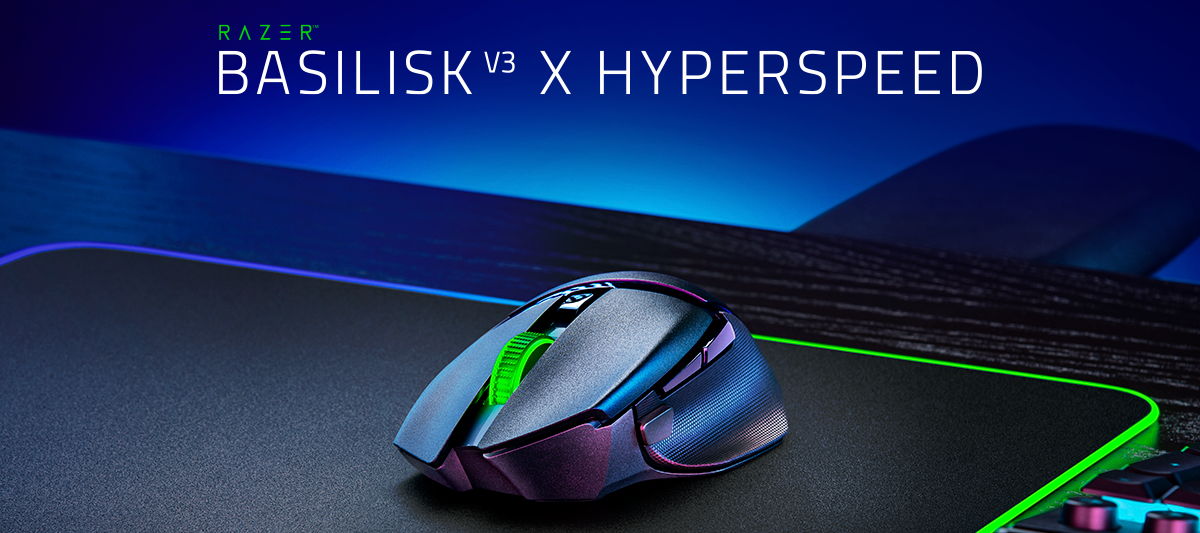
Hi,I wanted to buy the basilisk V3 mouse which I think has 10 buttons that are programable through macros, but since macros are banned in fortnite, does it mean I will only be able to use 5 buttons? Thx
I did find a few of these threads already, but additional color options for the Naga line would be amazing! I’m not sure why the pink and or white options haven’t been extended to the Naga line, but it feels overdue. Looking at the store page, it seems like every other mouse variant has a white or other color option. I’m sure there’s probably production or other corporate reasoning, but I wanted to add to the other voices asking for these options.
The mouse works perfectle but when i tried to connect it via bluetooh it doesnt show up. When i turn the switch to bluetooh it automaticlly does the thing, when you hold does 4 buttons. The status indicator blink twice and i didnt hold does buttons. I tried all 3 windows bluetooth things and nothing works. Normally my pc doesnt have bluetooh but i bougt a stick to upgrade it. Could that be the problem but i dont thing so because everrything else works beside the mouse.
i got a razer basilisk v3 for christmas last year and really enjoyed itbut then a few days ago it just randomly started to freeze
Hi All,I wanted to know if there is any gaming mouse at the moment, that has the same built quality the old “Razer Mamba 4G (2012)” had - meaning the Matte-Black smooth plastic finish on top ? (it was very smooth and pleasant to touch, and always felt like a colder touch than other plastic materials)All the new models I saw have a rough plastic on top, providing more grip for sure, but feel less comfortable on the hand :)Thanks in advance ^^Nassim
Recently, my razer viper mini had started to flash red 5 times and then turn off when turned on. It happened on every pc/laptop. And then it just stopped working all together, ive tried virtually everything, and nothing has worked. What do I do?add me on discord mikol4499, i can video share what is happening
I have had my razer deathadder v2 pro for a little under a year and there is the noise of my mouse disconnecting and reconnecting even thought it doesnt effect the mouse its driving me crazy everyone says delete synapse and redownload it and it does nothing even when i turn off the mouse it still plays the sound please help me
I’ve had my mouse for about a year and a half. I bought it as a back up mouse, in total I’d say I have less than 10hrs of play time on it. Today I unboxed it due to my current mouse starting to not working, Id say for a mouse I’ve had for well over a year and only about 10hrs of play time it should be in excellent condition, I turned it on and everything works perfectly but left and right click. If I spam click it will eventually register one click. I tried all the troubleshooting (clean install software, firmware update, compressed air, plug in mouse via usb and via dongle, use on different device, update windows) only thing I haven't tired is opening up the mouse itself for a deep clean being as its basically band new with only about 10hrs of play time on it if even that. If anyone has had this problem or knows of a solution it would be very much appreciated, or if razer themselves would be willing to send me a replacement mouse that would awesome.
Hello!I have problem with Bluetooth mode.I setup 2 on-board profiles with the Razer Synapse in dongle mode. It worked with my computer.When I switch to Bluetooth and connect to other computer which don't have Razer Synapse. The on-board profile didn't work any more. There is only one profile. I couldn't change the profile.Summary:PC1: Connected in 2.4Ghz (dongle mode). installed Razer Snapse. And mouse works well with dongle. Can switch profile with/without Snapse.PC2: Connected in Bluetooth mode. Profile doesn't work anymore.
hello, does the razer mamba elite mouse custom-calibrate the mouse pad in the razer synapse 3 program?
Used a Destructor 2 for years and still am but these are unavailable now… looking for equivalent which will keep my aim the same. Any suggestions or anyone know what would make the best transition?
I paired my Razer Naga Pro with my Blackwidow V3 Mini Hyperspeed dongle and i cant find my original dongle for the Naga Pro .is it possible to update my Naga Pro with the Blackwidow dongle ?
I'm in the market for a new gaming mouse and I'm specifically looking for one with an adjustable scroll wheel resistance. I find this feature to be quite useful for my gaming needs. Can anyone recommend a Razer mouse model that fits this description and share their experiences with it? I'd love to hear your thoughts and insights to make an informed decision. Thanks in advance for your help!
Hi! Last night I was playing CS, and out of nowhere, the game minimized, and the button 5 on my dA V2 Pro stopped working. It hasn't suffered any damage or mistreatment, and this is the first time I've had this kind of issue with a Razer product. Any possible solution?
Hey guys I have got a problem with this mouse. Soo first of all this mouse work nice but about 1 or 2 week ago this mouse started lagging while playing games. It just started disconnecting and connecting but it was lagging my games. On cs2 it is lagging so much and I have no idea what to do. On fifa when I connect my ps4 controller it’s also lagging for no reason. The light which I have got on 100% feels like it’s on 10. When I reconnect it it works for a few minutes and then it’s started again doing the same thing. I tried different ports and it’s still the same. Idk if it started after I download new windows update I have no idea tbh. I tried to install firmware or something like that for this mouse and it says connect ur mouse but it is connected and on synelaps I can choose what dpi II want and change brightness. It’s only doing when I am playing some games. When I am on the browser on something like that it won’t happens. I tried also reinstall and didn’t help Me. It’s about 4 m
Per title, I have a new V3 Hyperspeed. I searched the forum and internet, but can’t find a definitive answer. My question is should the mouse be physically turned off via the switch at the end of the day or left on in continuous sleep mode? I don’t mind turning it off each night, but was concerned with the wear and tear on the plastic on/off switch. How much of a battery hit would there be if the switch was left in the on position?
This is extremely frustrating … the only reason I bought this $80 mouse was for programable buttons and nothing is working or saving. I have un-installed and re-installed and still nothing is save or working. This has been nearly 2 hours of trying to set up a F@@KING mouse and it still isn’t working … has to be the worse setup I’ve ever done for a higher end piece of computer gear. And trying to find help here through all these pages and different crap … is not helpful AT ALL!!!! … you need people on chat if you are going to chare premium prices for gear that doesn’t work.
As in the title, my new Razer Orochi V2 mouse, straight out of the box, takes an extremely long time to wake up. Literally every time it takes a long or very long time, sometimes 5 seconds and sometimes 10 or even more seconds. I move the mouse left and right for 15 seconds, nothing, the mouse just doesn't wake up and the cursor doesn't respond. When I turn the mouse over, I see that the red light goes out sometimes and then comes on. Even writing this post and not moving the mouse, I have problems with waking it up, it takes a long time. I have the same second mouse and my 2.5-year-old Orochi V2 still doesn't have this problem, it wakes up immediately, this is a new mouse and it takes a very long time to wake up every second time. I am returning this mouse because I have a one-to-one comparison and I see and know that I got a defective one. Just don't tell me about software or pairing because it has nothing to do with it. By the way, your software is disgusting and works disgustingly,
Already have an account? Login
No account yet? Create an account
Enter your E-mail address. We'll send you an e-mail with instructions to reset your password.