Razer Monitor Stand Chroma RC21-0232: LED section turns off after the latest Synapse/Chroma update | Razer Insider
Skip to main content
Question

Razer Monitor Stand Chroma RC21-0232: LED section turns off after the latest Synapse/Chroma update

  • September 9, 2026
  • 16 replies
  • 204 views

Kimbar0th

Hi everyone,

I'm experiencing a very strange issue with my Razer Monitor Stand Chroma (RC21-0232), and it appears to have started after a recent Synapse/Chroma update.

The important thing is that I have now completely reinstalled Windows 11 from scratch, so this is a completely clean installation with no previous Razer configuration or leftover software.

The problem

When the computer starts, the entire LED strip works perfectly.

If I disconnect and reconnect the Monitor Stand while Synapse/Chroma is not running, 100% of the LEDs work correctly.

The physical Chroma button also works correctly and cycles through the built-in lighting effects with the entire LED strip illuminated.

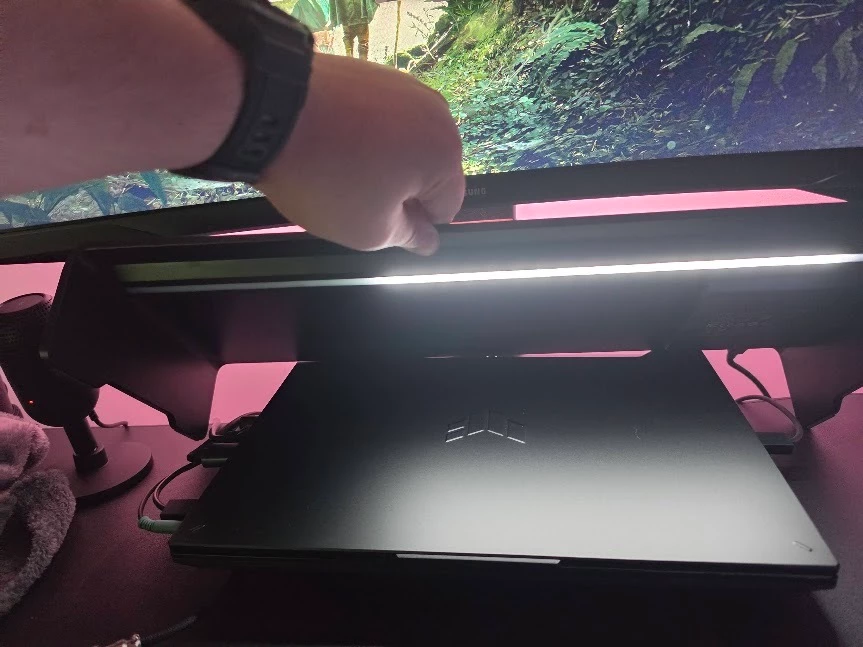
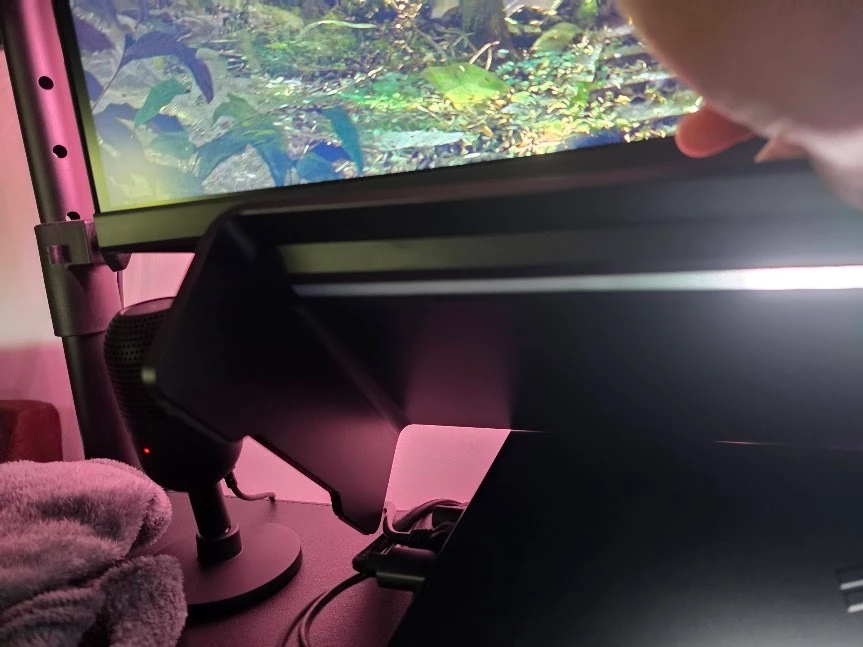
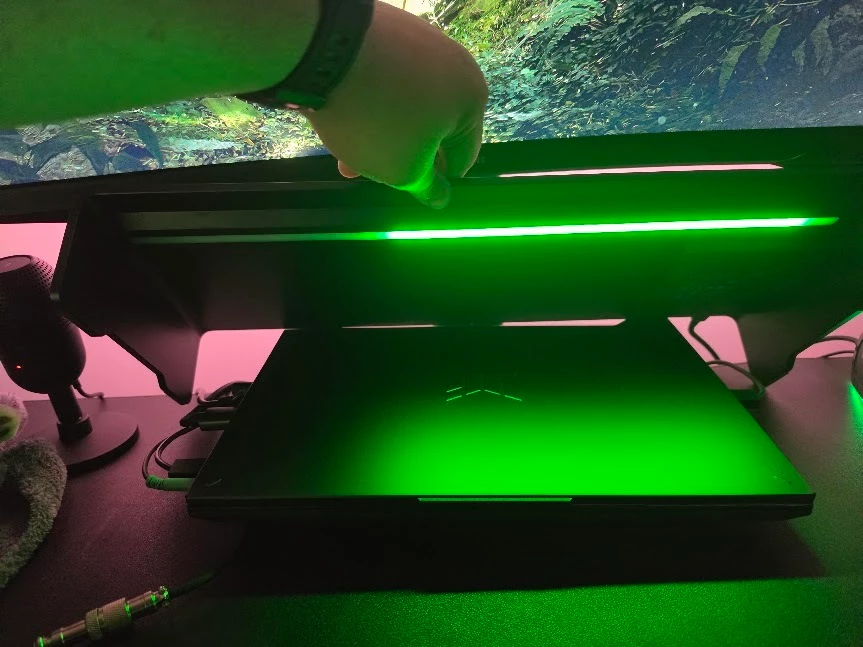
However, as soon as Razer Synapse/Chroma starts and takes control of the Monitor Stand, part of the LED strip turns off.

It is roughly half of the strip, slightly less.

The affected section is always the same.

For example:

  • Static → affected section is OFF
  • Breathing → affected section is OFF
  • Spectrum Cycling → affected section is OFF
  • Other Chroma effects → affected section is OFF

This is not an issue with a particular lighting effect.

What makes this particularly strange

The LEDs clearly are not physically damaged.

I can repeatedly reproduce this behavior:

Synapse/Chroma NOT running
→ 🟢 100% of the LEDs work

Synapse/Chroma starts
→ 🔴 the same section of the LED strip turns OFF

If I disconnect and reconnect the USB cable with Synapse/Chroma closed:

→ 🟢 100% of the LEDs immediately work again

Then, as soon as Synapse/Chroma takes control:

→ 🔴 the same section turns off again

Troubleshooting I've already done

I have already tried:

  • Disabling Windows Dynamic Lighting
  • Testing multiple Chroma effects
  • Testing the physical Chroma button
  • Completely closing Synapse
  • Disconnecting/reconnecting the Monitor Stand
  • Reinstalling Synapse/Chroma
  • Performing a complete clean installation of Windows 11
  • Installing Synapse/Chroma again on the completely fresh Windows installation

And the issue still happens on the completely clean Windows installation.

Windows version

I just reinstalled Windows 11 from scratch and I'm currently running:

Windows 11 Pro 26H2
OS Build 26300.9445

This is a completely fresh Windows installation. There was no previous Synapse installation, no old Chroma profiles, and no previous Windows configuration carried over.

Because of this, I'm strongly suspecting a recent Synapse/Chroma update or compatibility issue with the RC21-0232, rather than a Windows installation or hardware problem.

Device

Razer Monitor Stand Chroma
Model: RC21-0232

Has anyone else experienced this since the latest Synapse/Chroma update?

I'd especially appreciate feedback from other RC21-0232 owners, or confirmation from Razer staff about whether there is a known issue, firmware update, device reset procedure, or recent Synapse/Chroma regression affecting the Monitor Stand Chroma.

I've attached photos showing the affected section.

Thanks!


16 Replies

Er3Nw
  • Insider Mini
  • September 9, 2026


I'm experiencing the same issue after the latest update; the problem is most likely related to Synapse 4.


  • Insider Mini
  • September 10, 2026

even i am facing the same issue. hope they fix it asap|
i had to reinstall everything and still the same issue!!


  • Insider Mini
  • September 11, 2026

Dealing with the same issue and the same section of light strip not working while Synapse is running.  Really dumb.


HazardMaks
  • Insider Mini
  • September 12, 2026

I just noticed this issue, I am glad someone else has raised it already. I hope Razer comes up with a quick fix! They still have such trivial issues in Synapse after all these years...


Lrbrownii
  • Insider
  • September 13, 2026

I just noticed this issue, I am glad someone else has raised it already. I hope Razer comes up with a quick fix! They still have such trivial issues in Synapse after all these years...

I gave up and added all my devices to 3rd party software. Never been better.


Kimbar0th
  • Author
  • Insider Mini
  • September 14, 2026

I just noticed this issue, I am glad someone else has raised it already. I hope Razer comes up with a quick fix! They still have such trivial issues in Synapse after all these years...

I gave up and added all my devices to 3rd party software. Never been better.

What 3rd-party software? I’m thinking of doing the same. No one from the Razer team has even acknowledged this report. I took my time to put together a detailed case, and I haven’t even gotten a simple “we’re investigating it.”

Maybe this will finally teach me not to be stupid enough to buy Razer products again.


I have the same problem. It's so annoying. Especially since everything was working fine before, and it seems to have been caused by a crappy update.
Razer needs to finally say something about this!


HanPurplefeverever995

I just bought this today after wanting it for the longest time and I have the SAME issue!


Luca092
  • Insider Mini
  • September 15, 2026

salve a tutti, anche io ho riscontrato il problema dell'illuminazione spero di risolvere il prima possibile

Ma se nel pannello di controllo si disattiva l’avvio automatico di RazerAppENGINELAUNCHER.exe la stand rimane accesa. 

L’unico problema che non si sincronizzano i colori degli altri accessori

Facendola breve non bisogna avviare razer synapse altrimenti si spegne metà led


Lrbrownii
  • Insider
  • September 16, 2026

I just noticed this issue, I am glad someone else has raised it already. I hope Razer comes up with a quick fix! They still have such trivial issues in Synapse after all these years...

I gave up and added all my devices to 3rd party software. Never been better.

What 3rd-party software? I’m thinking of doing the same. No one from the Razer team has even acknowledged this report. I took my time to put together a detailed case, and I haven’t even gotten a simple “we’re investigating it.”

Maybe this will finally teach me not to be stupid enough to buy Razer products again.

I am working on products in SignalRGB. I have quite the collection of Razer products. 50+


Lrbrownii
  • Insider
  • September 16, 2026

My favorite part is the 8k polling and Hyperflux v2 battery optimizer. I asked Razer for this a year ago. Made it myself in a few weeks. No coding experience to speak of.


Kimbar0th
  • Author
  • Insider Mini
  • September 17, 2026

I just noticed this issue, I am glad someone else has raised it already. I hope Razer comes up with a quick fix! They still have such trivial issues in Synapse after all these years...

I gave up and added all my devices to 3rd party software. Never been better.

What 3rd-party software? I’m thinking of doing the same. No one from the Razer team has even acknowledged this report. I took my time to put together a detailed case, and I haven’t even gotten a simple “we’re investigating it.”

Maybe this will finally teach me not to be stupid enough to buy Razer products again.

I am working on products in SignalRGB. I have quite the collection of Razer products. 50+


Thank you SO much!

I just spent the entire afternoon configuring all my devices.

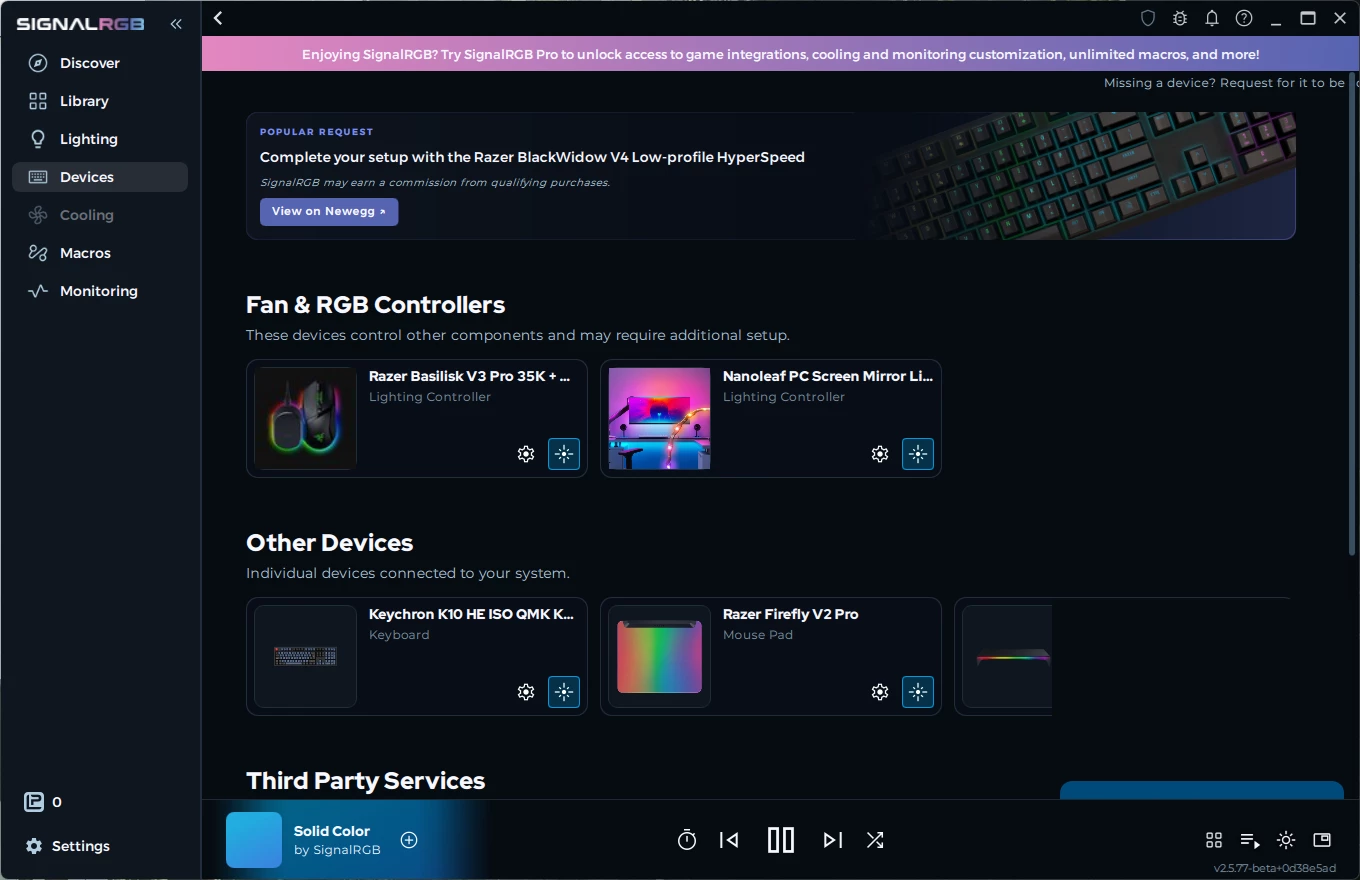
With ChatGPT, I created two plugins: one to make my Nanoleaf LED strip fully functional, with all the zones properly mapped (just as well as, or even better than, with the original app), and another plugin that combines my Razer Basilisk V3 Pro 35K with my Mouse Dock Pro. (Officially, this combo is not supported by SignalRGB.)

I also managed to configure my Keychron K10 HE by flashing another firmware version that is compatible with SignalRGB and WOOOOOW. Everything is now working under a single program that barely uses any resources.

I even created a macro so that whenever I lock my computer, all the RGB lights turn off, and when I unlock it, they turn back on.

10/10. No more fighting with Synapse!!!

As for the original issue discussed in this post, I should point out that the Chroma Stand is now working perfectly, with absolutely zero problems.

After a LOT of back and forth, the Razer team finally "contacted me," asking me for things I had already provided (logging in with a test profile, reproducing configurations they had already asked me to reproduce, and so oooooon).

At that point, I simply stopped responding. There was no point in going through all those tests again just for them to ask me for the same things all over again.

Just use SignalRGB and save yourself the headache!


Lrbrownii
  • Insider
  • September 17, 2026

I just noticed this issue, I am glad someone else has raised it already. I hope Razer comes up with a quick fix! They still have such trivial issues in Synapse after all these years...

I gave up and added all my devices to 3rd party software. Never been better.

What 3rd-party software? I’m thinking of doing the same. No one from the Razer team has even acknowledged this report. I took my time to put together a detailed case, and I haven’t even gotten a simple “we’re investigating it.”

Maybe this will finally teach me not to be stupid enough to buy Razer products again.

I am working on products in SignalRGB. I have quite the collection of Razer products. 50+


Thank you SO much!

I just spent the entire afternoon configuring all my devices.

With ChatGPT, I created two plugins: one to make my Nanoleaf LED strip fully functional, with all the zones properly mapped (just as well as, or even better than, with the original app), and another plugin that combines my Razer Basilisk V3 Pro 35K with my Mouse Dock Pro. (Officially, this combo is not supported by SignalRGB.)

I also managed to configure my Keychron K10 HE by flashing another firmware version that is compatible with SignalRGB and WOOOOOW. Everything is now working under a single program that barely uses any resources.

I even created a macro so that whenever I lock my computer, all the RGB lights turn off, and when I unlock it, they turn back on.

10/10. No more fighting with Synapse!!!

As for the original issue discussed in this post, I should point out that the Chroma Stand is now working perfectly, with absolutely zero problems.

After a LOT of back and forth, the Razer team finally "contacted me," asking me for things I had already provided (logging in with a test profile, reproducing configurations they had already asked me to reproduce, and so oooooon).

At that point, I simply stopped responding. There was no point in going through all those tests again just for them to ask me for the same things all over again.

Just use SignalRGB and save yourself the headache!


I'll show my plugin if you show me yours. Mine can tell what color basilisk you have. 😀 Also has support for hyperflux charging.


Lrbrownii
  • Insider
  • September 17, 2026

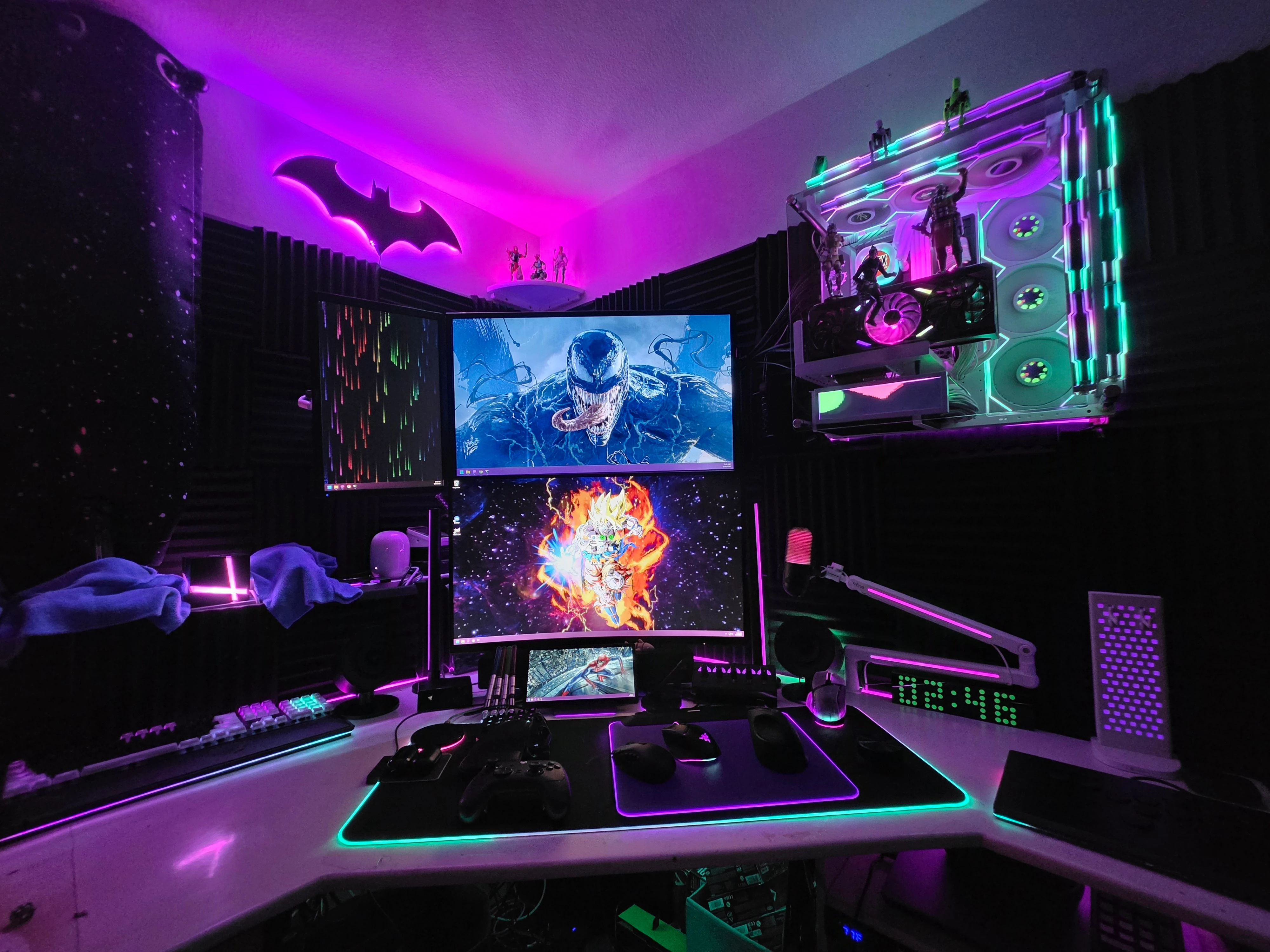
That image is better.


Lrbrownii
  • Insider
  • September 17, 2026

Razer can do game integrations better because they can get triggers directly from the game instead of relying on screen captures like SignalRGB.


It's unfortunate that Synapse/Chroma often doesn't work.


araignee-du-soir

DAMN, I’m having the exact same problem! Lmao. At first I thought the product was defective, but nope! It works perfectly fine without Razer Synapse.

I figured I’d just ignore it, assuming Razer would fix the issue quickly, but unfortunately that hasn’t been the case. This has been happening for quite a while now, so here I am expressing my disappointment with the company’s support. :)

(Btw, posted 8 days ago and no words from Razer support lmao thats… Disapointing, to say the least 😂)