Kraken V3 Pro tab is blank | Razer Insider
Skip to main content

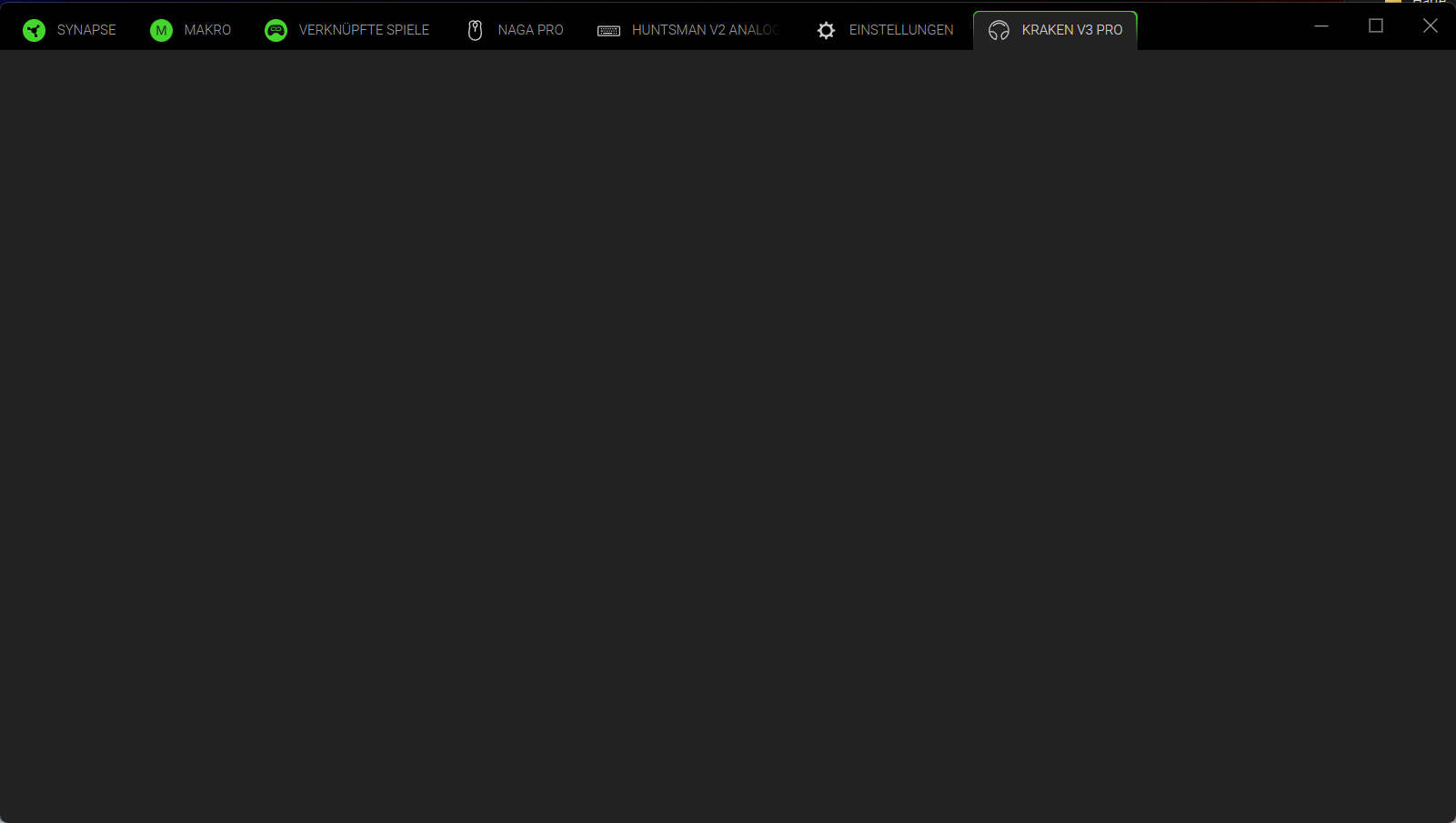
Kraken V3 Pro tab is blank

  • November 14, 2024
  • 22 replies
  • 709 views

Since updating Synapse 4 today, my Kraken V3 Pro is detected.. works fine.. the tab shows up in Synapse.. but when you click on the tab it’s completely blank.  Tried reboot, still blank.  Every other device shows up fine with their settings.

22 Replies

AGrumpyCapybara

That’s exactly the same for me too.  I’ve rebooted, completely uninstalled and reinstalled Synapse 4 too.  Phew, I’m glad it’s not just me then...


  • Insider Mini
  • November 15, 2024

Finally get the Hanbo AIO tab to read my CPU temps only to then have the Kraken V3 Pro tab break... 


Mauvelousbyteeasy309

I have the same problem. Last time I could fix it with reinstalling Synapse 4, but the empty screen comes again and again. This time even reinstalling Synapse 4 isn’t fixing it.

The problem is, I need Synapse 4 because rapid trigger of my Huntsman V2 Analog is only working with Synapse 4 not with Synapse 3.


  • Insider Mini
  • November 16, 2024

same problem with me also with kraken v3 pro on synapse 4… razer support hearing ?


  • Insider Mini
  • November 16, 2024

I’m having the exact problem as of today. Seemed to be working fine yesterday?


  • Insider Mini
  • November 16, 2024

Glad that i am not alone, i have exactly the same problem. Also looks like some of the settings gone to weird values as my mic is now too sensitive.


smartSagebus747
is there any solution?

BadBad
  • Insider Mini
  • November 18, 2024

Here having the same problem, troubleshooting with reinstall, reboots, switching usb hubs to no avail. Looking for insight to a fix. I like the new software, but we are beta testers. looks as if im going back to Synapse 3 for the time being, as adjusting my sound through the control panel is done more than my mouse or keyboard.


iAzura
  • Insider Mini
  • November 18, 2024

Having same issue tried literally everything. Luckily It still seems to still load my usual headset profile just based off sound. Hoping it doesn’t take a long while till they patch it.


  • Insider Mini
  • November 19, 2024

Same situation!!!!!!!!!!!!!! Removed everything related to razer, also from the registry! All to no avail! Give the activity to razer to see!


smartSagebus747
we want solutions

smartSagebus747

solutions? 3 WEEKS


  • Insider Mini
  • November 24, 2024

its fixed. check it


  • Author
  • Insider Mini
  • November 24, 2024

Really weird… just checked and it was still blank.. removed/plugged in the dongle and it’s back!  How does that work without an update?


  • Insider Mini
  • December 2, 2024

Blank tab might be fixed, but settings does absolutely nothing. Switching between stereo and THX no difference, eq, bass boost etc… 0 effect. This WAS NOT the case prior to the damn update.


  • Insider Mini
  • December 10, 2024

Same problem with Naga V2 pro, sometimes restart of the app is enough, but often full pc reboot is needed.


  • Insider Mini
  • December 19, 2024

Razer Nommo v2 pro tab is blank | Razer Insider


I’m having the same problem with the Nommo V2 Pro speakers. It’s frustrating as hell.


  • Insider Mini
  • December 28, 2024

…..just want to admit that I got the same with my Nari Ultimate - blank tab with synapse4, with everything fine with synapse 3…..

´am about to downgrade again….


Regards


ApexMandalorian

Tried using Synapse 4 last year. Tried again this year. Same issue. Blank tab. I’ve never seen anyone find a solution and haven’t seen Razer ever address the issue. Do they care?


  • Insider Mini
  • September 26, 2025

i got the same problem whit my kraken v3 pro, still not fixed, can i demand for this? im litterally a competitive player, love razer, but i need to touch my settings all the time…


ItilianPyro24
  • Insider Mini
  • October 1, 2025

I have a Razer Kraken V3 and I have run into this same issue. The issue is not fixed yet, but I can confirm that disconnecting the device, removing it from the Devices & Modules page in Synapse 4, and then reconnecting the device redisplays the tab, and I can access the device’s settings for a bit before it goes blank again. This is still an inconvenient issue today, and with Synapse 3 being unavailable in the future, this must get permanently fixed asap.


  • Insider Mini
  • October 3, 2025

I have the same issue on a Razer BlackShark V2 Pro.

The issue seems to be that the profile gets corrupted when utilizing a profile that is set to use a configuration incompatible with THX without having THX enabled (e.g. EQ setting E-Sports: Apex Legends), then launching a game for which THX is set (e.g. PoE 2), which enables THX while the game is being played, but then fails to switch back to the global setting.

When you have more than one profile, you can  recover from this by left-clicking the Razer tray icon and the switching to a different profile there.

If you don’t, the only workaround I have found so far is to log out of Synapse and proceed as Guest to switch to pure local profiles.