Synapse 4 is so awful that i reverted back to 3 | Razer Insider
Skip to main content
Question

Synapse 4 is so awful that i reverted back to 3

  • August 17, 2025
  • 9 replies
  • 697 views

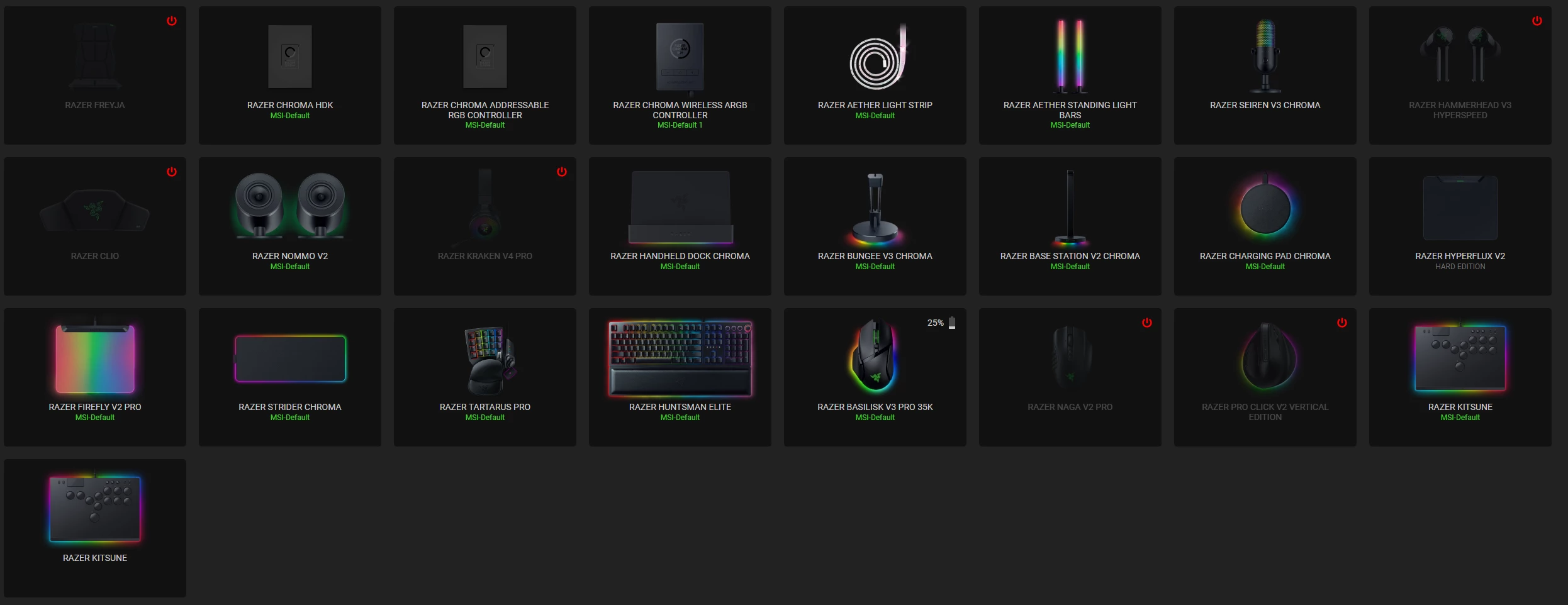
I just cannot fight version 4 anymore, its absolute trash. Went back to 3 and will deal with any issues after Jan. 20th 2026 or just replace all my gear.

9 Replies

  • Insider Mini
  • August 22, 2025

Yeah uh I am looking for an alternative brand, now. 

I am tired of being treated like shit by a company who has stolen way too much of my money. 


  • Insider Mini
  • August 27, 2025

I just cannot fight version 4 anymore, its absolute trash. Went back to 3 and will deal with any issues after Jan. 20th 2026 or just replace all my gear.

The same. Synapse 4 is a nightmare. I've returned to synapse 3 for now. Syn4 is very buggy. I hope they will listen to the players' opinions and fix the program somehow before January.


  • Insider Mini
  • September 4, 2025

I just cannot fight version 4 anymore, its absolute trash. Went back to 3 and will deal with any issues after Jan. 20th 2026 or just replace all my gear.

Same here, enter sleep mode with fn+pause key cannot wake properly, device profiles do not load when startup minimize. Support asking endless questions to gather logs, really tired. Back to Synpase 3 now, if the quality is same in next year and I was forced to upgrade to Synapse 4, I will move all my gears to Corsair.


  • Insider Mini
  • September 5, 2025

Your not alone on this, its still happening on both of my setups. Synapse 4 crashes the SSD in event logger, I ran some tests and synapse 4 was the issue. 

Synapse 3 works great, stable and no errors. 

When Razer is forcing everyone to update to synapse 4 in January 2026, I am already shopping around just bought some gaming mice from other brands (Wont mention until testing is done) but Im looking for stable software over the actual “Mouse” itself, given that they are all generally similar. 

If you or anyone else has any suggestions would love to hear them


Yanashydo
  • Insider Mini
  • October 5, 2025

Same here, built completely new PC, top of the line specs. Synapse 4 has not been able to recognize my Cobra Pro as on, even though I have been operating the system with that mouse. Did several installs, nothing helped. Installed Synapse 3 and everything works as intended. I will actually be forced to buy new products because of this. 


  • Insider Mini
  • October 17, 2025

Yeah utter trash is not the word, not just the endless amount of bugs but it has actually made me think of just ditching razer products all together, and them taking away the ability to use legacy products with synapse 4 was a huge mistake, no reason for them to not add legacy apart from trying to make you buy more razer gear, reason i do not is because their new headsets are nowhere near as loud and they suck.


Finality777
  • Insider Mini
  • October 27, 2025

I have a custom built tower and a gaming laptop, both with a variety of Razer products attached.:

Tower:

ASUS RoG Strix X299-E Gaming II, which in turn has its own onboard aRGB lighting so I use the ASUS Armory Crate to run it as well as 4 DIMM’s of Corsair Vengeance RGB Pro which use iCue and a patch to work for the Armory Crate software. There are various other components but they do not have any impact on the RGB system.

I have the Razer aRGB controller hub, a Razer Blackwidow TE Chroma V2, Naga Trinity, Nomma Chroma speakers, Tartarus V2 and the Firefly V2. All of these work terrific with Synapse 3.


Laptop:

The MSI GS66  Stealth gaming laptop has a built in Steel Series RGB keyboard that works fine while the Synapse 3 is running and it has the latest Razer Naga V2 Pro wireless mouse connected, A Firefly V2 and I used to use the Laptop Chroma stand with USB Hub for a while until I put the laptop on a wall mount. 


Both PC’s are running Windows 11 Pro and have been using the Razer peripherals since they were set up  (laptop in 2021 and tower built in fall of 2023.) No issues running Synapse version 3 on either of these PC’s.


Introduced Synapse 4, crash…

Both PC’s, on Synapse 4 startup and when I initially ran the uninstall, then install from 3 to 4, the program wants to launch right after installing for the first time, it seems to be ‘thinking’ as it offered you to take a ‘tour’ but then it closes immediately and no matter how you try, reboot, uninstall, reinstall, run the /scan to fix possible corrupt windows files, uninstall, delete all Razer folders, reinstall, nothing gets it to work.

I reverted back from a clone of the OS drive from an external USB NVMe drive using a Win PE partition manager and continue to use the Synapse 3 as it was prior to my attempt to upgrade to version 4. I hope that someone in the Razer customer support can figure out that there is a problem with their Synapse 4. Not everyone is having a successful time at upgrading.

I have read here and on other forums that certain other RGB programs are causing conflicts, but here is the catch, I am not going to lose my tower’s RGB lighting inside to get an unstable program to work. Worse, I am not buying another $6,000 laptop just to get a program to work.


Of note, I have not tried to format my OS drive, and reinstall my whole Windows 11 Pro from scratch, then everything else which would defeat the whole purpose of a seamless upgrade to a supposedly operable program. I may try that if I think there is a chance of it working, but seriously no one should have to go that far just to get a peripheral program to function. There are plenty of other vendors out there with gear for us to use. I confess I have been supporting Razer for over 2 decades, I have their logo everywhere in my home and on my property because they have made really good gaming devices and great lighting effects, but my loyalty is fast approaching its limits with this problem having no solution on the horizon.


  • Insider Mini
  • October 29, 2025

Yeah utter trash is not the word, not just the endless amount of bugs but it has actually made me think of just ditching razer products all together, and them taking away the ability to use legacy products with synapse 4 was a huge mistake, no reason for them to not add legacy apart from trying to make you buy more razer gear, reason i do not is because their new headsets are nowhere near as loud and they suck.

I installed the beta version of razer synapse and it works stably. I also had a hard time with the release version. It's funny that the beta version is stable, but the release version is not. It usually happens the other way around.


Yanashydo
  • Insider Mini
  • November 3, 2025

I have a custom built tower and a gaming laptop, both with a variety of Razer products attached.:

Tower:

ASUS RoG Strix X299-E Gaming II, which in turn has its own onboard aRGB lighting so I use the ASUS Armory Crate to run it as well as 4 DIMM’s of Corsair Vengeance RGB Pro which use iCue and a patch to work for the Armory Crate software. There are various other components but they do not have any impact on the RGB system.

I have the Razer aRGB controller hub, a Razer Blackwidow TE Chroma V2, Naga Trinity, Nomma Chroma speakers, Tartarus V2 and the Firefly V2. All of these work terrific with Synapse 3.


Laptop:

The MSI GS66  Stealth gaming laptop has a built in Steel Series RGB keyboard that works fine while the Synapse 3 is running and it has the latest Razer Naga V2 Pro wireless mouse connected, A Firefly V2 and I used to use the Laptop Chroma stand with USB Hub for a while until I put the laptop on a wall mount. 


Both PC’s are running Windows 11 Pro and have been using the Razer peripherals since they were set up  (laptop in 2021 and tower built in fall of 2023.) No issues running Synapse version 3 on either of these PC’s.


Introduced Synapse 4, crash…

Both PC’s, on Synapse 4 startup and when I initially ran the uninstall, then install from 3 to 4, the program wants to launch right after installing for the first time, it seems to be ‘thinking’ as it offered you to take a ‘tour’ but then it closes immediately and no matter how you try, reboot, uninstall, reinstall, run the /scan to fix possible corrupt windows files, uninstall, delete all Razer folders, reinstall, nothing gets it to work.

I reverted back from a clone of the OS drive from an external USB NVMe drive using a Win PE partition manager and continue to use the Synapse 3 as it was prior to my attempt to upgrade to version 4. I hope that someone in the Razer customer support can figure out that there is a problem with their Synapse 4. Not everyone is having a successful time at upgrading.

I have read here and on other forums that certain other RGB programs are causing conflicts, but here is the catch, I am not going to lose my tower’s RGB lighting inside to get an unstable program to work. Worse, I am not buying another $6,000 laptop just to get a program to work.


Of note, I have not tried to format my OS drive, and reinstall my whole Windows 11 Pro from scratch, then everything else which would defeat the whole purpose of a seamless upgrade to a supposedly operable program. I may try that if I think there is a chance of it working, but seriously no one should have to go that far just to get a peripheral program to function. There are plenty of other vendors out there with gear for us to use. I confess I have been supporting Razer for over 2 decades, I have their logo everywhere in my home and on my property because they have made really good gaming devices and great lighting effects, but my loyalty is fast approaching its limits with this problem having no solution on the horizon.


Do not do this, I build and installed fresh system a month or so ago, installed Synapse 4 and my Cobra Pro could not be recognized. Tried to troubleshoot, no luck. Uninstalled Synapse 4, installed Synapse 3, everything works flawlessly.