
















[MONTHLY SILVER] July 2026 30,000 Silver Drawing
-
Recently active
Hi I bought this used Razer Blade 15 Base 2020 on may this year, apart from a few scratches it was practically new it even still had the stickers. Recently I’ve been bringing it to class giving me an estimated 4 hours of battery life since it would drop to about 50% from a full charge for since my class lasts 2 hours, this morning i took it to class again on a full charge and by the end the battery had drained to 6% i started using battery saver recently and even messed with the power plan settings and now the battery life has halved i didn’t even have it on during the entire class i had it on for maybe an hour at most what could be causing this drain? I always have it on half brightness and no RGB when i bring it outside I noticed the fans were on during the entire class which could be what drained the battery but i was just sitting idle using Visual Studio as usual. Here’s a summaryStarted bringing it to class Lasts 4 hours normally Recently messed with the Power Plan for more Batt
how does the razer tomahawk atx case connect to razer synapse to use the rgb underglow? like do I have to plug it into the motherboard, or usb port, Bluetooth, the argb controller like how does it work?
On June 2023 I bought a Blade 14 RZ09-0427 in Taiwan. When I travelled abroad by end of 2023 the machine died very badly. Returning to Taiwan in April 2024, I sent the machine for warranty service on May 2024. They returned the lapto to me saying that motherboard was changed. It wasn't great, but it was usable. The main problem was I had to turn it on 3 or 4 times before it really wakes up. Two weeks ago the machine became worse. I had to turn it on and off 10+ times until it finally boots up. I followed all the procedures found on https://mysupport.razer.com/app/answers/detail/a_id/1798, but after following the latest advice to "recover the machine", it finally went completely dead. Not even 100 on-off cycles can make it turn on. I called technical assistance. They said this is a common problem for this model of Blade 14, unfortunatelly their service and the machine are all out of warranty and that I have to pay USD 1,000+ to change the motherboard once again. Anyone really thinks cha
Good evening! I was looking to upgrade my SSD on my RB15 advance 2021 and WB told me that the WB Black SN850x 4T SSD with heatsink would fit, but when I was trying to put it in, it did not seem to sit right… anyone have this same issue? How id you solve it?
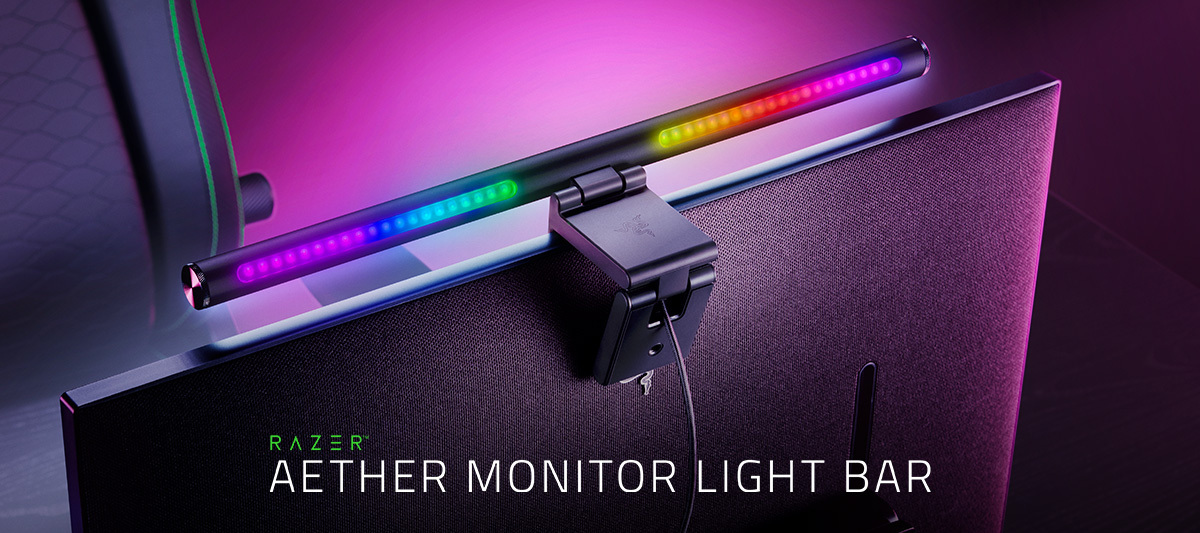
Make your battlestation shine like it was meant to with the Razer Aether Monitor Light Bar. Featuring front-facing white LEDs and back-facing RGB LEDs, get the best of both worlds for any setting or scenario. Light it up: https://rzr.to/aether-monitor-light-bar
Hey, hoping for a bit of advice?I'm looking to purchase a Blade 18 and found a Mercury one for a decent price but can't work out if 4K will be good for gaming (won't be doing anything else on it😊).Has anyone got a 4K version and what are your thoughts? Thanks
So a Razer software fills my PC with 200gbs of junk data that constantly fills my PC and i cant remove it. Does someone know how to remove it?
Please help me how to change my old number I dont have access to my old phone number. My email is still working but the system wont send code in email please help me
my razez edge rebooted by itself and got stuck in fastboot mode and says device is hybrid locked. is there any way to get my device back to normal?
The palm rests on my RB16 really get hot after just ten minutes of gameplay. The left side is 42 degrees Celsius. GPU was running at about 142 watts.If I compare this temperature to what I see from the RB17 with RTX 3080ti that is at least a 30% increase from the RB17. That is uncomfortable.Another 16” laptop with RTX 3080 ti (175 watt) from another vendor is keeping the palm rests a very cool 29 degrees Celsius. What are people seeing with the RB18 with RTX 4090? I am thinking I should have gotten that as it has the bigger cooling solution with a third fan. I wish Razer had put a UHD+ panel in that.
I want to add a comment here for those of you thinking about repasting. I bought a Blade 16 with the 4080 in it. Please, RZR, sell the 4090 with the QHD display (off topic :)). I always thought the PC ran hot, just compared to my previous experiences.In Intel XTU, settings on boost/High GPU, the Blade was thermally throttling and instantly hit 100 c. I then went into overclock, disabled boost all together, kept the CPU at max 120w, and was still instantly thermally throttling. I then undervolted the CPU in XTU (-.110 Core offset, -0.090 Cache for P & E Cores). It was, of course, thermally throttling, still as I expected, but the frequency on the CPU was higher. (I have not kept tuning from here, just the first settings I ran with from what I believed was a good starting point, and it was stable for 14 hours with no HW Info Errors.At this point, I was really confident I needed to re-paste the computer. I have not done it before (but I do build quite a few desktop PCs), and I was a b
Can you please help meee, i want to change the authentication but it always appears that it will send to my sms but I'm not receiving any text. 😞
Hi Razer community, I own a Razer Blade 14 (2021) and the touchpad just stopped working. I have had this issue before, but then I could just uninstall the “l2c hid device” in the device manager and it worked when I was searching for changed hardware. However, this does not work anymore… I also installed the most recent windows updates (Windows 11) as well as the most recent chipset driver, but it did not work and now I am out of ideas. Any suggestions?
Bought a Razer Blade 16 RTX4080 but returned for a refund due to overheating issues (too hot for hands on keyboard after 20mins) Really frustrating as other than that, its the perfect machine. Saw this on Reddit recently (https://www.reddit.com/r/razer/comments/12xj4vm/what_temperature_should_a_blade164090_cpu_be/)Has anyone else tried this? Does it work? Whats the drawback if any? **************** “Same story with mine when its out of the box. Tried repasting, undervolting, bought a fan underneath it. Nothing helps but ONE thing.By Default “cpu boost mode is on and set to aggressive”In power settings: edit power plan>advanced power settings you got there only minimum and maximum processor state, but you actually can unhide (use regeddit) two more processor settings (added a picture below). Just disable the “processor performance boost mode” and you’ll not be seeing nothing above 80 while gaming with automatic fan speed or if you want to hear an airplane with max fan speed then it w
Spent $4650 on your top of the line Razer Blade 16 so that I could have a portable gaming rig with full native overclocking support. Undervolting was the biggest part of that equation. Running -.125 was perfectly stable and gave a 15% performance bump, 10+ degree temp reduction, and much less fan noise under load. Now it's slower, hotter, louder, and has frequent hangs/stutters that weren't there before.By forcing undervolt protection, you've completely ruined the system, my enjoyment of it, and the chances that I'll ever buy another razer system.At least make it optional with a warning...
I made a very similar post 3 years ago. At that time, I had a Razerblade 15 with a 1660ti. It would overheat and it started to loose massive amounts of frames. I now have a Razerblade 15 with a RTX 3070 and Intel 11th Gen. After 3 years of having it, most games have become unplayable, even on the lowest graphics. Playing EA FC 24 is so slow that I can no longer play it. Other games cannot be played above the lowest graphics, and can even be slow on these settings. For example, ROBLOX, GTA V both have this problem. I have tried everything under the sun. My laptop is sitting upright as I am connected to monitors, and the fans have lots of ventilation. I have blasted cool air around the laptop to cool it down. When I play a game, I force close absolutely everything except the game, and I put the game on the lowest settings. I have tried all tutorials regarding thermal throttling which I believe is the issue, but I have had no luck.I really dont want to have to buy a new PC and transfer
So I’m looking to upgrade my ssd and memory specs say supports a 2tbSSD in second slot. And Was wondering if anyone has upgraded both slots to 2tb each?, or is it 1tb per slot And max of 2tb? Has anyone done this? I watched the support vid but it only does a single slot replacement upgrade. So just curious. Also wonder what brands have you all used for it? And what brands have you used or suggest for both memory and ssd
I was using an Ultimate Viper mouse, but one day, the mouse suddenly broke. After replacing the mouse's motherboard, it started working again, but now it only works when connected via a wired connection. When I try to use it wirelessly, the mouse cannot be recognized. How can I fix this issue?
when I playing setting video it will black screen don’t know why, the system is updated to windows 11 latest version, please help me fix this problem I use razer blade 14 2022
Are there other Razer Blade 16 or 18 4090 version users experiencing screen freezes and blackouts even with the latest updates and stock settings while not playing games, but just in Windows desktop?
The Customer Firmware Updater released on 7/25/24 does not work. I tried w/ and w/o turning off Windows Security protection (Core Isolation), and w/ the security on, the updater says I need to turn off the protection, but after I do that, nothing happens when I run the updater. Anyone able to get the updater to work?
Hello,I’m curious what support can I get when my system runs out of warranty? Can I buy parts like battery, heatsinks and fans from Razer? that would be awesome and give more confidence on investing in these laptops. Regards
Why is the top of the line Razerblade getting no real bios updates? 5k on a laptop and I can only use ram up to 5200??? This might be my last blade if support is this poor. My last Lenovo Pro was updated constantly. That’s why they have a cult following. Also, the 2024 16 isn’t even in synapse Beta.
I recently encountered a booting Issue with my blade 15 and it looks like this (not my video), I heard it could be the CMOS battery being dead or whatnot but after reading the comments it appears that even after replacing the CMOS battery it still happens. I also bought a new CMOS battery similar to the one in the laptop (ML1220) but it has a different Connector so Im hoping you guys can also help me source the right one. TLDR:Blade 15 having boot issues like this could be a dead CMOS battery but also something else.
Already have an account? Login
No account yet? Create an account
Enter your E-mail address. We'll send you an e-mail with instructions to reset your password.