













[MONTHLY SILVER] July 2026 30,000 Silver Drawing
-
Recently active
Hi! does the razer blade RZ09-01161E32 (which i believe is from 2014) have 8gb or 16gb ram? on the razer website it says it has 16gb, but in other places it says it has 8, I want to know because I'm deciding whether to fix one or not.
Hi,I just got a Razer Blade 15 2022 with the 240hz OLED screen. It’s my first Razer laptop but I’m in tech for many years and have had many other laptops. It’s nice but I’m having a problem with the touchpad getting really laggy. It seems to happen mostly when plugged in (maybe exclusively not sure as I have not used it enough yet). Power modes and screen refresh don’t seem to matter. It’s really weird. It can be working fine, I think, then I shake the pointer going back and forth to verify and for the first few back and forths its fine, then suddenly switches to the laggy mess. It can switch back to fine, not sure what the trigger is. It might even be typing as the problem is coming and going as I post this and check for lag. It’s really annoying. I’m over shooting menus and buttons like crazy.Anyone have experience with this? Right now I’m feeling like my laptop is faulty but not sure.ThanksPete
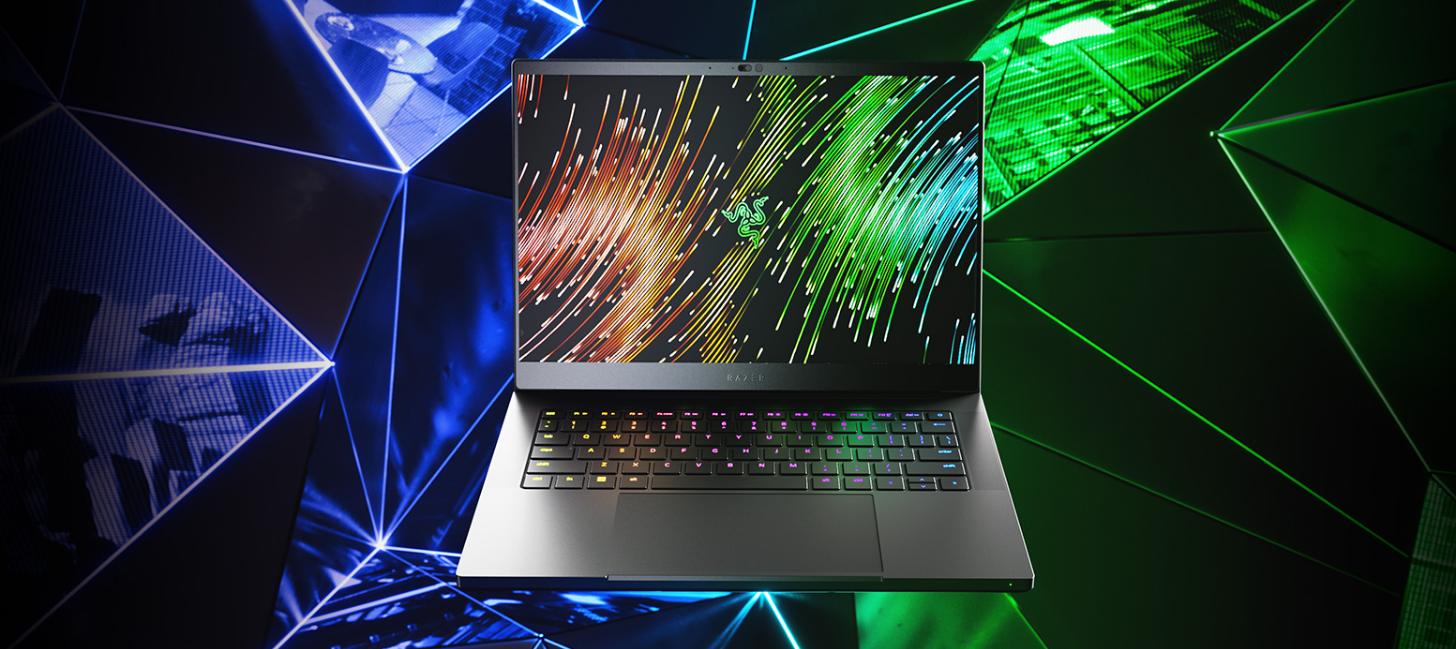
Our most portable Blade is now more powerful than ever. Upgraded with an @AMD Ryzen 9 7940HS CPU, @NVIDIAGeForce RTX 40-Series Graphics, & expandable RAM, the new Razer Blade 14 delivers incredible gaming performance in a compact form factor. Buy now: rzr.to/razer-blade-14
gold.noreply@razer.comThis email is scam?
Hi, I would like to update the SSD-Harddrive at my RazerBlade14 (2016) model. (ID: RZ09-01952G31)I have to 256 GB now and would like to upgrade to 1 TB.what about this for example:https://www.mindfactory.de/product_info.php/1TB-WD-Black-SN770-M-2-2280-PCIe-4-0-x4-3D-NAND-TLC--WDS100T3X0E-_1443789.htmlwhat´s the specs I should take care of? Hope you guys can help. Best regardsPhil
NOTE: I originally made this post in General Discussions earlier. I believe that was the Wrong location to post. When I connect my Razer Blade 2021 to my charger it keeps disconnecting and reconnecting. I’ve also followed this from Razer: https://mysupport.razer.com/app/answers/detail/a_id/393 and nothing worked. Any possible solutions?Troubleshooting I’ve Done:Bought a new official Razer charger and the problem still prosiest. Checked the battery as well and it’s not swollen Powered the System with battery disconnected while the charger connected. The same thing happens. HOWEVER, the system does not turn off. Windows still shows the charger being connected and disconnected and my laptop backlight keyboard keeps turning on and off (My RGB profile settings is set to turn on only when connected to a power source.)
Boost your Amazon business with AMZ Optimizer, your reliable partner among Amazon service providers. Enhance your business with our expert amazon product photography services & 3d product rendering service
Hello All!Recently I replaced the NUC9i9QNB that came with the Razer Tomahawk Gaming Desktop (RZ42-0365) with a new NUC12EDBi9 and everything seemed to go well. Cyberpunk 2077 never looked better, but I seem to have an issue with case fans. No matter what I do the BIOS seems to not recognize them. At one point, I tried setting the BIOS to have them fully on 100% of the time but that didn’t work. The CPU fan responds to BIOS settings. The connections on the NUC9 and NUC12 are a bit different but I can’t find what I need to get the fans to work. Any suggestions?
I am experimenting with undervolting my Blade 16. On Synapse Custom profile with CPU on Boost, but no other changes, I get 28k on Cinebench multi-core single pass and — on single core single pass. When I undervolt, I get far lower—about 19k on multi-core and about 2k on single core. Clearly, then, I am doing something wrong. I assume that something is in Synapse…when I enable overclocking, do I just leave all the settings as is if the ONLY change I want to test is undervolting through Intel XTU? Or do I also need to make some changes so I’m still in Boost, but then stepping down the voltage? Sorry for the newbie question, but I’ve searched and need this explained to me like I’m an idiot. Because apparently I am one.
Hello Everyone!I bought by razer laptop back in 2019 and everything was doing okay until about a year ago when the computer started to have battery bloating issues. I believe around this time my gaming performance took a hit. My computer is no longer under warranty and performs completely normal outside of gaming. does battery bloating cause issues in gaming performance and if so would replacing the battery alleviate these issues? What other idea do you have to solve the horrible gaming experience I am currently having (lots of lag or delay from when the motion of the mouse occurs and adjustmnt on the screen)? Thank you!
Just purchased this new Razer Blade 17. Connecting to an external monitor with a USB-C-to-display-port cable, and a straight display port cable. From either of the Thunderbolt 4 (USB-C) ports. No signal detected from monitor. Whenever I plug in a monitor, NVIDIA control panel shows Optimus as the active graphics adapter. And the NVIDIA GPU becomes disabled and I'm unable to select. See screenshot. I just used the Razer BIOS updater and updated the EC as well. Model: (*Omitted) Any help is greatly appreciated!
Yeah, so basically, my computer has shut down during razer synapse update and it will not turn back on. Is there any possibility, to turn it back on without losing data?
I did a ton of research before buying the Razer X Chroma and Radeon 6900 XT to make sure that both were compatible with macOS. Apple recommends the 6900 XT as a eGPU and Razer states that it’s compatible with the 6900 XT. I’m not tech savvy everything I find seems to make the connection look very simple. My iMac is a 8 Core 3.8GHz Intel 27” 5k with 128GB ram as seen in the pics. I’ve seen many people simply plug and play using their Macbook and screen so I’ve been attempting the same with my desktop since the external display is a “optional”When plugging the Razer Chroma in, macOS does recognize that the unit is there under USB 3.1 Bus, and I can also see it under Thunderbolt/USB4. My current OS in Mac is Ventura 13.3 (pics attached). The GPU card is functioning, all fans spin on start up and the middle fan spins continuously afterwards. I’ve tried the Asix method with the most current drivers and it won’t connect. I’ve followed all of the troubleshooting methods as per Razer and have
Hi there, I’m aware that the latest razer blade advanced laptops don’t have a touch screen :-(Please could you tell me what was the final model that included the touch screen on a 15 / 16 inch model?Thanks
Windows had to update, started the update (which wouldn’t go past a certain percentage). Restarted the computer and then got the message in the title. My razer blade 15 was working fine up until then (apart from occasional crashes from F1 23). Does anyone know how to fix this issue?
Can’t get into my laptop this is the furthest I can go. If I try to contact razer they say I’m out of warranty and can’t speak to them. Can someone help
Prodcast…
If I buy a razer blade18 that would come with a power adapter or I need to buy it separately
When I started my computer, I was logged out everywhere. I was confused. But when I tried to login, I got many errors. First emily and now connection issue.
hello, I have a problem, that my activation code is a little more scratched and I can't enter it into Razer program {7.1} but I don't want to, can I get any help?
Dear Forum,I purchased a top of the line Razer Blade Advanced (2021) with 4K Touch some 17 months ago.Since then it has been repaired three (3) times where the screen has been replaced as the touchscreen hardware fails and there is nothing you can do about it.In the last discussion, I asked repairs to consider swapping mobo or giving me a refurbished one as it is becoming a circus! Now the fourth (4th!!!) screen has stopped working and I have some tear every time I scroll.Anyone else with 4K Touchscreen issues? I have heard terrible stories about older Razers not holding up, but this is becoming a nightmare. I’ve never had a premium laptop fail more than once during warranty. Before anyone from Support tries to send me attempts to fix this through software, please understand, this is not a software issue, it is hardware related. Touchscreen shows not working properly. If I reset computer to Razer Factory, the touchscreen disappears and isn’t even listed anymore.This is either the inter
I work in a phone room and the software we use I believe is convoso. Does anyone know if the Barracuda X works with this program and if I will be able to have calls come through automatically? Thank you in advance if someone can help me.
Hi, Today, I started getting an error saying Windows 11 cannot be activated. I’ve installed all available Window updates, as well as bios updates. However, I haven’t been able to get past the issue. I haven’t done any changes to the Windows installation that came with the laptop, other than having to reset Windows a few weeks ago using the built-in option when hitting a separate issue. However, the license message did not come up until today. Any ideas? Thanks in advance…
I lost my SIM card which is linked to my account, I want to change my phone number that linked with this account, but I don't have a back up code and my SIM card has been lost, so I can't receive the OTP code that was sent, Is there another way to change my old phone number which is linked in my account? the only access I have is my email address.
Lately the PC shuts down completely after a few hours without delivering an error message. What's more, the PC thinks I'm not using the supplied power adapter and the PC isn't getting enough power. As a result, many functions in the RAZER Synapse are not possible (gaming-mode). But I assure that I have been using the right power supply since day one.
Already have an account? Login
No account yet? Create an account
Enter your E-mail address. We'll send you an e-mail with instructions to reset your password.