









[MONTHLY SILVER] August 2026 30,000 Silver Drawing
-
Recently active
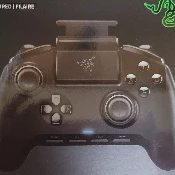
I’m trying to understand how to use this controller on my PC in the wired mode because it doesn't seem to work for me. I've tried looking online for anything relating to this issue but can't seem to find anything that helps or is associated to this controller. Is there a certain software I can't seem to find that the PC requires in order to operate in the wired mode? It works fine majority of the time it's in wireless mode on the PC but I’m trying to use it so its wired and have no latency or connectivity issues say for example being the last squad mate alive in a warzone match and then it happens to drift at a very unwanted time (it happened to me).I would greatly appreciate some help!Thanks! 😅
So I've had this thing for a couple of months and randomly today the scroll wheel is stuck on solid red. Which isn't the color I had it. I've tried turning it off and on again. I've tried restarting my computer. I've tried disconnecting my 2.4 dongle and plugging it back in. I can't figure out what's going on. Model Number:RZ01-0342
so less then a week ago I turned on my PC and my keyboard wouldn't turn on at all. I changed USB ports, plugged it into my laptop, nothing worked. I waited like 2 days with it unplugged and then plugged it into a different USB port and then it finally worked like normal, but when I plugged it back into the USB port it was in before it stopped working completely again. I ended up reinstalling windows which fixed it for about a day and it's not working again. yes other things like my mouse work in the USB slot and I do have razer synaps install. Somebody please help
So basically i bought this controller for a long time now and i had no problems at all. Then suddenly my LB button started going crazy like it was being pressed and in the Xbox menu i could not move from left to right because it would just go back to back, so i opened the controller to check if the LB button was stuck and it wasn’t i could just click it perfectly adding up on the issues my left stick has this double movement?, i go up one and it registers as 2 same for every direction so I closed the controller and just unplugged the usb from the console, the usb from the controller and I even unplugged the headphones and the power cable the console has.I let it rest a day and when i woke up everything was perfectly fine i could use it as always, then i quit playing for the day and i left it like that without unplugging to anything and the next day what happens? The same thing LB goes crazy and left stick, I tried Updating the controller from the Razer app to remap buttons and i cant e
The reason i'm getting a productivity mouse instead of a gaming mouse is because i do more non-gaming stuff than gaming.And if if the pro click is good for both gaming and productivity,its gonna be a win-win.I'm gonna pair it with a glass mouse pad.
I got myself a blackwidow v4 about half a year ago and was wondering if theres any chance the new snap tap thing will be available for the other keyboards like mine aswell or not.Dont care too much about the snap tap tech but if everyone else starts using it will i just have to buy a new keyboard just because of that??
As title said, whenever I have the dongle plug it, when I close the lid on the laptop, it goes to sleep for a brief moment, like less than 2 seconds, than my external monitor immediately wakes up and ask for login. When I unplug the dongle, the laptop just goes to sleep and nothing wakes up.I have tried to go in device management and unchecked the box where it allow the mouse to wake the computer but problem still persist.Any help?
Hi! I have been struggling with my original deathadder v3 pro wireless dongle for a while now. It finally stopped working few days ago and was broken, so I ordered the hyperpolling dongle instead of the normal usb dongle. But now im worried that im not able to pair my mouse with the hyperpolling one after watching videos on how to setup the dongle. Almost every video had the original dongle in them. Is it possible or do I need to order a normal dongle aswell to be able to pair the mouse with the hyperpolling dongle? Any help is appreciated! :)
Hi Razer Community, I have a Blade 16 with the 4090, and I'm seeing temperature spikes up to 107°C, with average temps ranging from 84-95°C. Despite using a Razer stand, undervolting to -125, and running the fans on full, temperatures remain high, especially under CPU boost and GPU high settings. Razer support has offered to service or replace the laptop, but I'm unsure if a replacement would make a difference, as all units seem to run hot under these conditions. My room, decorated with a balloon garland from House of Party, might also affect airflow. Should I focus on the average temperatures or be more concerned about the spikes? Any advice would be greatly appreciated!
Just wondering, as 1) The press release said 1000, 2) The only decent youtube video has footage from a rep at evo stating there was 1200 3) From having bought limited controllers from xbox before, what they seem to do is keep making as many batches as the orders take up until the time they want to stop selling them runs out.Is it possible to get a honest answer if they actually are limited, and if so, how many are being / were made.Thanks
I use the Razer Naga V2 Pro mouse. The side buttons just remap from mouse 4 and mouse 5 to "minus" and something. I checked the app and the buttons are still mapped as mouse 4 and 5, but when the button is pressed it reads out as "minus/-" on mouse 5 and something else on mouse 4. I don't get why it is doing this. (I use the 2 button attachment usually, when i switch to the 6 button attachment the problem goes away until i reattach the 2 button)
Within the weekly play to earn there is always a chance that it can be a game you buy to earn rewards first, or a free to play game. With these circumstances you sometimes won’t be able to earn silver if you don’t want to use those games, even if they’re free or paid for. So why not have a sub category within that allows you to play more popular games or your own games at a slower rate of earning. Such as 5 tokens every 30 minutes of play, and a cap of 25 silver daily and 50 weekly, meaning that after 2 days of play on your preferred game you now are required to use the featured games. The earning rate and times can be altered.Thoughts?
It was working fine before, but when I turned in my set, it caught the cord and pulled it out of my PC. After plugging it back in, the sound card stopped working, so I can't hear using it or use the mic. The headset isn't broken since I can still hear with the PC sound card, but not the Razer sound card.
Razer Huntsman Mini Analog - US on %46 sale but i will receive my money like 1 week later when sale ends?
I use laptops since the mid nineties and this top of the line Razer is the only one where the monitor went gaga after a brief 4 years. That plus faulty keyboard lightshow and backside screws made of cheapest possible material makes me avoid Razer for the foreseeable future. And the mute and nonresponsive support is the icing on the cake.
Something similar to this, is there a video or article or anything with concrete analysis/testing of input delay between the huntsman v3 pro and other gaming keyboards (preferably wooting)?
So I am from India , here too many options for gaming mouses aren’t available as compared to the foreign countries, I had purchased razer Viper 8khz which showed some unexpected problems with scroll wheel so I applied for its warranty claim, Now they are saying viper 8khz isn’t in the stock and they are offering me a razer cobra wired mouse, should I go for the upgrade or ask for another option? Please help
My blade has been stuck in Hong Kong way over the express shipping date, contacted DHL and they pretty much said we cant do anything, is this normal for razer? I heard that a lot of packages get stuck in customs.
لقد فقدت رقم هاتفي الآن، أدخلت على رقم هاتفي الجديد ولكن لا يمكنني تغيير رقم الهاتف من فضلك
Got a 2024 Blade 16 (4090). Popped it open to see the differences bw the 23' Blade and install additional RAM and another SSD after disconnecting the battery. I considered repasting it with PTM like I do with all my laptops (except those with LM) and interestingly - you can't remove the vapor chamber after screw removals from the mainboard. It's like glued on or something - or maybe there's another anchor screw underneath the mainboard only accessible from the other side. Regardless - wanted to see if anyone else has torn one of these down. I didn't mess with it too much after some jiggling.
I was thinking of buying them but want to know if they connect to Xbox first
So my keyboard was having the off and on issue while on low battery. After some research I was able to narrow it down to out of date firmware. I followed the guide on Razer's website and updated the firmware, but now my keyboard will not work wirelessly... it'll work plugged in and on bluetooth, but not with the dongle.I have tried power cycling my computer and my keyboard with no luck. I have also tried removing the dongle and reinserting it.Please help as I bought a wireless keyboard to be .. well .. wireless
So, currently the Razer Snap Tap feature is only available on the Huntsman line, but does anyone know if it’s a feature they will release to other product lines at some point? I’ve got a Razer Blackwidow v4 pro and was curious if that is going to get that feature at some point
So I play alot of Dota 2 and the number for the Hp/Mana bars in the bottom center of the screen are burnt into the screen. Has anyone ever experienced something like this. Is there anyway to fix it or make it better, or is it just there forever?
Bom dia, comprei um Razer Blackshark V2 X para usar no ps4, porem o microfone dele está muito baixo e quase não dá para me ouvirem, ja tentei aumentar pelo próprio sistema do Ps4 mas mesmo assim fica baixo. Já conectei no PC e lá consigo mexer no volume pelo próprio mixer no PC e o microfone funciona normalmente. Alguém sabe oque pode ser ?
Already have an account? Login
No account yet? Create an account
Enter your E-mail address. We'll send you an e-mail with instructions to reset your password.