















[MONTHLY SILVER] July 2026 30,000 Silver Drawing
-
Recently active
Heyya, I wanted to try to see what the comparative battery life for the two prospective laptops would be and discuss what everyone thought would end up being the expected duration for average and then for heavy usage. I’ve owned over 5 Razer Blade laptops over the past decade and I have to say the battery life for me has caused me to not ever take it outside and work on project in public when I could and sometimes, should. So I am trying to now find the best option for that and I figured the larger battery on the Blade 18 and mini-led screen would be nice to have in Florida’s sunny weather. But now I am debating whether or not the 16 might have the advantage for going with the AMD CPU and OLED display for power saving over light tasks, such as web-lectures, working in Microsoft apps, coding and compiling algorithms on low-level language. I do want to be able to play games in HDR and game on it, but that is mostly just a “distresser” for the end of the day for an hour or two rather tha
I cancelled my order for the blade 18 2025 because Razer did let the public know what kind of panel they are using. Can anyone from Razer help?
I’ve followed various forum posts in an attempt to install the first firmware update to get my BIOS from 1.00 to 1.04.I’ve done the following:Disabled all Device Security Settings (Core Isolation, Memory Integrity, Local Security Authority protection, Microsoft Vulnerable Driver Blocklist)Disabled all Real-time scanningTurned off completely bitlocker (no drives encrypted)Disabled Secure Boot, Fast BootPerformed multiple attempts of disabling driver signing on boot and running firmware updateUpdated to the latest Intel firmwareI cannot get this firmware to load. When I click on the loader and give it admin rights, when I hit update and the progress bar jumps and then it reboots.I was able to update the EC / Keyboard firmware without issue. At this point I’m almost ready to give up. Any thoughts?
hi, i just tried using razer nexus remote play, but no matter what i do the app just doesn’t connect to my PC for some reason. Anyone know what might be the cause? (in the “unpaired computers” there is literally nothing other than the add manually button which asks for your PC’s ip address.)
Hello, I am interested in purchasing the razer blade 14 for my girlfriend for her upcoming birthday this month. It appears that these laptops are out of stock and I noticed that people have been posting on reddit that this model has been unavailable for 3 months now. Does anyone have any inside information on when they will be selling this model again? One of the key reasons I wanted this model is because it doesn’t have soldered on ram, being able to upgrade ram on a gaming laptop is a major requirement which many gaming laptops don’t seem to fill these days. It is my hope that razer doesn’t jump on that bandwagon with their next release. I was going to buy the dock just so I could give her something on her birthday with the promise of getting the blade 14 when it is available, but I don’t want to wait if anyone happens to know if they intend to make their new models with the soldered in ram. My girlfriend wants a 14 in laptop so this is the model I have chosen after checking out all
i need rz09-0423 heatsingplease guys help me i cannot find anywhwre
My laptop turns on and functions correctly, but the LED Power light located on the front of the laptop doesn’t seem to function correctly. When I first turn my laptop on, it briefly flashes green (maybe there’s a solid green for a short bit, can’t really tell), but the LED immediately turns off once the OS (windows 11 in this case) begins to boot. When the computer goes into sleep mode, the light flashes the normal white to indicate sleep mode. If the battery falls below 20%, the LED continues to stay off rather than turn red. The LED stays off regardless of whether the power adapter is plugged into the wall or not. I can’t quite figure it out. I’ve re-installed the OS thinking it might be a system/software glitch, even going so far as to unplug the CMOS battery for 2 minutes to let motherboard reset. The light simply doesn’t want to function while the Windows 11 OS is active. Any thoughts?
Hi - just wanted to share my experience with undervolting. I bough a new laptop and before had no idea about undervolting/overclocking etc. so I had to do a lot of research and trials to find the good method. I don’t have much knowledge about it, but here are some important things I found out. I tried Throttlestop, MSI afterburner, but in the end just sticked to Intel XTU, without undervolting the graphic card (4080).So first what I needed to take care of: - Disable undervolt protection in BIOS - Disable Windows Virtualization and Hyperwisor (I am using VMWare, and it actually made my VM much faster) - Disable Memory Isolation - Disable windows fast startup (was needed for XTU to start automatically, I didn't notice any significant decrease in startup). - I configured Razer Synapse not to run on startup, but I keep it installed for any setup needed in the future. It should have set overclock on, no turbo power limits, cpu set to turbo, gpu to whatever you want (be
Seems like the Razer Chroma ARGB controller has been out of stock for practically every online store in America, and page now goes to a 404 website. Will we see a revision for this product or has it been discontinued forever?
I’ve been using a Razer Core X Chroma with a Dell XPS 13 laptop and Radeon RX Vega GPU, and have been enjoying it. I recently shuffled the Core X Chroma around while dealing with some cords, and it stopped being responsive with my computer. I tried switching to a different cable (Razer thunderbolt cable) and still no response. Then I tried with a different laptop (Zenbook 14 UX3405) and still no response. The PSU fan turns on when I connect it to a laptop, but other than that, there’s no power or ethernet or monitor connection happening. I checked with a multimeter and the PSU seems to be working. Has anyone experienced this before?
Hello,I've been tearing my hair out for ages over an annoying problem. I would like to use Wake on Lan to boot the laptop remotely. Unfortunately, there are no settings available in the BIOS. Everything is configured correctly in Windows, but it just won't work. The Magic packet definitely arrives, I was able to check this with a network recording. Is this simply not possible or no longer possible with this device? Alternatively, it would be enough for me if I could set the laptop to boot up after the power supply has been plugged in, but the very slimmed-down BIOS is not usable for this either, as there is no such power option. Can you help me? Thank you very much :)
I am a youtuber and I was contacted by this email: Contact@razer-promotions.comI was wondering if the email is legitimate or not. Here is the contents of the email:Hello! We’re excited about the opportunity to collaborate with you. After reviewing your channel and its recent achievements, we’re confident that a partnership could be highly successful. We’re particularly interested in exploring the following advertising options: - A dedicated video entirely featuring Razer. - A 30-second to 1-minute segment integrated into one of your upcoming videos. Please share your rates for these formats and let us know your availability for including the collaboration in your next video. To give you a clearer picture of what we have in mind, here are some examples of our previous collaborations with other creators: https://youtu.be/NVQ3sMO-T_8 https://youtu.be/gB1XAdH_-bg https://youtu.be/XcAwkcj0Hkk https://youtu.be/JFk4ICpbvtA https://youtu.be/Whp3WSO8_NM We’d also love to send you an exclus
I mostly play games but also regularly edit videos and etc. on my blade 16. im thinking about a 4tb ssd upgrade.Im in between ‘Kingston KC3000’ And ‘Samsung 990PRO’KC3000 is double sided on 4tb version but some guides on the net says it will fit but im not sure, which one should i get ?
Hey Everyone, I just bought a Razer Blade 16 and want to upgrade my storage to be dual drive. I was thinking of installing a 2TB Samsung 990 Pro to serve as an OS/Apps drive in one M.2 slot and a 4TB Western Digital BLACK SN850X for all my Game files. Can anyone tell me if this would be a bad idea? Should I go with a matched set of drives instead? Thanks!
Hello,I recently purchased a Razer Blackshark V2 X headset. However, when I tried to register my product, I found that it was already registered. It has been 5 days since I purchased the product and I have previously contacted customer support about this issue but have not received a response yet. I would appreciate it if you could help me as soon as possible. If my product is counterfeit or has any issues, I will contact the store where I purchased it for a refund. Thank you.
Updated to latest firmware and now in synapse it just says “initilising” under the temp settings. Anyone have a solution? Razer are useless in general so I cba asking them in email.
I ran furmark on my razer 16 4080 prior to the 2025 update and was getting a consistant 228 fps on 1440p bench. after update im getting 203 consistant with plenty of thermal headroom. anyone else experiencing this or is it planned obsolescence
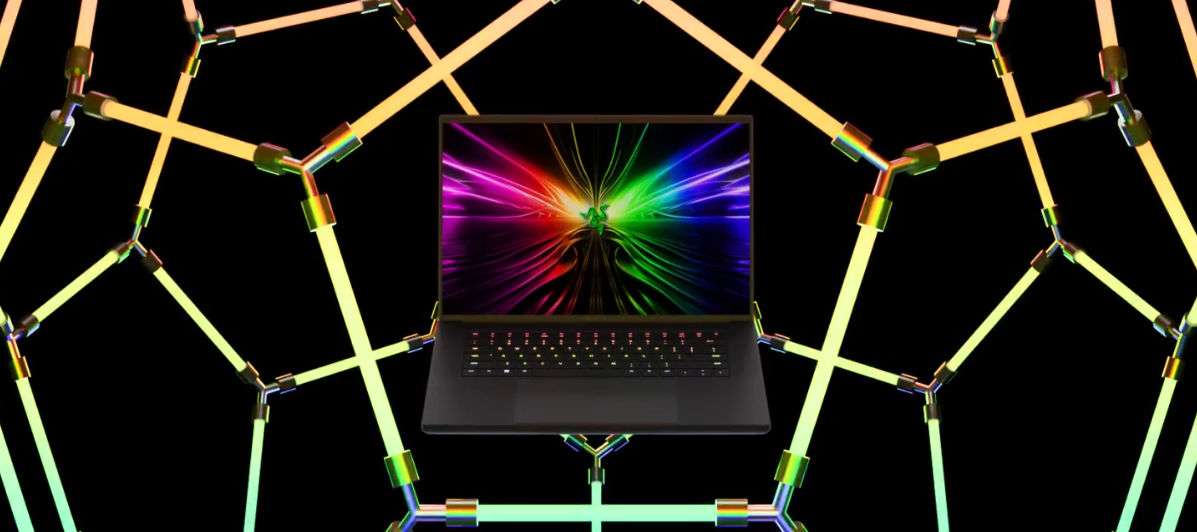
Fastest. Sharpest. Clearest. Meet the new Razer Blade 16 - featuring the world’s first OLED 240 Hz 16” display. Armed with the latest Intel Core i9 HX Series processor, experience more power per cubic inch than ever before. Order now: https://rzr.to/blade16
Hello, I have a strange problem with the pad. When I turn off my laptop, all the things connected to the pad on the back (3 usb inputs) like razer huntsman v2 tkl keyboard, razer viper ultimate mouse, razer firefly v2 pro mouse pad leave the light on all the time. Only after disconnecting all the cables individually from the laptop pad does it allow the lights to go out. Is there any way to fix this? (I have restarted the synapses many times before and it did not help).
After performing a EC update on my blade 14 to 1.1.1.3, BIOS indicated TPM2.0 device found with firmware version 6.3.However, running tpm.msc would not be able to detect any compatible TPM and system now is not detecting TPM present Did anyone face the same issue? and how did you resolve it?
I need the latest stable driver for my graphics. The issue I have it their are no RAZOR updates for this since 2020.Based on the Adobe check how on earth can you update the driver without gettng the black screen so many people have mentioned.
please do help asap
I Need help finding replacement battery for my Blade 15 base model (early 2020) RZ09-0328 and maybe help installing. When I went to install a new NVME I discovered a slightly bloated battery, which made me realize that’s why my trackpad isn’t working. Can someone help me find a battery I can order online? Thanks so much.
Hi guys I have bought a set of 3 Razer Kunai 120MM fans, one of them however does not fully illuminate, I would estimate about 70% of the ring is lit up and the remainder remains dark. I have the fans plugged into the Razer RGB controller, all my other fans are fine. Does anyone have any suggestions on what might cause this to happen? Thank you and Merry Christmas Mark
https://github.com/1kc/razer-macos/releases this app works!
Already have an account? Login
No account yet? Create an account
Enter your E-mail address. We'll send you an e-mail with instructions to reset your password.