













[MONTHLY SILVER] September 2026 30,000 Silver Drawing
-
Recently active
So awhile ago I was messing around with my settings on my Xbox and my PC and while having OBS running I pulled the HDMI out of the capture card, while it was still streaming video, freezing the screen in OBS. And now anytime I try to add the capture device to streamlabs or OBS studio it's just a black screen. The audio still goes through and the video still shows up on my console monitor but it won't show in OBS. Is there anyway to fix this or did I just break my Ripsaw
My Razer HyperPolling Wireless Dongle light won’t turn on!I just bought the Razer HyperPolling Wireless Dongle with my deathadder v3 and it won’t sync together, when I plug the dongle my computer recognize it and in my synapse too but it won’t sync with my mouse and no light turn green at all. Is my dongle defective or I’m doing something wrong?
Which are better out of these that im looking at Im looking at getting either the Razer BlackShark V2 or the kraken x
Does anyone know/have a clue when or even if the Rogue V3 15.6’ backpack will comeback to stock anytime soon?
Hey,The display on my Razer Book 13 has recently stopped Working, it had a loose contact between the display and the rest of the Laptop and thus would only work at certain angles. That worked for about 2 days, then It stopped working all together. Everything else works perfectly, i can plug it into another display with an HDMI cable and everything’s there.I have a general laptop repair station near me, but they were hesitant to take the laptop apart without a service manual, so I came here asking if anyone can give it to me, or knows what type of connection there is between the display and motherboard.Thanks in advance!
Hi I can't download the app razer kishi because i have an android version non compatible
it happened 2 days ago. when i open the lid, The right one lights up and connects but the left one doesnt turn at all. After closing and opening the lid several times the left one starts working and works perfectly fine. Then afterwards it wont disconnect even if i put both earbuds in the case and close the lid.it just keeps on connected until i close and open the lid several times. please solve the issue as it is so annoying and day by day it becomes worse.
How do i slove this problem i have tried every step except for the trying another pc but my problems still occurs and even worst now it effect my keyboard and headset which before it wasn’t doing that.
Where can I buy a replacement microphone for the kaira pro?
Whenever I level up, my Razer Kraken Kitty headset disconnects. Is there a solution to this issue?
Hi, So my hammerhead charge case got run over by a car. Good news is I still have it, It works and still is breathing light. Bad news is the spot where the earbuds go got a bit flat so earbuds now wont fit inside. Do you all know a fix of where to get a charging case replacement?
I’ve tried to look everywhere if the Razer Kraken Kitty BT edition is water resistant and if I can wear it in the rain now that the rain season is starting here in Norway until it starts snowing again, but I can’t find any information. Does anyone know?
Hi, razer synapse not detecting my headset.My headset; Razer blackshark v2 x usb Pls anybody help me. I watch this video and i tried many things but it didn't work.Pls i need help.
Approximately a month ago, I noticed that my Razer Naga Chroma mouse only functions when used wirelessly. Has anyone else experienced a similar issue with their mouse? I have inspected the internal components of the mouse and found no signs of corrosion or damage. I have also attempted to clean the USB port on the mouse. I am certain that the issue is not with the wire itself, as it functions perfectly when connected to the wireless dock. While this issue may not be a significant concern for most users, my mouse is rather old and takes a considerable amount of time to recharge. Moreover, the battery drains rather quickly, even with the lighting turned off. Any recommendations or advice would be greatly appreciated.
Hi guys!I think I have a problem with my Razer Naga left handed edition. I bought a newer one my older one was broke. I’ve reinstalled the drivers. If my mouse if plugged in. my PC cannot boot. I’ve got an USB hotplug error. My older Naga still works in this case. If I go to BIOS settings (UEFI) it’s not detecting the mouse. Any solution for this problem?
My current setup includes the Razer Blade 15 Advanced Model, Razer Base Station v2, Razer Kraken Vs Hypersense, and Razer Basilisk V2, all connected to the Razer Thunderbolt 4 Docking Station. However, I am experiencing an issue where I need to repeatedly reconnect the USB-C cable from my Blade 15 to the docking station before my second monitor receives a signal. This can take up to 20 attempts at times. I am using monitors from ViewSonic and ASUS. Is this a known issue, and is there a solution? Thank you, and best regards.
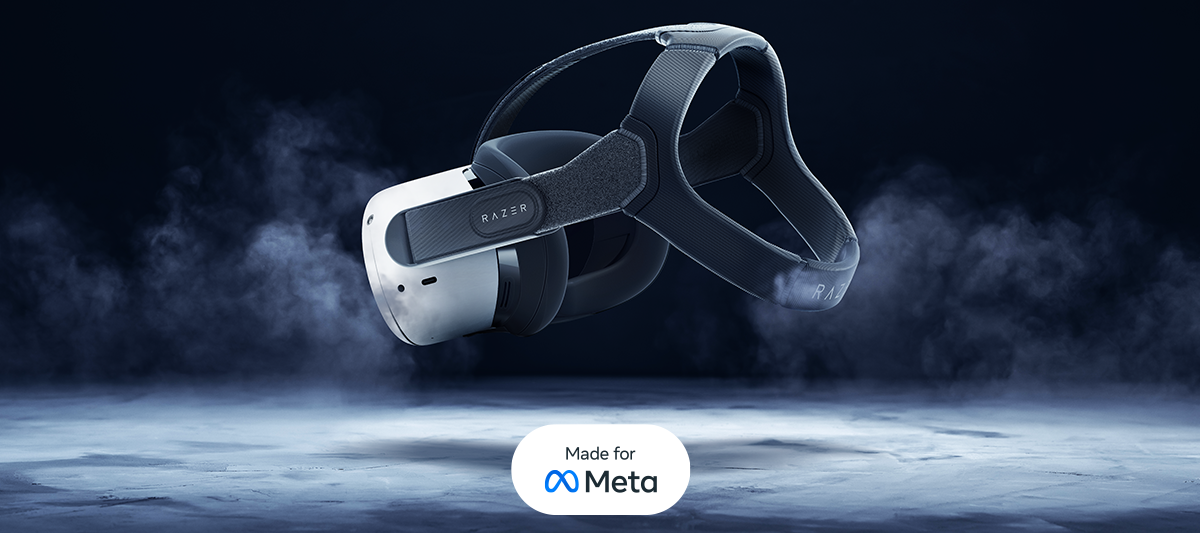
Extend your VR gameplay with the Razer Adjustable Head Strap System and Facial Interface - authorized for Meta Quest 2 under the Made for Meta program: https://rzr.to/meta-quest-2Created in collaboration with human factors experts, ResMed, unlock the long-lasting comfort and seamless support you need.
Hi.I'm using Razer audio mixer and Nomo Chroma.I want to connect these two products to control the volume of Nommo Chroma in Audio mixer, how can I connect them?
For the past couple of months, my headset has been working perfectly fine by directly plugging it into the controller. However, recently it has stopped working, or at least partially. I can hear my own voice through mic monitoring, but I am unable to hear any music or other sounds. The audio settings only show options for Headset Mic on/off, Headset Volume, and Mic Monitoring, which is not the usual set of options. It's clear that the headset is not completely broken. Unfortunately, Razer has not been able to provide me with any assistance. Can you please help me with this issue?
I have recently received my Nari Ultimate and it took me some time to set it up, but eventually, I succeeded. However, I am encountering a few issues. Firstly, I am unable to modify the settings while the device is connected through a cable. Is this a standard behavior? Secondly, when attempting to play Deep Rock Galactic, my keyboard is no longer updating as it used to. Is there a solution to rectify this problem? Thank you in advance for your assistance!
Hi guys. I was able to find a Stargazer I bought years ago. This is a brand new, rarely used Stargazer.I just happened to be using the Windows Hello feature, so I tried to use this camera, but it says I can't use it.I searched the forums and saw that many people had the same problem as me. Did Razer fix this? is there any way to use this?
found this on reddit 5y response by redditor called xieutifulafter I did all this steps now I could save profile with macros on my naga pro v2 Here are the steps verbatim from Razer Customer Service:A. Perform a System File Scan. Press Windows + r and type in "cmd" without quotes. 2. Type in sfc /scannow and wait for it to finish.3. Restart the computer.B. Perform a .NET Framework repair using the tool. You can download the tool here: https://www.microsoft.com/en-us/download/details.aspx?id=30135 C. Clean reinstall of Synapse 3. Removing Synapse 3 files. Open the Control Panel and under Programs, click on Uninstall. Look for Razer Synapse 3 and Razer Chroma SDK on the list of application and uninstall them. Restart the computer. Delete the Razer folders located at C:\Program Files(x86)\ and C:\Program Data. The Program Data folder is hidden by default so we might need to change the folder option first. To view hidden files, open File Explorer. Click on View at the upper left of Fil
The Razer | EVISU collection is now live. Conquer the streets and the battlefront with our limited-edition line of peripherals and apparel, available now: https://rzr.to/evisu Augment your arsenal with a fearsome range of Razer gaming gear, including our iconic BlackWidow V3, Orochi V2 and Gigantus V2 - engineered with an electrifying splash of EVISU attitude to immortalize your name in the halls of gaming fame. https://rzr.to/evisu Actor Wang Yibo is rocking our Razer | EVISU apparel - featuring the Daicock Print with Embroidery Carrot-Fit Denim Jeans and Godhead Hoodie. Have a closer look at our collaboration with EVISU - our exclusive apparel lineup proudly displays the Razer wordmark alongside EVISU’s iconic seagull logo for the first time ever. https://rzr.to/evisu Brought to life by the slogan “Before anyone did anything, EVISU did everything™”, check out our exclusive line of Razer | EVISU peripherals and apparel. https://rzr.to/evisu
I've been using the DAv3 Pro for around three months and, despite the stiff m1/m2 buttons, I'm generally quite satisfied with it. Recently, I learned that the regular DAv3 has lighter clicks and a different coating, so I decided to order one for myself. I received the mouse today and the buttons are simply fantastic. They feel similar to those on the g403 / g703.I'm wondering if the DAv3 Pro Faker Edition has the same click mechanism, or if there are any plans to update the v3 Pro with the improved coating and clicks?
does the macro stay on the mouse even if unplugged from a pc
Already have an account? Login
No account yet? Create an account
Enter your E-mail address. We'll send you an e-mail with instructions to reset your password.