

















[MONTHLY SILVER] July 2026 30,000 Silver Drawing
-
Recently active
I lost my phone or changed my mobile number ano can no longer receive OTP Help me please 🙏 Razer ID:aeroLightBrowntools248Full name:謝璨宇Email:magicwalk00@gmail.comOld phone #:+886 925318002New phone #:+886 912512002Country:Taiwan
รหัสสำรองจำไม่ได้
Is Shopee and Lazada (Malaysia) Razer Store is authorized Razer store? help me discuss please
I’ve been unable to get my Valve Index to connect to my main GPU despite several work arounds: Setting BIOS to ‘Discrete GPU’ Disabling Internal graphics cards in device manager. Disabling Synapse Trying both USB-C ports Changing my adapter with a new one. Reinstalling/Updating various drivers. Trying to set graphics setting in Nvidia Control panel per monitor. My index would only connect to my internal GPU no matter what I do, this causes the main issue of it rendering in a low resolution of which you can’t change manually, therefore not being recognized by SeamVR.Are there any other known fixes for this issue? Otherwise I just have a very expensive paper weight.
Why does it always say purchase failed whenever I buy things for my friends but the moment I buy the stuff for myself it works again?
Hi guys. I was looking at the new Blade 16 and before I buy, I was wondering if the USB-C Thunderbolt 4 port would work with specifically the valve index with a USB-C to DisplayPort adapter / if the port was connected to the GPU (?? I think that’s what I’m looking for! Please correct me if wrong lol) I’ve been trying to search all over but I have no answers yet.The specific model I was looking at was: Intel Core i9-14900HXWindows 11 Home16" QHD+ 240Hz OLEDGeForce RTX 409032GB 5600MHz RAM, 2TB SSD If this DOESN’T work, is there a different model of Blade that would? Preferably one with a 40-series in it. tyvm
Hello, I would like to know is there a software to prevent screen burning on Razer Blade Oled. How safe it is using it for production? Thank you for the info
Hello, i made a fresh installation of windows11 on my blade13, but i can not find the drivers for the notebook product number: RZ09-03102G22serial number: BY2036A88803095Windows 11 Version 23H2 (Build 22631.2861)Synapse Version 0.0.76.19 going at the razer size support page, i land here:https://mysupport.razer.com/app/answers/detail/a_id/5498 but there is no driver.when i look at the device manager, many parts of the hardware are not recognized and i can not set things like the display resolution or refresh rate. (it seems like i am running on embeded graphics) any help would be greatly appreciatedcheers!
I have to Changde my phone number and I cant to update nothing in my id- how I can do
Elegant logo in 30 mins offers a wide variety of modern, low-cost website design and development choices. Get started with us today and begin achieving your full potential in the digital realm.
I'm trying to update my system bios from 1.04 to 1.06 but when I run the Razer Updater, it will only run for a second before restarting my system and keeps the bios on 1.04.
Where do I find which HDR format my laptop supports?My specs are:RTX 3080i9-11900H4K displayModel:RZ09-0409CN53-R3N1
Greetings,I wanted to know if any of the two USB-C ports on the Blade 14 2024 is connected directly to the Nvidia GPU?The specifications section of Razer.com mentions integrated GPU for both USB-C ports. Is it really the case since I heard from some YouTube reviewers that on Blade 14 2023 the left USB-C connects to Nvidia GPU. It would be odd to change it between 2023 and 2024 models!I need to be able to connect Meta Quest to a laptop for VR visualization and it needs to connect to Nvidia GPU. I was planning to purchase Balde 14 2024. But this issue can be the deal breaker unfortunately! Thanks for your guidance
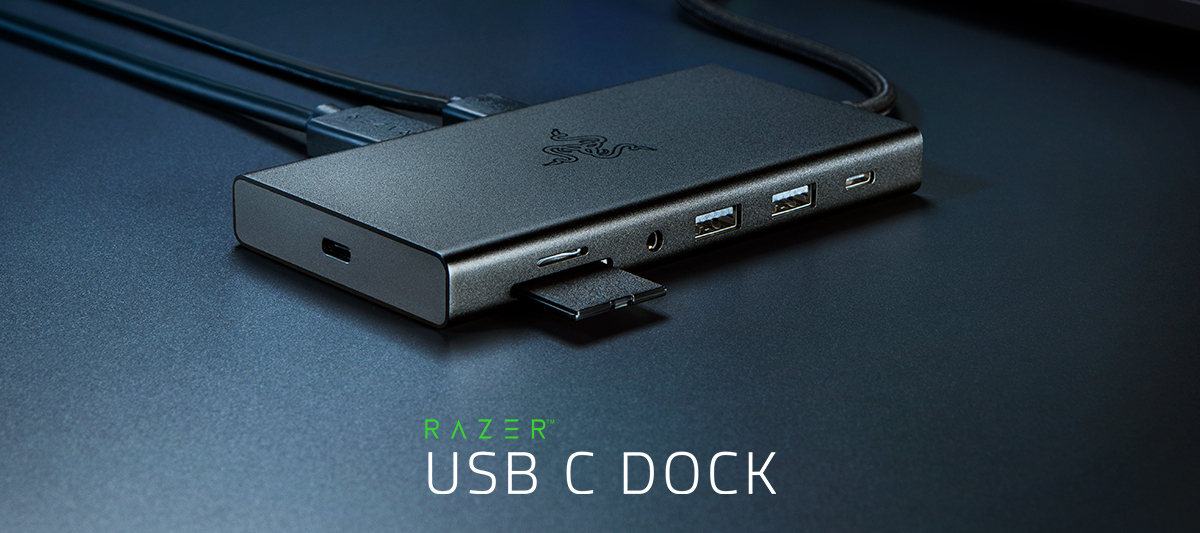
One connection leads to infinite possibilities with the new Razer USB C Dock from Razer CES 2024: https://rzr.to/usb-c-dockFrom PC desktops to mobile Mac setups, link all your devices with an 11-port design for USB C, Gigabit Ethernet, HDMI, UHS-I SD/MicroSD, and more.
I recently experienced the battery bloat issue I've read so much about online. I ordered a battery off of amazon, installed it and the computer booted up immediately.Then I tried to plug it in to recharge the battery but it wasnt recognizing the power adapter and the battery discharged itself and the laptop shut down. Since then I have not been able to reboot the device. The power brick has a green LED light on it but the laptop showed a red light and died. Theres no green light saying it charging. The laptop also isnt booting at all. I read that with a dead battery it should still boot using the power adapter plugged in. But this is not the case. The laptop does nothing.How do i fix this issue? Ive tried the steps on the razer troubleshooting page but nothing seems to work. Is my power adapter defective? It appears to be working fine.Please help.At least let me know if the laptop is trash so I can cut my losses, and return the new battery in time for a refund.
i have an blade 15 base late 2020,i tried to connect two monitors via a TB throught a Docking station,I could get down to two problems that could cause it.1. BIOS / Firmware update When i try to execute the update programm i get an error that its only compatible with a blade ( i have a blade) couldnt find a solution. (Serial Number is in BIOS)2. GeForce Experience Driver in some other discussions i have read that there are issues with newer gforce drivers so i downgraded to 512.59 still doesnt work.in Advance i’ll thank for everybodys help
What is the recommended thickness for Thermal Pads used for CPU, GPU & Adjacent Chips? A lot of research has come with 1 & 1.5mm for CPU & GPU without a definitive answer. Would love some clarity on it
HelloMy system is blade 15 12800h 3070ti.I’m unlucky to buy 2022 model. Cause 2020, 2021 (after bios editing) and 2023 allows undervolting, but 2022 - don’t.There are overclocking lock & undervolt protection. Cpu runs 2400-2800Mhz 1.1v, heats to 100°C and use all of TGP. Laptop is useless without voltages customisation, even after repaste and with cooling-pad.For example, my desktop cpu 12900k needs 1,1v to run 5200 all cores.I implore you, can you please make a BIOS that unlocks undervolting? This is strictly important to me. Don’t want to buy another vendor’s laptop. I agree to refuse my warranty. I don’t need it.I will respect you. And a lot of other 2022-model users too.
My 2018 advanced blade had ssd replacement, the shop did a fresh win10 install, the laptop has a new battery replacement from razer few months ago, after the ssd replacement the device wont turn on unless you plug it in, afterwards I can unplug it normally, I can put it to sleep, hibernate, shut down whatever then it’d work normally, however if I keep it unused for an hour or so and try to wake it up it wont do it unless I plug it in again.Any idea what could be the problem?
So the Razer Blade 15 2019 Base Edition, supposedly does not have per-key RGB lighting, and normally you cannot select each key but only the entire keyboard color. But now I have the New Razer Synapse and New Razer Chroma app, and after downloading a Razer Studio profile from the internet, I can now control every single key both in that profile and outside that profile. Granted, You can see it bleeding in to the surrounding keys, but on the wave thing it is PERFECT. So does this mean that razer just has a system glitch? I have also been able to control it from razer visualizer in the past, but now i can just control it from studio.
Is there a guide on laptop colour profiles for razer blade 16 OLED (2024)? There are quite a few options and its confusing. Which should be used by default?
I’m looking forward to getting myself a blade 16 to replace my old zephyrus duo. For the 2023 model, I’ve heard several issues about different batches of the miniled panels(either auo or boe). Does the 2024 model receive any miniled panel updates? Also I’ve noticed that miniled is the only option if I would like to go for 64/96 gigs of ram from factory, does that mean the oled panel is inferior compared to the miniled panels?
Just bought a Razer Blade 16 Mercury w/ 4080. It is an art piece except for the annoying fan sound due to high CPU temperature. Saw some posts on Reddit claiming that replacing the thermal paste helped to reduce the CPU/GPU temperature. I wonder if I do it, will the warranty be spoiled?
About four months ago, my Razer 14 2022 (RZ09-0427) wouldn’t power on, so I contacted support and they suggested sending it in. It was out of warranty, but I had no idea what else to do (Case # 231001-001879). It was diagnosed and I was informed it would need a new system board, but “the repair center has consumed the parts required to repair your unit with no foreseeable date for parts supply”. They offered to replace the unit with an identical model for about the price of a refurbished one (~$1500). It seemed like a lot, but I really like the laptop and went ahead with ordering the replacement.The new model was working fine, but now I’m experiencing the same issue and it seems a lot of others are expereincing the same issue too with the same model.What do I do now? If I send it in, it’s likely going to be another $1500, which seems rediculous and who’s to say it won’t happen with the next replacement?
hear me out.Samsung Dex through the Core X!I know it sounds unnessecary. Desktop graphics would be overkill and probably not even compatible with android. But my Core X Chroma is way more than an eGPU for me. It's my plug and play office. I use it to hook up my MONITOR, GPU, mouse, ethernet and printer to my laptop with just one plug.How cool would it be to use Samsung Dex with the same plug!Would it be possible to make an app, that would allow this? even if it just passes the video signal from the phone through the Core X (no performance gain).
Already have an account? Login
No account yet? Create an account
Enter your E-mail address. We'll send you an e-mail with instructions to reset your password.