

























[MONTHLY SILVER] July 2026 30,000 Silver Drawing
-
Recently active
A few days ago my laptop has been stuck at the lowest brightness after I turned it on. I tried updating, uninstalling drivers, resetting pc to factory default. Nothing worked for me. I assumed it may have to do with connecting to an external monitor. Since then my brightness has been stuck at the lowest and I can barely see anything on the screen. Also tried shaking the screen rapidly to see if it was a hardware issue, but it seems it isn't. Assistance would be appreciated. Thanks.
Hi, I have a Razer Blade 15 Advanced (2020) with RTX 2080 Super Max-Q. BIOS version 1.06, running with the original 230W adapter, but without the internal battery (AC-only). The GPU is power-limited to ~80–86W (1100 MHz) even in Synapse “Custom – High Performance” mode. I’ve already updated BIOS/EC, performed EC reset, and confirmed stable CPU boost. Could you please provide the EC firmware for No-Battery configuration that unlocks the full 100W TGP for this model? Serial Number: BY2023M01100380 Thanks a lot in advance! — Martin
I have a Razer Viper V3 Pro and im wondering if there is any way to prevent it from entering Sleep Mode as I want to leave it running over night. Im using Razer Synapse 4 and im on Windows 11.
Hello!So i maybe have a lightly swollen battery on my RZ09-0367 after about 4 years and considering removing it.This laptop is in the legacy list and i can´t get a original battery for it, only 3rd party but at a good price and not the insane value of a razer original part back then.Buuuut….i really never needed it without the psu and was thinking, if i simply can just run it without a battery?Does this laptop maybe need the battery as a buffer or could it work fine like a desktop pc? I mostly only use it for photoshop and some steam games like Forza Horizon 5. I don´t see the point of a battery if i have it never in use with one.I just need a portable pc and mini pc´s back then had not the power i needed.
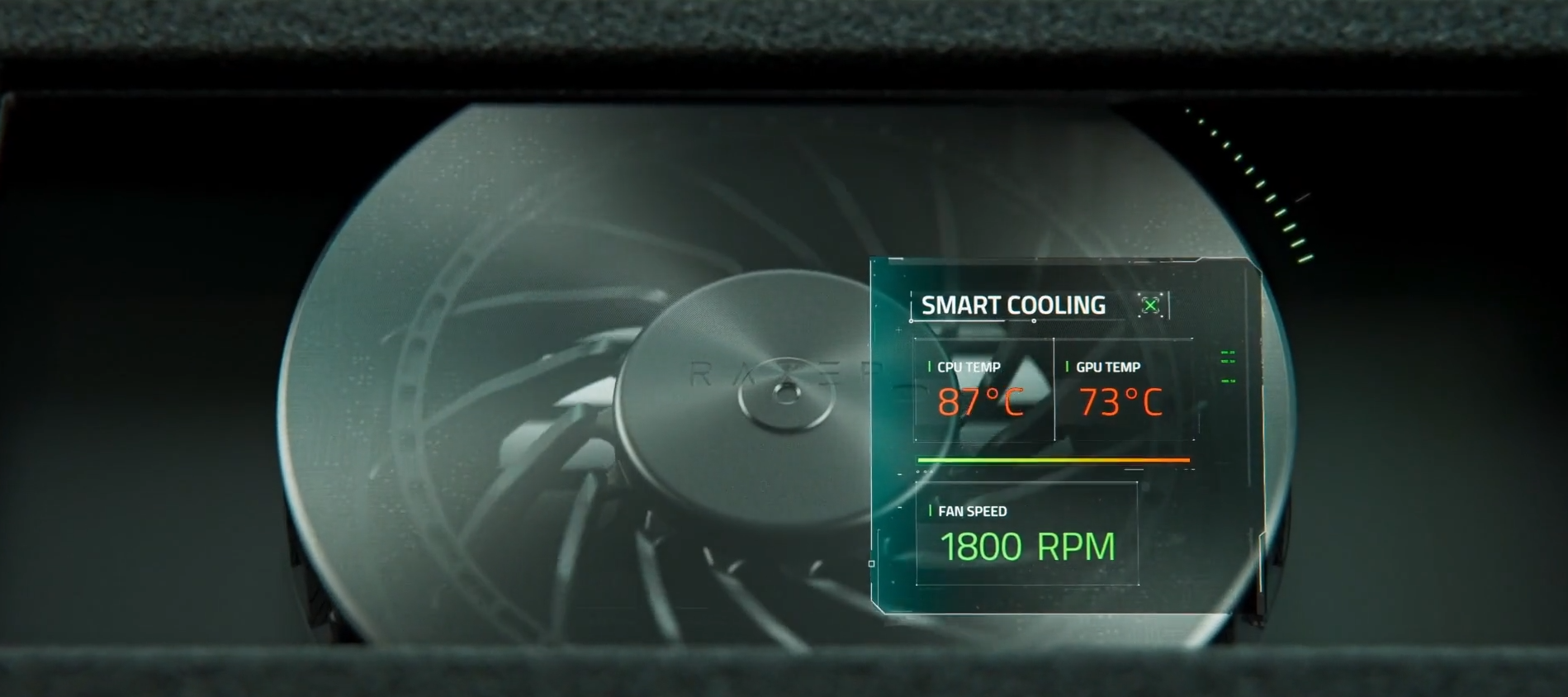
Has anyone had any experiences - good or bad - with the new Razer Laptop Cooling Pad?I know it’s a brand-new product, but haven’t seen many reviews online yet.For those who have it, what are your thoughts? Does it actually cool as good as (or better) than existing alternatives?
What a WONDERFUL couple of days have it been with this system! Let’s start with the positives: this system is very cool for what it provides.The screen is top notch. The keyboard is nice. The form factor is a godsend. When it works - it’s very cool!Then, let’s continue with the sad reality.Razer won’t tell you this on their front page, but there are NO DisplayPort outputs connected to the Nvidia GPU. For some reason Razer, in their mighty glory, decided to wire them through AMD GPU - yes, I mean the DP alt mode. Yes, if you disable the AMD GPU in the Device Manager - the displays will go black. This means that you lose support for G-Sync on any monitor that uses DisplayPort. That means - more than 90% of them. Oh, also say goodbye to any wired non-standalone VR headsets such as BigScreen Beyond, Valve Index and HTC Vive Pro. More info here: https://www.reddit.com/r/razer/comments/1jrozt1/psa_razer_blade_16_2025_does_not_have_any_way_to Synapse 4 is a hot garbage mess that screws up
I ordered and received my Razer Blade 14 (2025) model this month. I have been adding the software I need installed since this past weekend. This will be a business machine, not a gaming system. I know this is blasphemy but I am not a gamer. I run a 3D modeled Industrial Robot Programming software package as a means to perform some of my job functions. I also run Structure Studios VIP3D Pool Design software designing my own future pool. I may parlay this into a side job but for now I have a license for my own use. This software is a GPU pig! I previously was using a 2018 Razer Blade 15 Base and it worked rather well. Thinking I had some sort of GPU or RAM issue while on site back in 2023, I needed a power laptop and ordered an ASUS ROG Zephyrus G15. This serve me fine until the past month or so as it started to develop several strange issues resulting in several blue screens as well as the need to reset the Windows 11 installation a few times as well. About two weeks ago the AS
Hello team, I have an Razer Blade Advanced with a 3080 and I face a big issue for some months now.FPS in games (world of warcraft) are very low and tried Heaven fps benchmark to test my theories and fps are around 50…. VERY low as a friend with ASUS TUF has 120….Windows are fully updated and same for razer software - drivers
Good afternoon! Do I need to install Intel® Driver & Support Assistant (Intel® DSA) on the 2022 Razer Blade 17? Thanks
Hi.There seems to be an issue with my Blade 17 2022. I have the RTX 3080Ti, 12900H, 32GB RAM, 4K/144Hz variant. I'm connecting the Blade to my LG C5 which has full 48Gbps HDMI 2.1 ports (all 4 of them), and I'm using a HDMI 2.1 48Gbps certified cable. So the TV and cable are not the issue. Basically, I'm unable to use full 4K, 120HZ, 10bit HDR with the Blade 17, even though the 3080Ti is supposed to have a HDMI 48Gbps port. I am using dedicated GPU only, no Nvidia Optimus. I've seen a few other people with this issue online and Razer seem to be quiet on the matter. Is there a possibility the HDMI port on the Blade 17 2022 doesn't support full HDMI 48Gbps spec? Would very much appreciate a reply from Razer/anyone else who can help. Advertising the HDMI port on the Blade 17 2022 is misleading as it clearly does not work at 4K/120HZ/HDR/Full RGB. Please help if you can. Cheers!
What is the best Razer Monitor to use for high fps gaming
Hello,I own the Razer Blade 18 with 5090 GPU. After a few minutes of gaming I notice that the palmrest area is getting very hot. I wonder if this is normal because it is very unconfortable to use and I have not noticed this on any other 18” gaming notebook out there?Especially the new Razer Blade 16 2025 which is way thinner does not have that issue.Am I alone or are Razer Blade 18 2025 owners do have the same isse? This is way to hot for my liking
Hi everyone! So I'm using a Razer Blade 15 Advanced (2021) with an RTX 3080, and I’ve been getting horizontal visual glitches/artifacts after gaming for sometime at 165Hz when giving any input like moving camera etc. No crashes or random flickers, just noticeable visual distortion. It doesn’t seem to happen at 60Hz to my knowledge, and not during normal desktop use either. I’ve tried limiting FPS, enabling V-Sync, and reducing GPU load, updated all drivers but the issue still appears. I don't even know what this even is. Not sure if it’s thermals, refresh-rate bandwidth, or early hardware degradation. Would really appreciate any insight from others who’ve seen this. Attaching a picture for clarity. I also have recorded a video but not sure how to attach it here. Thanks in advance!
Hello everyone,I own a Razer Blade 15 Advanced (2021) with model number RZ09-0367x and an RTX 3070 GPU.I need to replace the internal battery but I’m unsure about the correct replacement model. I’ve seen several battery model numbers like RC30-0248, RC30-0369, and RZ09-0367x mentioned online, which is confusing.Could anyone please confirm:The exact battery model compatible with this specific laptop?Where to buy a genuine or high-quality replacement battery, preferably in Europe or the Netherlands?
When will it be possible to buy the Razer Blade 14 in mercury color in Europe?
I use a lot of Blender, Photoshop and Random School Things, My GPU goes into a crashout mode where my display turns black and enter a boot loop sometimes. Does anyone know how to possibly reduce GPU Usage to lower the stress and increase workflow for me? This is what happened, Im doing something when 10 seconds later the whole laptop powers off. Back in May it would usually take a while before it happened (maybe 2 hrs), but now it happens within one hour of Grow A Garden making the laptop essentially useless for gaming, and I'm out of ideas as to what it could be. It has never happened during anything other than games. I got the laptop back in about August of 2018. I am an 3D Modelling student so this thing has gotten constant use between Blender, renderings, photography editing, photoshop, random school things, and heavy gaming usage (several hours at a time). Im wondering if the issue is with the laptop or the apps that i use?
I replaced the SAD of my Razor Blade. How can I create a recovery area at this time?I replaced the SAD of my Razor Blade. How can I create a recovery area at this time?
I consider to purchase a Razer Blade 16Unfortuneately the offer onls “Window 11 Home” as Option. Is it possible to upgrade to Windows 11 Professional on my own (with an Upgrade Key)?Are there any concerns or problems running Windows 11 Professional on Razer Blade 16 (or any other model)?Especially regarding Hyper-V - makes sometimes problems i know.Appreciate any help suggestion.
Brand new cooling pad, razer blade 14 w/synapse 4. Updated firmware on cooling pad per razer synapse, and now guess what?! I can’t use my cooling pad. It just sticks on “initializing” within the GPU/CPU temp boxes and won’t let me switch the thing back to “balanced” now I either have to deal with the constant fan blaring or lay off the PC for gaming (which is not ideal for a gaming PC). I know it’s a wider issue and expect some update to fix it, but it would be great if Razer would at least acknowledge the issue and assure us that we didn’t just burn 150.00…
I just opened up my Razer Blade 17 (2022) (Core i9-12900H / 3080 Ti) to install a second NVMe drive. After replacing the bottom case and powering the computer on again, I noticed the internal video had stopped working. I heard the Windows startup chime and was able to connect the laptop to an external display. The system is working normally, other than no longer being able to detect the internal display.I suspect I inadvertently knocked the video cable loose from the motherboard, but none of Razer’s support documents and I’m having a hard time locating the port myself. Can someone please point me in the right direction so I can try reseating the cable?
Why can you select the rpm of the fan on the Balanced mode, but when you are using the Custom and max out everything no? The fans in fact slow down so temperature rises too much. The model of 2023 has the option to activate the fans at max speed for the Custom profile, why the models of 2022 dosen’t have it?2023 model:RAZER BLADE 15 2023 Model2022 model:RAZER BLADE 15 2022 ADVANCEDThere is no way to overwrite the firmware so when custom is selected allways rises to 5200rpm right? Is there plans in the future to implement that feature of 2023 models to 2022? Thanks.
I have had to re-install windows (11) on my Razer Blade Pro 17 (2019 model, RZ09-0287x) due to a failed/botched Windows Insider update.Everything is now more-or-less working, but I am still missing drivers for a ‘Base System Device’, which is: Intel Corporation - JHL7540 Thunderbolt 3 NHI [Titan Ridge 2C 2018] PCI\VEN_8086&DEV_15E8&SUBSYS_30001A58&REV_06I have installed all the drivers from the Razer support download page for my razer model, including the Intel chipset drivers, but the driver for this device is still missing. Similar reports for this missing driver for other Razer laptop models seem to indicate that this driver should be available from Razer (and in the intel chipset drivers), but this does not seem to be the case for my Razer laptop. I have also searched the internet and cannot find a driver for this device (just one for a similar card but for a HP laptop).Does anyone know why this driver is not included in the Razer driver downloads, and where I ca
id device not showingplease help
Hi everyone,have graphics errors with the new Razer Blade 18 2025 model and captured them on a video:https://streamable.com/zuqnmfAs long as only NVIDIA is active, everything works fine. As soon as I activate the Intel internal graphics card, they come right back.I have already updated drivers, cleaned NVIDIA and INTEL with DDU in shutdown mode. Uninstalled and reinstalled Razer Synapse 4 but unfortunately no chance :(
Already have an account? Login
No account yet? Create an account
Enter your E-mail address. We'll send you an e-mail with instructions to reset your password.