



























[MONTHLY SILVER] October 2026 30,000 Silver Drawing
-
Recently active
I want to install 7.1 surround sound but my computer detects it as speaker so i cant select the output device. does anyone know how i can select it as a headset?
Do you remember the Razer Edge gaming handheld for Android, and what are your thoughts on it? Also, what's your opinion on the Steam Deck, which shares a similar concept of a portable gaming device for PC gaming?
Hello, I have had a problem with the Razer Ornata keyboard for a week, in CS I noticed that it has some delay, when I haven't used the A key for a long time, the character moves to my left, when I want to crouch, it crouches longer than I wanted. Yesterday I somehow managed to click everything in order and I fixed it until the next computer restart, but this time I can't deal with it anymore.
Is it possible to disable the touchpad on the Razer Kitsune in PC mode? I keep accidentally moving the mouse cursor or getting mouse cursor clicks from accidentally tapping on the touchpad when I’m trying to hit the Options or Share buttons. For example, I had a fighting game open in windowed mode, and when I was in training mode, I would reach for the Options/Share buttons often to open the menu or reset positions. Doing this resulting in tabbing out of the game due to an accidental touchpad tap several times, which was very annoying. I never use the touchpad for anything on PC so I would like to disable it or at least disable the tap-to-click behavior. I couldn’t find any option to do so in Steam either.
I’m curious if Razer or anybody knows if Razer has plans to create a new mouse with the specs and look/feel of a Razer Basilisk V3 - Pro but has the two additional mouse buttons of the DeathAdder V2 X HyperSpeed on the top left of the left click button?
Is it just me, or does the newest versions of the Hammerhead Earbuds/In Ear not look as classy as the more matte look of the classic 2019 version of the earbuds?
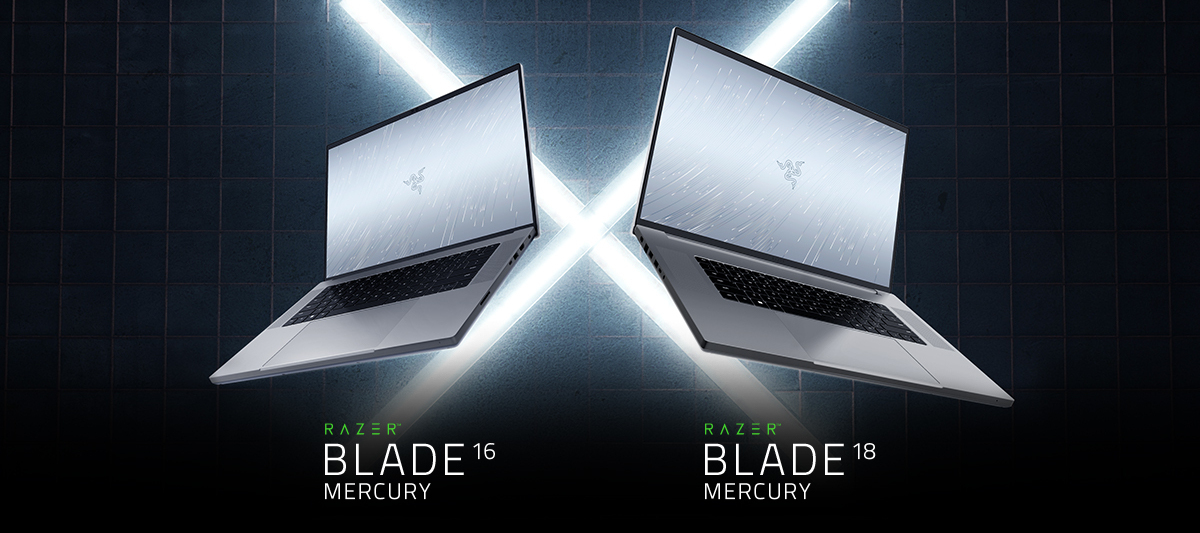
I just received a “new” blade 16 as a replacement to my last one. My last blade 16 ran up to 107c. My “replacement” hit 104c after about 20 minutes of gaming. It doesn’t seem Razer has an actual fix. They were concerned enough to replace my blade, but then replaced it with a new blade with the same problem.Can Razer solve the heat issue or do I have to take matters into my own hands?Does your blade 16 heat up in the same way? Note: I elevate the back of the laptop, fans run on full. CPU is on boost to enable fans to run on high, and gpu is on high.If I have to back off performance because factory cooling can’t cool the laptop, i’m not sure the purpose of this laptop.
I’m running my Windows Boot Camp partition using VMWare Fusion on a Mac. I can launch Synapse 3 but it doesn’t see my Naga Pro mouse. I’ve tried the USB Dongle and Bluetooth. If I reboot in Windows using Boot Camp there’s no problem. Presumably the issue is that the mouse is available to both Windows and macOS and Synapse can’t see the mouse. Am I missing something obvious? Any suggestions?
Bonjour, voilà j'ai acheter il y a peu des écouteur Razer hammerhead true wireless pro , connections bluetooth au téléphone aucun problème mais par contre avec l'appli Razer audio impossible de détecter les écouteurs , peut t'on m'aider svp
Hi there community Can you customised the Razer Viper Mini mouse?Ect. the shell of the mouse or the body of the mouse?
Hello everyone, I just recently got a razer basilisk v3 pro, loving the mouse, but I am wondering if is possible to have it connect to two different USB Hyperspeed dongles, not at the same time. In this scenario I would use as follows:Morning, on my work computers USB Dongle 1. Evening, on my personal desktop USB Dongle 2.I saw a page where I could buy dongles, but I was not sure if mine was there to be honest.
有人知道這個電子元件的名字嗎?
bonjour j’aimerais crée une macro avec mon ornata v2 sauf que quand je la crée et que je l’active mon pc deviens fou et commence a beug j’aimerais de l’aide pour faire sa proprement merci de votre aide et de vos réponse si vous avez des tuto ou quoi assez simple pour m’aidée
Dear Friends, I've located and obtained some cables that allow you to extend the 10-PIN Mini DIN cables for the Razer Nommo Pro speakers from the subwoofer. https://www.kraydad.com/razer-nommo-speaker-cables/ Thanks, Reais_52
First of all, hello. The LED on my mouse scroll wheel started to glow only blue. Can I get help on this?Thanks.
Had my adder for about 6-7 months now, I started noticing it stuttering a month ago at first. I was using an artisan Hien as my first pad, which i had for about 3 ish yrs, so i figured maybe it was the pad. But, now with my artisan zero, I am still having the same issue. It is usually where I have my wrist (where I sweat). The only problem is, the 2 wired mice I have (death adder and g502), both work with hrs of playtime. I notice this on multiple games so it probably isn’t game software. Not what else I should try.
What are the key features and advantages of Razer headphones compared to other gaming headphone brands
I have a problem. I dropped by mistake my razer airpods case in the toilet(razer hammerhead tws x). I took it quickly and I cleaned it. Since then it has a blue light and it doesn't turn off. Does anyone what the blue light mean and what I have to do?
I mistakenly scratch off some codes from the back
I have a Razer Naga Pro with Synapse 3. I was wondering if it was possible to assign multiple modifiers to a single button. For example pressing a button simulates Ctrl + Shift. I have tried to assign that to a macro but I can't seem to get it to work properly. Either the modifiers persist after the button is depressed, or they stop working before the button is depressed. Pressing two buttons that have each been assigned to Ctrl and Shift respectively works perfectly but I would like it to be assignable to a single button.
Hello , my mouse is 4 month old and since yesterday it wont charge / detect when i plug the cable into the mouse. Tried to clean it up and change cable ; nothing worked. I’m pissed since i really took care of this mouse , and it’s been only four month it’s already not working.
I wasn’t undervolting today, but I just received a new cpu cooler this afternoon and wanted to see the possibilities. I installed the bios released yesterday when Synapse notified me. I’m dumb and didn’t read bios notes.I couldn’t find undervolting options in synapse and then checked the notes and razer took away undervolting.Anyone know why? It doesn’t look like I can get and downgrade to an earlier bios so I guess i’m stuck.My temps are pretty toasty and I was hoping the fan/undervolting mix would help. Bummer.Here’s my current temps with max settings, and a laptop cooling fan on max. averages are ok, but those spikes…..
Click on start and type the word “power” and “Choose a power plan” will appear, however, only the Balanced plan is visible.Click on Start then settings, power & battery, there are more options including best performance.Viewing CPU performance in HWinfo, the cpu likes to throttle down to 798mhz. This looks to me the cpu is following the “Balanced” plan and not the performance plan.I’m wondering which one is really controlling the power scheme.Anyone know?
Hi, yesterday i noticed something while i was playing fortnite on my razer blade 15(rz09-0328) 2020 base model i noticed that the icon in windows that shows that the device is charging was going on and off, it kept going until i closed fortnite, so i found out that when the power is underload it was doing this, then i shut off my laptop and listened to the transformer inside of the adapter it was stable but when i but it under load it was pulsing 0.7 second in between. so i did these :*checked for overheating which was normal on epic setting on fortnite : gpu 77,cpu 83*unpluged all usb’s, hdmi port extenal hdd etc. the moved to a diffrent place with a diffrent socket *tried to update all things but nothing came up*i read this but nothing helped me no EC update for the base model *trying to position the plugs/cables good so i made sure that no port was not in place/loose im sick of it, it only happens when im putting it under load all my cables where rated to 10A 210-240Vi have the plu
As far as I know no-one else has had this issue. What happens is whenever I press a key on my Ornata V3 X it pops up a different key. ex: s=a d=s a=Tab z=d c=x n=b m=v. then there are some that just don’t work at all. like X B the backspace key. I need help to figure out the problem. I love this keyboard and want to keep being able to use it.
Already have an account? Login
Enter your E-mail address. We'll send you an e-mail with instructions to reset your password.