

























[MONTHLY SILVER] August 2026 30,000 Silver Drawing
-
Recently active
Just bought the new Razer Black widow V4 pro today upgrading from the non pro version and am a little upset to find that the 2.4 GHz function does not work at all. I don’t know if another product may be causing issues with this, but I tried pairing the keyboard through my basilisk hyper polling dongle, it says that the device wasn’t discovered or registered.I’ve already uninstalled and reinstalled synapse and tried to remove and install and drivers still left over. Plugging the included 2.4 hyper polling dongle from the Black widow does absolutely nothing in synapse or give me the change to try to pair. Works with Bluetooth, but not ideal for gaming. Please help. I’ve tried the separate pairing utility but the app does not include the new Black widow keyboard.
Hello guys! curious, how long lives your battery on Blackwidow v4 Pro 75%? mine board can work on 2.4 mode on 1000hz polling and 35% Oled + 50% keys brightness only 8-10 hours of using. between other brands its extra low, as for me.
Anyone one experienced any such thing where this keyboard was used only for gaming like RDR2 or COD WZ and it had stopped charging all of a sudden with only 5 months of use ??? Tried charging with other usb c cables and other computers (my laptop) but didnt work. It just keep on showing 1% charging and doesnt go up.
I tried charging it for a day but nothing happened
i want to use snap tap with my base model of huntsman mini, what does it even do?
My PC wont boot when my chroma HDK is connected.Worked just fine until I updated bios to 3057.Asus B650E-I, 7900X3D, 7900XTX.If i connect it when PC is up and running it works.Tried with Synapse 3 and 4 and it works just fine in both.Any advice how to solve this? BR /m
OTP sms error. can't receive any sms messages. network signal seems fine, been 2days looking solution for this problem but there is no any :/
Hey, Just wanted to see if anyone has a fix. I recently updated to windows 11 and I have razer kraken pros and use the older razer synapse version 2.21.24.41 for my audio for Fortnite and it is amazing. But after updating to windows 11, there is no audio coming out and when I turn it off and just do normal audio to my Speakers (Realtek USB Audio) the audio is low and sounds like its underwater and I don't like that its unplayable. The picture attached below is the settings That work on windows 10 and the audio is perfectly clear and everything. Any fixes to windows 10 with the same settings? I just want the surround to work on windows 11 as how it is on windows 10.
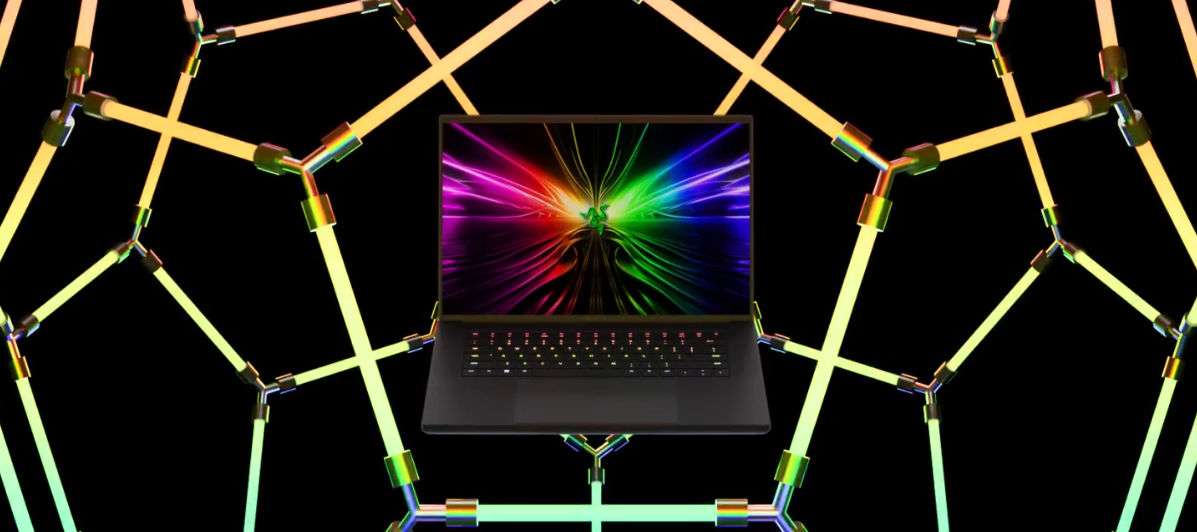
Design. Performance. Reimagined. Meet the new Razer Blade 16 x Automobili Lamborghini Edition: https://rzr.to/blade-lamborghiniFeaturing an NVIDIA GeForce RTX 4090 GPU and 13th Gen Intel Core i9 HX Processor, experience high-octane performance housed in a custom CNC-milled chassis. With only 150 models available worldwide, be among the select few to own this supercar-inspired gaming laptop.
How can you disable the sleep key, when i press FN + Z. I accidentally do it a lot as i have a function i use for map editing and i confuse it sometimes. Closes out everything.I tried changing the power settings and having sleep do nothing but the keyboard still puts the PC to sleep so that doesn’t work. I’m not pulling the key off as i need the Z key. Looks like a ton of people have this issue and razer just kind of said, “oh well, deal with it”Anything else i can try?
Hello, Razer support, please help me. I just topped up my Razer gold. And I need an OTP for my phone number, but the phone number I listed is one that I haven't used for a long time. Can I change it again? With a new number? Please help and cooperate. I have done the steps listed on Razer support but have not found a solution that allows me to change my old phone number to a new phone number.
Hello support team, i have a quick question regarding the caoting of the DAV3 Faker Edition and the smooth touch version. Do they have a different coating or is it the same? Thank you in advance I wish you a great week Tarik Abo-Hegab
When i join a friend or if he join me on a room on Discord PC, the Blackshark stop my game audio to only let the Vocal.When he leave the room (and not me), the audio comes back.Why I can’t got Vocal and Audio from the game simultaneously please !? We need to use LoL vocal tchat and it’s not the best so I really would like to repair that.
Hey! I have a Big problem with my Wolverine v3 TE.Problem is that my Sticks are automatically changing. Sometimes works fine,than just self changing and not reaching the outer Zone.Sometimes are both just stays at the Top or Bottom corner.With these playing with this controller is not on option.I hope you can fix my problem,when not I will return my Controller.Because thats a Joke.I own this 3 days already but i havent got an 1 hour gameplay without Problems.Whats going on ?I have uploaded to Drive my Pictures and Videos from this Controllerhttps://drive.google.com/drive/folders/10J0nn95otCYgDYOO9gLk9YvjN9Nm-jjJ?usp=drive_linkThanks for your advice
HelloI have just bought Razer Deathadder v2 pro with charging dock. When connected via cable, the mouse works flawlessly. However, when I connect the adapter to the charging dock and USB directly to the motherboard, the mouse does not connect to the computer. There is a loop sound of the USB device connecting and disconnecting. I have downloaded and reset all drivers, but the problem still persists.
I received my hyperspeed xbox in the mail yesterday 7/11/24. I unboxed and tested with my phone and my xbox. It had audio issues with the xbox after 10min. I then went on my computer to do the firmware update to see if that would fix the issue. After the update only one ear buds would connect to my phone s23 ultra and the other would go into pairing mode. Placing the one that wouldn't connect in the case would solve the issue, however I could only increase the volume and the mobile app won't connect to them anymore. I've tried on two other android phones and have the same issues. I've confirmed that both ear buds updated. I've put both in pairing mode and tapped four times and held until they've both beeped twice. I've factory reset. Nothing seems to correct any of the issues. Any advice? I like the sound on this headset so I'd like to have fixed versus just returning them for a refund.
Hello, ive been using this mouse for a year and recently the middle button click suddenly stopped working. Ive tried to reset on synapse and tried on different devices and still not working. Scrolling is just fine but not clicking. Any solution?
Purchasing of Razer Gold gift cards
Hello,I am thinking of investing in a stylus to acompany me in my studies.Can I use an Active Stylus pen (e.g. ASUS Pen SA201H, or any Universal PRECISE stylus that can connect to my blade) with my Razer Blade Advanced model 15" (2021) rz09-0409 (UHD touch screen)?I have searched a bit into it but cannot stumble upon anything informative.Thanks, have a great day.
This is my personal experience and im not a professional. This is for people who want to lower the temperature but keep good performance Since i got the razer blade 14 about a year ago, i’ve had a great experience using the laptop. Although the screen is a bit small for hours of work. This laptop is super powerful to the point where i dont see any difference in performance compared to my main desktop computer. The only issue that comes up is high cpu temperatures while playing pretty much any game. The way i fixed this issue for myself is as follows: Lower the screen resolution for all games to 1920x 1080 (no noticeable change in quality) and set fps limit to 60. With 4k res u get higher sharpness but its really intense on laptop. You can set higher fps on competitive games. But dont set it to unlimited. Nobody needs 400 fps. 2. Manually setting fan speed (depending on the task) using razer synapse 3. Using Ryzen controller to limit the CPU temp to 70 (what this does from wha
The barracuda x chroma is compatibility with tempest 3d of ps5 ? Thx
I have a Blade 15 (2023). 13800h, 4060, 64GB RAM. It has started to freeze intermittently and become really hot to touch when gaming.I recently was playing WoW classic and GPU was getting up between 75c to 80c. Not hot for this laptop but I wouldnt expect it to heat as much as it has for such an old game. I set the graphics to as low as they'd go to look for an improvement and got none.I have an Asus Zenbook 14 for work. I9 ultra 185, integrated GPU, 32GB RAM. I installed it on this to see if I can get the same temps but the system ran cool. Fans barely came on. Installed on my steam deck and little to no heat build up also.I am on the original factory image and updated to last available stable patches in windows.Any help or pointers appreciated.
What do you guys think of these 2 mouses? Every razer product i bought, I didn't have any problem ever. Now I use deathadder for FPS and basilisk for MOBA.
Hi all. Does anyone know of a way to increase the range of a wifi headset, Black Shark V2 (2020) in my case, without running a cable from the computer to move the location of the dongle? Is there a Wifi extender out there that will work with devices that aren’t on the network? So far I haven’t come up with anything which amazes me. It would be great to be able to get more than 20 ft away from my PC without losing signal.
Heyy peepssss.. I need your suggestion pleasewww :-)
Already have an account? Login
No account yet? Create an account
Enter your E-mail address. We'll send you an e-mail with instructions to reset your password.