





























[MONTHLY SILVER] September 2026 30,000 Silver Drawing
-
Recently active
I wanted to post in the Suggestions forum, but there was no "New Thread" button there? TL;DR :: Suggestions listed below, scroll down. Anyway, I have some feedback about the Audio Mixer. It assumes a lot about a person's set up and actually ends up bottle necking more than it helps combine. My set up, for example, is probably a typical, but not particularly complex. I have a PC from which I run an HDMI to a Sony AV Receiver, which powers my surround sound and my 55" screen as a large, tertiary monitor for streaming (it's perfect for having multiple windows open at once snapped to the corners). I use a FiiO DAC to power my headphones. So, functionally, I have two audio outputs that have independent volume control. In Windows, my System audio outputs to my DAC, and I have my browser mapped to my SONY AV in the Windows Mixer. The volumes are output at 100%, whereby I use the AV and DAC volume dials to control the levels that *I* hear. Inside of OBS, the primary audio output is set to
Just picked one of these (165Hz version). Despite the mixed reception with reviewers I really like the monitor, both the design & image quality. Also love the unique cables but what's with the super short USB C cable? Longer please, Razer, or at least provide a longer version in the store :)
Hey, I want to get a new keyboard. My Blackwidow v2 te(orange switch) is getting old. I was wondering if the Huntsman v2 or Blackwidow v3 is generally better? It also looks like orange keys are no longer supported Tweakbox. Should I get Opitlcal red, optical purple, Green, or Yellow switch? Which is most similar to oranges? I have only tried mx blues(too loud) and orange switches.
Whats your opinions on war thunder, do you personally play or know anybody who plays it, what was your experience like, do you think its worth spending money on the game? Anything you want to see them add or fix?
Hey there, recently I bought a Razer Viper 8k but the first time when I plugged it into the computer - a desktop pc, MSI MAG B550 Tomahawk motherboard - nothing happend, no Windows Sound, no Mice Symbol on Screen nor RGB Lightning at the Mice itself. So I took the Mice, turned it arround and pressed on the DPI Button and suddenly the Mice turned on and Windows gave me the USB Plugin Sound. I quickly tried to update the Firmware which I've downloaded from the Razer Homepage and after I've done so, I've switched immedietly to Synapse and everything seemed fine to work. But after a PC restart, the same problem again. After I configurated the USB Device Energyrules, I also recognised that the Viper 8k is shown as "HID-Complient Mice". That was quiet curiouse to me, cause I was used to see my old mice - razer basilisik - by it's product name and not as a HID-Complient Mice, but anyway, nothing really helped out so far. The Mice is working for a uncertain time before it starts to drop off th
Hi. I wanted to ask you - when do you load your mice and how often. It used to be said that the battery should be discharged almost to zero and then charged and preferably not fully charged. Later, something changed and it was claimed that it was best to recharge the batteries more often, as long as not to discharge them. How is it with you? Are you waiting for the battery to die and then connecting to the power supply or maybe connecting the mouse after finishing the game / work?
I think this is the best all around brand thoughts?
Why does the software that I need to run my mouse and keyboard serve me ads? Not only that they are for one of the worst scummy "games" raid...
Hi there. I'm using a new Cynosa on a work laptop that I cannot install the Razer software on. I was looking for a way to stabilize the pulsing color rainbow effect. I saw some articles about using hotkeys to do this, such as at https://mysupport.razer.com/app/answers/detail/a_id/5452/~/how-to-cycle-through-onboard-quick-lighting-effects-on-the-razer-keyboard%3F However those don't seem to work for the Cynosa and I cannot locate any materials that cover how to do this. Any help would be appreciated.
Hello All, Just purchased this Razer Nabu Watch and I cannot get it to Sync with my Motorola Razr 2019 (Gen1) (Android 11)(up to date as of May 1 2022). I tried Syncing using both: -Nabu App -Nabu Watch App Both by Razer Inc. The Phone can see the watch and Vice Versa.The Phone can pair directly to the watch using the bluetooth menu. Both Apps can find the watch Both Apps can request the pairing code from the watch (4 digit code) Both Apps fail to sync. I am getting the feeling that this watch and app were written for Apple users as opposed to Android. I have seen other people have success connecting to another phone and sync then have the watch connect to their original phone and it should work again but this answer was found from 2019 ... so ... ancient history in the internet world. Has anyone had any success with the Nabu Watch connecting recently?
I would like to bind keyboard shortcuts to Razer Naga numpad buttons such as: - Win + Tab - I was able to map this from the "Windows Shortcuts" menu in Synapse - Win + Left - Win + Right ...but Razer Synapse is not recognizing the "Win" key. Any tips as a workaround?
I have noticed that I'm unable to use some keys together for example TAB and W + A, I can only use TAB and one key only. it's not only with tab it's with other keys too. I bought this keyboard yesterday(cynosa lite). Is there a way for me to do something about this?
Hi everyone! I got a rly strange problem with my Razer ripsaw HD. While im streaming, in some games that im playing there appears a flickering. BUT, if i just swipe a little more to the left or right with the mouse, the flickering goes away. And in some Games the flickering is just going crazy. Sometimes even in some Browser websites or Desktop. (Depens which Wallpaper is coming) Im streaming trough OBS. Does someone knows how i can fix that ?
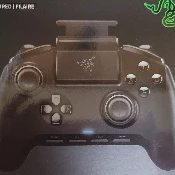
I own a Razer audio controller and I was wondering if there was/someone could make a script/mod/plugin that adds the possibility to add key binds that use Razer Audio Controller buttons to work (like muting your mic or your headphones),
Configure microphone connection, set, or customize a mic equalizer preset, adjust other features such as background noise suppression and microphone input modulation through Razer Synapse 3. Please note that any damages caused by upgrading or modifying your Razer product are not covered by Razer's Warranty Policy. For more information, see Razer's Warranty Policy. Visit the Support page: Razer Audio Mixer | RZ19-03860 Support - - - Insiders, what do you think the next Support video should be? Comment with a topic. Great suggestions will be rewarded with the repeatable "Nice" achievement. Also, for every 20 comments on this thread and the YouTube video, I'll be giving away a random "Great" Achievement. Insiders, be sure to leave your Insider ID in the YouTube comment to be eligible. Lastly, for those of you who subscribe to the Support channel, we'll be doing massive Silver giveaways for each milestone, so be sure to tell your friends, smash that like button and subscribe to the
I want to say that Razer Viper Ultimate is a brilliant mouse. Really like it’s shape and look. There is a new version of Viper in stores now - V2 Pro. I wanted to buy it, but in fact this will be partially upgrade, on the other hand - partially downgrade. I don’t mind RGB. I really like that V2 Pro is for right-handed, because I am. This is main benefit of a new version (take a note that is for me, a right handed user). I like there is true white version. And I like that it is even lighter router login. BUT it is lack of a dock. In Viper Ultimate it is a lifechanger for me. So I just wonder, is there any hope in the future to get a dock charging in Viper V2 Pro? Maybe there is coming a new revision of the mouse? I love all of the new version except there is no dock option. If not, maybe there is a mod for a Viper Ultimate that removes a right side buttons? These are pointless for me (buttons are disturbing under fingers and adds unnecessary weight, even if it’s 2-3 grams).
Started today, cleaned the sensor, uninstalled, reinstalled synapse. uninstalled drivers, rebooted computer. Nothings working, y axis moves perfect, if I jerk the mouse around the mouse pad real fast i can get it to move from the top of the screen to the bottom or vice versa. nothings rattling on the inside. it stated with a random slight jerk up on the cursor. but after I started fiddling with it to correct the issue I am now at the point I am now where X axis is next to useless.
Hi, My raiju te suddenly lost connection to ps5 and i cant pair it any more. There is a (? Razer Raiju) on scan list at ps5 accessories but cant pair. It says that is not supported. Ive played with razer from ps5 realese date. It has latest firmware on it. Any help/suggestions Thnx
Spring sound coming from dpi keys https://vocaroo.com/1jYCO10kLNUg
Hi, I started having an problem with my Razer Kraken Tournament Edition headsets. At first everything worked fine until I left my pc on sleep. When I woke my pc from sleep headsets stopped working, I could go to any profile they would not work, no sound coming from them. Tried with my regular speakers and it seemed like the sound works, if I tried switching my playback from Razer (THX Spatia 10.0.0.0.1l - Synapse) to Game or Chat I would get my video player crash with a message " if playback doesn't begin shortly try restarting your device ". Solutions I tried where reinstalling Synapse didn't work, unplugging and plugging it back didn't work, switching to different pc would make them work but it would happen again after putting it to sleep. Only working solution was restarting my pc every time it happens.
Hey, So my old microphone decided to die, So I'm in need of a new one. First thing that popped up was a Razer Seiren Emote going for around 50$ In Hungary. I'm not a streamer, not planning on streaming, but the Audio quality doesn't seem to match anything in this price range. For example the Razer Seiren X https://tutuapp.uno/ (which is supposed to be cheaper in the US?) Is around 93$. So... Should I buy it? Is downloading the razer streamer companion app necessary? Thanks
Are the LEDs capable of a true white or the usual blue-ish white that pretty much any other RGB keyboard does? Does the Huntsman V2 store profiles on-board or is it necessary to run the Razer software always?
I wanted a headset base for my Kraken TE. Placing my headset dead flat on my battlestation, just felt empty. Like a piece of painting that lacked the colours. This is my story............ Enjoy~~~~ So I wanted a headset stand. At sometime in end of 2020, I found about Base Station Ver 1 in RAZER Silver redeem rewards and my instant goal was just that. Unfortunately all black base was out of stock in AP continent; I was waiting and waiting, but no updates from RAZER in restocking the AP continent. I was carrying on spending countless hours of investment towards earning Silver. Until at sometime in Jan 2021 the Black Base Station Ver 2 was on RAZER Silver redeem rewards, but I lacked few thousand Silver. So very hoping that this does not go out of stock when I reach 70k. But guess what, it was out of stock! I was furious!! Even RAZER.com was out of stock in AP continent!! You could imagine, spending countless hours investing your time and efforts towards a goal and when that time ar
The game's not over till we say it is. Whether you've been missing out or joined in halfway, we've extended our specials to help you secure that late game comeback. Shop Now >
Hello everyone, If you can recall, I had issues with the dial, as did others with the same or other keyboards, and I tried a some what odd, but doable solution. Ref /possible-fix-for-volume-dial.81637/#post-797741 This is the thread Anyways, it seems that it may not be the physical keyboard. I had to do a fresh install of Windows and started downloading, installing, etc. Now before I installed Synapse, I changed the volume just out of the blue, and wouldnt you know it, the volume scrolled very nicely. I mean no skipping, no crazy volume up or down, it kept up with how fast I was scrolling, etc. It was awesome! This made me curious to ask the question, is it my Ornata V2 fault? or could it be software related. Well, I reinstalled, updated and restarted after installing Synapse, and womp whaaaa. The issue is back! I uninstalled immediately and, voilà, it worked perfectly. This tells me, something is very wrong with Synapse. What kinda makes me a little upset, is that you guys ditch
Already have an account? Login
No account yet? Create an account
Enter your E-mail address. We'll send you an e-mail with instructions to reset your password.