






























[MONTHLY SILVER] November 2026 30,000 Silver Drawing
-
Recently active
Hello,Serial number: 632110H15905544My DeathAdder V2 Pro will not enter Bluetooth pairing mode, so I cannot pair it to any new computer.What I observe:1. The documented pairing combo (both side buttons + DPI stage up, held 3 seconds) has no effect. I have tried it many times, including while toggling the bottom slider BT → OFF → BT with the buttons held down.2. Windows and Android never show the mouse in their pairing screens at all. macOS does list it under nearby devices, but connecting always fails. Since macOS lists any advertising BLE device regardless of discoverability while Windows and Android only list discoverable ones, this shows the mouse is advertising but never actually becomes discoverable — it never enters pairing mode.3. The mouse originally lost Bluetooth after I removed it from a Windows laptop in order to pair it to a Mac mini. It then refused every host, including the laptop it had just been removed from.4. It currently works over Bluetooth again, but only because
$179.99 if anyone is interested.
Can't create a thread
So I use many Razer products (unfortunately) and I like my Tartarus pro for KB/M. It also has a useless xbox 360 controller driver in it, but no on board memory.ANYWAYS, I use a DualSense controller. And I prefer PS inputs on my games, some let you change it manually in the settings, others automatically read.... The Tartarus Pro. I can't set controller order and I can't disable the feature in Synapse. I HAVE TO disable the xbox peripherals in the DEVICE MANAGER.Well, I recently bought the Kraken V4 Pro... And disabling the XBOX CONTROLLER DRIVER BREAKS THE KRAKEN V4 PRO. It reads it as an "Unknown USB device." I REPEAT, YOU NEED THE XBOX CONTROLLER DRIVER ENABLED TO USE A FUCKING HEADSET... I am so glad I got these second hand, but it isn't even worth half the price they are trying to gouge from me.Your software fucking sucks, dude.
Thank you so much Razer!I’m saving up and hoping the Sneki Snek plushy gets rotated onto the silver store!
I have been using this keyboard for quite a while and it was fine until it started double typing some keys. Now everytime i click most keys just once it will type it 2-3 times. I have tried cleaning the keyboard fully (taking off the keycaps) and i have also tried updating firmware, reinstalling synapse, closing all razer apps, and using it wired. I also plug dongle/cable into motherboard usb port directly. Please help.
не могу зарегистрировать продукт , пишет обратиться в поддержку , продукт только купил , активацию не проводил .
my big problem is otp not getting ever time ever dy sem parbolem piliz check and solve this issue rejar gold team
I can't register the product , I write to contact support , I just bought the product , I didn't activate it . but the product has already been activated. because of this, I can't get the activation code for surround sound, what should I do?
Hello. I'm trying out the BlackShark V3 Pro headset currently, but I'm having some discomfort on the ears. I think the depth of the earpads is not enough, allowing the cushioned driver stuff to touch the ear causing discomfort.Do you recommend picking up some slightly thicker and wider aftermarket earpads, or just going with a different headset all together?I'm pretty happy with this headset otherwise. It seems to be an upgrade over my HyperX Cloud II on which the microphone finally fully died. Battery life seems good, modes are cool, ANC is cool (although I can hear faint heartbeat, it does kill tons of fan noise which is a huge win), wireless is great.My only complaints are the above comfort issue, and the THX stuff is basically unusable. Also, there are some annoying Plex issues where the PC thinks it's a 5.1 system, so you won't hear sound unless you are using THX but the THX sounds worse than stereo.What would you do?
Hi everyone,After several tests and research, I believe I’ve identified a potential temporary solution for the Wolverine V3 Ultimate disconnect issue that many users, including myself, have been experiencing. Here’s a breakdown of my findings and steps you can try until Razer releases a firmware update:Problem Analysis:The disconnect issue seems to be caused by a combination of factors, including: The energy-saving settings of USB ports on Windows. The quality of the USB-C cable provided by Razer, which appears to be suboptimal compared to third-party cables. Higher polling rates (1000Hz) may increase the likelihood of disconnections, especially under heavy system load. Tests I Conducted:I disabled the USB selective suspend setting in Windows to ensure the ports receive consistent power. I replaced the original Razer cable with a third-party USB-C cable (Motorola in my case). I tested the controller on both 200Hz and 1000Hz polling rates: At 200Hz, the controller remained stable with
since Huntsman v3 pro has aluminum top plate material it sometime shock my finger while im gaming does anyone else have this problem with their huntsman v3
If you're facing the issue of not detecting the mic of your BlackShark V2 X, especially on a laptop, here are some simple steps to fix it:1. Check the mic mute button. If it's green around the edges, it means it's not muted.2. Test your headphones on other devices like a phone to rule out hardware issues.3. If you're on Windows, open the search bar and type "Realtek Audio Console". Once it opens, click on "Device advanced settings" at the bottom left of your screen. After that, under "Connector Retasking" in the "Analog" dialog box, select "Headset (with microphone)" from the drop-down menu. And see if that fixes the problem.Hope this helps! :)
I recently bought and registered my BlackShark V3 X HyperSpeed headset but I still didn’t receive an email with my activation code for the 7.1 surround sound feature. It’s been more than a week since I registered the product and I also made sure to check my spam/junk folder but it’s not there. When I try to obtain a “new” activation code it says that my “Razer device is not eligible to receive a 7.1 Surround Sound activation code” though it should be. Any help would be appreciated
My Razer Naga v2 Pro stopped charging after recent updates, when connected with USB cable it showed as charging in Synapse but it wasn’t. Until it completely drained the battery and now the mouse is completely dead, no RGB, no power light underneath, not being detected by windows or Synapse.I tried: reinstalling synapse, reinstalling drivers, using Synapse 4 beta, tested mouse in another PC, multiple different ports, restarted pc multiple times, no luck…Mouse seems completely dead and gives no signs of charging whatsoever.Mouse has around 4 months in use from the day I purchased it.Is this software related? Mouse was working perfectly normal a few days ago.
I need to find out the activation code.I tried to get the activation code for my Razer BlackShark V2 X headphones, but the website won't let me select my region (Russia)—it simply isn't there.
I was wondering if anyone out there had any tips on how to increase my insider rank fast (currently mini).
How do we know what rank we are and how to get to Insider rank?
Hi everyone and Razer team, I am an extremely satisfied user of the Razer Basilisk V3 35K. The ergonomics, features, and performance of this mouse are absolutely incredible, and it is easily one of the best mice I have ever owned. However, I have a question regarding the future of this lineup. As much as I love the mouse, the clicking is quite loud for nighttime use or quiet environments. Since I prefer a stealthy setup and always turn off RGB completely, a quiet operation would be the ultimate feature for me. My question is: Are there any plans to manufacture a version of the Basilisk (or separate compatible optical switches) with quiet/silent clicking technology in the future? I know that the community loves the Basilisk shape for both work and late-night gaming, and many of us would absolutely thrill to have a "Silent Edition". Thank you for your time and for making such great products!
I recently purchased a razer huntsman v3 pro (not 8khz). I came across a wierd issue, where the sensor detected a 1mm/4mm press when i infact had the key fully pressed down. to fix this i modified my accuation point to be 0.2mm instead of 1mm, this makes the key function properly, but analog inputs & rapid trigger now function incorrectly & overall the key performs with less fine-grained prescission. i purchased the keyboard through “saturn” the german retailer, and i still have the box which the keyboard came in.I have already performed a firmware update & tested seperate devices. Wierdly enough the maximum acuation detected matches perfectly with the actuation point i set manually, could it be that the software has messed with the calculation of the magnitude of the acctuation?If this issue is related to the switch itself, then dirt or damadge are un-likely, since i have not dropped the keyboard or spilled any liquid on it, is un-likely. Furthermore the issue is exclusive
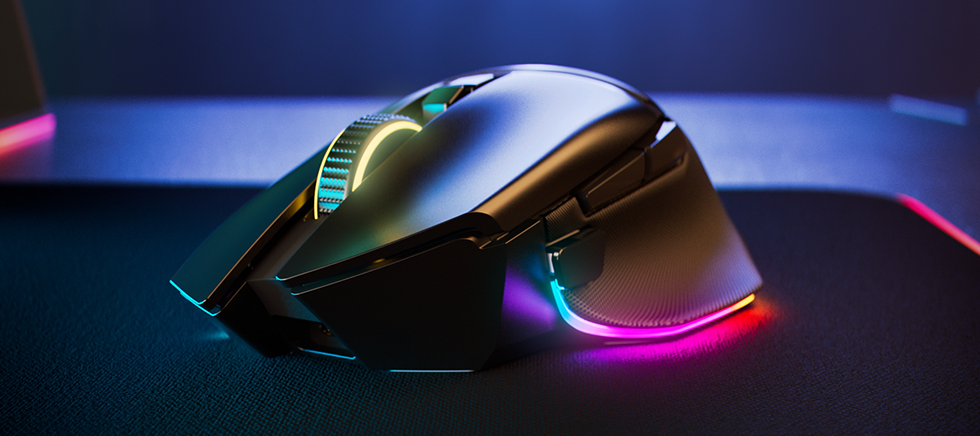
Experience a new level of immersion, customization, and precision with the Razer Basilisk V3 35K—our most advanced wired RGB gaming mouse ever. Featuring a next-gen sensor and scroll wheel designed for deeper configuration, you now have all you need to create the perfect setting for play.https://rzr.to/basilisk-v3-pro-35k
Hello :) Ive used my Viper Ultimate for a long time now, but since a couple of weeks it keeps frequently discontecting…Ive tryed the Pairing Utility, but it doesnt work, keeps flickering on and off. Is it somehow possible to get a replacement Dongle for the Viper Ultimate (removed serial number)? Thanks in advance!
Hi everyone,I wanted to share my recent experience with the Razer BlackWidow V4 Low-Profile TKL HyperSpeed and voice my frustration regarding a major issue with this model.I am a long-time Razer fan—my setup currently features two Razer mice and a Razer keypad. Naturally, I wanted to complete my ecosystem with a low-profile keyboard so everything would run smoothly under Razer Synapse.Unfortunately, the experience has been a complete nightmare: 1st Unit: Bought a few months ago on Amazon. The battery stopped charging completely. The moment I unplugged the USB cable, the keyboard died instantly, even with the solid green light on. 2nd Unit: Received a brand-new replacement from Amazon today. Straight out of the sealed box, it suffers from the exact same defect. No charge accumulation at all. I reached out to Razer Support, but after going through basic troubleshooting, they asked for a video recording of the issue. Between work and daily commitments, I simply don't have the time or se
Any reason that the Hyperflux V2 Pro has never been available in Canada? I cannot find anything official from Razer on why that is.
I’d like to hear from the Razer community about the best practices you use to optimize gaming laptop performance.I’m particularly interested in settings that can help maintain stable FPS while keeping temperatures and background resource usage under control. GPU settings, power profiles, cooling, and software optimization can all make a noticeable difference.What settings or optimization techniques have worked best for you? Are there any Razer-specific features or settings that you recommend enabling or adjusting for better gaming performance?I’d be interested to hear what other Razer users have found effective.
Already have an account? Login
Enter your E-mail address. We'll send you an e-mail with instructions to reset your password.