
























[MONTHLY SILVER] August 2026 30,000 Silver Drawing
-
Recently active
Hello Razer Community, This is my first post ever in this community. Hope you are well. Well, I’d like to know about the compatibility between Razer Anansi keyboard with the Razer Doubleshot PBT Keycap Upgrade Set I found at Amazon.Sg. Ref: Razer Doubleshot PBT Keycap Upgrade Set for Mechanical & Optical Keyboards: Compatible with Standard 104/105 US and UK layouts - Classic Black https://amzn.asia/d/dr3Ty1d Razer Anansi : https://www.tomsguide.com/us/razer-anansi,review-2350.html I’m aware that the Anansi is not a mechanical keyboard, but, I’d like to change the keycaps because they are generally worn and oily already despite maintenance done. Bought the Anansi more than 10 years ago. A really durable keyboard. please do advise. Thank you.
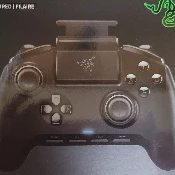
I’m starting to travel a lot for work and would like to be able to play D2 on the road. Do any of you have any experience playing Xbox Mobile on Razer Kishi or Backbone? Is it even possible to play on mobile away from your Xbox? I’m uncertain of how it works and would appreciate any feedback on gameplay experience and understanding omeglz the basics. Thanks!
Razer is probably the brand whose trying the most "weird" products in gaming, so I was thinking, maybe you could save me and make some grip gloves. The idea is to get grip tape grip feeling but directly on the hands. Why not just grip tapes then ? No grip tapes have perfect stitching, and I really don't like to feel it. It's not smooth at all, having the grip directly on your fingertips would mean the feeling would always be the same, no matter where your finger are positionned, since the grip "moves with em". Kinda directly related to the first point, but it also means this grip feeling and position is consistent over any mice, and any device really. I clean my mice really often, and having grip tapes on em makes cleaning much less convenient. With some gloves, you could probably just put em in the washing machine, and clean your mouse as usual. Could sound like a detail but it's a real turn off for me. Grip tapes are usually too thick, I like really thin mice, and it's tough to f
Just received the KB and discovered that you need to hold down Fn if you want to use the F# keys. Am aware that this can be changed in Synapse but... I need to use the KB on a work machine upon which I cannot install software https://tutuapp.uno/. I have access to my own Win 10 machine with Synapse (+ an M1 Mac). Is there a way please to program the KB using my own machines so that I can remove the need to press the Fn keys when using it on the work PC? Any help gratefully received, otherwise it is going straight back in the box and being returned
Hello Razer, What if you were to make a keyboard cleaning kit? I think it would be a great product!
it's been now more than a week with my mouse stopping every about 10/20 sec or even less i tried anything from changing usb on the pc to unistalling multiple times the mouse software but nothing changes. Is there anyone with the same problem/who knows how to solve it?
We need new BIOS and EC We need 130W 3070 3080
Hi, I've found threads on other communities detailing a similar issue dating back to 2017. If I put my W10 RZ09-0409x (Blade Advanced 2021, gtx3070) to sleep or hibernate, upon waking the trackpad will be jumpy & unusable-- sporadic movements, intermittent click misses, generally poor performance. External mice are not impacted. I've tried various non-OE drivers, older Synaptics software, Windows updates, BIOS updated to latest version to no avail. 100% of the time, upon resuming it will not work. Even disabling the HID-compliant touchpad device prior to sleeping and enabling upon wake doesn't resolve. Linux users are experiencing the same-- so is this a hardware defect or something at the firmware level? Are there any chances of this ever being fixed, or will it be necessary to reboot every time I need to use the trackpad after sleeping? Has anyone had any success in having a functional trackpad after sleeping?
I'm wondering if the Razer keyboards work with Macs. I'm interested in the Razer Blackwidow Lite. Looking for a nice lowkey mechanical keyboard that has backlighting, and the I love the look of the mercury white echatrandom blackwidow lite.
Just received my Razer Raptor 27, Upon setting up, I attempted to connect the Monitor to my Blade using the USB-C Cable provided for DP Alt yet it doesn't work? HMDI works fine but USB-C doesn't what so ever ?!?!?
My friend told me that razer was a gift card cash business, and i didnt know it is a game. How do i get my money back? It is $75 I dont have any idea Wat RAZER GAME is about! I am 77 years old THANK YOU FOR YOUR SUGGESTIONS !
Following a recent update to Cortex, I noticed that my in game display has been flipped upside down, how would I go about fixing this?
So a couple days ago I logged onto my PC and noticed my 1-12 side button hotkeys were no longer working. When I open Synapse and go to the hotkey section it still says they are all what they should be but instead they are just acting like my standard 1-12 on my keyboard. No matter what button I change them too they just stay acting as standard 1-12 and it’s made playing games like WoW for me now basically impossible. I plugged in my razer naga x and the same issue is happening. I think this started with the last synapse update. Anyone have any idea?
Everything here is based on my personal experience, if u have a good one so feel free to share your opinion. So i buyed 2019 the Razer Nari Ultimate and i have to say honestly that the sounquality is one of the best i ever experienced. I immideatly fall in love with them. The quality was good and the synapse programm worked well, but i was wrong after one year of usage there randomly things started to not work anymore. For example one RGB on the left side had failure. Disconnects from the headset happend and when battery got low it does the sound nonstop. I mean sure i used it one year but i payed 200 for that headset, i think it´s normal to expect it holding longer? right? And for everyone who thinks i throw my headset around .. no! i took very good care of them. Because of increasing problems and failures i writed razer support because i had warranty and they replaced it for me. So the new headset i use until now is also break down. It started after a year of use again with disconne
Hello guys, i recently bought a setup that i dreamed of for years, bought alot of accessoires from razer including razers laptop stand with rgb And basilisk ultimate. All my other razer products work fine but those 2 will freeze all the time. Randomly the wave will stop on the RGB and the mouse will stop working. It happens only on those 2 mobdro It’s annoying on the laptop stand but the mouse literally becomes useless with cable and without, it’s not my laptop specs the software is bugging out… Any idea what i can do? Otherwise i’ll have to return them because i don’t want products that barely function
I have a 5YO iBuyPower (C-i14) gaming desktop with an Asus Prime Z270-K. I've had the Black Widow for a long time and it took me forever to troubleshoot the issue, but this keyboard is occasionally preventing my PC from booting to Windows. No issues at all when I use the original iBuyPower keyboard. The PC will power down properly with the Razor plugged in. I just have to make sure it's unplugged from the USB port before powering up. Is there a Firmware update for this? Is this a known issue? Thanks in advance
I wanted to post in the Suggestions forum, but there was no "New Thread" button there? TL;DR :: Suggestions listed below, scroll down. Anyway, I have some feedback about the Audio Mixer. It assumes a lot about a person's set up and actually ends up bottle necking more than it helps combine. My set up, for example, is probably a typical, but not particularly complex. I have a PC from which I run an HDMI to a Sony AV Receiver, which powers my surround sound and my 55" screen as a large, tertiary monitor for streaming (it's perfect for having multiple windows open at once snapped to the corners). I use a FiiO DAC to power my headphones. So, functionally, I have two audio outputs that have independent volume control. In Windows, my System audio outputs to my DAC, and I have my browser mapped to my SONY AV in the Windows Mixer. The volumes are output at 100%, whereby I use the AV and DAC volume dials to control the levels that *I* hear. Inside of OBS, the primary audio output is set to
Just picked one of these (165Hz version). Despite the mixed reception with reviewers I really like the monitor, both the design & image quality. Also love the unique cables but what's with the super short USB C cable? Longer please, Razer, or at least provide a longer version in the store :)
Hey, I want to get a new keyboard. My Blackwidow v2 te(orange switch) is getting old. I was wondering if the Huntsman v2 or Blackwidow v3 is generally better? It also looks like orange keys are no longer supported Tweakbox. Should I get Opitlcal red, optical purple, Green, or Yellow switch? Which is most similar to oranges? I have only tried mx blues(too loud) and orange switches.
Whats your opinions on war thunder, do you personally play or know anybody who plays it, what was your experience like, do you think its worth spending money on the game? Anything you want to see them add or fix?
Hey there, recently I bought a Razer Viper 8k but the first time when I plugged it into the computer - a desktop pc, MSI MAG B550 Tomahawk motherboard - nothing happend, no Windows Sound, no Mice Symbol on Screen nor RGB Lightning at the Mice itself. So I took the Mice, turned it arround and pressed on the DPI Button and suddenly the Mice turned on and Windows gave me the USB Plugin Sound. I quickly tried to update the Firmware which I've downloaded from the Razer Homepage and after I've done so, I've switched immedietly to Synapse and everything seemed fine to work. But after a PC restart, the same problem again. After I configurated the USB Device Energyrules, I also recognised that the Viper 8k is shown as "HID-Complient Mice". That was quiet curiouse to me, cause I was used to see my old mice - razer basilisik - by it's product name and not as a HID-Complient Mice, but anyway, nothing really helped out so far. The Mice is working for a uncertain time before it starts to drop off th
Hi. I wanted to ask you - when do you load your mice and how often. It used to be said that the battery should be discharged almost to zero and then charged and preferably not fully charged. Later, something changed and it was claimed that it was best to recharge the batteries more often, as long as not to discharge them. How is it with you? Are you waiting for the battery to die and then connecting to the power supply or maybe connecting the mouse after finishing the game / work?
I think this is the best all around brand thoughts?
Why does the software that I need to run my mouse and keyboard serve me ads? Not only that they are for one of the worst scummy "games" raid...
Hi there. I'm using a new Cynosa on a work laptop that I cannot install the Razer software on. I was looking for a way to stabilize the pulsing color rainbow effect. I saw some articles about using hotkeys to do this, such as at https://mysupport.razer.com/app/answers/detail/a_id/5452/~/how-to-cycle-through-onboard-quick-lighting-effects-on-the-razer-keyboard%3F However those don't seem to work for the Cynosa and I cannot locate any materials that cover how to do this. Any help would be appreciated.
Already have an account? Login
No account yet? Create an account
Enter your E-mail address. We'll send you an e-mail with instructions to reset your password.